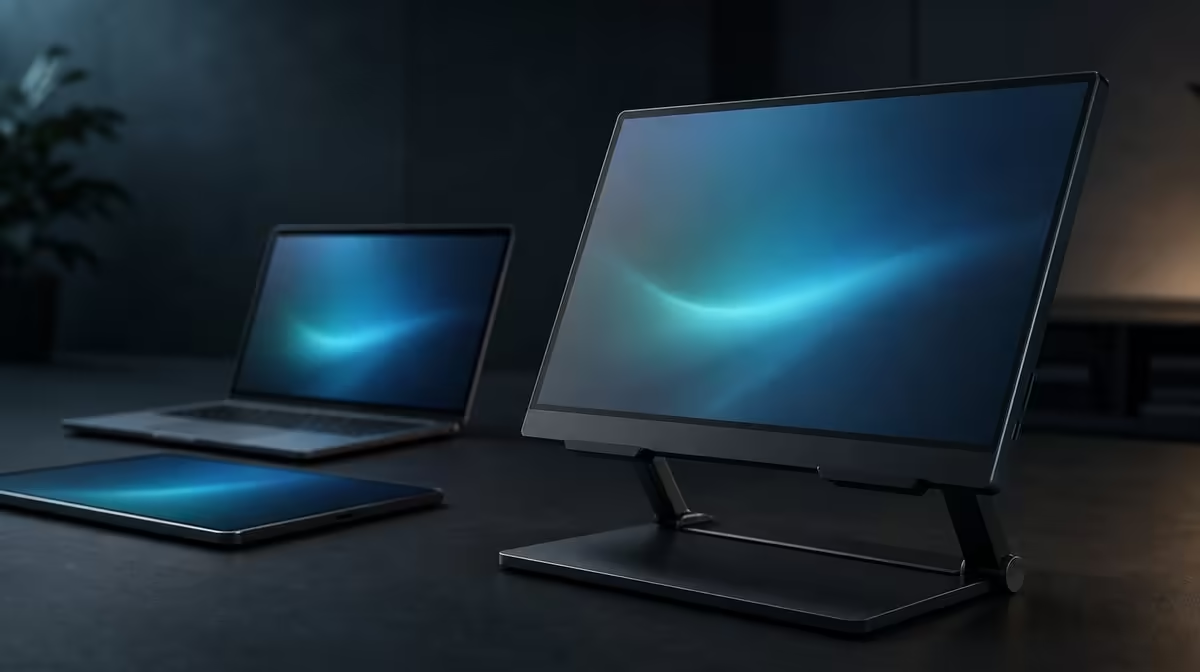
Universal describes a broad starting range, not a promise that every object will sit safely. Devices for a 7-15.6-inch stand can include tablets, portable displays and other suitably shaped hardware, but each candidate still brings its own weight, thickness, case and ports. The R599 UPERFECT UStand adds rubber contact and adjustment to that fit process.
Quick Answer
The UStand supports suitable tablets and portable monitors in the 7-15.6-inch range and costs R599. Confirm actual device weight against current load guidance, then check contact shape, case thickness, controls and connector clearance before mounting. Size compatibility alone does not approve every device.
📐 Use diagonal size as the entry check
Find the device's stated diagonal measurement. If it falls below 7 inches or above 15.6 inches, it sits outside the confirmed UStand range.
For a device within the range, record physical width and height as practical handling information. Two products with the same diagonal can distribute their shape differently.
Weight remains a separate field. Obtain it from the device's product documentation and compare it with current UStand load guidance.
The Evetech monitor accessories category can help buyers compare support types after the size gate.
📱 Test tablets and smaller devices carefully
A tablet inside the size range may fit when its edge, case and controls meet the support securely. Place it centrally and check whether buttons are pressed by a lip.
Folding covers can alter thickness or create an uneven rear surface. Test the exact cover state used during work rather than assuming the bare device result transfers.
Smaller size does not automatically mean secure contact. A narrow device can meet less of the anti-slip rubber or sit differently in the support geometry.
Portrait rotation may suit reading or communication. Hold the tablet during the turn and check that its centre remains within the footprint.
If handheld selfie-stick mode is considered, assess grip and leverage separately. A device that works on the desk may be uncomfortable to carry.
🖥️ Give portable monitors a full fit card
A portable monitor near 15.6 inches reaches the upper diagonal boundary. Begin with the 135-degree arm close to the base and mount with both hands.
Check weight, bezel shape, thickness and any kickstand or cover. A built-in structure can change how the screen rests against the UStand.
Map charging and video ports before choosing orientation. The stand allows charging while mounted only when connectors remain accessible and cables can bend gently.
Release hand pressure slowly, test normal typing and add cables one by one. Reject any arrangement where an edge rises, the arm settles or the screen creeps.
Current portable-screen options can be explored through Evetech's portable monitor selection, using exact model data in the support check.
🔍 Check cases, ports and every mode
Cases can improve protection while changing compatibility. A thick corner may reduce rubber contact, and a flap can interfere with the folding arm.
Ensure that the support does not press a power button, volume control or connector. Port exposure must include space for the plug body and a relaxed service loop.
Desktop, tripod and selfie-stick roles use different geometry. Convert the stand unloaded, then reassess contact, leverage and cables for the specific device in that mode.
Flat folding describes the stand's storage form, not the mounted device. Remove hardware before packing and keep the rubber clear of grit.
At R599, the UStand offers broad size coverage and several roles. The Evetech accessory best-seller page can give wider setup context once the exact device passes.
Build a device matrix rather than a single universal verdict. Use rows for a tablet, portable monitor or another suitable device, then add columns for diagonal, documented weight, thickness, case, ports and intended mode.
Mark the diagonal result first. Only rows from 7 to 15.6 inches proceed, and passing that cell does not fill any of the others automatically.
A tablet with a folding cover may need the cover removed or arranged differently, but that change must not expose the device to unsafe handling. Test buttons and camera bumps as well as the support edge.
A portable screen can include its own cover or rear structure. Make sure this hardware does not create a rocking point against the UStand or direct pressure into the panel.
Connector direction can decide orientation. A side power port may clear in landscape and approach the arm in portrait; another device may reverse that outcome.
Record desktop and tripod results separately. Freestanding support changes the footing, so the same device row needs another surface, traffic and cable assessment.
Handheld use deserves its own pass rather than inheriting the size result. If the device cannot be controlled with a steady grip, leave that matrix cell blank and use a supported surface.
Run the device through a fold-and-rebuild cycle. The stand should return to its recorded geometry without dragging the screen through the adjustment.
Reject any row with unknown weight when that fact is necessary for confidence. The UStand's R599 price and size range cannot fill missing device information.
The matrix becomes reusable when another device arrives. Start a fresh row, preserve the successful configurations and avoid assuming that a smaller diagonal will copy the previous contact pattern.
A family or shared office can keep the matrix with the stand. Each user records the specific device and approved orientation, reducing the chance that one successful tablet result becomes permission for unrelated hardware.
Add a cable column for every device. Note plug direction, free-loop location and whether rotation remains available while connected. A universal stand can meet several port arrangements differently.
Cases should receive named versions rather than a simple yes. A thin cover and a thick protective shell may alter the same device's contact enough to produce opposite results.
Review the matrix after travel. A device may fit the UStand but lack safe space in the bag beside the folded aluminium support, making the full travel pairing unsuitable.
At purchase time, compare current availability and the complete R599 package. The result should read as a set of approved device configurations, not a promise that any object between 7 and 15.6 inches will work.
Review the device matrix after several sessions. Remove a mode that required repeated correction and preserve only the arrangements another user can reproduce from the record.
This keeps universal size coverage honest: it describes a broad intake range followed by device-specific approval.
Frequently Asked Questions
Which size range is explicitly supported?
The UStand supports devices from 7 to 15.6 inches.
Can a tablet fit?
Yes, when it falls within the range and its weight, case, controls and contact shape suit the stand.
What about a 15.6-inch portable monitor?
It meets the diagonal boundary, but its weight, thickness, case, ports and balance still need testing.
Why does device weight matter?
Weight and its distribution influence leverage. The size range does not provide a load capacity.
Can a protective case change compatibility?
Yes. It can change thickness, contact, button clearance and how the device's centre sits.
How should port position be assessed?
Check the socket, connector body, cable bend and movement path in every planned orientation.
What does the UStand cost?
The universal-size UPERFECT UStand is R599.
Ready to turn a universal size label into an exact device fit card?
Compare Evetech monitor stands and test the R599 UStand against the tablet or portable display you will actually use.