Spend an afternoon printing a single-colour bracket and the question barely registers. Print a club logo, a tabletop miniature, or a name plate for a desk, and suddenly AMS multi-colour stops being a luxury and starts being the whole point. The choice in South Africa comes down to a clear price gap: the single-colour Bambu A1 sits at roughly R7,999, while the A1 Combo with the AMS Lite unit runs around R12,495. That R4,496 difference is the real decision, and it splits printer buyers into two honest camps.
Quick Answer
AMS multi-colour is worth the roughly R4,496 premium if you regularly print logos, figurines, signage, or anything where colour carries meaning. For functional brackets, jigs, and replacement parts where colour is irrelevant, the single-colour A1 at around R7,999 is the smarter buy and you can add AMS later.
What AMS Lite Actually Does
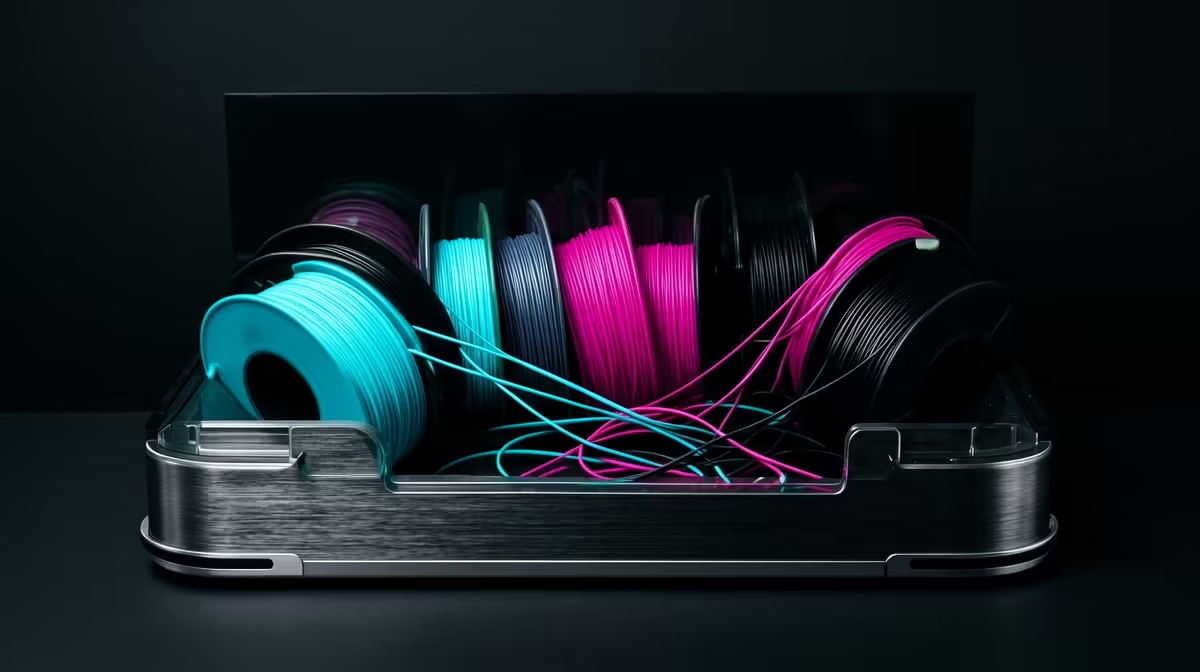
AMS stands for Automatic Material System. On the A1 Combo it ships as AMS Lite, an open four-spool holder that feeds filament into the printer and switches between colours mid-print without you touching anything. The printer parks the active filament, retracts it, purges the nozzle, loads the next colour, and carries on. You design a model with four colours assigned to different parts of the mesh, slice it, and walk away.
The key word is automatic. Without AMS, multi-colour means pausing the print at a set layer height, manually swapping the spool, and resuming, which works for a colour change between two flat layers but falls apart the moment a single layer needs two colours side by side. A logo with text over a background needs exactly that, and only an AMS-style system delivers it cleanly.
The Honest Cost Of Colour
Multi-colour printing wastes filament, and that surprises first-time buyers. Every time the printer switches colour it purges the old filament from the nozzle, building a small tower of mixed-colour waste beside the model. A four-colour print can generate more purge material than the model itself weighs. On a roll that costs a few hundred Rand, that adds up across a print run.
Print Time Stretches Out
Each colour change also costs time. A model that prints in two hours in one colour can take three or four hours across four, because the machine spends real minutes retracting, purging, and reloading at every transition. If you are printing for a deadline or selling small batches, factor that in honestly rather than assuming colour is free once the hardware is paid for.
Reliability Sits With The Filament
AMS Lite is an open-spool design, which means it does not control humidity the way an enclosed AMS does. South African coastal humidity in Cape Town or Durban can leave PLA sitting on an open holder slightly damp, and damp filament causes loading jams and stringing during swaps. A simple dry box or a few silica packs near the printer solves most of it, but it is a maintenance habit you take on with the Combo.
Cutting The Waste Down To Size
The purge problem is real, but it is not fixed at the factory setting, and a little slicer knowledge claws most of it back. The biggest single win is flushing wasted filament into the model's own infill instead of a separate tower; the slicer pushes the colour-change purge into the hidden lattice inside the part, so plastic you would have thrown away ends up doing useful structural work. On a part with generous infill this alone can absorb a large share of the waste.
Next, tune the flushing volumes for the colours you actually use. The default values are deliberately generous to guarantee a clean change between any two colours, but going from a dark colour to another dark colour needs far less purge than going from black to white. Lower those figures gradually and watch for colour bleed; once you know your filaments, the purge towers shrink noticeably. Printing several copies of a small multi-colour model at once also helps, because each colour change then serves every copy on the plate rather than one model at a time.
When The Maths Actually Favours Colour
Run the numbers honestly before you commit. If a typical job is a four-colour figurine that prints in a few hours, the extra filament and time are a fair trade for a finished, painted-looking result straight off the bed. If your output is mostly single-colour functional parts with the odd coloured gift, the premium sits idle most of the month. The AMS earns its keep through frequency of use, not through owning the capability, so be realistic about how often a print genuinely needs more than one colour.
Who Should Buy The Combo Now
If your output leans toward anything decorative or branded, buy the Combo from the start. Buying the single-colour A1 and adding AMS Lite later is possible, but you pay close to the same total and lose months of capability in between. Hobbyists who print board game pieces, cosplay props, gifts, school projects, or anything sold at a market table get daily value from four-colour printing. You can browse the current Bambu lineup and pricing in the Evetech 3D printer range to see where the A1 and A1 Combo land against each other today.
Who Should Skip It
Engineers, makers, and anyone printing functional parts should think hard before paying the premium. A drone mount, a phone stand, a cable clip, or a replacement gear works exactly as well in one colour. If 90 percent of your printing is grey, black, or white PLA for parts that get bolted onto something, the AMS premium buys you a feature you rarely touch. That R4,496 is better spent on a deeper filament stock, a spare hotend, or quality nozzles, much of which you can find alongside other gear in the accessories best sellers.
Frequently Asked Questions
How many colours can AMS Lite print in one model?
AMS Lite holds four spools, so a single print can use up to four colours automatically. You can print more than four by manually swapping a spool mid-job at a set layer, but four is the seamless automatic ceiling.
Can I add AMS Lite to an A1 I already own?
Yes. AMS Lite is sold as a standalone unit and connects to an existing A1, so buying the single-colour printer first is a valid path. The catch is that the combined cost lands close to the Combo price, so you save little by splitting the purchase.
Does multi-colour printing weaken the part?
No. Switching colour does not change the layer bonding or strength of the print, since it is still the same PLA or PETG laid down in the same way. The only differences are extra print time and purged filament waste at each colour change.
Is the filament waste really that much?
It can be significant on colour-heavy models. The nozzle purges old filament at every switch, and a four-colour print can produce a noticeable pile of waste beside the model. You can reduce it in the slicer by lowering purge volumes once you learn how your filaments behave.
Will humidity affect AMS Lite in coastal areas?
It can, because AMS Lite is an open holder rather than a sealed box. In humid Cape Town or Durban conditions, keep filament in a dry box or with silica packs to avoid loading jams during colour swaps.
Ready to decide between single-colour value and full four-colour freedom? Compare the A1 against the A1 Combo and the rest of the Bambu lineup in the Evetech 3D printer range, then match it with filament and spares so your first multi-colour print lands clean.