



PCIe 5.0 vs PCIe 4.0 for Video editing in 4k in SA
PCIe 5.0 vs PCIe 4.0 for video editing in 4k is mainly about fit, features, compatibility, cost, and upgrade path, not one automatic winner. SA buyers should match the choice to the setup.
Read moreA 135-degree arm offers adjustment for work and entertainment, but usefulness depends on the required screen position. The R599 UStand combines that arm with 360-degree rotation, letting reach and orientation work together within the limits of balance and cable slack.
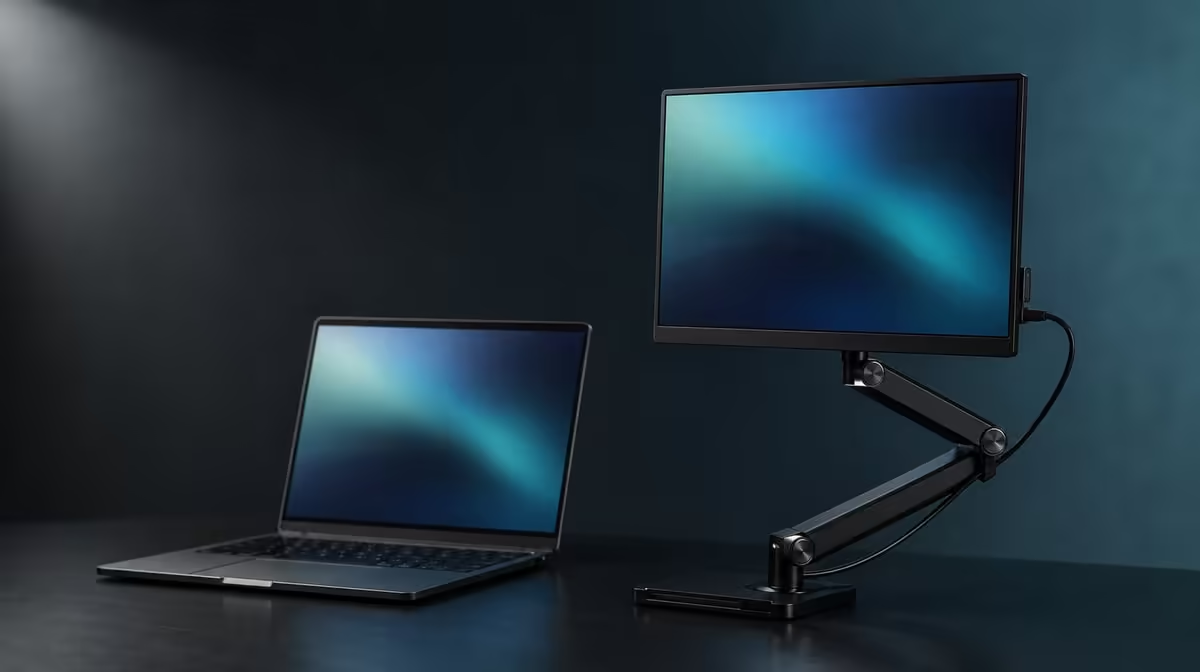
An arm range is useful only when the screen positions you need sit inside it. The 135-degree folding arm flexibility on the R599 UPERFECT UStand can shape reach, height and tilt, while 360-degree rotation handles orientation. Whether that is enough depends on the desk, chair, task, device and cable route.
The UStand's 135-degree arm is flexible enough when it can place the compatible screen at a balanced working or entertainment angle without forcing maximum reach. The stand costs R599 and adds full rotation. Test from the normal seat, keep the device centred, and reject any position that lifts the base, settles after release or tightens a connected cable.
Start with the work surface and viewing distance rather than the joint. Place the UStand where its base can open completely and the screen can remain clear of other equipment.
Mount the device close to the footprint, then move the arm in small stages. The 135-degree range contributes to reach, height and tilt in combination.
Sit in the normal chair and read the actual content. An available angle is not useful if the viewer leans forward, looks sharply down or places the screen too far away.
Use the shortest setting that solves the task. Extension creates leverage and should be earned by a required viewing improvement.
Compare folding formats through the Evetech monitor accessories range.
The arm and rotating joint have separate roles. Use the arm to shape the side profile, then turn the device between portrait and landscape only when the task benefits.
Support the screen during rotation. A new orientation changes how its shape sits around the rubber contact and may move the centre relative to the base.
Recheck the arm after turning. A portrait screen may need less reach or another tilt than the previous landscape arrangement.
Record successful work and entertainment positions separately. A side photograph can preserve arm geometry, while a front image shows orientation and centring.
The UStand's confirmed 7-15.6-inch range remains a size boundary. Device weight, case and thickness must pass independently at every chosen angle.
The joint's full motion does not mean every intermediate position can hold every compatible-size device. Begin conservatively and release pressure in stages.
Watch for a lifting base edge, arm settling, device rotation or creeping rubber contact. Any of these signals a need for shorter reach or another base position.
Test normal typing, touch and mouse activity. A flexible desk can make a good arm angle appear worse by transmitting movement through the base.
For tripod conversion, rebuild unloaded and start the angle process again. Freestanding support points change leverage and traffic around the screen.
Portable-screen choices can be viewed through Evetech portable monitors, with the exact model brought back to this stability test.
Set the desired arm angle before connecting power or video. Check that support contact leaves the ports accessible.
Use the correct device leads, carry their weight away from connectors and preserve a free loop for the small movements expected during use.
Do not bind a cable tightly to the folding arm. Movement through the 135-degree range can pinch or stretch a lead that was routed for only one geometry.
Test the alternate work or entertainment position separately. A loop long enough for a closer landscape view may become taut in a raised portrait arrangement.
Mounted charging access is useful when the connector stays relaxed. It does not supply power or make every arm position cable-safe.
At R599, the arm is valuable when it covers the recorded positions and can be rebuilt after flat folding. The Evetech accessory favourites collection can help complete the desk after those positions pass.
Create profiles by task rather than by joint position. A work profile can specify screen distance, portrait or landscape and the cable route; an entertainment profile can use another tilt and seat.
Build both from a fully supported starting point. Hold the device, shorten the arm, set orientation and then move towards the saved side profile. This reduces leverage during the largest change.
Spend time in each profile. A position that looks good during adjustment may produce glare, an awkward sightline or keyboard interference after normal use begins.
If the table is shallow, move the whole UStand before extending far beyond its base. If the table flexes, find a firmer region rather than asking the arm to isolate furniture vibration.
Shared users can maintain separate photographs. Each image should show the base edge, arm shape and screen centre, while a note identifies the corresponding lead slack.
Check the joint after repeated folding. A position that starts to settle without touch should be unloaded and rejected until the cause is resolved.
Tripod mode uses the same arm movement over a different footprint. Start its 135-degree assessment again and keep the support points out of walkways.
For a display at the larger end of the size range, work closer to the base and obtain its weight from the device documentation. The arm's degree range cannot establish capacity.
Mounted charging can be maintained in a saved position, but do not move between profiles using the power cable as a guide. Disconnect when the required route lacks slack.
The arm is flexible enough when it reaches every approved profile with a flat base and relaxed leads. If a required view lies beyond stable geometry, another stand arrangement should be compared instead of forcing the endpoint.
Test a transition between the two most common profiles. Remove cable tension, support the device, shorten the arm and then move to the next position. The change should not require pulling on the display edge.
If a profile needs the base near a desk edge, confirm that the entire footprint remains supported and clear of accidental contact. Do not sacrifice the base to gain a few more centimetres of screen reach.
After travel, compare the rebuilt side photograph with the original, then make a fresh surface check. The arm range stays the same while table depth and vibration change.
At R599, the UStand provides both folding-arm and rotation options. Value comes from reaching the approved work and entertainment states without additional support objects or strained connectors.
At the end of the test, list the approved profiles rather than the unused joint endpoints. That final list answers whether 135 degrees is enough for the buyer's actual work.
It helps shape the screen's reach, height and tilt through the folding arm.
It can when both positions remain within a secure, balanced geometry for the exact device.
Rotation changes orientation, while the folding arm changes the side profile.
Device leverage, base contact, the working surface and cable pull determine whether an extension is usable.
Hold the screen, move in small steps, release pressure gradually and repeat normal desk activity.
Yes, where port clearance and cable slack remain safe with the correct device power equipment.
The UPERFECT UStand with its 135-degree arm is R599.
Ready to decide whether 135 degrees covers your real screen positions? Explore Evetech monitor accessories and test the UStand's arm, rotation and cable route from the seat where it will be used.
It helps shape the screen's reach, height and tilt through the folding arm.
It can when both positions remain within a secure, balanced geometry for the exact device.
Rotation changes orientation, while the folding arm changes the side profile.
Device leverage, base contact, the working surface and cable pull determine whether an extension is usable.
Hold the screen, move in small steps, release pressure gradually and repeat normal desk activity.
Yes, where port clearance and cable slack remain safe with the correct device power equipment.
The UPERFECT UStand with its 135-degree arm is R599.
PCIe 5.0 vs PCIe 4.0 for video editing in 4k is mainly about fit, features, compatibility, cost, and upgrade path, not one automatic winner. SA buyers should match the choice to the setup.
Read more
Wi-Fi 7 vs Wi-Fi 6e for competitive esports comes down to router support, latency goals, device compatibility, and coverage. SA buyers should match the choice to the real network setup.
Read more
ATX 3.1 vs ATX 3.0 for mMO and live-service games buyers - what changes is mostly about compatibility, budget, upgrade path, and setup fit. SA buyers should check device support and real needs before expecting a clear win from either option.
Read more
LGA 1851 vs LGA 1700 can affect Twitch and YouTube streaming when gaming and encoding share CPU resources. For SA creators, the real-world difference depends on encoder choice, memory support, motherboard cost, thermals, and upgrade plans.
Read more
X870E vs X670E for aaa single-player gaming is mainly about fit, features, compatibility, cost, and upgrade path, not one automatic winner. SA buyers should match the choice to the setup.
Read more
Hall Effect switches vs Mechanical switches for mMO and live-service games is mostly about compatibility, budget, upgrade path, and setup fit. SA buyers should check device support and real needs before expecting a clear win from either option.
Read more
A fake 113GB GTA VI ISO reportedly used empty padding around a small malware payload. SA gamers should delete unofficial builds, keep Windows security active and wait for official channels.

Wi-Fi 6E vs Wi-Fi 6 matters for 4K video editing when files move across a network. The real-world difference between Wi-Fi 6E and Wi-Fi 6 for video editing in 4K depends on NAS access, cloud uploads, router range, and SA creator workflows.

The difference between PCIe 5.0 and PCIe 4.0 for SA gamers is mostly bandwidth headroom. Compare GPU slot needs, NVMe speed, motherboard support, and upgrade timing before paying extra for a newer platform.

Gaming PC stuck pixel checks in South Africa should confirm the monitor fault first. Use colour tests, screenshot comparison, cable swaps, display menu checks, and clear photos before deciding on support.

Shokz OpenFit Air 2 earbuds weigh 7.2g each and use a redesigned dual-driver open-ear layout. SA buyers should choose them for comfort and awareness, not maximum isolation.

AMD's current driver now lists a Radeon RX 9050 4GB, while product coverage details a narrowed memory system. SA buyers should weigh the low VRAM ceiling against current local Radeon options.

Samsung Display has demonstrated a 16-inch 2.5K OLED laptop panel running at 300Hz. SA buyers should wait for a named notebook, full panel specifications and a local price before planning an upgrade.

Microsoft says some Windows 11 game crashes after recent updates are linked to RGB-related drivers. Affected SA gamers should confirm the update and driver before using the published registry workaround.

RTX 5090 on a 650W PSU is a tight pairing with very limited headroom. For SA gaming PCs, focus on total system draw, PSU quality, connector support, CPU choice, and avoid OC plans unless the full build is carefully power-limited.
PCIe 5.0 vs PCIe 4.0 for video editing in 4k is mainly about fit, features, compatibility, cost, and upgrade path, not one automatic winner. SA buyers should match the choice to the setup.

850W PSU safety for RTX 5090 is plausible with a quality unit and balanced parts. In SA, confirm connector support, CPU power draw, case airflow, PSU age, and spare capacity before building around 850W.
Wi-Fi 7 vs Wi-Fi 6e for competitive esports comes down to router support, latency goals, device compatibility, and coverage. SA buyers should match the choice to the real network setup.