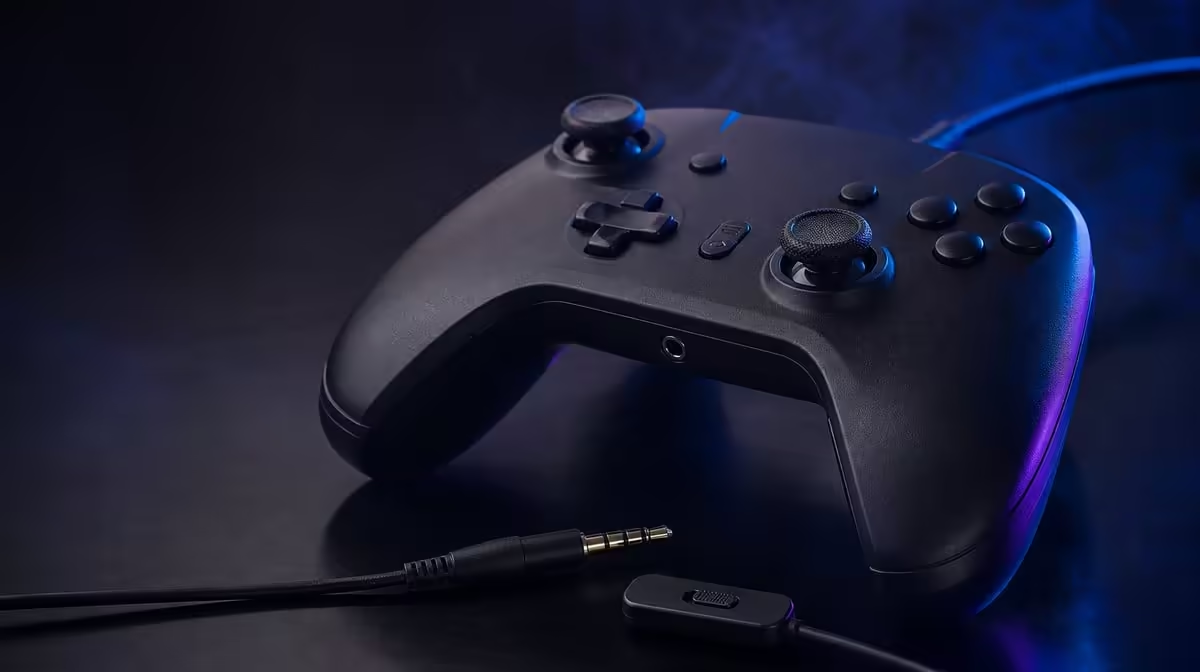
Chat controls are most useful when they reduce uncertainty. A controller audio jack and Mic Mute Button can keep headset routing and privacy near the player's hands, but the plug, microphone path, game settings and mute state still have to be tested before multiplayer begins.
Quick Answer
The R899 GameSir G7 HE includes a 3.5mm audio jack for a compatible wired headset and a dedicated Mic Mute Button. This can simplify Xbox chat control, provided playback, microphone input and mute state are confirmed with the exact headset and game setup.
🎧 Build the audio path in order
Begin with the controller connected and recognised. Seat the 3.5mm plug fully without forcing it, then check playback at a moderate level. A partly inserted connector can produce one-sided or intermittent audio.
Next, test microphone input in a safe voice screen or recording tool. Speak at ordinary volume and confirm that the system receives a stable signal before joining a multiplayer group.
Check the game's own voice settings after the system layer passes. Input device choices, chat mix and privacy settings can prevent communication even when the physical headset path works.
The connector shape alone does not prove every headset combination. Confirm compatibility with the exact equipment. Evetech's gaming controller selection helps compare complete controller features at the G7 HE's R899 reference.
🔇 Learn mute state before pressure
Press the Mic Mute Button in a controlled test and identify how the setup communicates its state. Repeat the action while another person confirms whether voice stops and returns.
Do not wait for a private conversation or noisy lobby to discover the behaviour. Mute is a privacy control, so confidence must come from a direct test rather than a hopeful button press.
Include mute in a short pre-session routine: headset seated, playback present, microphone active, mute state understood. Keep the sequence concise enough to repeat every time.
If voice disappears unexpectedly, inspect the physical Mic Mute Button before changing game menus. A muted controller can look like a software failure.
🎮 Keep control and chat comfortable
The G7 HE is wired to the Xbox, and a headset lead may also run from the controller. Route both so they do not pull against each other or cross the player's grip.
Leave enough headset slack for normal head movement without creating a loop that catches an armrest. Test the seated position used in actual play, not only the desk where the cable was organised.
Rear-button assignments should be checked with the headset connected. A changed grip caused by cable tension can make the two remappable controls easier to press accidentally.
Dual rumble may move the controller during supported effects. Confirm that the audio plug remains secure and the cable path stays comfortable during an ordinary game sequence.
🔍 Troubleshoot one layer at a time
For missing playback, check plug seating, system output and game audio in that order. For a missing microphone, add mute state and input selection. Keep a note of the last working step.
Try another compatible screen or title only to isolate the problem, not as a random reset. A symptom limited to one game points somewhere different from audio absent at the system level.
Avoid changing volume, chat mix, privacy settings and hardware simultaneously. One adjustment followed by the same test shows whether it helped.
Evetech's gaming accessories range and popular accessory page can be used to review current headset and setup choices. Keep the G7 HE decision tied to the compatible wired path you can prove.
Create an audio fault table with separate rows for no playback, one-sided sound, missing microphone and unexpected mute. Each row starts at a different layer, so the table prevents every symptom from causing a complete settings reset.
For playback, begin at the plug and output route. For voice, add input selection and privacy permissions. For mute, confirm the physical controller state before opening another menu. Record the last passing step so diagnosis can resume rather than restart.
Test chat while using the two rear buttons. A headset cable crossing the fingers may change grip and cause extra inputs. Move the lead towards the outside of the hand and repeat the same mapping sample.
Rumble should be included in one full-system test. Let a supported game produce vibration while another person listens to the microphone. This can reveal plug movement, cable contact noise or a grip change that quiet desktop testing misses.
Use a pre-lobby card: controller recognised, plug seated, playback checked, voice checked, mute confirmed and both cables clear. The card should take less than a minute to follow and remain legible in low room light.
After multiplayer, restore a known state. Unmute if that is the agreed default, close any temporary test profile and coil the leads without strain. Audio reliability improves when the next session begins from an expected physical and software condition.
Test headset comfort over a full session. Ear and microphone placement belong to the headset, but the G7 HE's jack location and cable exit affect whether the line brushes the wrist or pulls during head movement.
Create a household mute convention. Decide whether the controller is stored muted or live, write it on the setup card and verify it when another user hands over the pad. Privacy benefits from an agreed default.
If one game fails while system voice works, preserve the system settings and inspect only the title's chat configuration. This protects a working audio path from unnecessary resets.
Keep the exact headset name with the last-known-good record. A later cable or headset change creates a new path and should receive a fresh playback, microphone and mute test.
Test voice after a controller restart and after reconnecting the headset. Reproducibility matters more than one successful lobby.
Keep chat diagnosis separate from rear profiles and Hall settings. Audio repairs should not disturb a working control setup.
Review the routine monthly and shorten it to the steps that catch real faults. A quick trusted check makes the R899 audio feature easier to use.
Add a microphone-position note with the successful headset. Voice quality can change because the boom or inline mic moved, even while the controller path remains healthy.
Test the same audio route after a normal controller restart. Reproducibility confirms that the setup does not depend on an unexplained order.
Store the G7 HE and headset leads separately so neither cable presses against the other connector between sessions.
End each fault check with a real chat sequence while moving both sticks and using the rear profile. Passing sound in a static menu is only the first layer; the complete route must remain comfortable during play.
Frequently Asked Questions
What size audio jack is on the G7 HE?
It includes a 3.5mm controller jack. Compatibility should still be checked with the exact wired headset and Xbox setup.
What does the Mic Mute Button do?
It provides a direct controller control for microphone privacy. Test how the active state is indicated before multiplayer.
Why can playback work while the mic fails?
Output and microphone input are separate parts of the audio path, and game or privacy settings may affect them differently.
Can cable routing affect comfort?
Yes. Controller and headset leads can pull at the hands or catch nearby furniture if their slack is poorly managed.
What does the G7 HE cost?
The wired Xbox controller costs R899, including its audio jack and dedicated mute control.
Ready to make Xbox chat predictable before the lobby opens?
Compare Evetech's controller and headset categories, then test playback, voice and mute state as one calm routine.