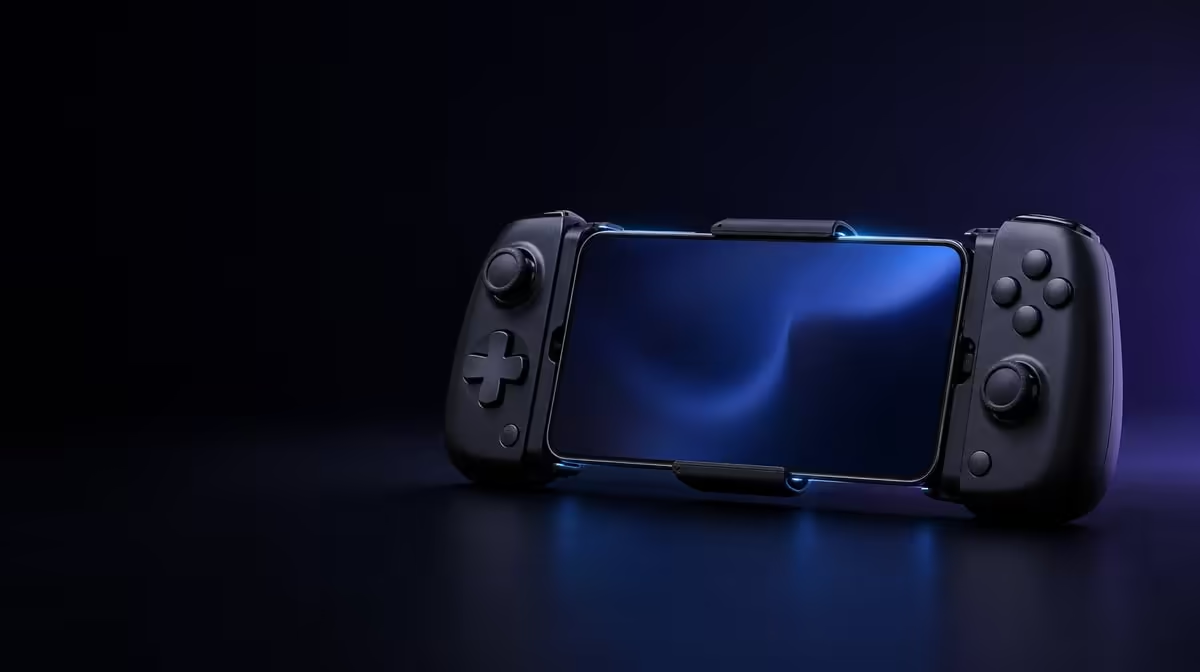
Bluetooth pairing feels instantaneous when it works, but several useful steps happen between pressing a button and controlling a game. GameSir Pocket Taco Bluetooth pairing makes the controller discoverable, lets the phone identify it and saves connection details for later sessions. That R599 wireless link is separate from the game's decision to accept controller input.
Quick Answer
Charge the Pocket Taco, enable Bluetooth on the phone, put the controller into pairing state and select it from the available-device list. Wait for Android to mark the connection as complete, then test local controls before opening the intended game. Evetech prices the Pocket Taco at R599.
🔍 Discovery introduces the two devices
A phone cannot choose a controller it cannot see. Bluetooth settings display nearby devices that are ready to be discovered, while the Pocket Taco must be placed in its appropriate pairing state. Keep the controller near the phone and avoid trying to connect it to several handsets at once.
The name shown in Android helps identify the device. Select it once and allow the process to finish. Repeated taps, rapid mode changes or leaving the settings screen too quickly can make a straightforward setup confusing.
During the first pairing, the phone and controller establish connection information that can be remembered. Later sessions may reconnect without repeating the complete discovery process. That saved relationship is convenient, but it can also become stale after device changes or repeated failed attempts.
Evetech's gaming controller range provides other connection formats to compare when Bluetooth is only one part of the planned setup.
🔗 Connected status proves only the link
Once Android reports that the Pocket Taco is connected, test an operating-system menu or another low-risk local interface. Press one direction and one confirmation input at a time. Clean response shows that the phone can receive something useful from the controller.
The next gate belongs to the game. Software may support an external pad fully, partially or not at all. Open the control settings and use a practice area before entering a competitive match. Confirm every essential action, including any menu command needed to leave or pause play.
Built-In Keyboard Mode adds another input route where software accepts keyboard-style signals. It is not part of Bluetooth discovery itself. Pair normally first, record which controller mode is active, and test Keyboard Mode only for a defined command or text field.
Screen orientation and mount format are also independent. The Pocket Taco is designed for vertical phone play, but Bluetooth does not rotate a game or make a landscape-only title suitable for portrait use.
Pairing should be documented in the context of the phone used. Note the handset, operating-system version and controller mode when a test succeeds. If a later update changes behaviour, this record gives you a clean baseline instead of relying on memory.
Notifications and app switching can also change focus. A controller may remain connected while the phone sends inputs to another screen or text field. Return to the intended app and confirm focus before deleting a pairing that is still healthy.
Online response adds a third path. The controller communicates locally over Bluetooth, while the game may use Wi-Fi or mobile data. Test offline before blaming controller pairing for a delayed server session.
The rest of the phone kit can be explored in Evetech's gaming accessories category.
♻️ Reconnection should be tested before travel
After the first successful session, end the game, let the controller power down and then reconnect later. This rehearsal shows whether the phone remembers the device and how long the normal return sequence feels. Do it at home instead of learning it during a short commute.
If the Pocket Taco refuses to reconnect, check whether another nearby phone has claimed it. Disconnect old pairings from devices that no longer belong in the routine. Then toggle Bluetooth on the intended phone and try again.
When Android continues to show an old entry that does not work, forget that device and build a fresh pairing. Restarting both devices can follow if necessary. Change one layer at a time so the successful fix remains clear.
Keep the controller charged during diagnosis. The 600mAh battery supplies the Bluetooth radio and controller electronics. Smart Power On-Off manages behaviour around active and idle periods, but it cannot turn a nearly empty battery into a stable test.
Physical movement can be mistaken for connection loss. Seat the phone centrally against the silicone pads and check it over a soft surface. A shifting handset may interrupt the player's grip even when Android still shows a clean link.
Record the failure in plain terms: "Android removed the connected label", "the game ignored buttons while the system menu worked", or "the whole online match paused". Those observations point towards pairing, software support or the network respectively.
When moving the Pocket Taco to a different phone, finish the old connection deliberately. Leaving several remembered handsets active nearby can make automatic reconnection unpredictable from the player's perspective. Keep the device relationship simple while learning the process.
Test physical range only within normal handheld use. There is little value in walking far from the phone because the Pocket Taco and handset are meant to remain together. Stability at the actual playing distance matters more than an artificial room-wide test.
🔋 Power behaviour sits beside pairing
Bluetooth requires energy during active use. Begin a planned trip with a charged Pocket Taco rather than assuming the saved pairing indicates readiness. A phone can remember a controller that has no usable charge.
Smart Power On-Off is relevant after the session. Managed behaviour can reduce needless idle use while the controller waits between games. It does not delete the pairing. The phone may keep saved connection information even though the controller is powered down.
Store the device where buttons are not held under pressure. Accidental wake-ups complicate battery testing and can make later reconnection seem inconsistent. Keep the contact pads free of grit as part of the same travel routine.
Treat a successful reconnect as the end of setup only after controls pass again. A phone can show the controller as connected while the game remains on a screen that ignores input. Run a short menu check each time the software or controller mode has changed.
Before a long trip, rehearse the complete loop: pair, test, finish, power down and reconnect. That sequence proves more than the first discovery screen and exposes any step that still depends on guesswork.
At R599, the Pocket Taco's pairing process supports a simple one-phone relationship. Players who regularly switch among several devices should decide whether Bluetooth reconnection remains convenient or whether another controller format is more appropriate.
Check current availability and product information before buying. Evetech's popular accessories page can help frame the controller inside the complete mobile setup.
Frequently Asked Questions
Why must the Pocket Taco enter pairing state?
Pairing state makes the controller discoverable so the phone can find and select it. A powered controller that is not discoverable may never appear in the available list.
Does Android's connected label guarantee game control?
No. It confirms the local Bluetooth relationship. Each game still determines whether it accepts the controller's inputs and how actions are mapped.
What should I do with an old saved entry?
If it reconnects correctly, keep it. If Android repeatedly fails against that record, forget the controller and create one fresh pairing after disconnecting other phones.
Does Smart Power On-Off erase Bluetooth information?
No. Power behaviour and saved pairing details are separate. The controller can power down while the phone remembers it for a later reconnection.
How should I test a new connection?
Start in an Android or offline interface, then move into the game's settings and practice area. Keep online-network behaviour out of the first test.
Ready to make pairing a repeatable part of mobile play?
Compare current Evetech controller options and choose a connection routine that works with your phone, games and travel pattern.