



PCIe 5.0 vs PCIe 4.0 for Video editing in 4k in SA
PCIe 5.0 vs PCIe 4.0 for video editing in 4k is mainly about fit, features, compatibility, cost, and upgrade path, not one automatic winner. SA buyers should match the choice to the setup.
Read moreSouth African professionals get value from dual-screen features that remove a workflow or travel constraint. At R4,299, the Delta provides independent Full HD work areas, one-cable operation and a folding stand, while its 25ms response keeps the focus on productivity.
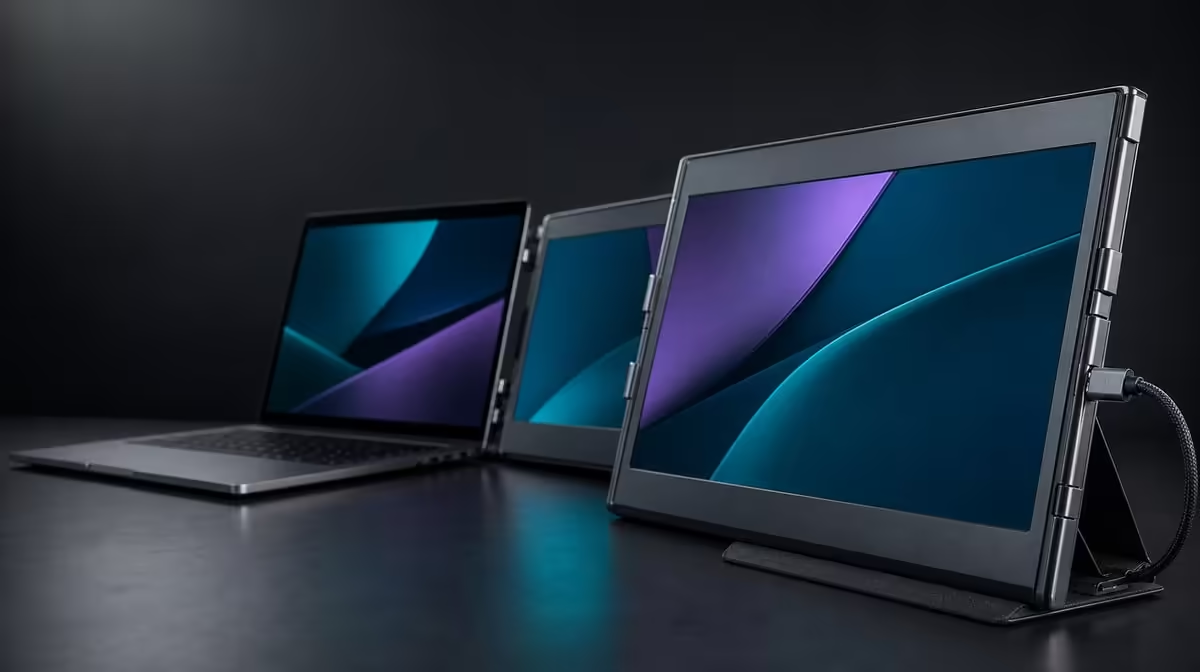
The best-value feature is the one that removes recurring friction from a professional's working day. Dual-screen features for South African professionals should therefore be ranked by useful independent space, reliable laptop connection, stable support, source flexibility and the number of times the workstation travels. The R4,299 UPERFECT Delta puts all five questions into one folding product.
At R4,299, the Delta's value comes from two independent 15.6-inch Full HD IPS panels, compatible one-cable use, separate-device support, an integrated stand and 360-degree folding. Rank those features by the job and frequency. Confirm the host path first, assign work to both screens and test the full kit between locations before deciding which benefit matters most.
Two panels have value when they keep related material visible at the same time. A consultant can place analysis beside a report, a designer can separate tools from reference, and an operations user can monitor a dashboard while working on another task.
The Delta displays are independent, so extended mode can hold different windows. Mirroring repeats content and can be helpful for sharing an image, but it should not be counted as the same multitasking outcome.
Each IPS panel has a native resolution of 1920 x 1080. Start both there, apply a common system scale and test text and controls at the planned viewing distance. Readable working area is the feature; an overcrowded desktop is not.
The laptop remains the companion and can carry another supporting view. Arrange all visible screens in the operating system to match their physical positions, then use a task map so important windows return to stable places.
Measure a full work block. Count avoidable switches, time spent finding references and moments when one screen remains unused. The result provides better value evidence than a short first impression.
Browse Evetech portable monitors to compare current mobile-screen formats after the screen roles are known.
Cable reduction can save setup time, but the exact USB-C host must output both Delta pictures and meet the monitor's power requirement. The plug's shape does not reveal every function behind the laptop port.
Confirm the notebook model and selected socket. If the computer has more than one USB-C connector, check each relevant port rather than assuming they match. Record the approved route for repeatable hybrid work.
Open the monitor on its stand before connecting, leave slack outside the hinge and wait for both external panels. Choose extension, retain native Full HD and test a basic window before launching the normal project.
Sleep, wake and reconnect. A one-cable feature used by professionals has to work through ordinary transitions, not only after a careful initial setup.
When the host path is not confirmed, do not include cable simplicity in the value score. Compatibility is a gate, not a small footnote.
The independent Delta panels can display two separate compatible source devices, one per screen. This can help when a professional must keep a work machine and another source visible together.
It does not merge their operating systems. Windows do not move across the two devices, and input control has to be arranged for each source. Create a separate diagram from the one-laptop extended desktop.
Connect one device at a time, verify its assigned panel and then add the second. Keep the leads identifiable and outside the folding joint. Test what happens when one source sleeps or disconnects while the other remains active.
Give the feature a high score only when it replaces repeated device switching or enables a necessary comparison. A professional using one laptop for every task may receive more value from the simpler extended mode.
The built-in stand supplies support without adding a loose accessory. Deploy it fully on the main desk and on a smaller table representative of travel.
Use the 360-degree hinge through the angles the task requires, with both panels supported and readable. Maximum range is not a promise that every position is stable. Move the assembly only after ensuring cables have enough slack or are disconnected.
Check space for the laptop, keyboard and pointer device. Physical flexibility loses value when the stand blocks normal interaction or the panels cannot remain settled on the destination surface.
Before travel, close work, disconnect every lead and protect the displays while folding. Test the complete kit in the actual bag.
When the professional workstation stays in one location, include Evetech's fixed monitor choices.
Build a best-value matrix
Create columns for feature, required task, frequency, compatibility and observed result. Fill a row only after a real test.
For independent panels, record which applications remained visible and whether switching decreased. For one-cable use, record the approved host and reconnection result. For dual devices, describe the simultaneous sources. For the stand and fold, time the pack-and-rebuild cycle.
Add the 25ms response as a trade-off row. Business, documents, CAD support, editing controls and general multitasking may fit well, while speed-sensitive competitive gaming has a different priority.
Weight daily features more heavily than occasional ones. Do not double count the stand and hinge as if both create the same benefit: one supports the open workstation, while the other allows positioning and closure.
The Delta's complete R4,299 price can now be compared with the verified score. A more expensive option should identify the exact professional requirement it improves. A cheaper idea should still be tested as a complete usable workstation rather than as a price alone.
After the matrix is complete, verify the live Delta listing on Evetech and consult the current popular display page.
After a week, remove any score that came only from expectation. A panel role used every day remains strong evidence; a dual-device plan never connected should receive little weight. Recheck the matrix when the travel pattern changes, because an office-heavy month and a client-heavy month can make the same folding feature contribute differently.
Share the final result as a short workstation standard rather than a feature summary. Record the approved laptop route, native resolution, screen roles and pack order. This makes professional value repeatable for the next session and exposes any future change in host or workload that requires a new test.
Start with independent screen area and name the work each panel will hold.
One-cable operation needs a host port able to drive both panels and satisfy their power needs.
Yes. The independent screens can each receive a separate compatible source.
No. The sources keep separate operating systems and controls.
It supports the open monitor without requiring a separate basic stand in the travel kit.
No. It should be weighted by the frequency and difficulty of actual travel.
The 25ms response makes speed-focused use a weaker fit than productivity-led work.
The UPERFECT Delta is R4,299.
Ready to rank professional monitor features by how often they solve a real problem? Explore Evetech portable displays and build the Delta's value matrix from observed work, connection and travel results.
Start with independent screen area and name the work each panel will hold.
One-cable operation needs a host port able to drive both panels and satisfy their power needs.
Yes. The independent screens can each receive a separate compatible source.
No. The sources keep separate operating systems and controls.
It supports the open monitor without requiring a separate basic stand in the travel kit.
No. It should be weighted by the frequency and difficulty of actual travel.
The 25ms response makes speed-focused use a weaker fit than productivity-led work.
The UPERFECT Delta is R4,299.
PCIe 5.0 vs PCIe 4.0 for video editing in 4k is mainly about fit, features, compatibility, cost, and upgrade path, not one automatic winner. SA buyers should match the choice to the setup.
Read more
Wi-Fi 7 vs Wi-Fi 6e for competitive esports comes down to router support, latency goals, device compatibility, and coverage. SA buyers should match the choice to the real network setup.
Read more
ATX 3.1 vs ATX 3.0 for mMO and live-service games buyers - what changes is mostly about compatibility, budget, upgrade path, and setup fit. SA buyers should check device support and real needs before expecting a clear win from either option.
Read more
LGA 1851 vs LGA 1700 can affect Twitch and YouTube streaming when gaming and encoding share CPU resources. For SA creators, the real-world difference depends on encoder choice, memory support, motherboard cost, thermals, and upgrade plans.
Read more
X870E vs X670E for aaa single-player gaming is mainly about fit, features, compatibility, cost, and upgrade path, not one automatic winner. SA buyers should match the choice to the setup.
Read more
Hall Effect switches vs Mechanical switches for mMO and live-service games is mostly about compatibility, budget, upgrade path, and setup fit. SA buyers should check device support and real needs before expecting a clear win from either option.
Read more
A fake 113GB GTA VI ISO reportedly used empty padding around a small malware payload. SA gamers should delete unofficial builds, keep Windows security active and wait for official channels.

Wi-Fi 6E vs Wi-Fi 6 matters for 4K video editing when files move across a network. The real-world difference between Wi-Fi 6E and Wi-Fi 6 for video editing in 4K depends on NAS access, cloud uploads, router range, and SA creator workflows.

The difference between PCIe 5.0 and PCIe 4.0 for SA gamers is mostly bandwidth headroom. Compare GPU slot needs, NVMe speed, motherboard support, and upgrade timing before paying extra for a newer platform.

Gaming PC stuck pixel checks in South Africa should confirm the monitor fault first. Use colour tests, screenshot comparison, cable swaps, display menu checks, and clear photos before deciding on support.

Shokz OpenFit Air 2 earbuds weigh 7.2g each and use a redesigned dual-driver open-ear layout. SA buyers should choose them for comfort and awareness, not maximum isolation.

AMD's current driver now lists a Radeon RX 9050 4GB, while product coverage details a narrowed memory system. SA buyers should weigh the low VRAM ceiling against current local Radeon options.

Samsung Display has demonstrated a 16-inch 2.5K OLED laptop panel running at 300Hz. SA buyers should wait for a named notebook, full panel specifications and a local price before planning an upgrade.

Microsoft says some Windows 11 game crashes after recent updates are linked to RGB-related drivers. Affected SA gamers should confirm the update and driver before using the published registry workaround.

RTX 5090 on a 650W PSU is a tight pairing with very limited headroom. For SA gaming PCs, focus on total system draw, PSU quality, connector support, CPU choice, and avoid OC plans unless the full build is carefully power-limited.
PCIe 5.0 vs PCIe 4.0 for video editing in 4k is mainly about fit, features, compatibility, cost, and upgrade path, not one automatic winner. SA buyers should match the choice to the setup.

850W PSU safety for RTX 5090 is plausible with a quality unit and balanced parts. In SA, confirm connector support, CPU power draw, case airflow, PSU age, and spare capacity before building around 850W.
Wi-Fi 7 vs Wi-Fi 6e for competitive esports comes down to router support, latency goals, device compatibility, and coverage. SA buyers should match the choice to the real network setup.