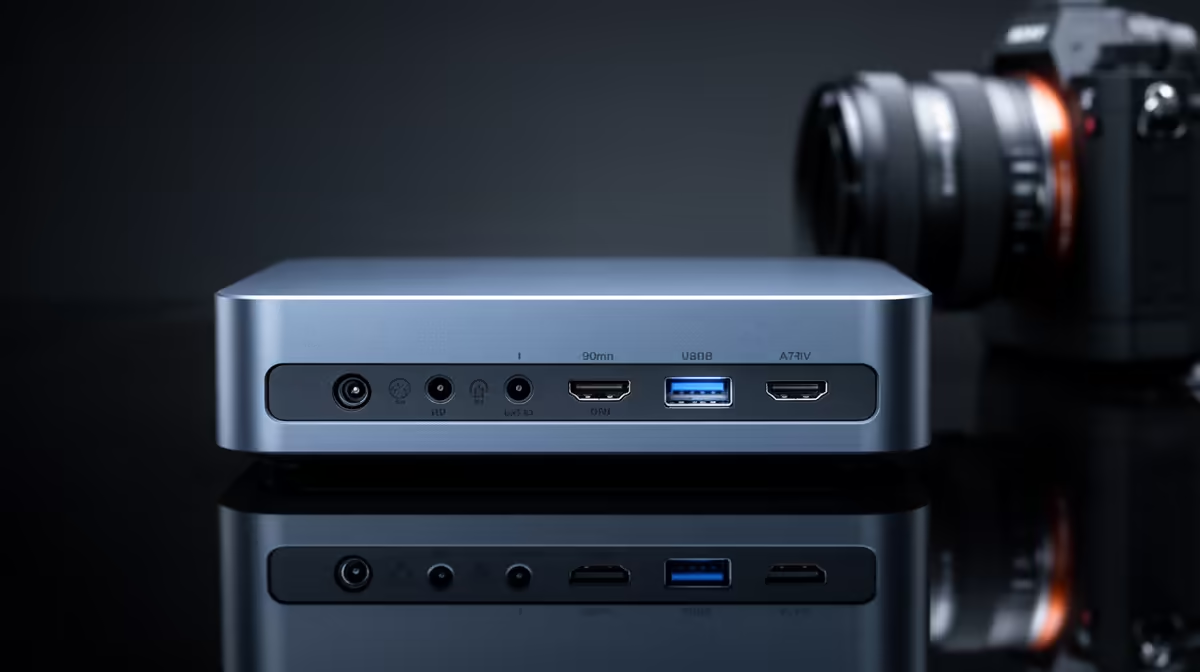
Four different connectivity standards on one spec sheet can look like marketing padding until each one turns out to solve a completely different problem. Wi-Fi 7, Bluetooth 5.4, a 2.5G LAN port and Thunderbolt-enabled USB-C all sit on the back and sides of a compact gaming mini pc, and knowing what each one actually does turns that list from jargon into a genuinely useful buying reference.
Quick Answer
The GR70, priced at R66,399, bundles Wi-Fi 7, Bluetooth 5.4, a 2.5G LAN port and Thunderbolt over USB-C into one connected package. Each standard covers a distinct job: the two networking options trade convenience against consistency, Bluetooth covers peripherals, and Thunderbolt handles fast displays and external storage.
📶 Wi-Fi 7: The Wireless Networking Standard
Wi-Fi 7 is the newest wireless generation available, offering wider channels and better handling of multiple connected devices than previous standards. For a household with several devices online at once, that translates into steadier performance across the board rather than one device dragging down the rest. For gaming specifically, it narrows the gap versus a wired connection considerably compared with older wireless generations, though it still contends with wall obstructions, interference and radio contention that a cable simply avoids.
Its real strength is flexibility. Positioning the machine anywhere in a room without running a cable is a genuine convenience, and this generation makes that trade-off less costly than it used to be.
Handling a Busy Household Network
A typical home now has phones, smart TVs, laptops and consoles all sharing the same wireless network, and each additional device adds contention to older standards. Wi-Fi 7 handles this kind of shared load more gracefully, meaning gaming performance is less likely to dip just because someone else in the house started a large download or a video call at the same time.
The Wired Alternative
Sitting alongside Wi-Fi 7 is a 2.5G LAN port, offering a direct, physical connection to your router or switch. For anyone prioritising consistency, particularly for online gaming where variable ping causes visible stutter or rubber-banding, this port removes the wireless variables entirely. It benefits from router hardware that also supports 2.5G speeds, though it still performs reliably at standard gigabit speeds on older network equipment. Having both standards available means the choice comes down to your desk layout rather than any compromise in the hardware itself.
🎧 Bluetooth 5.4: Peripherals Without the Cable Clutter
Bluetooth 5.4 covers a different category of connectivity entirely, handling wireless keyboards, mice, headsets and controllers rather than internet traffic. This version improves on older generations with better power efficiency and more stable connections when several devices are paired simultaneously, useful if you are running a wireless mouse, headset and controller all connected to the same machine. Coexistence with Wi-Fi is also handled more gracefully in modern Bluetooth versions, reducing the kind of interference that used to cause stutter in wireless peripherals when Wi-Fi traffic was heavy at the same time.
Choosing Wired Versus Wireless Peripherals
For competitive gaming, a wired mouse and keyboard still edge out Bluetooth on raw input latency, though the difference is small enough that most players will not notice it in practice. Bluetooth remains the more convenient choice for headsets and controllers where a little latency matters less than cable freedom.
⚡ Thunderbolt Over USB-C: Displays and Storage on One Connection
This is the most versatile standard on the list, capable of carrying a display signal, fast external storage, or both simultaneously depending on what you connect. This matters for multi-monitor setups, where it can add a screen without consuming a dedicated HDMI or DisplayPort output, and it matters equally for anyone working with large files on an external drive, since its speeds far exceed older USB standards. Alongside the machine's HDMI and DisplayPort outputs, this port rounds out a genuinely flexible display setup rather than limiting you to a fixed number of fixed-purpose connections.
Why This Speed Matters for Creators Specifically
Anyone editing footage from an external drive rather than the internal terabyte of NVMe storage benefits directly from the higher throughput compared with older USB standards, since large video files transfer and scrub noticeably faster. That advantage compounds when a dock is also handling a monitor and peripherals over the same cable, keeping the whole setup tidy without sacrificing performance on any single task.
Why the Combination Matters Together
None of these four standards replaces another. The two networking options move traffic but trade off differently between convenience and consistency. Bluetooth and wired peripherals both connect input devices but trade off differently between cable-free convenience and raw latency. Thunderbolt adds flexibility on top of dedicated display outputs rather than replacing them. Having all four available on one compact chassis means the right choice for each job is available without compromise, rather than forcing you to pick one standard and live with its limitations everywhere.
✅ Putting It Together on This Build
This full connectivity set comes standard on the GR70 Mini PC at R66,399, alongside the sixteen-core Ryzen 9 9955HX and 8GB RTX 5070 doing the processing and rendering work. If a different balance of ports or wireless standards suits your setup better, Evetech's range of mini PCs is worth comparing. And since the graphics card ultimately determines what those display outputs can push in terms of frame rate and resolution, seeing current pricing across the GPU lineup rounds out the picture before you decide.
Frequently Asked Questions
Which connectivity standard matters most for online gaming?
The 2.5G LAN port generally offers the most consistent results for online gaming, with Wi-Fi 7 as a strong wireless alternative when a cable is not practical.
Does Bluetooth 5.4 work well alongside Wi-Fi 7 without interference?
Yes, modern Bluetooth versions manage coexistence with Wi-Fi considerably better than older generations, reducing the interference that once caused stutter in wireless peripherals.
What is USB-C Thunderbolt actually used for?
It can carry a display signal, fast external storage, or both at once, useful for extending a multi-monitor setup or connecting high-speed external drives.
Do I need special router hardware to use the 2.5G LAN port?
To get the full speed benefit, yes, though the port still works reliably at standard gigabit speeds with older network equipment.
Is it worth using both Wi-Fi 7 and 2.5G LAN on the same machine?
Yes, many users run their main connection over wired 2.5G LAN for consistency while keeping Wi-Fi 7 available for other devices or occasional flexibility.
Does Thunderbolt over USB-C replace the need for HDMI or DisplayPort?
Not entirely. It adds flexibility for an extra display or fast storage, but dedicated HDMI and DisplayPort outputs remain the more straightforward choice for a primary monitor connection.
Ready to make sense of every connectivity standard on offer?
Browse ASUS's Ryzen 9 mini PC part of Evetech's selection of mini PCs, listed for R66,399, built to combine every connectivity standard on a single small board.