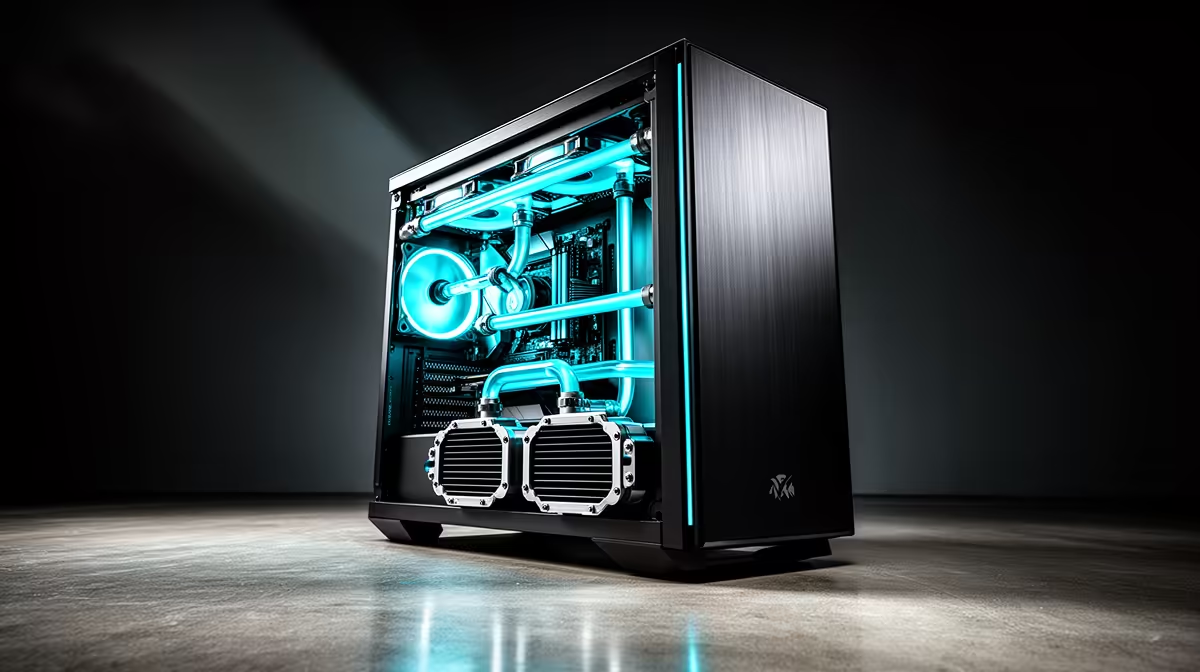
Radiator shopping trips up more first-time builders than any other cooling decision, mostly because size numbers get thrown around without ever mentioning where that radiator actually has to live. Every atx mid-tower case carries one maximum length for its front bay and a separate, usually smaller, allowance for the roof, and confusing the two is the fastest way to end up with a fan bracket that will not close. Nail down the mounting points first and the size question mostly answers itself.
Quick Answer
A large radiator needs three 120mm fan positions in a row, which in almost every mid-tower design means the front bay. A smaller radiator only needs two positions and typically ends up overhead, clear of the motherboard's VRM heatsinks. This case, the Antec NX410, pairs a 360mm front bay with a 240mm roof bay for R1,199, covering most single-loop setups without needing a bigger tower.
🌀 The Front Bay Carries the Biggest Allowance
The front section is the widest, deepest part of any mid-tower shell, which is exactly why it carries the largest radiator allowance in the case. A big radiator plus a full set of fans adds real thickness, often another 60mm to 80mm once push or pull fans are stacked on top, so the internal depth behind the mesh has to absorb that bulk without crowding the graphics card. The 360mm rating on this model reflects internal depth measured against that whole fan-and-radiator stack, not just the bare radiator length by itself.
Cable routing shifts once a front radiator goes in too. Intake fans that previously ran a short cable straight to a hub now share space with tubing runs, so grouping fan cables to one side before the radiator goes in saves a fair amount of frustration once the build is half-finished.
🔧 Why the Roof Bay Tops Out Smaller
Overhead mounting suits a smaller radiator far better than the front's larger option, since the roof panel has to clear both the motherboard's rear I/O shroud and, with taller air coolers, the top of the heatsink as well. A 240mm radiator running slim fans generally clears RAM and VRM heatsinks without contact, which keeps it the safer default up top even in cases rated for a bigger unit at the front.
Running the roof fans in exhaust mode, pulling warm air up and out, keeps a top radiator from fighting the front intake fans over airflow direction. Match the push direction to the case's natural convection and the loop performs more consistently under sustained load.
📏 Matching a Radiator to Case Depth
Before ordering a radiator for any case, measure from the front mesh to the nearest obstruction, usually the motherboard tray's leading edge or a drive cage if one sits there. This model's spec sheet already states a 360mm-front, 240mm-roof pairing, so anyone building around this exact case can skip the tape measure and mount with confidence rather than guesswork.
Thicker aftermarket radiators, generally anything rated above roughly 30mm, deserve extra scrutiny even when the base length technically fits, since the added bulk can push past a case's rated fan clearance. Always add radiator thickness to fan thickness before assuming a listed size will simply drop straight in without a fight.
Keeping Fan Direction Consistent Through the Whole Loop
Intake at the front, exhaust overhead, and a rear fan completing the circuit is the layout most liquid-cooled builds settle into eventually. Cool air enters low, warm air exits high, matching how heat naturally rises inside a sealed chassis rather than fighting that tendency.
Measuring Tubing Length Before Cutting Anything
Once radiator position is confirmed, measure the tubing run from pump to radiator before cutting anything, since a front-mounted radiator sits considerably further from a top-mounted CPU block than a roof-mounted radiator would. Buying tubing slightly longer than your estimate costs far less than discovering a loop runs a few centimetres short once the fittings are already crimped in place.
Why Depth Matters More Than Width for Most Buyers
Builders comparing radiator specs across different case listings often focus on the millimetre rating alone, but the usable depth behind that rating is what actually determines whether a graphics card, a drive cage or a cable channel gets squeezed out. Two cases both rated for the same front radiator size can still behave very differently once fan thickness, tubing clearance and GPU length all compete for the same few centimetres of internal space, which is why checking a case's full spec sheet rather than the headline number alone is worth the extra few minutes.
💧 Air Cooling Still Covers Most Builds
Not every build needs a radiator at all. The pre-installed ARGB fans that ship with this case already handle air cooling for most CPUs without any liquid loop involved, and room for as many as six fans in total means an air-only build can still push plenty of air through the exact same front and roof locations a radiator would otherwise occupy.
Builders torn between air and liquid can check this case's full listing directly for exact radiator and fan clearances before committing to a cooler. Antec's broader range of case sizes covers other chassis options for a different radiator combination entirely, and the case fan lineup is worth checking for anyone filling the remaining mounts once a radiator sits in place.
Frequently Asked Questions
Can a large radiator go in the roof of a mid-tower case?
Only in cases specifically rated for it, since most mid-tower roof panels only clear a 240mm radiator before hitting the motherboard's rear shroud or tall RAM modules.
Does this case take radiators at both the front and the roof?
Yes, a 360mm unit fits the front bay and a 240mm unit fits overhead, so both positions can carry liquid cooling in the same build if needed.
What happens if a radiator is thicker than the rated clearance allows?
The side panel will not close properly, or the radiator presses against the motherboard tray, so always add radiator thickness to fan thickness before checking the total against the case's published clearance.
Should radiator fans push or pull air through the radiator?
Either direction works, but keeping airflow consistent with the rest of the case's fans matters more than the push-versus-pull choice, since a mismatched direction creates turbulence instead of a clean path through the chassis.
Is a radiator necessary if I am only running the pre-installed case fans?
No. Air cooling through case fans alone suits most builds, and only high-end CPUs under sustained load typically justify the added cost of a liquid loop.
Does a front radiator affect graphics card clearance?
It can, since the radiator and its fans reduce the depth available ahead of the motherboard tray, so check your graphics card's length against the case's stated GPU clearance once a radiator is factored into the build.
Is a smaller 240mm radiator enough for a single CPU loop?
Yes, a 240mm radiator handles most mainstream CPUs comfortably, and stepping up to a larger 360mm unit mainly benefits higher-wattage chips or combined CPU-and-GPU loops.
Ready to pick the right radiator size?
Reserve the NX410 build base through Evetech's case range at R1,199 before anything else. Its radiator mounting points are listed clearly, so sizing your loop is straightforward.