


RTX 4060 Ti Throttling Under Load: SA Temperature Guide
RTX 4060 Ti Throttling Under Load: Temperature. Everything you need to know with SA pricing, step-by-step instructions & expert recommendations.
Read moreEvery spec on Thunderbolt 4 explained in plain English. What matters for gaming and creator work in 2026, what's marketing fluff, and how each number translates to real-world performance.
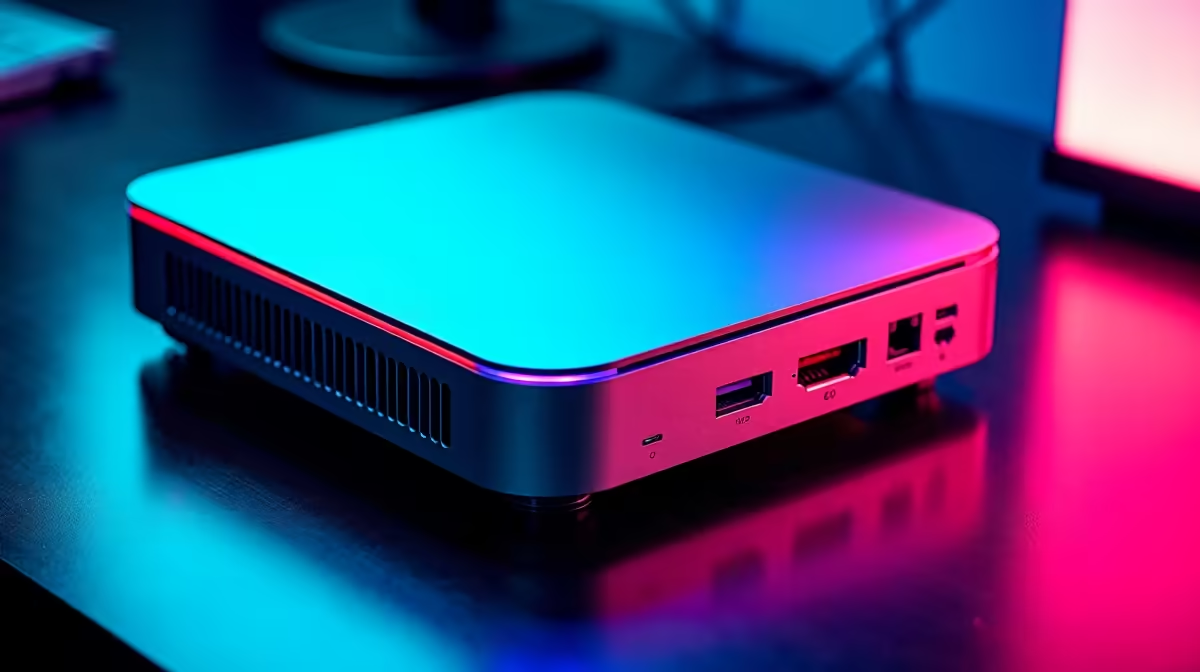
Upgrading your workspace in South Africa often means navigating a messy maze of expensive dongles and adapters. With electricity costs rising, Apple's latest compact desktop is incredibly tempting for local creators and professionals. If you are eyeing one, you might be wondering what exactly you can plug into it. Having every port on the Apple M4 Mac Mini explained is exactly what we are tackling today. Let us break down the connectivity so you can plan your ultimate desk setup without any costly surprises.
The back of the new Mac Mini is a true powerhouse of connectivity ⚡. You get three Thunderbolt 4 ports on the standard M4 model. These look identical to standard USB-C but pack a massive performance punch. They support data transfer speeds up to a blistering 40Gbps. That means moving gigabytes of 4K video footage takes seconds instead of minutes. If you are a local creator comparing desktop setups to high-end laptops and notebooks, this bandwidth is crucial for your workflow. Thunderbolt 4 also handles DisplayPort output... meaning your primary high-resolution monitor will likely plug in right here.
Next up is the dedicated HDMI port. Apple included an HDMI 2.1 port on the M4 Mac Mini. This is a massive win for both daily productivity and casual media consumption. It supports a 4K display at up to 240Hz or a stunning 8K display at 60Hz. Whether you are running complex spreadsheets or unwinding with a movie, the visual clarity is incredible. Building a multi-monitor setup can easily drain your ZAR budget if you are not careful. Keep a close eye on our tech specials to score a great deal on high-refresh-rate screens that perfectly match this port's potential.
When connecting multiple displays to your M4 Mac Mini, use the HDMI port for your secondary screen and reserve the Thunderbolt 4 ports for your primary high-refresh-rate monitor and fast external storage drives.
Apple finally listened to long-time user feedback 🔧. The redesigned M4 Mac Mini now features front-facing ports. You will find two standard USB-C ports right on the front of the silver colour chassis. These are perfect for quickly charging your phone or transferring files from a flash drive. No more scratching the aluminium finish while reaching blindly behind your desk. You also get a 3.5mm headphone jack with advanced support for high-impedance headphones. This ensures crisp, studio-quality audio for your favourite podcasts or music. Of course... if you want a system built purely for hardcore competitive graphics, you might prefer browsing our best gaming PC deals instead. But for a compact workstation, this port layout is incredibly practical and user-friendly ✨.
Ready to Find Your Perfect Match? The Mac vs Windows debate is complex, but for maximum power, choice, and value in South Africa, Windows is hard to beat. Explore our massive range of laptop specials and find the perfect machine to conquer your world.
Thunderbolt 4 is available at Evetech.co.za with local SA warranty, Rand pricing and nationwide delivery. Stock and pricing is updated in real time on the product page.
The article breaks down the real-world impact on gaming FPS, creator workflows and everyday responsiveness — not just raw spec numbers.
Only a handful of specs meaningfully change your experience. The guide ranks them by real impact so you spend on what counts.
We cover upgrade headroom, platform longevity and the specific features worth paying extra for if you plan to keep this build for several years.
The article includes a clear generational uplift summary so you can judge whether upgrading from your current hardware is worthwhile.
RTX 4060 Ti Throttling Under Load: Temperature. Everything you need to know with SA pricing, step-by-step instructions & expert recommendations.
Read more
Apex Legends Max Settings on RTX 4080. Tested & verified settings for best FPS and visual quality on SA hardware budgets.
Read more
GPU Buying Guide. Everything you need to know with SA pricing, step-by-step instructions & expert recommendations.
Read more
GPU Terms Guide. Everything you need to know with SA pricing, step-by-step instructions & expert recommendations.
Read more
AMD Adrenalin Download & Setup Guide: GPU. Clear setup instructions with SA-specific considerations, troubleshooting tips & recommended components.
Read more
Back-to-School GPU Buying Guide. Everything you need to know with SA pricing, step-by-step instructions & expert recommendations.
Read more
Snapdragon X2 NPU Explained: How 80 TOPS Changes. Plain-English explanation of what it means, why it matters & how it affects your buying decisions in SA.

HBM? High Bandwidth Memory Used in GPUs and AI. Plain-English explanation of what it means, why it matters & how it affects your buying decisions in SA.

How much should you spend on sim racing accessories in South Africa for a realistic setup? We break down budgets by quality tiers, so you buy smart gear and avoid overspending 🎮💸

G-Sync and FreeSync? Variable Refresh Rate. Plain-English explanation of what it means, why it matters & how it affects your buying decisions in SA.

AMD Laptop: Value. SA-focused analysis with local pricing data, real-world insights & actionable buying advice.

How MacBook Neo Handles 30+ Chrome Tabs with Only. SA-focused analysis with local pricing data, real-world insights & actionable buying advice.

Why Apple Put 8GB RAM in MacBook Neo: The A18 Pro. SA-focused analysis with local pricing data, real-world insights & actionable buying advice.

Upgrade your work laptop with a New Motherboard. Step-by-step instructions with SA-specific tips, common pitfalls to avoid & expert recommendations.

Maintain wired headset — Checklist: • inspect cables • clean earpads • store properly 🔧🎧 Practical steps to preserve sound quality and avoid premature replacements.

Fix crackling headset fast: step-by-step checks for cables, connectors, drivers, and settings to remove static or distorted audio on wired headsets 🎧⚙️

Stereo vs mono headsets: learn which delivers clearer calls, better spatial music, or simpler mono voice performance — pick the right headset for meetings, music, or gaming 🎧💬

- Compare gaming headset vs studio headphones; - Assess comfort, mic and sound; - Recommend best daily picks. Gaming headset vs studio headphones: learn which suits work, music and casual gaming. 🎧⚖️