Standing-desk motor terms are useful only when they lead to model-level questions. This standing desk motor type guide separates single motor, dual motor and smart control language from the performance claims that buyers still need to verify.
Quick Answer
The A4 Pro represents dual-motor control with one-touch movement, four height memories, four-level collision rebound and precise travel between 710 and 1170mm.
Single and dual describe motor count in a desk mechanism; smart control describes functions rather than a specific motor layout. None of these labels alone proves every outcome. The R10,399 A4 Pro uses two motors, supports 125kg and adds four height memories, one-touch operation, anti-collision rebound and a movement reminder.
⚙️ Read motor terms literally
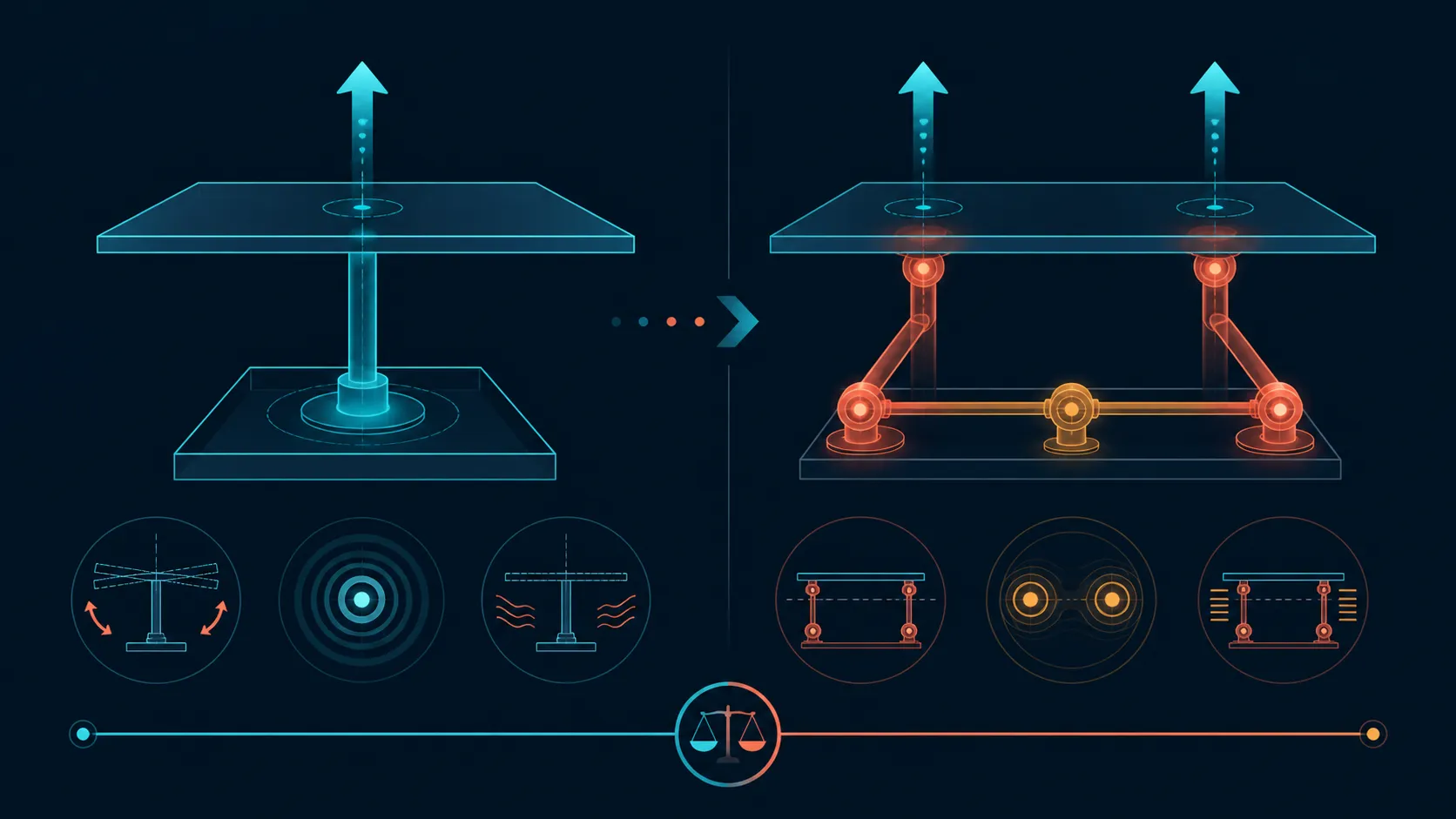
A single-motor label generally indicates one motor within the lifting system. A dual-motor label identifies two. Those definitions help classify designs, yet they do not explain how force is transmitted, how both sides stay coordinated or what happens under a particular equipment load.
Compare the exact mechanism rather than treating the count as a ranking. Request the rated load, movement range, speed, noise and model-specific test evidence. A second motor may be relevant to an engineering design, but it is not proof of every outcome associated with premium adjustable desks.
The A4 Pro belongs in the dual-motor column. Its drive covers 710-1170mm, remains under 45dB and carries a rating beyond 20,000 lift cycles, giving the comparison concrete capacity, travel, noise and endurance figures.
Evetech's gaming desk range gives buyers a place to apply the same mechanism checklist across candidates.
🎛️ Separate control features
"Smart control" can refer to buttons, saved positions, displays, reminders, connectivity or other functions depending on the product. It does not have one universal definition. Ask the seller or manufacturer to identify every button and supported action on the chosen model.
Presets should never be assumed from a generic control-panel image or category description. Likewise, a controller cannot establish the number of motors behind the frame. Keep two fields in the comparison sheet: one for lifting architecture and another for user controls.
When setting up any adjustable desk, learn movement direction, stopping behaviour and any model-specific reset procedure from its instructions. The A4 Pro provides precision adjustment; panel layout, memory functions and reset steps do not follow from that phrase.
⚖️ Connect design to the load
Motor terminology matters only in relation to the equipment being moved. Add the PC, monitors, mounts, speakers, peripherals and accessories into one total. The A4 Pro supports 125kg, so its entire desktop arrangement must remain within that figure.
Also check placement. Total capacity does not prove that monitor arms fit, that a particular screen arrangement has enough room or that weight can be distributed as planned. Confirm mounting and dimensional requirements for the actual hardware before assembly.
For this motor-type guide, note an Albizia centre within the solid-wood worktop and carbon fibre across its working face. These construction details cannot manufacture stability or durability results. Material, frame and movement evidence belong in separate columns.
A desk-wide mousepad handles the main input task, while individual fixtures accommodate a drink and headset. Review Evetech's gaming accessories selection to identify what else must share the worktop.
✅ Choose by verified behaviour
Build a shortlist around the owner's repeated tasks: supported equipment, position changes, controls used and accessories kept nearby. Then ask which exact design handles that routine. This method works whether the shortlist contains single-, dual- or differently controlled desks.
Do not transfer cycle tests between products. A headline such as 20,000 lifts needs a model, test load and definition of one cycle. It has no bearing on the A4 Pro unless documentation for that exact desk says so.
Surface charging at 15W may help an eligible device, and R10,399 provides the local price anchor. Neither point settles motor type; each contributes elsewhere in the ownership decision.
Leave any unknown specification blank until verified. A precise gap is safer than a confident inference, and it gives the buyer a useful question to resolve before choosing a mechanism.
Use a common test script when a physical demonstration is possible. Set a clearly documented load, select the same lower and upper working positions and observe the controls without changing multiple variables. Record what happened rather than labelling one motion "premium" from a brief impression.
If smart functions influence the shortlist, write the exact action beside each one. "Memory button stores two used heights" is a testable statement when documented; "smart panel makes work easier" is too broad to compare. This precision also reveals when the desired convenience can be achieved without a particular motor count.
Separate purchase features from fault procedures. A reset sequence, calibration step or service code is not interchangeable across controllers. Keep the exact manual with the selected desk and avoid using online steps written for a visually similar panel.
The surface package should be judged through the owner's layout. Reserve the wireless charging area, place the cup and headset in their holders and check whether the remaining mousepad space serves both work and gaming. Exact dimensions still need verification before arranging monitors.
Finally, revisit the equipment list before checkout. A motor decision based on an incomplete load can collapse when arms, speakers or work hardware are added later. The A4 Pro's 125kg rating becomes useful only when the list reflects the finished desktop.
Keep the completed comparison for maintenance conversations. Exact model, controller and equipment notes make it easier to describe a later symptom without guessing which lifting system or smart function is present.
That record also preserves the distinction between a motor label, a controller feature and an observed result when the desk is discussed again.
Reopen the mechanism column whenever later documentation clarifies the exact design.
Single-motor desks use one drive source and need their own load, synchronisation and noise evidence; smart control describes the interface rather than the number of motors. On the A4 Pro, two motors support 125kg, remain under 45dB and are rated beyond 20,000 cycles. The control panel stores repeated sitting and standing positions, while the reminder feature prompts the user to change posture.
Motor type and control type should stay as separate comparison columns. The A4 Pro supplies both dual motors and smart functions, but another desk could pair a single drive with memories or use two drives with a simpler handset.
This distinction prevents the word "smart" from receiving credit for lifting strength. It also helps buyers compare the exact convenience of four saved heights and one-touch movement with the alternative panel they would actually use.
Frequently Asked Questions
What does a single-motor label identify?
It identifies one motor in the described lifting architecture, without automatically defining the desk's load, speed, noise or stability.
What does dual-motor mean generally?
The term generally indicates two motors in a lifting design. Exact coordination and resulting performance remain model-specific matters.
What should smart control describe?
It should name concrete user functions such as buttons or saved positions, rather than act as an undefined promise of automation.
How should the A4 Pro enter a motor comparison?
Assign it to the dual-motor type, then compare its 125kg capacity, 710-1170mm range, controller and endurance with the alternative.
Smart control is also a real A4 Pro feature rather than a category assumption. Four stored positions help repeat familiar sitting and standing levels, one-touch movement reduces button holding, and the reminder function supports a regular change routine.
What load rating can be compared confidently?
Across every item carried by its top, the AutoFull A4 Pro permits a combined 125kg.
How much does this adjustable desk cost?
The local price is R10,399 for the A4 Pro, including its desktop, charging and gaming-accessory features.
Ready to decode motor and control labels without assumptions?
Browse Evetech's gaming desks with separate checklist columns for architecture, controls, supported load and verified movement behaviour.