



PCIe 5.0 vs PCIe 4.0 for Video editing in 4k in SA
PCIe 5.0 vs PCIe 4.0 for video editing in 4k is mainly about fit, features, compatibility, cost, and upgrade path, not one automatic winner. SA buyers should match the choice to the setup.
Read moreThe UFree V pairs a 15.6-inch 1920 x 1080 IPS panel with 125% sRGB, 350cd/m2 brightness, 1500:1 contrast and 178-degree viewing. Its R2,399 package adds USB-C, Mini HDMI, a foldable desktop stand and VESA, while no speaker or weight figure should be added.
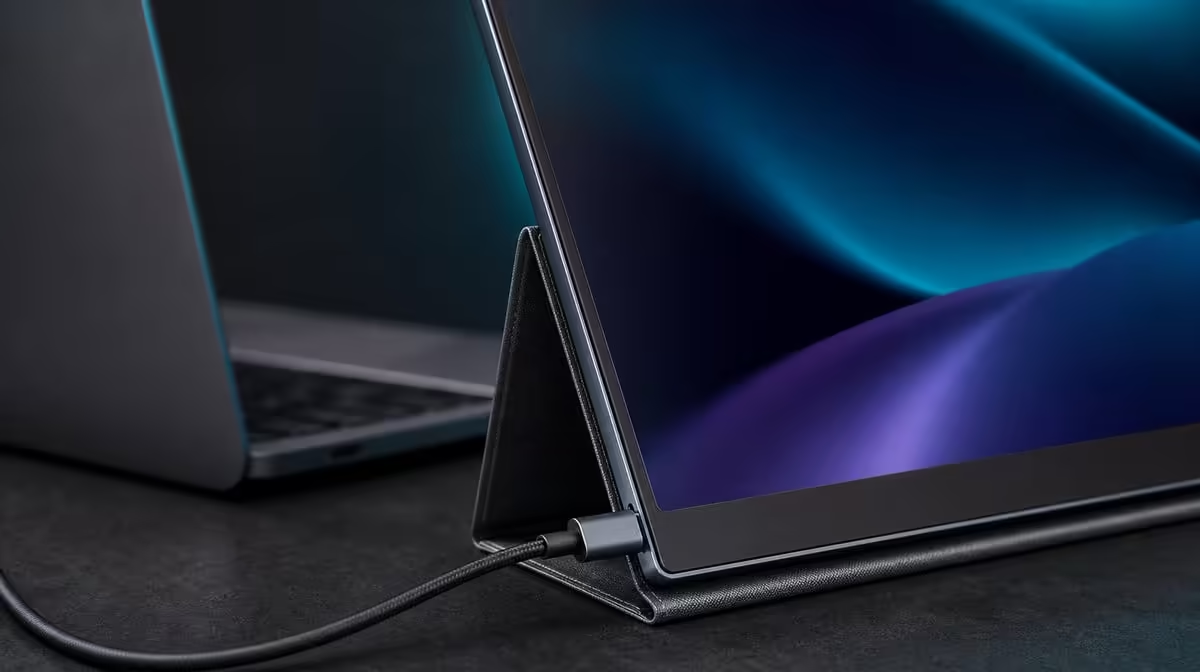
A specification is useful when it changes a decision or a test. Every UPERFECT UFree V specification explained should connect the number or feature to a source, room and task, while leaving unconfirmed speaker, weight and mounting dimensions out.
The R2,399 UFree V is a 15.6-inch 1920 x 1080 IPS portable monitor with 125% sRGB, 350cd/m2, 1500:1 contrast and 178-degree viewing. It accepts USB-C and Mini HDMI, includes a foldable stand and supports VESA. Plan sound through the source and verify the complete carried weight for mobile use.
The 15.6-inch diagonal describes physical screen size. It creates a laptop-sized workspace but does not determine weight, thickness or the size of the complete travel kit.
The 1920 x 1080 grid is Full HD. Use it natively for clean pixel mapping, then select comfortable scaling. Feeding a higher-resolution source does not turn the panel into 4K.
IPS identifies the panel family. Here it accompanies a 178-degree viewing specification, supporting visibility from wide off-centre positions. The most consistent reference still comes from facing the display.
The 125% sRGB figure describes broad gamut coverage. It does not say colours are 25% more accurate and does not replace calibration or measured error for critical creative work.
The 350cd/m2 value describes available luminance. It can support bright indoor use, while room-matched settings, reflection control and visual comfort determine the working level.
The 1500:1 ratio compares bright and dark output under test conditions. It can help text and image depth but does not by itself describe colour accuracy or eliminate glare.
Use Evetech's portable screen listings to compare these figures as a group rather than selecting the largest isolated number.
USB-C can provide a compact display link when the source port supports video and the cable carries it. A USB-C charging or data port may not output an image.
Mini HDMI is a dedicated video input. It broadens source choice and can provide a separate diagnostic route, but it does not power the monitor.
The complete setup must provide the required power and select the input matching the connected cable. Save a known-good device, port and cable combination after detection.
Configure the monitor at 1920 x 1080 and arrange the operating-system desktop to mirror its physical position. Restart once to make sure recognition returns.
Use the laptop or compatible external audio for playback. An HDMI or USB-C route may carry audio without providing playback hardware in the display.
The foldable desktop stand is included. Place it on a firm surface, centre the panel and use the supported positions without inventing an adjustment range.
VESA support adds a mounting option. Verify the UFree V's hole pattern, screw thread, screw length and spacer needs against the chosen arm and its load range before installation.
Plan cables around either support. Desktop leads need enough slack that they cannot pull the screen; arm-mounted cables must follow the full motion without entering a pinch point.
The stand suits fast portable deployment, while verified VESA mounting can suit a fixed home office. A buyer who uses only one should score only that support route.
Verify the monitor's current weight and full carried equipment before making a daily-commute claim.
Compare support designs in Evetech's broader monitor category when the decision includes larger fixed panels.
For pixels, open a fine-text document at native resolution. For gamut, use familiar colour-managed material. For brightness, test the real indoor room. For contrast, inspect shadow and highlight steps.
For viewing, ask another person to read the screen from the intended side position. For USB-C and Mini HDMI, create one successful source route each where possible.
For the stand, run a full work session and inspect cable pull. For VESA, complete the compatibility check before buying any hardware.
Mark audio and weight as unconfirmed rather than turning blank rows into assumptions. This discipline prevents the specification guide from promising a feature the product page does not establish.
Record the R2,399 price beside the complete result, not beside one number. Value comes from the group of specifications that enter weekly use.
Check Evetech's popular monitor page for current comparisons and live availability after the test card is written.
Add a source-of-truth column beside every specification. The native resolution, gamut, brightness, contrast, angle, ports and support features need direct model-specific evidence; an empty field should remain unresolved.
Write a separate observation column. "Text readable at 125% scaling" belongs there, while "1920 x 1080" remains the specification. This prevents a personal result from being presented as universal hardware.
For 125% sRGB, note the application and colour profile used. For 350cd/m2, note the room and working level. For 1500:1, record which dark and light patches remained distinct.
For 178-degree viewing, draw the shared-seat positions. Visibility from the side is a practical outcome, not proof of identical colour at the numerical extreme.
For USB-C, name the exact laptop port and cable. For Mini HDMI, identify the source output and power path. A port list without compatible equipment is incomplete.
For the foldable stand, photograph the stable desktop position and cable direction. For VESA, keep all hardware unpurchased until the exact interface has been matched.
Add three buyer checks for audio route, current product weight and exact mounting dimensions. Complete each one before scoring sound, mobility or VESA use.
Repeat the card after an operating-system update or a move to another desk. The physical specifications remain stable while detection, scaling and room observations may change.
Ask another user to explain the UFree V from the finished card. They should be able to describe what each number affects, what it does not prove and why the monitor costs R2,399.
This exercise keeps a feature-rich product readable. Buyers can see the confirmed package without treating every positive number as a guarantee of a perfect result.
Create a one-sentence explanation for each figure and test it on a non-technical reader. If the explanation turns 125% sRGB into accuracy or 350cd/m2 into outdoor certainty, rewrite it.
Do the same for the ports: USB-C requires compatible video support, while Mini HDMI is a video route with power handled elsewhere.
At the final review, rank which specifications changed the purchase and which only confirmed an acceptable baseline. This prevents the complete list from becoming an equally weighted wall of numbers.
Keep the R2,399 amount attached to the entire package. No individual figure should be described as though it alone costs that price.
It provides a native Full HD pixel grid for documents, media and general second-screen work.
As broad colour-gamut coverage, not a promise of accuracy.
It describes the panel's stated brightness output.
It compares measured bright and dark output under the test conditions.
It supports off-centre visibility for side placement and screen sharing.
It includes USB-C, Mini HDMI, a folding desktop stand and VESA support.
Check the audio route, current product weight and exact VESA hardware for the intended setup.
The UPERFECT UFree V costs R2,399.
Ready to turn a specification sheet into a working test card? Explore Evetech's portable monitor range and make every UFree V number prove a visible, compatible or physical benefit.
It provides a native Full HD pixel grid for documents, media and general second-screen work.
As broad colour-gamut coverage, not a promise of accuracy.
It describes the panel's stated brightness output.
It compares measured bright and dark output under the test conditions.
It supports off-centre visibility for side placement and screen sharing.
It includes USB-C, Mini HDMI, a folding desktop stand and VESA support.
Check the audio route, current product weight and exact VESA hardware for the intended setup.
The UPERFECT UFree V costs R2,399.
PCIe 5.0 vs PCIe 4.0 for video editing in 4k is mainly about fit, features, compatibility, cost, and upgrade path, not one automatic winner. SA buyers should match the choice to the setup.
Read more
Wi-Fi 7 vs Wi-Fi 6e for competitive esports comes down to router support, latency goals, device compatibility, and coverage. SA buyers should match the choice to the real network setup.
Read more
ATX 3.1 vs ATX 3.0 for mMO and live-service games buyers - what changes is mostly about compatibility, budget, upgrade path, and setup fit. SA buyers should check device support and real needs before expecting a clear win from either option.
Read more
LGA 1851 vs LGA 1700 can affect Twitch and YouTube streaming when gaming and encoding share CPU resources. For SA creators, the real-world difference depends on encoder choice, memory support, motherboard cost, thermals, and upgrade plans.
Read more
X870E vs X670E for aaa single-player gaming is mainly about fit, features, compatibility, cost, and upgrade path, not one automatic winner. SA buyers should match the choice to the setup.
Read more
Hall Effect switches vs Mechanical switches for mMO and live-service games is mostly about compatibility, budget, upgrade path, and setup fit. SA buyers should check device support and real needs before expecting a clear win from either option.
Read more
A fake 113GB GTA VI ISO reportedly used empty padding around a small malware payload. SA gamers should delete unofficial builds, keep Windows security active and wait for official channels.

Wi-Fi 6E vs Wi-Fi 6 matters for 4K video editing when files move across a network. The real-world difference between Wi-Fi 6E and Wi-Fi 6 for video editing in 4K depends on NAS access, cloud uploads, router range, and SA creator workflows.

The difference between PCIe 5.0 and PCIe 4.0 for SA gamers is mostly bandwidth headroom. Compare GPU slot needs, NVMe speed, motherboard support, and upgrade timing before paying extra for a newer platform.

Gaming PC stuck pixel checks in South Africa should confirm the monitor fault first. Use colour tests, screenshot comparison, cable swaps, display menu checks, and clear photos before deciding on support.

Shokz OpenFit Air 2 earbuds weigh 7.2g each and use a redesigned dual-driver open-ear layout. SA buyers should choose them for comfort and awareness, not maximum isolation.

AMD's current driver now lists a Radeon RX 9050 4GB, while product coverage details a narrowed memory system. SA buyers should weigh the low VRAM ceiling against current local Radeon options.

Samsung Display has demonstrated a 16-inch 2.5K OLED laptop panel running at 300Hz. SA buyers should wait for a named notebook, full panel specifications and a local price before planning an upgrade.

Microsoft says some Windows 11 game crashes after recent updates are linked to RGB-related drivers. Affected SA gamers should confirm the update and driver before using the published registry workaround.

RTX 5090 on a 650W PSU is a tight pairing with very limited headroom. For SA gaming PCs, focus on total system draw, PSU quality, connector support, CPU choice, and avoid OC plans unless the full build is carefully power-limited.
PCIe 5.0 vs PCIe 4.0 for video editing in 4k is mainly about fit, features, compatibility, cost, and upgrade path, not one automatic winner. SA buyers should match the choice to the setup.

850W PSU safety for RTX 5090 is plausible with a quality unit and balanced parts. In SA, confirm connector support, CPU power draw, case airflow, PSU age, and spare capacity before building around 850W.
Wi-Fi 7 vs Wi-Fi 6e for competitive esports comes down to router support, latency goals, device compatibility, and coverage. SA buyers should match the choice to the real network setup.