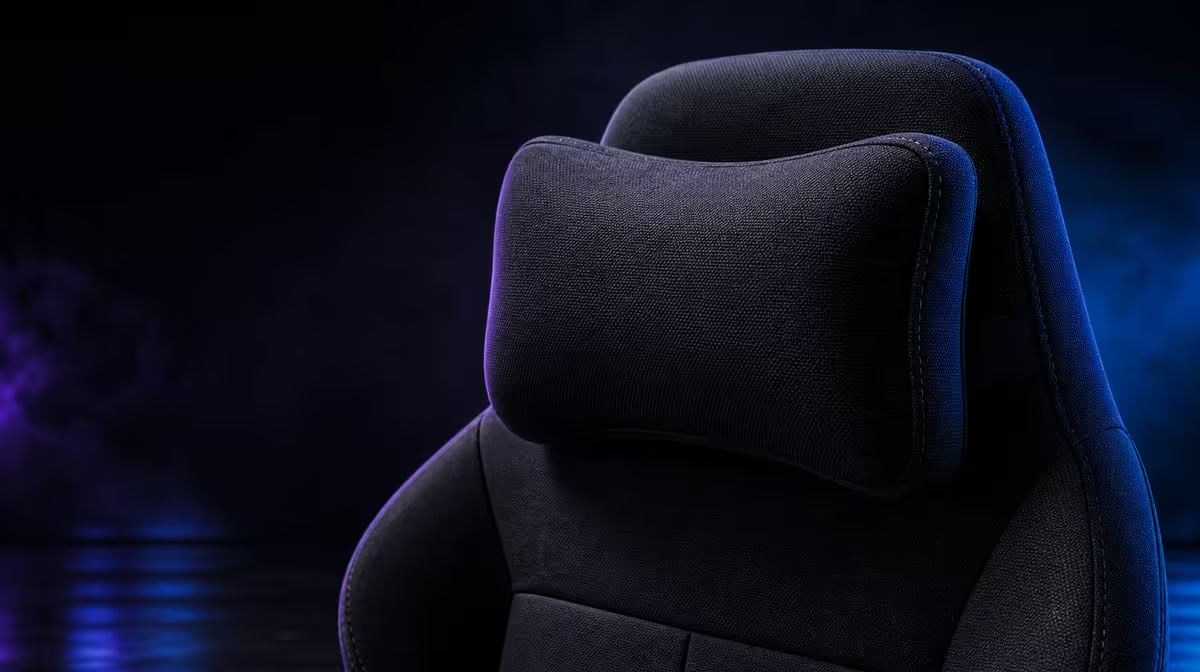
A memory-style headrest aims to make reclined contact more accommodating, but the chair cannot decide where a particular head and neck should sit. Gaming chair memory headrests explained means testing contact, viewing angle and movement as one upper-body arrangement.
Quick Answer
Its named head-support feature is the Memory Headrest for Increased Comfort. At R7,899, that part of the HERO TX can make leaned-back contact feel more shaped, yet its usefulness depends on the user's height, monitor position and whether the head can leave the rest freely during active work.
🧠 Understand the intended role
The headrest is a contact point for moments when the user settles into the backrest. It is not a brace that should hold the skull continuously.
Sit fully back and let the head approach the support naturally. Watch the chin and shoulder position before judging softness.
Evetech's noblechairs chair selection provides relevant alternatives for comparing upper-body support.
Find natural contact
The lower back of the head should meet the cushion without a forced forward angle. If the chin drops or the shoulders round, review the complete setup.
Do not push harder into the rest to create contact. A fit test should reflect normal sitting.
Leave the rest during focused tasks
Typing, aiming or detailed pointer work may bring the head slightly forward while the torso remains supported. That movement is not automatically a failure.
The headrest should be available for reclined pauses and tasks that suit it.
Test several recline moments
Lean back briefly between work blocks, during video viewing and during a controller session. Record which use feels natural.
The memory contact earns value through repeated useful moments rather than constant pressure.
🖥️ Align the monitor and controls
Position the screen inside an easy forward gaze while keeping the chin level. Increase text size or change distance before craning towards small content.
Bring the keyboard, mouse or controller within reach and set the enlarged 4D armrests beneath relaxed forearms.
Correct forward reach
If the user repeatedly leaves the backrest, inspect the desk before changing the head contact. A distant keyboard can pull the entire upper body forward.
Move the controls closer and recheck the memory surface during the next pause.
Lower the shoulders
Armrests that sit too high can change neck and shoulder tension. Adjust height first, then reach and angle.
Return the head to the rest only after the shoulders settle.
Include the cold-foam base
The way the user settles on the cold-foam seat affects torso height and head position. TX fabric friction can also influence small movements.
Judge the headrest inside the configured chair, not as a detached cushion.
⏱️ Test through a long-session rhythm
Alternate focused work, short reclined periods and standing breaks. Note whether the headrest becomes more useful or intrusive as the session progresses.
Compare other seating through Evetech's wider gaming-chair range when the user's preferred head contact differs.
Use normal clothing
Hoods, collars and hair can change the surface relationship. Repeat the test in the clothing worn most often.
A headrest that fits one outfit may feel different under another layer.
Review after thirty minutes
Return to the original monitor and armrest setting after a break. Observe whether the user finds comfortable contact without searching for it.
Consistency across the session matters more than the first lean-back.
Avoid health promises
A memory-style support can influence comfort, not diagnose or treat persistent neck pain. Stop a setting that worsens symptoms.
Seek appropriate professional help when discomfort continues or is severe.
💰 Place the headrest inside the purchase
The R7,899 HERO TX also includes premium fabric, cold-foam, enlarged 4D pads, stainless-steel levers and a 150kg maximum. The headrest should carry only the value its actual use demonstrates.
The popular gaming-chair page can widen a head-support comparison. Look at the live status again when the shortlist becomes an order.
Compare a standard contact point
Try another chair under the same monitor position and task. Notice contact location, not merely softness.
A standard rest can fit one user better, while the HERO TX memory style can suit another. Personal geometry decides.
Remove head contact from the trial
Work for a block without leaning back, then add reclined pauses. If the routine never uses the feature, lower its purchase weight.
If it supports frequent breaks and viewing moments naturally, record that contribution.
Save the fit sequence
Sit back, settle the arms, look forward, lean into the support and return to controls. Repeat after the workstation moves.
A short repeatable sequence gives shared users a clearer way to restore their own fit.
Compare users independently
Let each user align the monitor, arms and head contact from the beginning. Record whether the memory surface meets them at a natural point.
Do not treat a shared chair as one averaged body. Restoring separate profiles is the practical test.
Include fabric contact
The TX textile covers the chair's contact surfaces and can change how clothing moves as the user leans back. Test the transition rather than judging the headrest while stationary.
Keep surface feel separate from the shape and location of head support.
Review the stainless-steel controls
Use the chair's adjustment levers as intended and learn which movement changes the reclined setup. The stated lever material concerns the control component, not headrest fit.
Stop if a mechanism does not follow the expected action instead of forcing it.
Price the feature through use
At R7,899, ask how many sessions include reclined viewing or recovery pauses. Frequent natural contact gives the memory-style design a stronger role.
A user who stays forward for every task can place more budget weight on cold-foam or 4D arm support.
Check viewing tasks separately
Video viewing, controller play and focused reading place the eyes and head differently. Try the headrest in each and record whether contact supports the task or encourages an awkward gaze.
The display should remain visible with a level chin. Do not chase the screen by sliding away from the backrest.
Test the end of the session
Repeat the lean-back sequence after an hour that includes movement breaks. Fatigue can change the way the user settles and reveal contact that the first minutes hid.
Return to active controls and confirm that the head can leave the rest without pulling the torso forward.
Keep a shared-chair reset note
Write the monitor height, armrest profile and successful reclined position for each user. Restore the note after another person changes the chair.
A memory-style rest is easier to judge when the surrounding variables return to known positions.
Frequently Asked Questions
What is a memory-style headrest intended to do?
It aims to provide a more accommodating contact surface when the user leans back.
How is the HERO TX headrest described?
It is named as a Memory Headrest for Increased Comfort.
Does a headrest need constant contact to be useful?
No. It can serve reclined moments while the head moves during focused tasks.
Why can screen height change headrest comfort?
An unsuitable display position can pull the head away or force the chin into an awkward angle.
Can a headrest resolve persistent neck pain?
No. Ongoing pain needs appropriate professional assessment.
What other HERO TX feature supports upper-body setup?
Its enlarged 4D armrests can help position the forearms and shoulders.
Ready to compare headrest fit through active and reclined use?
Browse Evetech's gaming chairs with your screen height, control reach and normal clothing included in the trial.