



Marvel Rivals launch in South Africa
Marvel Rivals launch needs a balanced parts plan, not a random basket. Map the CPU, GPU, RAM, SSD, cooling, and monitor target to the budget so SA builders know where to spend first.
Read moreRead Everything You Need to Know About PCIe 5.0 Graphics Cards Be as PCIe 5.0 lane count, slot reinforcement, and motherboard support. The breakdown sticks to specs that change real-world results. The breakdown ties each spec to a real result.
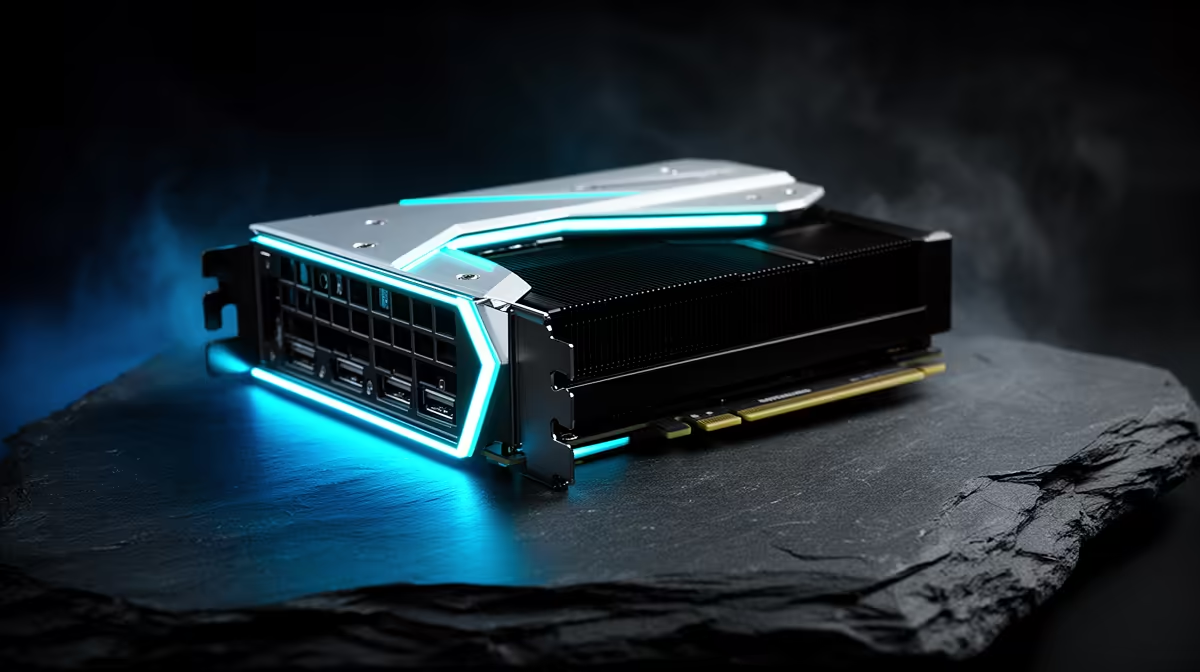
PCIe 5.0 graphics cards are backward-compatible with PCIe 4.0 and 3.0 slots at reduced bandwidth. For gaming, the real-world performance difference between PCIe 5.0 and PCIe 4.0 is under 5 percent at 4K. PCIe 5.0 matters most for GPU-compute and AI workloads where sustained host-to-device data transfer rates are critical, and for maximising the full capability of flagship 512-bit cards like the RTX 5090.
PCIe 5.0 doubles the per-lane bandwidth of PCIe 4.0, delivering 4GB/s per lane compared to 2GB/s on PCIe 4.0 and 1GB/s on PCIe 3.0. A PCIe 5.0 x16 slot therefore provides 64GB/s of bidirectional bandwidth, versus 32GB/s for PCIe 4.0 x16. For gaming GPUs, the slot primarily transfers draw calls, shader data, and asset streaming from system RAM to VRAM; this rarely saturates even PCIe 4.0 x16 bandwidth in current games. The transition to PCIe 5.0 matters more for cards with extremely high VRAM bandwidth requirements and for NVMe SSDs directly connected to the CPU, which are a separate interface path from the GPU slot.
PCIe 5.0 x16 GPU support requires a current-generation platform. On AMD's side, X670E and X870E boards using AM5 socket processors from the Ryzen 7000 and 9000 series support PCIe 5.0 for the primary GPU slot. On Intel's side, Z790 boards with 13th and 14th gen CPUs provide PCIe 5.0 for M.2 storage but typically retain PCIe 4.0 for the GPU slot; Z890 boards with Core Ultra 200 series CPUs add PCIe 5.0 x16 for the GPU slot. Buyers upgrading from an older platform specifically for PCIe 5.0 GPU bandwidth should target AM5 or LGA1851 motherboards as their platform foundation.
A PCIe 5.0 graphics card installs in any PCIe slot using the standard x16 physical connector. The slot's PCIe generation determines bandwidth but does not prevent the card from operating. An RTX 5090 installed in a PCIe 3.0 slot will function and deliver playable 4K frame rates, but certain GPU-compute workloads that push the host-device transfer rate will show performance reductions of 15 to 25 percent compared to a native PCIe 5.0 slot. For gaming, the loss is under 5 percent in most titles. South African buyers upgrading a PCIe 3.0 era system with a PCIe 5.0 flagship GPU should consider whether a platform upgrade is justified by the workload, given that a new AM5 platform adds R10,000 to R16,000 to the total build cost.
Not all x16 physical slots on a motherboard run at PCIe 5.0 or even PCIe 4.0 x16. Many boards have a second x16 slot that runs at x4 or x8 from a PCH connection. Always install your primary GPU in the slot labelled as the CPU-direct or primary PCIe slot in the motherboard manual to ensure full bandwidth.
The PCIe slot itself uses the same physical connector across generations. However, high-TDP PCIe 5.0 flagship cards like the RTX 5090 use the 16-pin 12VHPWR power connector for their external power input, which is separate from the slot interface. Older PSUs without this native connector require an adapter cable.
For gaming at 4K, the bottleneck is minimal: expect under 5 percent frame rate reduction compared to a native PCIe 5.0 platform. For GPU-compute workloads, the gap is larger. If your CPU and platform are otherwise adequate, upgrading the GPU before the platform is a reasonable sequencing choice for gaming-primary use.
PCIe 5.0 risers for vertical GPU mounting are available but must be sourced carefully. At 5.0 signal speeds, cable quality matters significantly.
Moving to PCIe 5.0? Compare current graphics cards and motherboards stocked at Evetech for your next upgrade.
Marvel Rivals launch needs a balanced parts plan, not a random basket. Map the CPU, GPU, RAM, SSD, cooling, and monitor target to the budget so SA builders know where to spend first.
Read more
Path of Exile 2 launch needs a balanced parts plan, not a random basket. Map the CPU, GPU, RAM, SSD, cooling, and monitor target to the budget so SA builders know where to spend first.
Read more
Black Myth Wukong launch needs a balanced parts plan, not a random basket. Map the CPU, GPU, RAM, SSD, cooling, and monitor target to the budget so SA builders know where to spend first.
Read more
Hollow Knight PC requirements should be mapped to resolution, settings and upgrade budget before choosing a tier. Verify current requirements, then balance GPU, CPU, RAM and SSD around SA pricing.
Read more
Hollow Knight build planning should focus on the target resolution, settings and total system balance. Treat launch wording as time-sensitive, then verify requirements before choosing SA PC parts.
Read more
Fallout 4 PC requirements should be mapped to resolution, settings and upgrade budget before choosing a tier. Verify current requirements, then balance GPU, CPU, RAM and SSD around SA pricing.
Read more
Best Value Laptops South Africa 2026 — Find top picks, local prices and buy tips to maximise performance per rand. Compare deals for students, creators and gamers. 🔎💸

Struggling with a weak Desktop PC Wi-Fi signal? 📶 Discover expert tips on positioning your tower and external antennas to eliminate lag and maximize your internet speeds for gaming and streaming. 🚀

Tired of loadshedding router restarts killing your Wi-Fi? ⚡ Discover why power cuts disrupt your connection and learn expert tips to get back online faster after the lights return. 🌐

Master using a Nano SIM 4G router as your primary internet solution. Get stable speeds and seamless connectivity for gaming and streaming at home! 🌐🚀

Gauteng r30 000 needs practical checks before you choose. Compare fit, workload, support, setup needs, timing, and delivery expectations without relying on live availability or fixed 2026 claims.

Gauteng r40 000 needs practical checks before you choose. Compare fit, workload, support, setup needs, timing, and delivery expectations without relying on live availability or fixed 2026 claims.

Gauteng r50 000 needs practical checks before you choose. Compare fit, workload, support, setup needs, timing, and delivery expectations without relying on live availability or fixed 2026 claims.

Gauteng r60 000 needs practical checks before you choose. Compare fit, workload, support, setup needs, timing, and delivery expectations without relying on live availability or fixed 2026 claims.

Three-tier smart watch plan for commuting should be shortlisted around the job it must do. South African buyers should compare fit, performance, compatibility, and upgrade room, warranty path, and upgrade room before treating any pick as best.

AR Glasses buying order for commuting students should be shortlisted around the job it must do. South African buyers should compare fit, performance, compatibility, and upgrade room, warranty path, and upgrade room before treating any pick as best.

Smart Watch buying order for commuting should be shortlisted around the job it must do. South African buyers should compare fit, performance, compatibility, and upgrade room, warranty path, and upgrade room before treating any pick as best.

Smart Watch buying order for quiet PC builds needs a balanced parts plan, not a random basket. Map the CPU, GPU, RAM, SSD, cooling, and monitor target to the budget so SA builders know where to spend first.