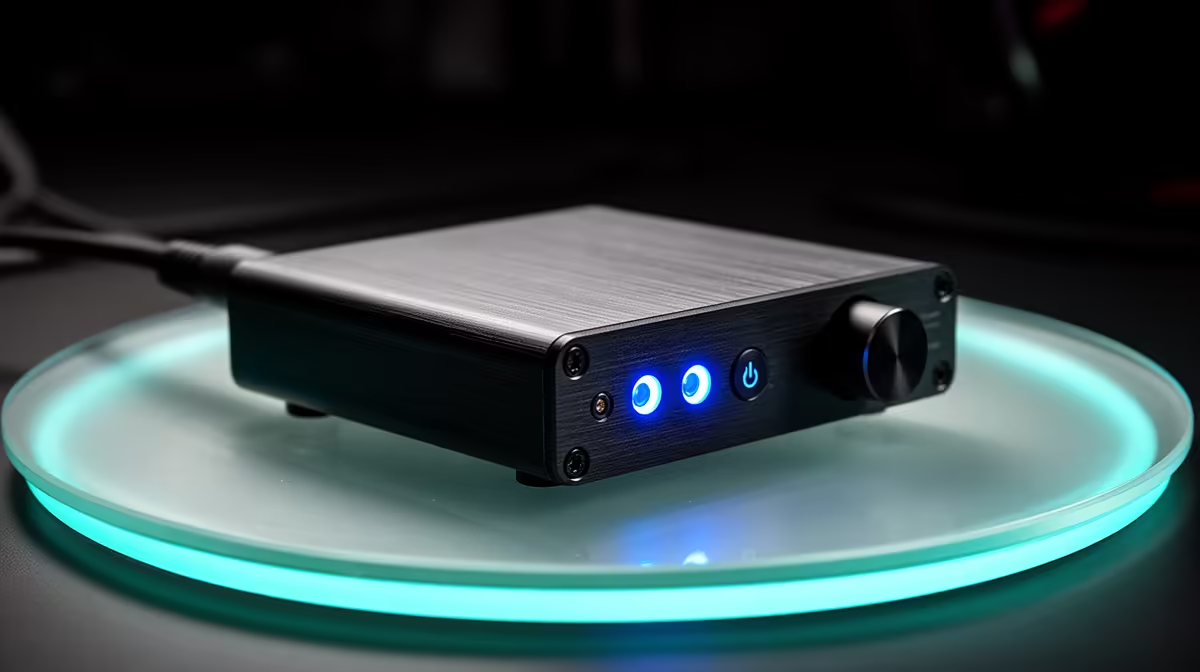
FiiO makes portable DACs, headphone amplifiers and music players, which means a brand-level availability question hides several different jobs. For FiiO in South Africa, identify the precise device, connection and live seller, then compare it with the simplest local audio path that fixes the problem you can hear.
Quick Answer
South African FiiO stock and Rand totals change from one device and seller to the next. Equipment sourced overseas may add freight, customs duty and remote support. Use Evetech's current peripheral best-sellers to compare local gaming-audio accessories before adding another box.
🔍 Identify the problem before the product
A DAC converts digital audio to analogue. A headphone amplifier provides output for headphones. A digital audio player stores and plays music. Some FiiO products combine these jobs.
Write down the current problem. Hiss, low volume, missing ports and a desire for portable playback require different solutions. A new DAC cannot fix poor headphone fit or a noisy room.
Test another known source. If the headphone sounds clean and loud elsewhere, the original output may be the issue. If the fault follows the headphone, adding FiiO hardware is unlikely to solve it.
For gaming, check chat and microphone needs. A music-focused DAC can provide excellent playback and no mic input or game-chat mix.
Measure the existing problem with repeatable material. Record the maximum comfortable volume position, whether hiss appears with no playback and which device creates the issue. This gives the new hardware a test it can pass or fail.
Check the headphone itself on a clean source. A damaged cable, blocked IEM filter or poor fit can look like a DAC problem. Fix the fault closest to the ear first.
🔌 Map every connection
Confirm USB, optical, coaxial, Bluetooth or analogue inputs for the exact device. Check operating-system and console support. A USB DAC recognised by Windows may not work on a console.
Match headphone output and connector. Balanced outputs require compatible wiring and are not automatically better. Never attach an ordinary single-ended headphone through an unsafe adapter.
Portable use needs phone compatibility, cable direction and power behaviour. A dongle drawing power from the phone can reduce battery life.
Desktop devices need a power source, input and cable route. Avoid stacking equipment where vents are blocked or heavy leads strain small ports.
Check sample-rate and driver settings only after basic playback works. Chasing the highest number can create compatibility problems without audible benefit.
Plan switching between speakers and headphones. Some devices mute one output, while others play both. Learn the volume state before changing outputs so speakers do not start at headphone gain.
If Bluetooth is involved, check codec support on both transmitter and receiver. The brand name of the codec does not guarantee low gaming latency. Test lip-sync and controls in the actual application.
Portable players need storage, library scanning and battery care. Confirm card support and file formats for the exact model, then back up playlists and settings outside the device.
🎧 Match output to the headphone
Use headphone impedance and sensitivity with the device's current output specification. Enough clean volume and control range matter more than a large maximum number.
Sensitive IEMs can reveal hiss. High-impedance headphones can need more voltage. Test the exact combination at safe level.
Gain should be kept at the lowest setting that provides suitable volume. High gain can reduce control range and increase noise.
Compare volume-matched. A louder amplifier often seems clearer. Set levels carefully before judging detail or bass.
If the device offers EQ, begin with a neutral profile. Small corrections can help. Heavy boosts consume headroom and can clip.
Compare with levels matched. A new output can be louder by default and seem more detailed. Reduce the louder path until voices sit at the same perceived level.
Check channel balance near the volume you use with sensitive IEMs. A digital control may offer more predictable low-level tracking than an analogue knob, depending on the device.
Keep gain low unless the headphone requires more. Excess gain reduces usable control range and can amplify background noise.
💰 Compare the simplest complete route
List the exact FiiO model, inputs, outputs, cables, power and seller terms. For an overseas unit, include delivery, customs treatment, carrier handling and exchange movement.
Evetech's gaming accessories provide a live local view of headsets, microphones and audio accessories. A complete local headset may solve playback and communication without a separate DAC.
Support matters for batteries, USB ports, displays and volume controls. Ask where the exact device would be assessed and whether firmware is supported for your operating system.
Record the serial number, firmware and working connection map. When an update changes behaviour, you can show which input and output were stable before it.
Ask whether a battery or knob can be serviced separately. A portable player with an ageing cell and a desktop DAC with a scratchy control have different repair paths.
For a used FiiO product, test every input, output, button and battery where present. Reset it through the supported method and inspect ports for movement.
Run a portable unit until warm and measure battery decline. Test the card slot, display, USB data and charging separately. A unit that plays one album may still have a failed input.
On desktop gear, turn the volume slowly for crackle or channel drop. Connect only known safe equipment and keep speakers muted during cable changes.
Request the original power supply where one is required. A substitute plug can fit and provide the wrong voltage or polarity.
Do not pay for another person's music account or software licence. Verify the hardware, accessories and transferable warranty.
Evetech's local audio changes. Recheck it when you buy. A FiiO device should remain because it solves a measured source problem with the connections you need.
Frequently Asked Questions
Does FiiO permanently sell through South African stores?
Availability changes by device and seller. Confirm the exact model, purchase record and warranty route.
What products does FiiO make?
Its range includes DACs, headphone amplifiers, portable players and combined devices. Check the current exact model.
Is a FiiO DAC necessary for gaming?
Only when it solves a real output, noise or connection problem while preserving microphone and platform support.
Can local warranty support be assumed?
No. Read the seller's written terms and identify where a battery, port or audio fault would be assessed.
What is a local option for gaming audio?
Evetech's current peripherals and gaming accessories show local headsets and audio gear with live Rand pricing.
Ready to solve the audio problem before buying another box?
Check Evetech's current gaming accessories, test your source and choose the simplest complete path with local support.