



Marvel Rivals launch in South Africa
Marvel Rivals launch needs a balanced parts plan, not a random basket. Map the CPU, GPU, RAM, SSD, cooling, and monitor target to the budget so SA builders know where to spend first.
Read moreFix flight stick drift with clear, step-by-step calibration and troubleshooting for PC and Xbox. Learn deadzone tweaks, firmware updates, cleaning, and restore precise control fast. 🛠️🎮
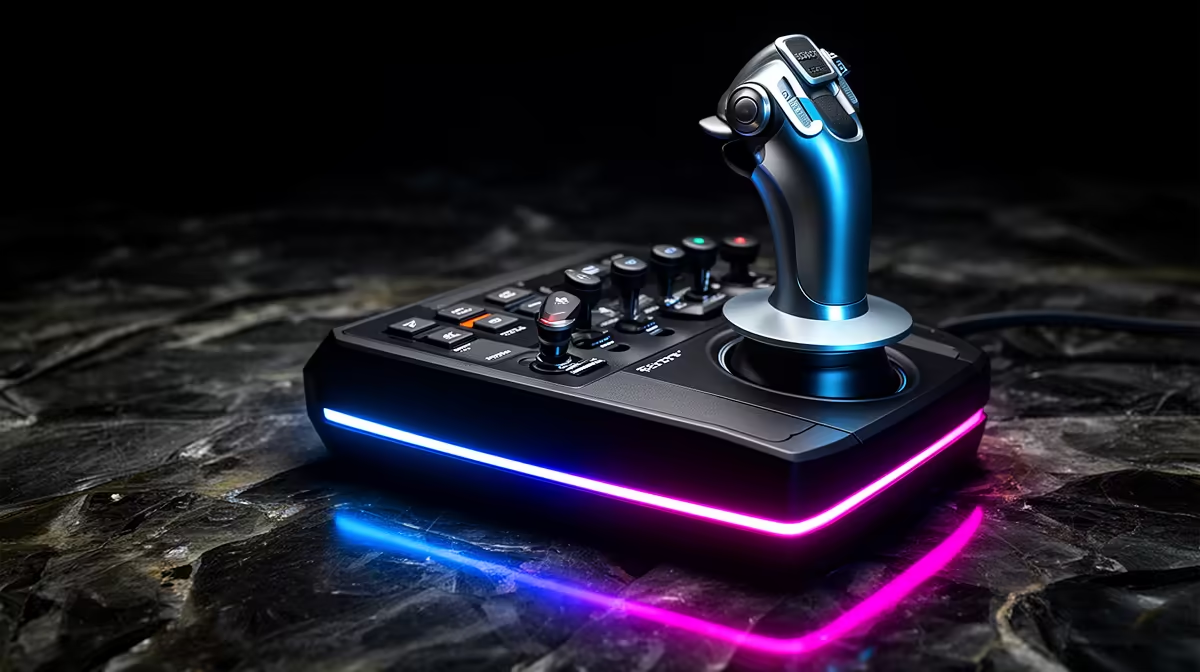
There is nothing more frustrating than trying to land a heavy airliner at OR Tambo while your plane constantly veers to the left. You are not touching the stick, yet the horizon refuses to stay level. This is the dreaded "drift". Learning how to fix flight stick drift on PC & Xbox: calibration guide is the first step to reclaiming your cockpit and ensuring every flight is as smooth as possible. 🔧
Most drift issues on Windows are software-related rather than hardware failure. The first port of call is the built-in Windows Game Controller utility. Type "joy.cpl" into your Run command (Win + R) to open the calibration menu. From here, you can reset your device to its factory defaults or run through the manual calibration wizard.
If you are using high-end flight simulator gear, the manufacturer likely provides dedicated software. These programmes often allow for much finer adjustments than the standard Windows tool. Always ensure your firmware is updated to the latest version... this often resolves sensor inaccuracies that look like physical drift.
Xbox users have fewer system-level tools, but most simulation titles offer robust in-game settings. In Microsoft Flight Simulator, navigate to the "Controls Options" menu. Look for the "Sensitivity" settings. Here, you can adjust the "Deadzone" for each axis.
By increasing the deadzone by 3% or 5%, you tell the console to ignore those tiny, jittery inputs near the centre of the stick. This technique is also vital for sim racing enthusiasts who need absolute precision during high-speed cornering. If the drift persists even with a high deadzone, the internal potentiometers might be reaching the end of their lifespan.
Before assuming your hardware is broken, try a different USB port. On PC, avoid using unpowered USB hubs for simulation gear. These devices require consistent voltage... a drop in power can cause the sensors to report 'ghost' movements that look exactly like stick drift.
Sometimes the issue is just South African dust. A quick blast of compressed air into the base of the stick can clear out debris interfering with the sensors. If you have been using your kit for years, the springs might have lost their tension... meaning the stick no longer returns to the exact mathematical centre.
If you find yourself constantly fighting your hardware, it might be time to look at new simulation gear and accessories. Modern sticks often use Hall Effect sensors. These use magnets rather than physical contact points, meaning they practically never develop drift. Considering a decent entry-level setup starts around R1,600 in South Africa... it is a worthy investment for your virtual pilot career. 🚀
Ready to Elevate Your Flight Experience? Don't let hardware issues ground your passion. Whether you need a precision joystick or a full cockpit setup, we have the best tech in South Africa to keep you airborne. Explore our full range of flight simulator gear and take to the skies with confidence.
Drift can come from worn sensors, loose gimbals, bad calibration, firmware bugs, or USB interference. Run calibrate joystick windows and test axes.
Recalibrate in-game or via console settings, increase deadzone slightly, update firmware, and clean the gimbal. This is a common flight stick drift xbox fix.
Often yes — try cleaning, recalibration, deadzone adjustments, firmware updates, and tightening mechanical parts to fix joystick drift without replacement.
Open Windows Game Controllers or the maker's utility, reset axes, follow on-screen prompts, and save profile to fully calibrate joystick windows.
Sometimes. Firmware updates can correct sensor mapping and reduce drift—check your manufacturer's release notes and apply updates when available.
Start with a 1–5% deadzone and increase in small steps until drift stops. Use simulator test tools to dial in the optimal joystick deadzone fix.
Replace when drift persists after cleaning, calibration, firmware updates, and mechanical repairs, or when components like potentiometers fail.
Marvel Rivals launch needs a balanced parts plan, not a random basket. Map the CPU, GPU, RAM, SSD, cooling, and monitor target to the budget so SA builders know where to spend first.
Read more
Path of Exile 2 launch needs a balanced parts plan, not a random basket. Map the CPU, GPU, RAM, SSD, cooling, and monitor target to the budget so SA builders know where to spend first.
Read more
Black Myth Wukong launch needs a balanced parts plan, not a random basket. Map the CPU, GPU, RAM, SSD, cooling, and monitor target to the budget so SA builders know where to spend first.
Read more
Hollow Knight PC requirements should be mapped to resolution, settings and upgrade budget before choosing a tier. Verify current requirements, then balance GPU, CPU, RAM and SSD around SA pricing.
Read more
Hollow Knight build planning should focus on the target resolution, settings and total system balance. Treat launch wording as time-sensitive, then verify requirements before choosing SA PC parts.
Read more
Fallout 4 PC requirements should be mapped to resolution, settings and upgrade budget before choosing a tier. Verify current requirements, then balance GPU, CPU, RAM and SSD around SA pricing.
Read more
Best Value Laptops South Africa 2026 — Find top picks, local prices and buy tips to maximise performance per rand. Compare deals for students, creators and gamers. 🔎💸

Struggling with a weak Desktop PC Wi-Fi signal? 📶 Discover expert tips on positioning your tower and external antennas to eliminate lag and maximize your internet speeds for gaming and streaming. 🚀

Tired of loadshedding router restarts killing your Wi-Fi? ⚡ Discover why power cuts disrupt your connection and learn expert tips to get back online faster after the lights return. 🌐

Master using a Nano SIM 4G router as your primary internet solution. Get stable speeds and seamless connectivity for gaming and streaming at home! 🌐🚀

Gauteng r30 000 needs practical checks before you choose. Compare fit, workload, support, setup needs, timing, and delivery expectations without relying on live availability or fixed 2026 claims.

Gauteng r40 000 needs practical checks before you choose. Compare fit, workload, support, setup needs, timing, and delivery expectations without relying on live availability or fixed 2026 claims.

Gauteng r50 000 needs practical checks before you choose. Compare fit, workload, support, setup needs, timing, and delivery expectations without relying on live availability or fixed 2026 claims.

Gauteng r60 000 needs practical checks before you choose. Compare fit, workload, support, setup needs, timing, and delivery expectations without relying on live availability or fixed 2026 claims.

Three-tier smart watch plan for commuting should be shortlisted around the job it must do. South African buyers should compare fit, performance, compatibility, and upgrade room, warranty path, and upgrade room before treating any pick as best.

AR Glasses buying order for commuting students should be shortlisted around the job it must do. South African buyers should compare fit, performance, compatibility, and upgrade room, warranty path, and upgrade room before treating any pick as best.

Smart Watch buying order for commuting should be shortlisted around the job it must do. South African buyers should compare fit, performance, compatibility, and upgrade room, warranty path, and upgrade room before treating any pick as best.

Smart Watch buying order for quiet PC builds needs a balanced parts plan, not a random basket. Map the CPU, GPU, RAM, SSD, cooling, and monitor target to the budget so SA builders know where to spend first.