Mastering Flight Sim Throttle and Flap Setup for Realistic Power Control ⚡
Every keen pilot aiming for realism knows the difference a finely tuned throttle and flap setup can make. In South Africa’s growing flight sim community, achieving smooth power transitions and authentic landings takes more than just practice — it demands the right gear and setup knowledge. Whether you’re flying a Cessna or a Boeing, nailing your flight sim throttle and flap setup unlocks immersive control that elevates every take-off and touchdown.
Why Your Flight Sim Throttle Setup Matters for Realistic Power Delivery
Throttle control is the heartbeat of any flight sim experience. Getting your throttle calibrated to reflect real aircraft power steps brings precision to your simulated flights. You want responsive thrust changes without abrupt jumps — the way real pilots manage engine power with smooth finger work.
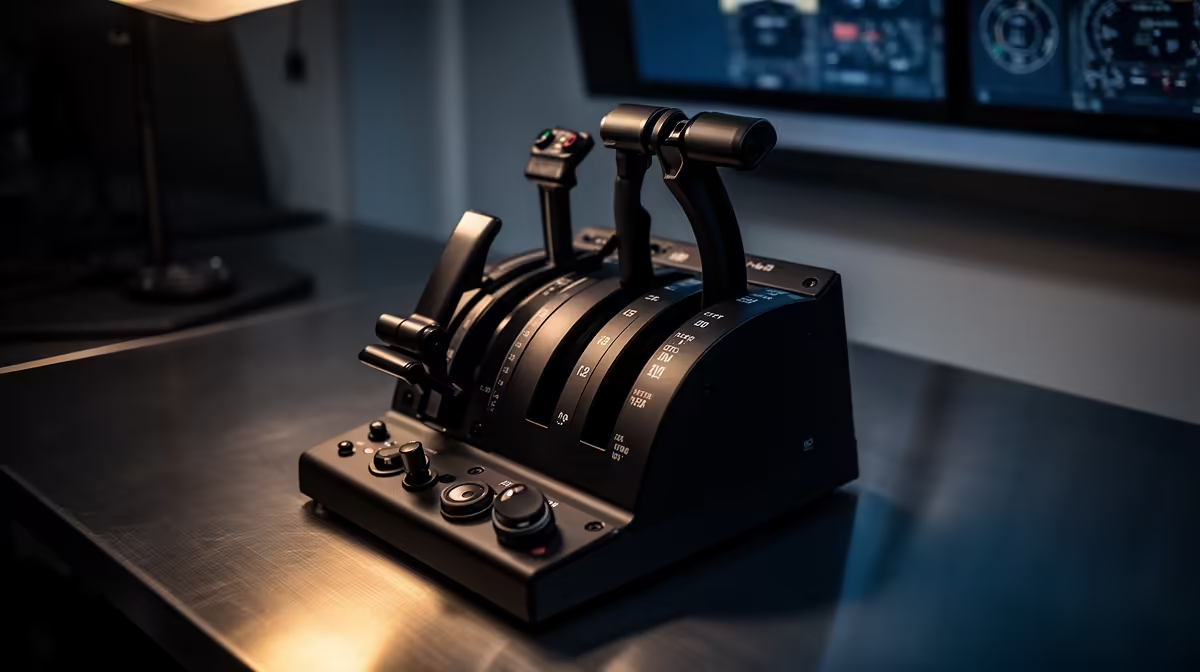
Choosing a high-quality flight sim throttle quadrant helps you mirror true aircraft controls. Evetech’s flight simulator gear collection features reliable throttles that deliver tactile response and smooth action. This gear reduces lag and jitter for power control that reacts exactly how you expect.
Setting Flaps Correctly for Authentic Approach and Landing
Your flap lever setup affects more than just speed — it impacts drag, lift, and your entire final approach. Realistically simulating flap stages helps mimic how planes slow and stabilise before landing.
Start by assigning clear, stepped detents for each flap position. Many flight sim setups allow you to map a physical lever with multiple stops — ideal for finding that “sweet spot” between full retraction and maximum flap extension.
Balancing power with flaps lets you control your descent rate finely. You’ll find yourself landing closer to runway thresholds just like a professional pilot. For extra precision, explore Evetech’s simulation gear and accessories tailored for flight sims — these enhance control fidelity.
Expert Tips for Integrating Throttle and Flap Controls Seamlessly
🔧 Use software calibration to adjust throttle sensitivity curves — lower sensitivity at idle and finer increments in mid-throttle deliver smoother transitions.
🔧 Synchronise your flap and throttle inputs during approach practice. Gradually reduce throttle as you extend flaps in stages — this teaches muscle memory and realism.
🔧 Combine your flight sim setup with a quality sim racing rig for better physical feedback. Check out the sim racing gear designed for precision and comfort during long sessions.
Maximise your throttle control accuracy
Consistently recalibrate throttle axes after software updates to maintain realism. Fluctuations in input delay can disrupt your power management.
Mastering this balance in your flight sim setup makes each flight more immersive and satisfying. Finding the right gear and settings isn’t just a task, it’s part of the journey to authentic flight simulation.
Level Up Your Flight Sim Experience
Take control with premium flight simulation gear and accessories designed for South African pilots. Shop now at Evetech for precision throttles, reliable flap controls, and realistic flying.