Linux gaming is better than its reputation, and worse than the marketing. A game for Ubuntu usually means one of three things: a native Linux title, a Windows game that Proton translates, or a game that refuses to start at all because of its anti-cheat.
Quick Answer
Thousands of Steam games run on Ubuntu through Proton, and native titles such as Counter-Strike 2 and Dota 2 need no workaround. Online shooters with kernel-level anti-cheat are the main failure. Look up your exact game on ProtonDB before you install anything. Most modern titles need 50GB or more of disk, so budget a drive of R800 to R1,500 if space is tight.
🐧 Native games that just run
Native Linux games are the easy wins. Counter-Strike 2, Dota 2 and Team Fortress 2 launch from Steam with no extra steps, and a long list of indie releases ship Linux builds too.
Free-to-play games on Steam add plenty, and open-source titles such as SuperTuxKart cost nothing at all. Humble-style indie bundles and the Steam demo section are also handy for testing how your graphics hardware copes before you spend money on a larger game. A modest machine with an 8GB graphics card and 16GB of memory handles most of this list at 1080p, which is a useful target for a first Ubuntu gaming setup. Native titles typically need less fiddling than a game running through a translation layer.
Steam shows a small penguin icon on the store page for games with an official Linux build, and you can filter the store by SteamOS and Linux to see only those. Open-source engines are another good source: OpenTTD, Xonotic and 0 A.D. install straight from the Ubuntu Software app and keep updating through the normal system updates. Older Windows classics often work too, because the community has rebuilt their engines for Linux. Start with one of these before you commit a whole evening to troubleshooting a demanding new release.
🔁 Windows games through Steam Play and Proton
Steam Play with Proton translates Windows games so they run on Linux. Enable it in Steam, Settings, Compatibility, and tick the option for all titles. Many single-player games then run with little or no tweaking.
ProtonDB is the community site that rates how each game runs, from Platinum to Borked. Read recent reports for your game and your graphics card before you buy, since results shift with updates.
Proton ships in several versions, and Steam lets you pick one per game from Properties, Compatibility. If the default build fails, Proton Experimental or an older numbered release sometimes fixes a black screen or a crash on launch. Launchers from other stores can be added to Steam as non-Steam games and run through the same layer, though they take a little more setup. Expect the first launch of each game to pause for a while, because Steam compiles shaders in the background, and later launches are much quicker.
🚫 The anti-cheat wall
Some competitive games use kernel-level anti-cheat that only supports Windows. They refuse to launch on Ubuntu, and no setting changes that. Always check a game's anti-cheat status first, especially for online shooters. The site areweanticheatyet.com tracks which games are supported, broken or denied, and it is faster than reading forum threads. Some publishers have switched on Linux support for Easy Anti-Cheat or BattlEye, so a game that failed last year may work today; the setting lives with the developer, not with you. A ban risk is real if you try to bypass a block, so do not attempt it on an account you care about.
If your whole friend group plays one of those titles, a dual boot with Windows keeps the option open. Browse operating system choices if you need a Windows licence for the second partition.
🔧 Drivers and getting smooth frame rates
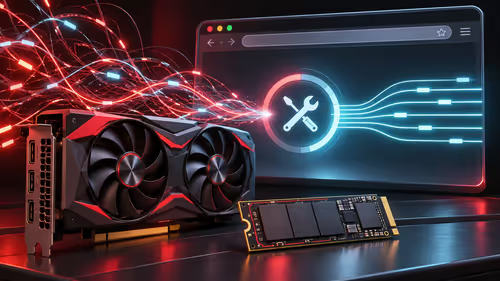
Install the current Nvidia driver from Additional Drivers, or rely on the built-in Mesa driver for AMD and Intel graphics. Updated drivers fix many crashes and stutters, and a restart after installing is part of the job. To confirm the right driver is active, open a terminal and run nvidia-smi for Nvidia cards, or check Settings, About for the graphics name on AMD and Intel. Vulkan is the graphics interface most Proton games use, so a working Vulkan driver matters more than any other single setting. Keep the kernel and Mesa packages updated through the normal Ubuntu updater, since newer releases add support for recent cards and fix game-specific bugs. Avoid third-party driver scripts from forums, which can break the next system upgrade.
A good controller or keyboard for gaming works plug and play on Ubuntu for the most part. If a game stutters, try a different Proton version from the game's properties before blaming the hardware. Turning on the Steam overlay's frame-rate counter shows whether the problem is low frames or uneven frame pacing, and a launch option such as gamemoderun can free up processor time if Feral GameMode is installed. Laptop owners should confirm the dedicated graphics chip is the one running the game, since Ubuntu can quietly choose the integrated chip instead.
📦 Disk space and data in South Africa
Modern titles often pass 50GB, which strains a capped LTE or fibre package. Check your provider's cap, queue the download for a quiet period, and keep an eye on free space before installing, because Steam will not warn you early. You can add a second library folder on another drive under Steam Settings, Storage, which suits a small system SSD paired with a larger one for games. Students in res or digs on a shared connection should schedule big downloads overnight so the rest of the house keeps its bandwidth.
Frequently Asked Questions
Do Windows games run on Ubuntu?
Many do through Steam Play and Proton. Results vary by game, so check its rating on ProtonDB before buying.
Which popular games have native Linux versions?
Counter-Strike 2, Dota 2, Team Fortress 2 and many indie titles. Native games usually need less fiddling than Proton ones.
Why will some online games not start on Ubuntu?
Several competitive games use kernel-level anti-cheat that only supports Windows, so they refuse to launch on Linux.
Are there good free games for Ubuntu?
Yes. Free-to-play Steam titles, open-source games like SuperTuxKart and a large indie library cover most tastes.
Do I need special graphics drivers to game on Ubuntu?
Install the current Nvidia driver from Additional Drivers, or use the built-in Mesa driver for AMD and Intel. Updated drivers fix many crashes.
How much data does a big Ubuntu game download use?
Often over 50GB, which strains a capped line in South Africa. Check your cap and download at a quiet time.
Ready to build a PC that games on Linux or Windows?
Browse Evetech's gaming PC and operating system categories to choose the hardware and software for your library.