


Maintain Wired Headset: Tips to Extend Lifespan
Maintain wired headset — Checklist: • inspect cables • clean earpads • store properly 🔧🎧 Practical steps to preserve sound quality and avoid premature replacements.
Read moreGaming headset ear cushions affect comfort, sound, and heat buildup 🎧 Learn how synthetic leather, fabric, and hybrid pads compare so you can choose the best fit for long gaming sessions.
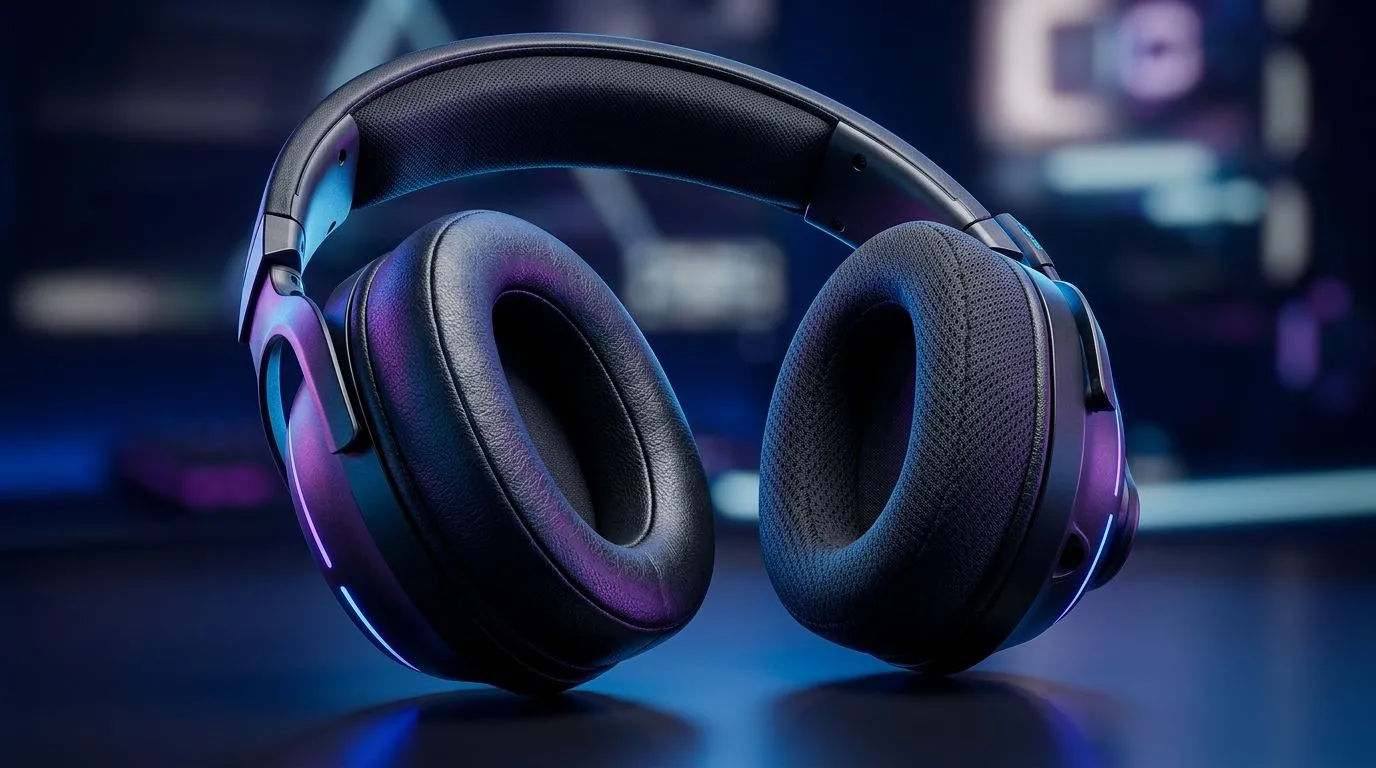
Ever drop a headset on the couch and come back to “same old discomfort”? You’re not imagining it. Ear cushions are where comfort is won or lost… and where cheap setups quietly sabotage long sessions. In South Africa, where you might game in hot rooms, stream on weekends, and use a headset for voice chat daily, cushion comfort becomes a performance feature. Let’s break down Gaming Headset Ear Cushions Explained: Materials, Comfort, Fit so you can choose faster and regret less.
Different cushion materials change how your skin interacts with the headset over time. Here’s what to expect.
Leatherette is popular because it looks sharp and seals fairly well. The trade-off? It can feel warm during long sessions, especially in humid conditions. If you’ve ever noticed a “hot ring” after 60 to 90 minutes, this is often why.
Real leather usually breathes better than leatherette and tends to hold comfort longer. It can also develop a better “break-in” feel over time. The downside is cost and care. You want something that ages well, not something that dries out.
Velour and fabric cushions are often more breathable. For gamers in warm rooms, fabric can reduce that sweaty pressure feeling. The trade-off is usually sound isolation and durability, depending on the weave.
Some headsets blend materials for a reason: better airflow on the outer layer, plus cushioning where your ear sits. If you want comfort without sacrificing isolation, hybrids are worth considering.
Comfort is not just softness. Fit is the difference between “I could wear this all night” and “why is it pressing here?”
Use these quick checks:
Swap in the thicker ear pads first. If your headset has removable cushions, try a slightly thicker pair for better ear coverage. You’re aiming to reduce driver pressure on your ears while keeping the seal stable, so footsteps and callouts stay clear.
Before buying replacement cushions, match them to your headset model. Pads are not one-size-fits-all. Even when mounting looks similar, the inner diameter and thickness can change the sound balance.
If you’re shopping a specific headset and want a solid starting point:
Cushions wear out gradually. Oils from skin reduce cushioning resilience and can make fabric feel rougher. Quick maintenance helps:
When cushions flatten, you often notice it as reduced isolation and increased pressure points. That’s your cue to upgrade.
Ready to Find Your Perfect Match? The Mac vs Windows debate is complex, but for maximum power, choice, and value in South Africa, Windows is hard to beat. Explore our massive range of laptop specials and find the perfect machine to conquer your world.
Memory foam with synthetic leather or breathable fabric is popular for comfort, depending on whether you want more isolation or better airflow.
Yes. Synthetic leather ear cushions usually improve isolation and bass, but they can trap more heat during long sessions.
Fabric ear cushions can feel cooler and more breathable, but they may reduce isolation compared with synthetic leather pads.
Match the cushion size, mounting style, and material to your headset and your comfort needs before buying replacement gaming ear cushions.
Breathable fabric is usually the most airy option, making it a strong choice for warm rooms and long play sessions.
Yes. Over-ear headset cushions can improve passive isolation when they seal well around the ears, especially with synthetic leather.
Maintain wired headset — Checklist: • inspect cables • clean earpads • store properly 🔧🎧 Practical steps to preserve sound quality and avoid premature replacements.
Read more
Fix crackling headset fast: step-by-step checks for cables, connectors, drivers, and settings to remove static or distorted audio on wired headsets 🎧⚙️
Read more
Stereo vs mono headsets: learn which delivers clearer calls, better spatial music, or simpler mono voice performance — pick the right headset for meetings, music, or gaming 🎧💬
Read more
- Compare gaming headset vs studio headphones; - Assess comfort, mic and sound; - Recommend best daily picks. Gaming headset vs studio headphones: learn which suits work, music and casual gaming. 🎧⚖️
Read more
- Check pressure points - Compare earcup materials - Adjust clamp and fit Best gaming headsets for glasses: quick guide to reduce temple pressure, pick breathable memory foam earcups, and optimize fit for long sessions 🕹️👓
Read more
Gaming microphone noise reduction: Use beamforming mics, AI noise suppression, and hardware filters to cut background noise and boost in-game voice clarity. 🎧⚙️ Learn setups, settings, and top mic features.
Read more
Snapdragon X2 NPU Explained: How 80 TOPS Changes. Plain-English explanation of what it means, why it matters & how it affects your buying decisions in SA.

HBM? High Bandwidth Memory Used in GPUs and AI. Plain-English explanation of what it means, why it matters & how it affects your buying decisions in SA.

How much should you spend on sim racing accessories in South Africa for a realistic setup? We break down budgets by quality tiers, so you buy smart gear and avoid overspending 🎮💸

G-Sync and FreeSync? Variable Refresh Rate. Plain-English explanation of what it means, why it matters & how it affects your buying decisions in SA.

AMD Laptop: Value. SA-focused analysis with local pricing data, real-world insights & actionable buying advice.

How MacBook Neo Handles 30+ Chrome Tabs with Only. SA-focused analysis with local pricing data, real-world insights & actionable buying advice.

Why Apple Put 8GB RAM in MacBook Neo: The A18 Pro. SA-focused analysis with local pricing data, real-world insights & actionable buying advice.

Upgrade your work laptop with a New Motherboard. Step-by-step instructions with SA-specific tips, common pitfalls to avoid & expert recommendations.
Maintain wired headset — Checklist: • inspect cables • clean earpads • store properly 🔧🎧 Practical steps to preserve sound quality and avoid premature replacements.
Fix crackling headset fast: step-by-step checks for cables, connectors, drivers, and settings to remove static or distorted audio on wired headsets 🎧⚙️
Stereo vs mono headsets: learn which delivers clearer calls, better spatial music, or simpler mono voice performance — pick the right headset for meetings, music, or gaming 🎧💬
- Compare gaming headset vs studio headphones; - Assess comfort, mic and sound; - Recommend best daily picks. Gaming headset vs studio headphones: learn which suits work, music and casual gaming. 🎧⚖️