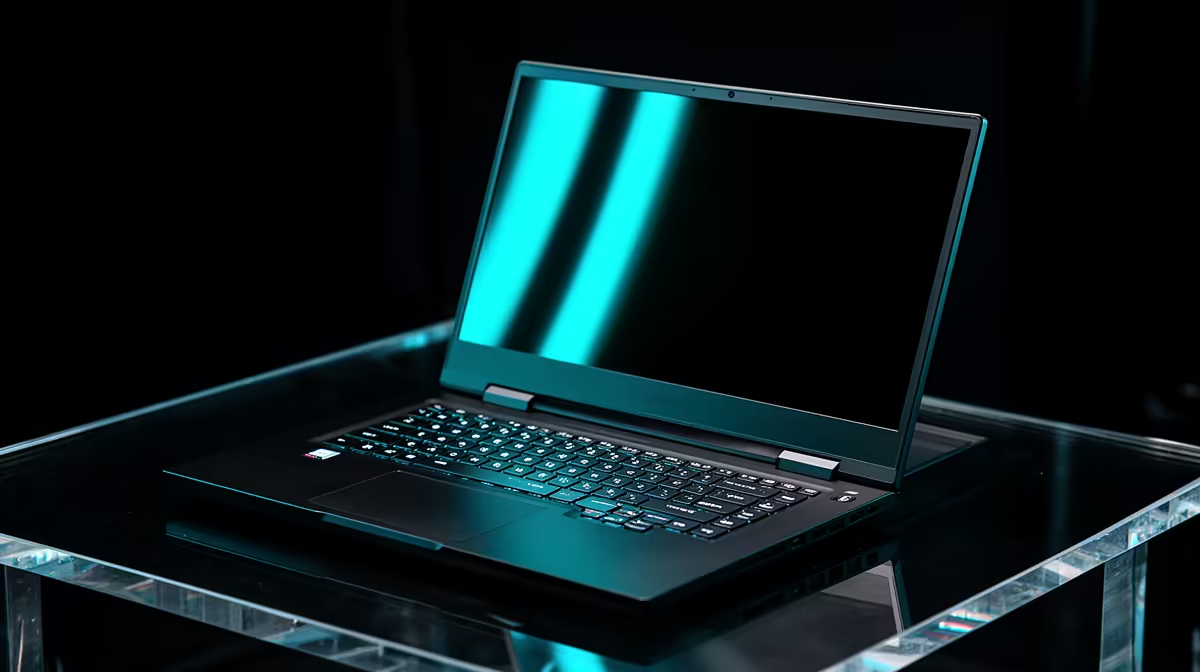
A glossy display can look spectacular in a dark room and unusable beside a bright window. A matte screen can remain readable in that window and look slightly less crisp under controlled lighting. The correct glossy versus matte laptop screen choice begins with reflections in the real workspace.
Quick Answer
Choose matte for offices, lecture halls and travel where lighting cannot be controlled. Choose glossy when image punch, deep-looking blacks and touch functionality matter in a controlled room. The coating does not define colour accuracy on its own. Evetech's July 2026 laptop listings started with conventional study models around R7,999, so verify the exact panel finish and brightness before assuming two similarly priced machines will behave alike.
💡 Reflections decide practical contrast
Glossy surfaces reflect lamps, windows and the viewer more clearly. In a dark room this can preserve apparent clarity and colour richness. In bright light the reflection competes with the image and can erase dark detail.
Matte coatings scatter reflected light across a wider area. The mirror image becomes less distinct, improving readability in uncontrolled rooms. Heavy coatings can add a slight grain or soften perceived contrast on light backgrounds.
Brightness helps but cannot remove every reflection. A very bright glossy panel may overpower indoor light, while direct sunlight remains difficult for almost any laptop display.
Reflections also change perceived eye comfort. The issue is not that one coating is medically better, but that a user may keep changing posture to avoid a bright window or lamp. Place the laptop where the intended seat and light sources can be evaluated together.
Black content reveals the difference quickly. On a glossy screen, a reflection can become more visible precisely when a game or film turns dark. Matte scattering lowers the mirror effect but can lift the apparent haze across the area.
🎨 Coating is not colour accuracy
Glossy screens often appear more vibrant because the surface preserves contrast. That does not prove wider colour coverage or better calibration.
For photo and video work, check colour gamut, accuracy, bit depth, brightness uniformity and calibration support. A well-measured matte panel can be more reliable than an attractive glossy one.
OLED laptops are often glossy because the deep black level and saturated image suit the finish, but coating varies. IPS-type panels can also use either surface. Read the exact model specification.
Text rendering can expose heavy matte grain, especially on white documents, while strong reflections can make glossy text tiring in bright rooms. Writers and programmers should judge both light and dark application themes.
For colour work, control the room first. A calibrated display still cannot show a reliable dark image when a bright reflection sits over it. A hood, blind or repositioned desk may improve either coating more than chasing another laptop.
🧳 Match the finish to daily use
Students move between lecture halls, libraries and residences. Matte is the safer default when seating and lighting are unpredictable. Office workers facing overhead lights or windows often reach the same conclusion.
A creator working in a controlled studio can benefit from glossy clarity, provided the panel itself measures well. A media laptop used mainly at night can also make reflections a minor concern.
Touchscreens frequently use glossy glass because the structure needs a durable touch surface. Buyers who require touch may have fewer matte options and should place the screen carefully.
Use Evetech's laptop best sellers to find the exact configuration, then confirm finish through the product details or manufacturer documentation.
Hybrid work complicates the answer. A glossy creator laptop can be excellent at a controlled home desk and frustrating in a bright client office. If the machine moves daily, evaluate the least controllable environment rather than the best one.
An external monitor can split the roles. The laptop may prioritise portability or touch, while a calibrated matte or glossy desktop panel handles colour-critical work. Include that second-screen cost before paying a premium to make one panel serve every room.
🧼 Consider care and modification
Glossy glass shows fingerprints and smudges readily. Clean it with a suitable microfibre cloth and follow the manufacturer's instructions; harsh household chemicals can damage coatings.
Matte screens hide fingerprints better but can still mark. Do not press hard on a flexible laptop panel.
An anti-glare film can reduce reflections on glossy displays, but it may affect sharpness, touch behaviour and appearance. A poor installation adds bubbles and dust. Buying the preferred finish from the start is cleaner.
Do not use abrasive cloths or spray liquid directly onto the panel. Dust can scratch a glossy surface, and excessive moisture can reach the bezel. Power down, use a clean microfibre cloth and follow the laptop manufacturer's care instructions.
Evetech's gaming laptop deals can be filtered into a shortlist, but gaming performance should not obscure the screen used for every task.
Compare return and pixel policies before buying sight unseen. Coating preference is personal, and a screen that sounded ideal on paper may react badly to the exact lighting around the buyer's desk.
The simplest decision test is a black screen and a white document in the real room. If reflections dominate the dark image, matte gains weight. If grain or softness bothers you more than reflections, a good glossy panel in controlled light may be the better fit.
Neither finish can compensate for poor brightness, weak contrast or an inaccurate panel. Keep those measurements in the final comparison.
Frequently Asked Questions
Does glossy show more fingerprints?
Usually, yes. The smooth reflective surface makes oils and smudges easier to see.
Which is better outdoors?
Matte is generally easier to read, although brightness and direct sunlight still matter.
Do glossy screens look more vibrant?
They often appear punchier in controlled light, but coating is not proof of colour accuracy.
Which is better for video editing?
Choose the panel with verified gamut, accuracy and uniformity, then match the coating to the room.
Can I add anti-glare film?
Yes, but it can reduce clarity or affect touch. Use a model-appropriate product and install it carefully.
Is matte better for office work?
It is the safer default around windows and overhead lighting because reflections are less defined.
Do gaming laptops favour matte?
Many use matte panels to control reflections, but glossy gaming and OLED models also exist. Check the exact laptop.
Ready to choose the screen for the room rather than the showroom image?
Map the windows and lights around your normal desk, then verify the finish and brightness of the exact Evetech laptop before buying.