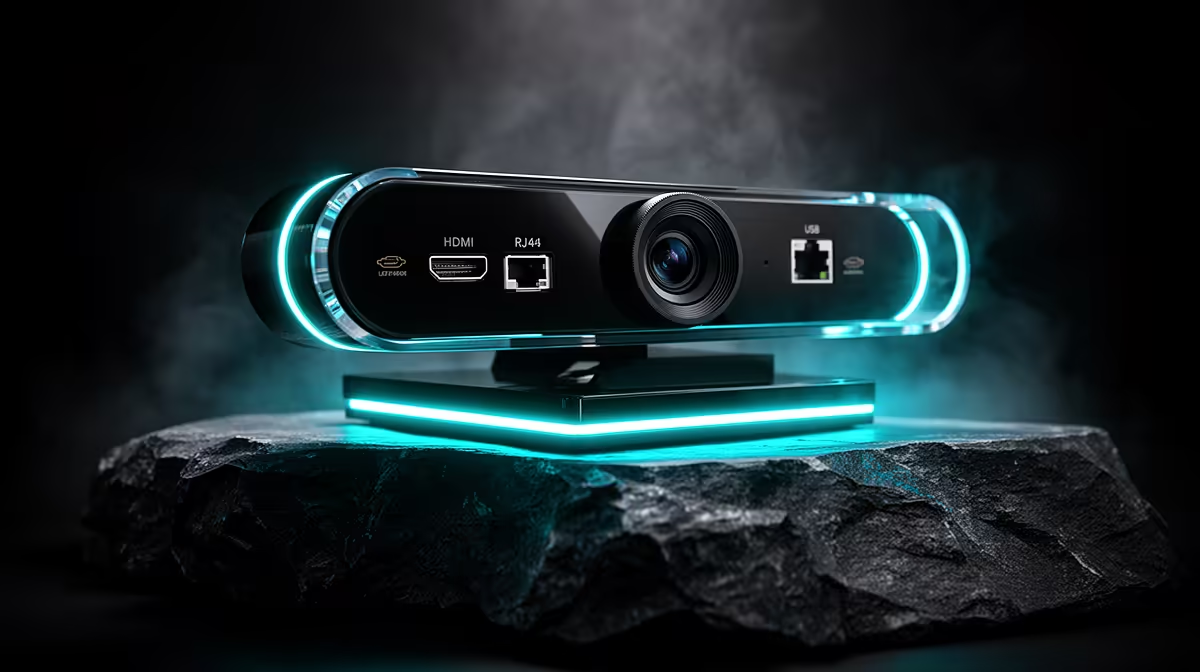
A high-end webcam with three output ports is not showing off. Each connector exists because it solves a different problem, and matching the webcam output port to the job is what separates a sharp, stable stream from a soft, stuttering one. HDMI, RJ45 and USB each carry your video in a fundamentally different way. Once you understand what each one is good at, you stop fighting your gear and start getting the clean feed the camera is capable of.
Quick Answer
Match the port to the task. HDMI sends an uncompressed feed to a capture device for the highest quality. RJ45 carries video over a wired network for long runs and remote placement. USB is the plug-and-play route straight into a PC. The right choice depends on distance, quality and how many devices are involved.
📺 HDMI: The Uncompressed Quality Path
HDMI is the port to reach for when image quality is the priority. It sends a clean, uncompressed video signal out of the camera, which means none of the detail-crushing that happens when footage is squeezed to fit down a thinner pipe. For a studio stream where you want every bit of sharpness, this is the route.
The catch is that HDMI does not plug into a streaming app directly. It feeds a capture device, which takes that pristine signal and hands it to your software. That is an extra piece of hardware, but it buys you the cleanest possible source and, on a good capture device, near-zero passthrough lag so you can monitor without delay.
HDMI also has a practical distance limit. Over long cable runs the signal degrades, so it suits a camera sitting reasonably close to the capture PC. For a desk-based or small-studio setup, that is rarely a problem, and the quality payoff is the biggest of the three ports.
🌐 RJ45: Video Over Your Network
RJ45 is the ethernet port, and seeing it on a webcam signals a camera built for serious or permanent installs. Instead of running a video cable, the camera sends its feed over your network, the same wiring that carries your internet. That unlocks two things HDMI and USB cannot offer.
First, distance. Network cabling runs far further than an HDMI lead before the signal suffers, so you can mount the camera across a room, in another office, or up high covering an event, and still pull a stable feed back to your encoder. Second, infrastructure. On a wired South African fibre setup with proper cabling, a network feed is rock solid and immune to the dropouts that plague wireless.
Many network cameras also support power over the same cable, so a single ethernet run handles both video and power. That is a tidy, professional install with one wire instead of two, ideal for fixed positions you do not want to keep fiddling with.
The trade-off is complexity. A network feed needs to be configured and routed correctly, which is more setup than plugging in a cable. For a fixed broadcast position, that one-time effort pays off every session afterwards.
🔌 USB: The Plug-and-Play Workhorse
USB is the port most creators use most of the time, and for good reason. It carries both video and power down a single cable, plugs straight into your PC, and is recognised instantly with no capture device and no network configuration. For a solo streamer or a remote worker on video calls, it is the path of least resistance.
The signal over USB is compressed to travel down the cable, so it does not match HDMI's raw quality at the very top end. For the overwhelming majority of streaming, conferencing and recording, that compressed feed is excellent and indistinguishable from raw in normal viewing. You are trading a sliver of theoretical quality for enormous convenience.
Like HDMI, USB favours shorter runs. Standard USB cable lengths keep the camera near the PC, which suits a desk setup perfectly. If you need the camera further away, that is exactly where RJ45 earns its place.
Pro Tip ⚡
Run a quick test stream on each port before you commit your layout. Compare the HDMI feed through your capture device against the plain USB feed at your actual streaming resolution. If you cannot see a difference at the quality you broadcast, save yourself the capture device and stream over USB.
🎯 Choosing the Right Port for Your Setup
The decision comes down to three questions: how much quality do you need, how far is the camera from the encoder, and how many devices are you willing to manage.
For a desk-based streamer chasing the sharpest possible image and already comfortable with a capture device, HDMI is the pick. For a solo creator or remote worker who wants reliable quality with zero fuss, USB is the obvious answer and the one most people should default to. For a fixed, long-distance or multi-camera install on a wired network, RJ45 is in a class of its own.
There is no single best port, which is exactly why the camera includes all three. A growing South African creator might stream over USB today, add a capture device and switch to HDMI as quality demands rise, then graduate to a network feed when they build a permanent studio. The camera is ready for each stage. The skill is reading your own setup honestly and using the connector that fits it, rather than the one with the best spec sheet on paper.
Frequently Asked Questions
Which webcam port gives the best image quality?
HDMI offers the highest quality because it outputs an uncompressed signal, preserving full detail before it reaches your capture device. USB compresses the feed to travel down the cable, which is excellent for almost all uses but technically a step below raw HDMI. For a studio stream where maximum sharpness matters, HDMI into a capture device is the quality choice.
Why would a webcam have an ethernet (RJ45) port?
An RJ45 port lets the camera send video over your network, which allows far longer cable runs than HDMI or USB and a very stable wired feed. It suits fixed installs, remote camera placement and event coverage. Many network cameras also draw power over the same cable, so one ethernet run handles both video and power for a tidy install.
Can I stream directly over USB without a capture card?
Yes. USB carries both video and power and plugs straight into your PC, where streaming software recognises it instantly. No capture device or network setup is needed, which makes it the easiest option for solo streamers and remote workers. The feed is compressed but high quality, and for most streaming and conferencing it is indistinguishable from a raw source.
Does HDMI work without a capture device?
No. HDMI outputs a clean video signal but cannot feed streaming software on its own. It needs a capture device to convert that signal into something your PC and software can use. That is the trade-off for HDMI's superior quality: extra hardware in the chain. USB, by contrast, talks to your PC directly and needs nothing in between.
Is a wired network feed better than USB for South African setups?
For fixed, long-distance or multi-camera installs, yes. A network feed on a properly cabled fibre setup is stable and runs far beyond USB's reach. For a standard desk setup close to the PC, USB is simpler and just as reliable. Choose RJ45 when distance or a permanent install is the priority, and USB when convenience is.
Ready to get a sharper, more reliable stream?
Browse the streaming webcam range for South African creators and pick the camera whose connections match how and where you actually broadcast.