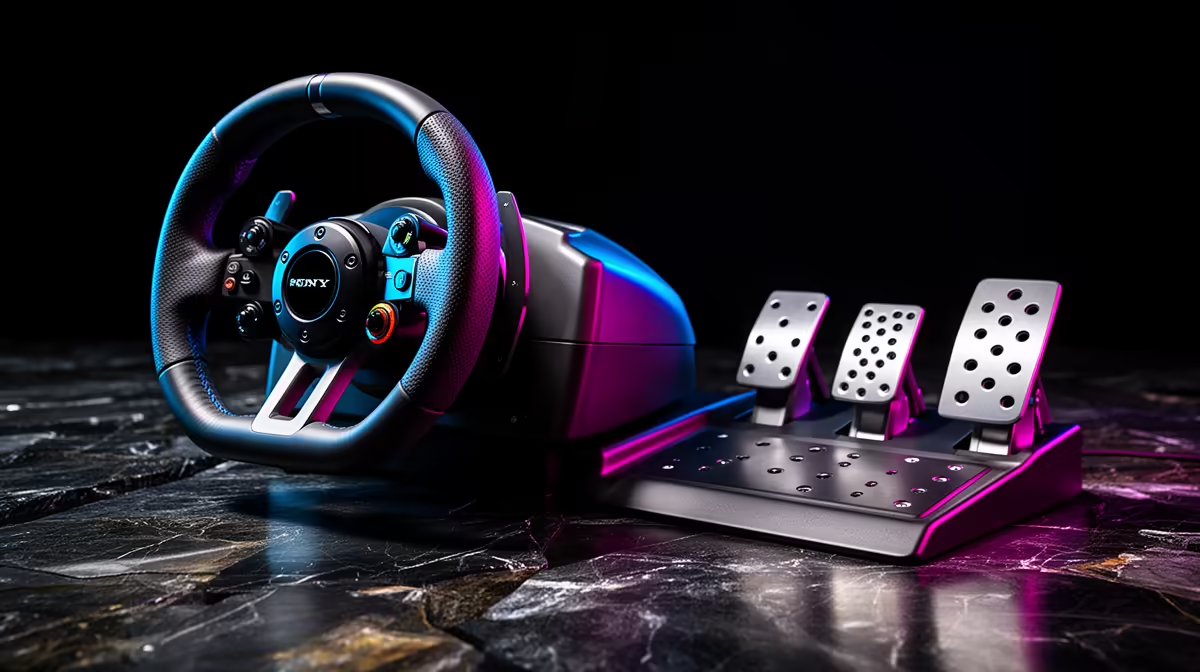
A tight sim budget can disappear into the stand, adapters and delivery after the wheel looks affordable. Tracking the hidden costs of a starter sim rig keeps the pedals mounted and every required cable inside the plan.
Quick Answer
A R5,000 sim-racing budget can disappear once you add the pieces that make a wheel usable. The wheel and pedal bundle is only the centre of the plan. You may still need a suitable mount, chair restraint, game, platform-compatible connection, power protection, and delivery space in the budget.
Write down what you already own before shopping. Then compare the complete equipment path in the sim racing range, including the way each wheel and pedal set mounts. The stands and support hardware around the flight simulator gear section are also useful references when you are deciding whether a shared cockpit frame can work in your room.
Cost one: a mount the wheel can trust
Many starter wheels include a desk clamp, but included does not mean suitable for every desk. Check the maximum and minimum clamp opening, pad depth, and clear space required below the top. A drawer, cable tray, or front apron can block the mechanism.
The desk itself has to take repeated sideways and twisting load. Thin hollow-core furniture may flex or crush. Glass needs explicit support from the desk and wheel manufacturers. If your desk is uncertain, a wheel stand can become part of the starting cost rather than a future luxury.
A stand also solves pedal placement. Without one, you may need a high-grip mat, approved mounting hardware, or a safe stop that does not trap cables. A chair on castors needs cups, a suitable mat, or a wheel tray. These pieces look small in isolation, but leaving them out makes braking inconsistent.
Measure the driving and storage footprint. A folding stand still occupies space with a wheel and pedals attached. If it cannot fit through a doorway or under the intended shelf, you may end up buying storage hardware or dismantling the setup after every session.
Cost two: compatibility mistakes
Platform support is a hard requirement. Console licensing is model-specific, so equipment built around one platform ecosystem may be incompatible with the next despite a familiar USB plug. PC support can also depend on current drivers and the game's device list. Confirm the exact model, platform, operating system, and games before committing.
Accessories add another layer. A standalone shifter or handbrake may connect directly to a PC, yet require a supported wheel-base path on console. An adapter can add cost and still fail to provide full compatibility. Start with the manufacturer's current support information rather than a connection plug that looks familiar.
Check what is inside the bundle. Product names can make a wheel base, rim, pedals, and clamp sound like one package when some are separate components. Read the included-items list and inspect the product images. Confirm whether the power supply and required data cables are included for that exact model.
Cost three: the game and its content
The racing game belongs in the budget if you do not own it. Check the platform edition and included content. Some titles have a broad base roster, while others offer extra cars and tracks separately. You can begin with the standard content and add only what you will drive.
Internet data can matter for a large download, updates, online racing, and platform services. File sizes change over time, so use the current store listing and leave free storage beyond the stated download. Games need working space for patches and temporary files.
Online features may depend on the platform's current service requirements. Check those terms with the platform holder before treating multiplayer as included forever. You can still choose a title with useful offline practice or single-player racing when ongoing online access is not central to the gift or build.
Avoid buying every simulation in the first week. One title with good support for your wheel gives you time to learn calibration, force feedback, and driving technique. Add another game when you know whether you enjoy circuit racing, rally, drifting, trucks, or open-road driving.
Cost four: PC and screen demands
Owning a PC does not guarantee that it will run the chosen simulator at a comfortable frame rate. Compare the game's current requirements with the actual CPU, graphics card, memory, storage, and operating system. Requirements are a starting point, so seek representative tests for the resolution and grid size you expect.
Use one existing monitor first. Triple screens add two panels, a heavy stand, three cables, more power use, and a large increase in GPU workload. Virtual reality brings its own headset requirements and comfort questions. Neither belongs in a tight starter budget unless you already own the hardware and know the PC can handle it.
If the PC needs an upgrade, the R5,000 control budget is no longer the whole setup budget. Treat the machine and racing controls as separate cost centres. That makes it easier to decide whether a controller is the sensible first step while you prepare the PC.
Console players should also confirm that the screen has the right input and audio route. A living-room television can work well, but distance and seating may complicate the wheel mount. A stand that positions the wheel correctly can cost more than expected when the sofa is too low.
Cost five: power, cables, and everyday use
A force-feedback wheel normally uses both power and data connections. Confirm cable lengths from the driving position to the PC or console and wall socket. Use a safe, correctly rated power arrangement and avoid stretching a lead across a walkway. Longer replacement cables or approved extensions may add cost.
Cable straps keep leads away from pedals and folding joints. A small powered USB hub may help on a PC setup with several devices, but confirm whether the wheel manufacturer supports that connection route. Direct motherboard ports are a useful troubleshooting baseline when a device disconnects.
Headphones are practical when the rig shares a room. You may already own a suitable pair, so do not duplicate them without checking the available audio port and cable reach. A wireless keyboard or controller can make menus easier from the seat, though neither is required if the rig remains at a desk.
Cleaning and maintenance are modest costs. Keep the wheel rim and pedal faces clean using the maker's care guidance. Recheck mounting bolts and folding joints. A cover can limit dust in long storage, provided the equipment has cooled before it is covered.
How to keep the plan inside R5,000
Begin with a complete wheel-and-pedal bundle that supports your platform and includes a workable clamp. Use a sound desk and existing display. Reserve part of the budget for the game and the small pieces needed to stop the chair and pedals.
If mounting consumes too much of the total, wait and save for a stand instead of buying a wheel that cannot be used securely. A cheaper wheel on a stable platform can give you more repeatable control than a stronger unit attached to weak furniture.
Do not count a future sale or uncertain used accessory as part of the current plan. Price the build with items you can identify and confirm. Leave a small margin for a cable, mat, or compatibility detail you discover during setup.
FAQ
What extras get left out of a sim-racing budget?
Common omissions include a wheel stand, chair restraint, pedal mounting, the game, platform access requirements, suitable cables, power protection, and storage space. Which ones apply depends on what you own and how the controls mount.
Does a wheel come with a mount included?
Some bundles include a desk clamp and some support hard mounting. Check the exact included-items list. You still need a desk or stand that meets the clamp dimensions and can handle the wheel's force.
Can R5,000 cover the wheel, pedals, and mount?
It may cover a carefully chosen entry setup, particularly when you already own a suitable desk, chair, screen, platform, and game. Build a current itemised total before buying, because product availability and requirements can change.
Cost your complete starter rig from the mounting surface to the game, then choose sim controls that leave room for the extras you will use.