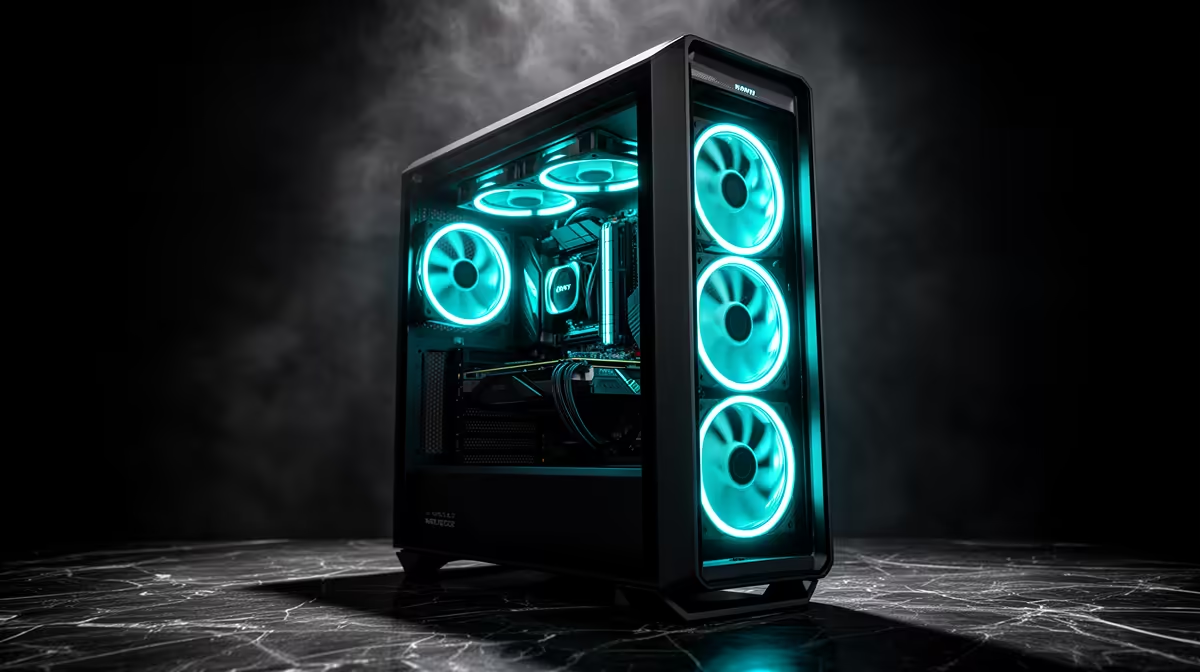
Generative image and video models punish you the moment they run out of VRAM, and that single number, gigabytes on the card, decides whether a model loads cleanly or limps along offloading to system RAM. A high-end AI creative workstation in South Africa is built around that constraint, which is why the conversation keeps landing on two GPUs: the RTX 4090 with 24GB of GDDR6X and the RTX 5090 with 32GB of GDDR7. Both can run serious Flux image work and LTX-2 video locally. Which one you need depends on how big your models and resolutions get.
Quick Answer
For a Rand-priced AI creative rig, the RTX 4090 (24GB GDDR6X) comfortably runs Flux.1 Dev image generation and LTX-2 video, while the RTX 5090 (32GB GDDR7) adds roughly 33 percent more VRAM and 78 percent more bandwidth, which lets larger video models and full-resolution work run without aggressive offloading. Choose the 4090 for value, the 5090 if you push large video models or multiple LoRAs and adapters at once.
The Two GPUs at the Heart of the Build
The card is where the money and the capability concentrate. Everything else in the workstation exists to feed it.
RTX 4090: 24GB, the value workhorse
The 4090 carries 16,384 CUDA cores, 24GB of GDDR6X and just over 1,000 GB/s of bandwidth. For Flux.1 Dev it is excellent: running the model at FP8 uses around 13GB, leaving comfortable headroom for ControlNets, an IP-Adapter and several LoRAs loaded together. For video, LTX-2 at the smaller model sizes runs well, and the card sips a relatively modest average of around 235W under load. Where it gets tight is full FP16 of the largest models or high-resolution video, where 24GB forces memory-efficient attention settings or offloading to avoid running out.
RTX 5090: 32GB, the headroom card
The 5090 jumps to 21,760 CUDA cores, 32GB of GDDR7 and roughly 1,792 GB/s of bandwidth. That extra 8GB is the real story for AI: larger video models that needed offloading on the 4090 fit resident on the 5090, and image-to-video runs measurably faster, with some workloads dropping from around 12.7 minutes to about 7. The cost is power and heat, peak draw can approach 587W, so the rest of the build has to account for it.
Building the 24GB Workstation
A 4090-based rig is the sensible high-end starting point for most SA creators doing image generation and shorter-form video.
CPU, RAM and the rest
Pair the GPU with a strong current-generation CPU so data preparation and model loading do not bottleneck the card. 64GB of system RAM is the sensible floor for a creative AI box, since the operating system, the application and any CPU-side offloading all compete for it, and 128GB is worth it if you work with large datasets or batch jobs. A fast NVMe SSD matters more than people expect, because model weights are large and load from disk constantly.
Power and cooling
A 4090 needs a quality 850W to 1000W power supply rated above its peak draw, and a chassis with strong active airflow rather than passive vents. This card runs cooler and less hungry than the 5090, which is part of why it remains the value choice.
Building the 32GB Workstation
The 5090 build is the same skeleton with more demanding plumbing. The bigger draw pushes you toward a 1000W to 1200W power supply, stronger cooling, and a case that can actually move the heat a near-600W card produces. The payoff is that you stop fighting VRAM limits: larger LTX-2 and similar video models load without offloading tricks, and batch image work with multiple adapters runs without juggling what fits.
This is the build for someone whose output is large video projects or who runs the heaviest current models daily. For an artist mostly generating images and short clips, that extra cost and power overhead is harder to justify.
What This Costs in Rand, and Where to Source It
Both cards are premium, and SA pricing reflects import costs on top of the global GPU market, so treat any figure as a band rather than a fixed price. The GPU alone is the largest line item, with the surrounding components, CPU, RAM, storage, power and cooling, adding a substantial second chunk. Rather than quote a number that drifts, it is best to price a full configuration against current local stock.
For that, the AI PC range at Evetech lets you configure a complete creative machine at current Rand pricing rather than assembling components from guesswork. If you are deciding purely on the graphics card first and slotting it into an existing build, the GPU best sellers show which 4090 and 5090 models are actually moving locally right now.
Frequently Asked Questions
Is 24GB enough for Flux and AI video, or do I need 32GB?
24GB on the RTX 4090 handles Flux.1 Dev and smaller LTX-2 video models well, usually at FP8 with room for adapters. You need 32GB on the 5090 when you run the largest video models at high resolution or want to avoid offloading entirely for speed.
Why is the RTX 5090 so much faster for video?
The 5090 has more CUDA cores, far higher memory bandwidth and 8GB more VRAM. For image-to-video that combination keeps large models fully resident instead of offloading to system RAM, which is what slows the 4090 on the heaviest jobs.
How much system RAM should an AI workstation have?
64GB is a sensible minimum, since the OS, your creative apps and any CPU-side model offloading all draw from it. Step up to 128GB if you handle large datasets, long video projects or frequent batch generation.
Does the RTX 5090's power draw need a special build?
It needs a robust power supply in the 1000W to 1200W range and a case with strong airflow, because peak draw can approach 587W. The 4090 is easier to cool and runs at a lower average wattage, which is part of its value case.
Can I start with a 4090 and upgrade to a 5090 later?
Yes. If you build with a quality power supply and a roomy case from the start, swapping the GPU later is straightforward. Many creators begin on a 4090 for the value and move to a 5090 only once their video workloads outgrow 24GB.
Spec your AI creative rig against real Rand pricing rather than guesswork. Configure a 24GB or 32GB build in the Evetech AI PC range and start generating locally.