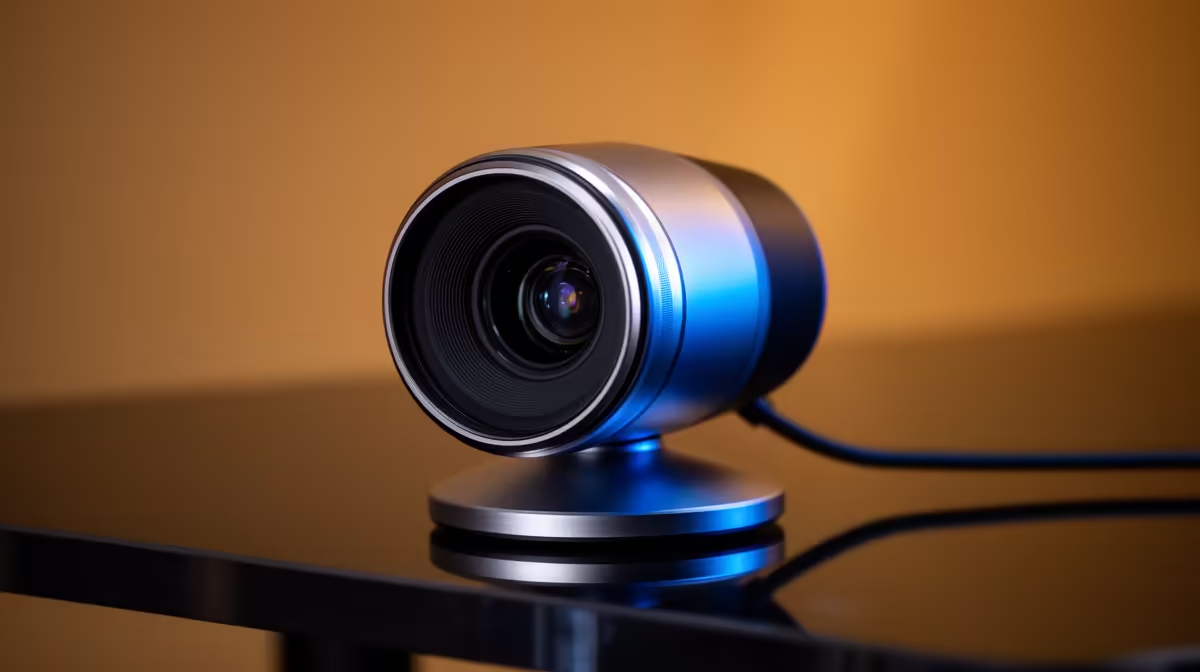
Most webcams struggle to separate a face from a dark background once the room light drops below comfortable office levels. A high-end webcam with a Sony STARVIS sensor changes that equation by rethinking how the chip collects light at the photoreceptor level, and pairing that advantage with a 40X hybrid zoom that reaches across a room without the mechanical bulk of a broadcast camera.
Quick Answer
A Sony STARVIS back-illuminated sensor collects roughly twice the light of a standard chip at the same resolution, holding clean colour and detail in dim rooms below 100 lux. Paired with 40X hybrid zoom, it frames a far subject with near-broadcast sharpness at a fraction of the camera rig cost.
🔆 What Makes the STARVIS Sensor Different
Standard webcam sensors wire the light-collecting photodiodes behind the circuitry that processes each pixel. That means incoming photons have to pass through layers of wiring before they reach the part of the chip that actually registers them. Some light scatters before it arrives, and in dim conditions that inefficiency compounds into visible noise.
A back-illuminated design flips that stack. The photodiodes face the lens directly, with the processing circuitry moved to the rear of the chip. The photon travels a shorter path, more of it lands on the active area, and the result is a sensor that reads useful signal rather than electronic noise in conditions where a conventional chip would already be drowning.
In practice, STARVIS units hold clean detail down to around 0.1 lux, the kind of light level you find in a room lit only by a monitor. Colours stay saturated rather than washing to grey, and the background separates from the subject instead of merging into flat shadow.
How Back-Illumination Combines With Large Sensor Area
Photon collection improves further when the individual pixels are large, because a bigger well captures more light before it saturates. STARVIS sensors in dedicated streaming cameras typically pair the back-illuminated architecture with a 1 to 2.8 inch chip, giving each pixel substantially more surface area than the tiny sensors inside budget 1080p webcams. That combination of architecture and physical size is why the image quality gap is visible even in side-by-side screenshots.
🔭 How the 40X Hybrid Zoom Extends That Sensor Advantage
A zoom number on a webcam can mean very different things. A camera that achieves 40X purely by cropping its sensor is essentially throwing away most of the pixels it paid for, then enlarging the remainder. Detail degrades fast.
Hybrid zoom splits the job. The optical portion moves actual glass elements inside the lens barrel, changing the focal length before the image reaches the sensor. That stage keeps native detail intact, typically up to around 12X. Beyond that, AI upscaling reconstructs edges and fills detail as the camera extends to 40X, working from the already-sharp optical base rather than from a heavily cropped starting frame.
The practical payoff is a camera that can sit at the back of a home office in Joburg or Cape Town and still pull a crisp, close-framed shot of the presenter without physically moving. Framing adjusts by software or companion app, so there is no need to reposition the camera every time the shot changes.
Connecting Zoom Range to Real Desk Scenarios
At wide, the same camera covers the full desk for a product demo. Dialled toward mid-range, it frames a comfortable head-and-shoulders. At the optical limit and into the hybrid stretch, it crops tight enough to show board game components or a keyboard from two metres away. One camera handles three framing jobs that would otherwise need separate positions.
💰 The Cost Argument Against a Camcorder Rig
A traditional broadcast solution for a single-presenter desk involves a camcorder body, a separate clean HDMI or USB capture device, possibly an external audio interface, a tripod, and cables. The entry price for that stack starts above R20,000 and rises quickly once you add a reliable capture card and audio path.
A USB STARVIS webcam near R6,000 absorbs most of that capability into one device. The sensor handles low-light. The hybrid zoom handles framing. The USB-C connection carries the signal directly into broadcasting software without a capture device in between. Built-in multi-element microphone arrays on these cameras also remove the immediate pressure to add a separate mic.
The saving is real for a creator who cannot justify a full broadcast investment but needs the image quality that makes a professional impression on screen.
Pro Tip ⚡
Set a key light at 45 degrees and about 1 metre from your face before judging the STARVIS sensor at its best. Even a compact R500 LED panel raises the room above the dim threshold where any camera starts to struggle, and the STARVIS chip will reward that extra lux with noticeably cleaner colour.
🔌 Connection and PC Requirements
The 4K feed from a STARVIS webcam is data-dense. To carry 3840 by 2160 at 30 frames per second without forcing the camera to compress the image into softness, the host port needs to be USB 3.0 or USB-C running at 5 Gbps. USB 2.0 is not wide enough for the uncompressed 4K signal, so the camera either drops to a compressed lower quality mode or falls back to 1080p.
Check the port with the blue plastic insert on your PC, or confirm the spec in device manager. A USB 3.0 hub also passes the bandwidth through correctly, which is useful on laptops where spare ports are scarce.
For motion-intensive content such as gameplay reaction streams, these cameras typically drop to 1080p at 60 frames per second automatically, trading raw resolution for the smoother motion cadence that fast action demands.
Frequently Asked Questions
What does back-illuminated mean on a webcam sensor?
It describes where the light-gathering part of each pixel sits relative to the processing circuitry. In a back-illuminated design the photodiodes face the incoming light directly, rather than sitting behind the wiring layers that handle processing. That shorter path means more light reaches the active area of the chip, which is why the sensor produces cleaner images at low light levels than a conventional front-illuminated design of the same resolution.
How does hybrid 40X zoom keep sharpness at long range?
The first portion of the zoom range, roughly up to 12X, is driven by moving optical glass elements that change the focal length without touching the sensor data. The image reaching the chip is already a genuinely closer view of the subject, not a cropped enlargement. Digital AI extension then fills the gap from 12X up to 40X, working from that sharp optical base. The result holds far more detail than a pure digital zoom, which has no optical stage to work from.
Does a STARVIS webcam replace a camcorder for a small studio?
For a single-presenter desk or podcast setup, largely yes. The sensor handles low-light, the hybrid zoom handles framing reach, and the USB-C output removes the need for a capture device. The gap shows in extreme controlled-light cinematography where a large-format camera chip still outperforms, but for streaming and recording in a typical home office or small studio, a STARVIS webcam covers the job at a fraction of the equivalent camcorder and capture-card cost.
What frame rate and resolution does a STARVIS webcam output?
Most models run 3840 by 2160 at 30 frames per second over USB-C for standard recording and streaming. For fast content the camera typically steps down to 1080p at 60 frames per second, keeping motion smooth where high resolution would waste bandwidth on blur. Both outputs require a USB 3.0 or faster port to avoid compression artefacts.
Is this camera worth the cost for a dimly lit room?
If the room regularly sits below about 200 lux, the STARVIS sensor delivers a visible and meaningful improvement. Cheaper 1080p webcams in that light either crush shadows to block, add heavy noise grain, or boost gain so aggressively that fine detail smears. The STARVIS chip holds detail without that trade-off, which makes a substantial difference to how professional the stream looks without adding extra lighting gear.
Ready to stream with a sensor built for low-light and long-range framing?
Browse the high-end 4K webcam range at Evetech and find the camera that matches your desk setup and broadcast goals.