


Maintain Wired Headset: Tips to Extend Lifespan
Maintain wired headset — Checklist: • inspect cables • clean earpads • store properly 🔧🎧 Practical steps to preserve sound quality and avoid premature replacements.
Read moreHome NAS storage: Decide whether 4TB, 8TB, or 16TB fits your setup with clear rules, examples, redundancy tips and cost guidance to plan backups and media. 📦💾
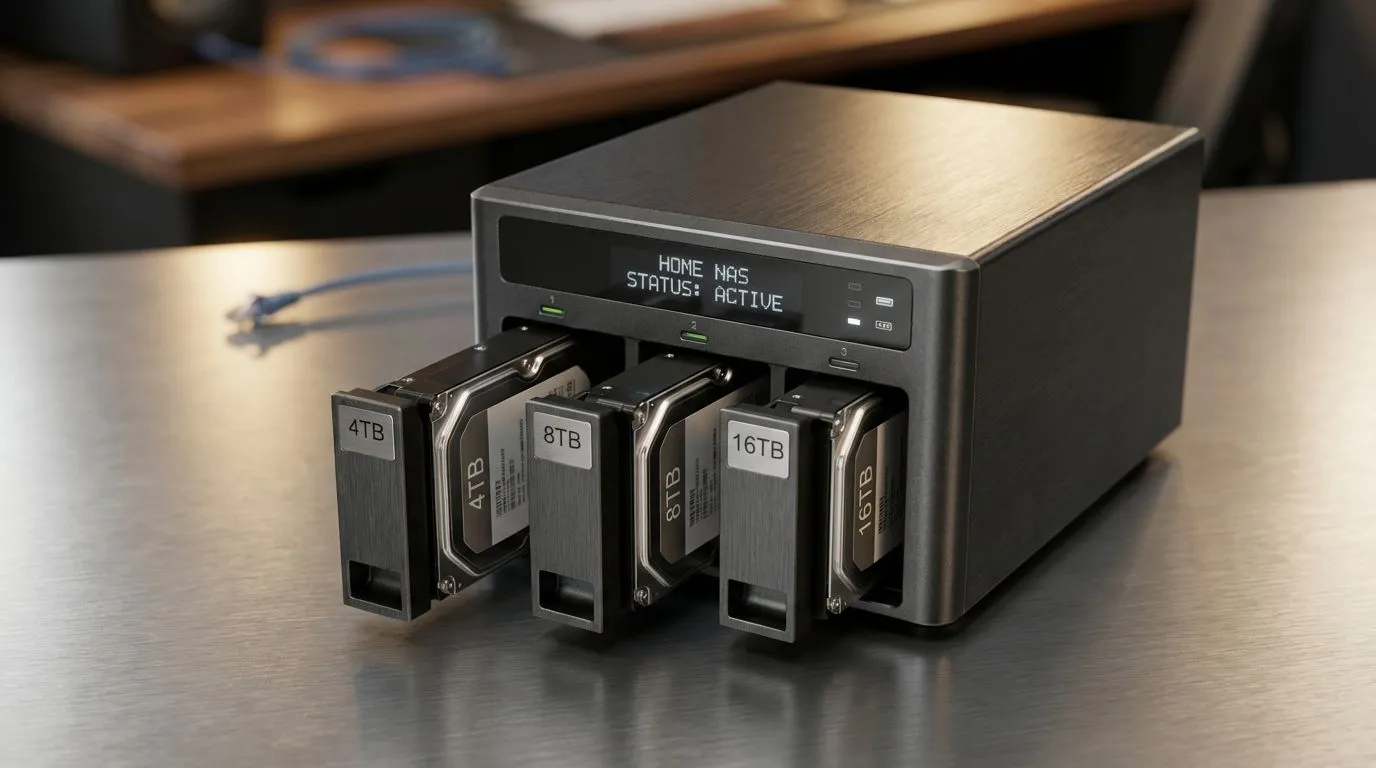
Tired of seeing the "Disk Full" warning while trying to save your gameplay clips? In South Africa, where data costs and streaming speeds fluctuate, having a local Home NAS is a lifesaver. But choosing between 4TB, 8TB, or 16TB can feel like a boss fight you aren't ready for. Let’s break down which capacity actually fits your digital lifestyle without breaking the bank. 🔧
If you are just starting your home server journey, 4TB might seem like plenty. It is perfect for backing up mobile photos or keeping a few work projects safe. However, if you are moving large files between machines, you might want to buy external SSD options to supplement your setup. For those building a budget-friendly NAS, you can always buy solid state drives to act as a fast cache for your mechanical hard drives. This setup ensures your most-used files are always ready when you are.
When setting up your NAS, always consider RAID 1 (mirroring). If you have two 8TB drives, you only get 8TB of usable space, but your data is safe if one drive fails. It is a small price to pay for peace of mind when your entire digital life is on the line.
For the average South African household, 8TB is often the "Goldilocks" zone. It offers enough room for a decent Plex library and several years of family memories. If you need to take your data on the road, consider an external form factor drive for easy portability.
Many users prefer to stick with trusted names, such as choosing ADATA solid state drives for their reliability. Alternatively, Western Digital storage has long been a staple in the NAS community for their dedicated "Red" series drives. These are designed to run 24/7 without breaking a sweat. ✨
If you are a content creator or a hardcore hoarder of 4K cinema, 16TB is the way to go. High-capacity drives allow you to consolidate multiple smaller disks into a single bay... saving power and space. Brands like Kingston SSDs can help speed up your operating system boot times within the NAS itself.
For the ultimate performance, integrating PCI Express NVMe drives as a read/write cache will eliminate bottlenecks during heavy file transfers. If you are building a top-tier enthusiast rig, looking into Gen 5 NVMe options ensures your network stays ahead of the curve for years to come. 🚀
Ready to Find Your Perfect Match? The Home NAS Storage: 4TB vs 8TB vs 16TB Explained guide helps you choose, but the right hardware makes it a reality. Explore our massive range of storage specials and find the perfect machine to conquer your world.
Home NAS storage needs depend on files and retention: 4TB for basics, 8TB for growing photo/video libraries, 16TB for large 4K collections or multi-user homes.
Yes for light users: documents, small photo libraries, and routine backups. Plan cloud or external backups if media grows.
Choose 8TB for moderate photo/video use and a compact Plex server; choose 16TB if you store many 4K files or want futureproof headroom.
Yes. RAID adds redundancy but lowers usable space: RAID 1 halves capacity; RAID 5 uses one drive worth for parity in multi-drive arrays.
Two 4TB in RAID 1 gives 4TB usable. Two 8TB in RAID 1 gives 8TB usable. Larger arrays and RAID levels change totals and redundancy.
Yes, but 4K consumes lots of TBs. Prefer 16TB or larger plus RAID and fast network for smooth streaming and room to expand.
Most NAS let you swap drives or add expansion bays. Buy a NAS with spare slots or expansion support to scale without starting over.
Maintain wired headset — Checklist: • inspect cables • clean earpads • store properly 🔧🎧 Practical steps to preserve sound quality and avoid premature replacements.
Read more
Fix crackling headset fast: step-by-step checks for cables, connectors, drivers, and settings to remove static or distorted audio on wired headsets 🎧⚙️
Read more
Stereo vs mono headsets: learn which delivers clearer calls, better spatial music, or simpler mono voice performance — pick the right headset for meetings, music, or gaming 🎧💬
Read more
- Compare gaming headset vs studio headphones; - Assess comfort, mic and sound; - Recommend best daily picks. Gaming headset vs studio headphones: learn which suits work, music and casual gaming. 🎧⚖️
Read more
- Check pressure points - Compare earcup materials - Adjust clamp and fit Best gaming headsets for glasses: quick guide to reduce temple pressure, pick breathable memory foam earcups, and optimize fit for long sessions 🕹️👓
Read more
Gaming microphone noise reduction: Use beamforming mics, AI noise suppression, and hardware filters to cut background noise and boost in-game voice clarity. 🎧⚙️ Learn setups, settings, and top mic features.
Read more
Snapdragon X2 NPU Explained: How 80 TOPS Changes. Plain-English explanation of what it means, why it matters & how it affects your buying decisions in SA.

HBM? High Bandwidth Memory Used in GPUs and AI. Plain-English explanation of what it means, why it matters & how it affects your buying decisions in SA.

How much should you spend on sim racing accessories in South Africa for a realistic setup? We break down budgets by quality tiers, so you buy smart gear and avoid overspending 🎮💸

G-Sync and FreeSync? Variable Refresh Rate. Plain-English explanation of what it means, why it matters & how it affects your buying decisions in SA.

AMD Laptop: Value. SA-focused analysis with local pricing data, real-world insights & actionable buying advice.

How MacBook Neo Handles 30+ Chrome Tabs with Only. SA-focused analysis with local pricing data, real-world insights & actionable buying advice.

Why Apple Put 8GB RAM in MacBook Neo: The A18 Pro. SA-focused analysis with local pricing data, real-world insights & actionable buying advice.

Upgrade your work laptop with a New Motherboard. Step-by-step instructions with SA-specific tips, common pitfalls to avoid & expert recommendations.
Maintain wired headset — Checklist: • inspect cables • clean earpads • store properly 🔧🎧 Practical steps to preserve sound quality and avoid premature replacements.
Fix crackling headset fast: step-by-step checks for cables, connectors, drivers, and settings to remove static or distorted audio on wired headsets 🎧⚙️
Stereo vs mono headsets: learn which delivers clearer calls, better spatial music, or simpler mono voice performance — pick the right headset for meetings, music, or gaming 🎧💬
- Compare gaming headset vs studio headphones; - Assess comfort, mic and sound; - Recommend best daily picks. Gaming headset vs studio headphones: learn which suits work, music and casual gaming. 🎧⚖️