


Maintain Wired Headset: Tips to Extend Lifespan
Maintain wired headset — Checklist: • inspect cables • clean earpads • store properly 🔧🎧 Practical steps to preserve sound quality and avoid premature replacements.
Read moreHow many fans do you need in a gaming PC case for optimal airflow and cooling? Use this guide to pick the right fan setup for your build. ❄️🌀 No guesswork.
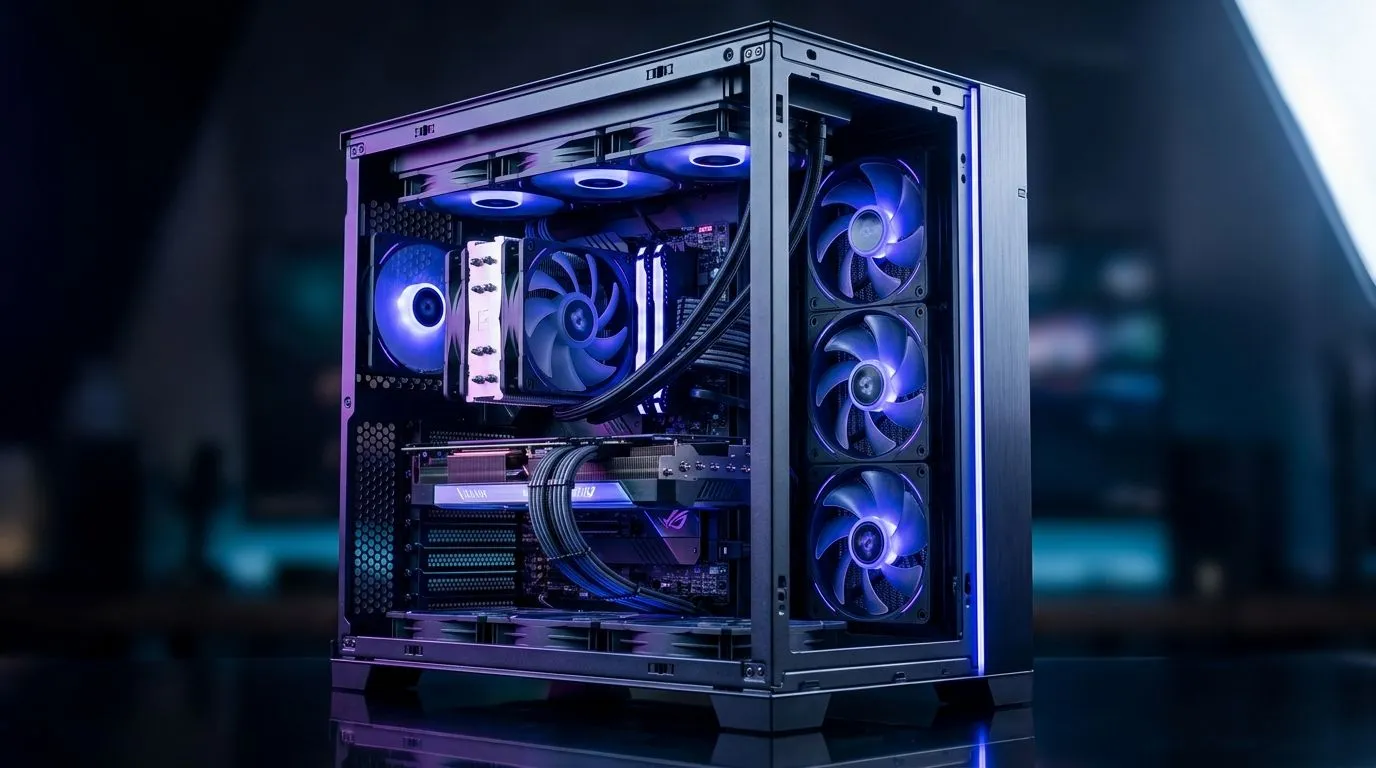
Every serious gamer in South Africa knows the sting of overheating. Your rig’s performance tanking mid-match, fan noise climbing, and temperatures soaring — it’s a real pain. That’s why getting the right number of fans inside your gaming PC case is crucial. Too few, and your components cook under pressure; too many, and you risk noise pollution with little cooling gain. Let’s unpack how many fans you really need to keep your setup cool and quiet. 🔧
The number of fans needed depends on airflow design. Typically, good cooling involves a balance of intake and exhaust fans to ensure hot air is pushed out as cool air comes in. It’s not just about numbers — fan placement and case ventilation matter just as much. A common setup includes two fans at the front drawing cool air, and one at the back pushing hot air out. This three-fan approach covers basic cooling demands for most gaming builds.
If you want advanced control, consider cases that support multiple fans and modular fan mounts. Popular options available at Evetech like the Fractal Design PC cases are excellent for versatile airflow configurations. These cases often have extra mounting points for fans or radiators if you decide water cooling is the next step.
High-end GPUs and CPUs generate significant heat under load. If you’re running intensive games or streaming, extra cooling helps maintain stable speeds and prolongs hardware lifespan. Adding an additional fan can improve airflow around hot spots such as the GPU area or motherboard VRMs.
But beware of fan overkill — stuffing your case with fans that fight air movement creates turbulence and noise. Instead, focus on quality fans with high airflow (measured in CFM) and static pressure for tight spaces. For gamers on a budget, Gamdias offers affordable options like the Gamdias gaming cases under R1500 that can accommodate multiple fans without breaking the bank.
Some cases naturally lend themselves to better airflow, requiring fewer fans to achieve optimal cooling. Large mesh fronts, ample venting, and well-placed fan mounts make a big difference. Investing in a case designed for airflow reduces the need for more fans and keeps noise lower.
Explore Evetech’s diverse range of computer cases to find one tailored to your cooling needs. Remember to check the specifications for fan compatibility and maximum supported fans—a good case can make your cooling build smarter and cleaner.
More fans often mean more noise—something to consider if you game late at night or stream content. Quality fans with PWM control can adjust speed according to temperature, providing quiet gaming during light loads and ramping up cooling when needed. Configuring your PC’s fan curve is a key skill for enthusiasts.
Adjust your fan curves in BIOS or software to ramp fans only when temperatures rise. This keeps your rig whisper-quiet during casual use without sacrificing performance under heavy load.
Most mid-range gaming PCs do well with three to four fans: two intakes in front plus one or two exhausts at the rear and top. High-performance rigs with overclocked components may push that to five or six fans, especially if combined with liquid cooling.
Whichever you choose, look for cases and fans designed with good airflow in mind. Brands like Gamdias and Fractal Design offer cases that make adding and controlling multiple fans straightforward.
Get the Perfect Gaming Case Fans Today Don’t let heat throttle your gameplay. Upgrade to a high-performance case or add fans—Shop now at Evetech for performance that leaves lag in the dust.
Most gaming builds land around 3–5 case fans total. Start with intake + exhaust balance, then add fans only if your temps or GPU airflow demand it.
A good target is 3 intake/exhaust overall, scaling to 4–5 when the case has restrictive airflow or high-heat parts. Prioritize correct placement over raw fan number.
Aim for near-balance, or slightly more intake for cleaner, dust-managed positive air pressure. Too much exhaust can pull in more unfiltered air and hurt cooling.
Positive pressure usually comes from more intake fans than exhaust, while negative pressure comes from the opposite. Fan balance impacts dust buildup and airflow stability for cooling.
If your GPU runs hot, add targeted intake near the GPU area and ensure exhaust pulls hot air upward. Often 4–5 fans improve GPU temps more than adding one random fan.
Common layout: front/bottom intake and rear/top exhaust. Match fan direction to your case design so airflow reaches GPU and CPU without short-circuiting.
Not always. Too many fans can create turbulence or wasted airflow. Focus on fan configuration, RPM balance, and unobstructed airflow first.
Use the case’s supported sizes (often 120mm or 140mm) and set speeds to your cooling needs. Balanced airflow beats maximum RPM for quieter, steady cooling.
Maintain wired headset — Checklist: • inspect cables • clean earpads • store properly 🔧🎧 Practical steps to preserve sound quality and avoid premature replacements.
Read more
Fix crackling headset fast: step-by-step checks for cables, connectors, drivers, and settings to remove static or distorted audio on wired headsets 🎧⚙️
Read more
Stereo vs mono headsets: learn which delivers clearer calls, better spatial music, or simpler mono voice performance — pick the right headset for meetings, music, or gaming 🎧💬
Read more
- Compare gaming headset vs studio headphones; - Assess comfort, mic and sound; - Recommend best daily picks. Gaming headset vs studio headphones: learn which suits work, music and casual gaming. 🎧⚖️
Read more
- Check pressure points - Compare earcup materials - Adjust clamp and fit Best gaming headsets for glasses: quick guide to reduce temple pressure, pick breathable memory foam earcups, and optimize fit for long sessions 🕹️👓
Read more
Gaming microphone noise reduction: Use beamforming mics, AI noise suppression, and hardware filters to cut background noise and boost in-game voice clarity. 🎧⚙️ Learn setups, settings, and top mic features.
Read more
Snapdragon X2 NPU Explained: How 80 TOPS Changes. Plain-English explanation of what it means, why it matters & how it affects your buying decisions in SA.

HBM? High Bandwidth Memory Used in GPUs and AI. Plain-English explanation of what it means, why it matters & how it affects your buying decisions in SA.

How much should you spend on sim racing accessories in South Africa for a realistic setup? We break down budgets by quality tiers, so you buy smart gear and avoid overspending 🎮💸

G-Sync and FreeSync? Variable Refresh Rate. Plain-English explanation of what it means, why it matters & how it affects your buying decisions in SA.

AMD Laptop: Value. SA-focused analysis with local pricing data, real-world insights & actionable buying advice.

How MacBook Neo Handles 30+ Chrome Tabs with Only. SA-focused analysis with local pricing data, real-world insights & actionable buying advice.

Why Apple Put 8GB RAM in MacBook Neo: The A18 Pro. SA-focused analysis with local pricing data, real-world insights & actionable buying advice.

Upgrade your work laptop with a New Motherboard. Step-by-step instructions with SA-specific tips, common pitfalls to avoid & expert recommendations.
Maintain wired headset — Checklist: • inspect cables • clean earpads • store properly 🔧🎧 Practical steps to preserve sound quality and avoid premature replacements.
Fix crackling headset fast: step-by-step checks for cables, connectors, drivers, and settings to remove static or distorted audio on wired headsets 🎧⚙️
Stereo vs mono headsets: learn which delivers clearer calls, better spatial music, or simpler mono voice performance — pick the right headset for meetings, music, or gaming 🎧💬
- Compare gaming headset vs studio headphones; - Assess comfort, mic and sound; - Recommend best daily picks. Gaming headset vs studio headphones: learn which suits work, music and casual gaming. 🎧⚖️