Quick Answer
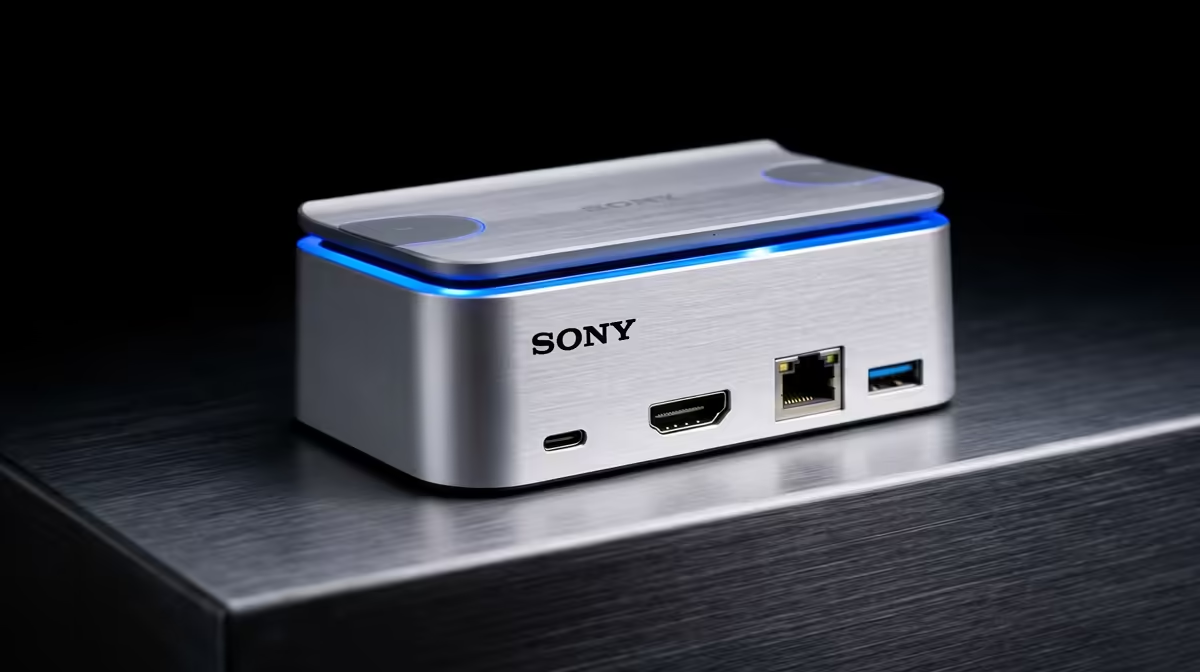
Most home and office users need 4 to 6 ports on a dock: one video output (HDMI or DP), one Ethernet, two USB-A for keyboard and mouse, and one USB-A for a drive or peripheral. Power delivery over the upstream USB-C cable is effectively a sixth port. Anything beyond six ports is useful primarily for multi-display creative workflows.
Counting Your Actual Daily Connections 🔌
The best way to determine how many ports you need is to list every device you connect to your laptop right now and add one spare for future use. A typical SA remote worker connects a monitor (one HDMI), a router via Ethernet (one RJ45), a wired keyboard (one USB-A), a wired mouse (one USB-A), and occasionally an external drive or USB stick (one USB-A). That is five ports plus the upstream USB-C, which a six-port or seven-port dock covers comfortably. Multi-monitor users need an additional video port. Podcasters and content creators add a USB microphone and an audio interface, pushing the requirement toward an 8 to 10-port dock. Students who mostly work from a laptop with one external display can function on a four-port dock for under R700 at Evetech.
Port Types That Actually Matter 🖥️
Not all ports are equal. For video: HDMI 2.0 is sufficient for one 4K 60Hz display; DisplayPort 1.4 is better for 1440p at 165Hz or above. For data: USB 3.2 Gen 1 (5 Gbps) handles drives and peripherals adequately; USB 3.2 Gen 2 (10 Gbps) is worth it if you move large files regularly. Ethernet matters: 2.5GbE on the dock is future-proof if your router supports it, but Gigabit is sufficient for current Vumatel, Openserve, or Frogfoot FTTH speeds which cap at 1 Gbps for most home plans. A 3.5 mm audio port lets you plug in a headset without touching the laptop. SD card slots are a bonus for photographers but waste money for users who never use cards.
Over-Speccing vs Under-Speccing 💡
Buying a 13-port Thunderbolt dock at R5,000 for a home setup that uses four ports daily is over-speccing. The extra ports sit unused and the Thunderbolt premium adds cost without benefit if your laptop lacks a TB4 port. Under-speccing by buying a R400 3-in-1 USB hub is the more common mistake: it covers keyboard and mouse but leaves no room for Ethernet or video output, forcing cable compromises. The sweet spot for most SA home workers is a seven to nine port USB-C dock in the R900 to R1,800 range that covers all daily devices with one or two spare ports.
Audit Your Ports Before You Buy ⚡
Unplug everything from your laptop right now and count each connection. Write down the port type for each. That list is your minimum dock spec. Add one USB-A as a buffer for occasional devices. Any dock meeting that spec at the lowest price point is the right buy, regardless of how many extra ports it advertises.
FAQ
Can I add more ports later if I run out?
Yes. A small USB hub plugged into one of the dock's USB-A ports expands USB-A capacity further. This is less elegant than a dock with more ports but avoids repurchasing if your needs grow gradually.
Is a 13-port dock faster than a 6-port dock?
Port count has no direct relationship to transfer speed. What matters is the dock's upstream bandwidth (USB 3.2 vs Thunderbolt 4) and how that bandwidth is shared among active ports. A 6-port Thunderbolt 4 dock outperforms a 13-port USB 3.1 dock for simultaneous high-speed transfers.
Should I buy a dock with an SD card slot even if I don't use it now?
Only if the dock is otherwise the best option on price and spec. Paying more for an SD slot you never use adds no value. If two docks are similar in price and one has an SD slot, it is a fine bonus.
Not sure how many ports your dock actually needs?
Browse the full docking station range at Evetech and compare port layouts before committing.