Run an AI model on your own machine and the question is never really about the CPU. It is about how much of the model fits in fast memory. For a local AI assistant that responds quickly and holds a decent conversation, the GPU's VRAM is the single number that decides what you can run, with system RAM as the safety net that keeps everything else from choking. Get the balance right and a private chatbot runs smoothly on hardware you already understand.
Quick Answer
A 7B model fits on an 8GB GPU at Q4 quantisation but leaves little room for context. A 12 to 16GB card is the sweet spot, comfortably running 7B to 13B models with headroom for a larger context window. Pair that with 32GB of system RAM so the operating system never competes with the model for memory.
VRAM Is the Number That Decides Everything
When you run a model locally, its weights load into memory, and you want them in the GPU's VRAM because that is where inference is fast. The size of those weights depends on the model's parameter count and its quantisation level. Quantisation compresses the weights to fewer bits per value, and Q4 is the common sweet spot that keeps quality high while roughly halving the memory a model needs.
A 7B model at Q4 lands at a size that fits inside 8GB of VRAM, but only just. The catch is that the model weights are not the only thing competing for that memory. The KV cache, which stores the accumulated attention values for every token in the running conversation, also lives in VRAM and grows as the context window grows. On an 8GB card you can load a 7B model but you will hit limits the moment you want a long chat history or a bigger prompt.
The Sweet Spot: 12 to 16GB
A card with 12 to 16GB of VRAM is where local AI stops feeling constrained. That capacity comfortably holds a 7B model with a generous context window, and it opens the door to 13B models that are noticeably more capable for reasoning and longer answers. The extra VRAM beyond the model weights goes straight into a larger KV cache, which means longer conversations and bigger documents without the model forgetting the start of the exchange.
This is why 12 to 16GB is the band most people should target. It is the difference between technically running a model and actually using one for real work.
What the KV Cache Actually Does
Every token the model processes in a conversation generates a set of attention values that are cached so the model does not have to recompute them on each new word. As your chat gets longer, that cache grows, and it sits in VRAM right alongside the model weights. This is the part people forget when they size a build around the model alone.
If you plan long conversations, large document summaries, or feeding in a lot of context at once, budget VRAM for the cache, not just the weights. A model that loads fine in a short test can run out of memory in real use once the context fills up. More VRAM directly buys you a longer usable context, which for an assistant is often more valuable than a slightly larger model.
Modern models have improved this situation significantly. Grouped-Query Attention, used by Llama 3, Qwen3 and Gemma 3, cuts KV cache size by 50 to 75% compared with older architectures, so these newer models stretch further on the same card. If you are choosing a model family, this is a meaningful reason to favour the recent releases.
Why System RAM Still Matters
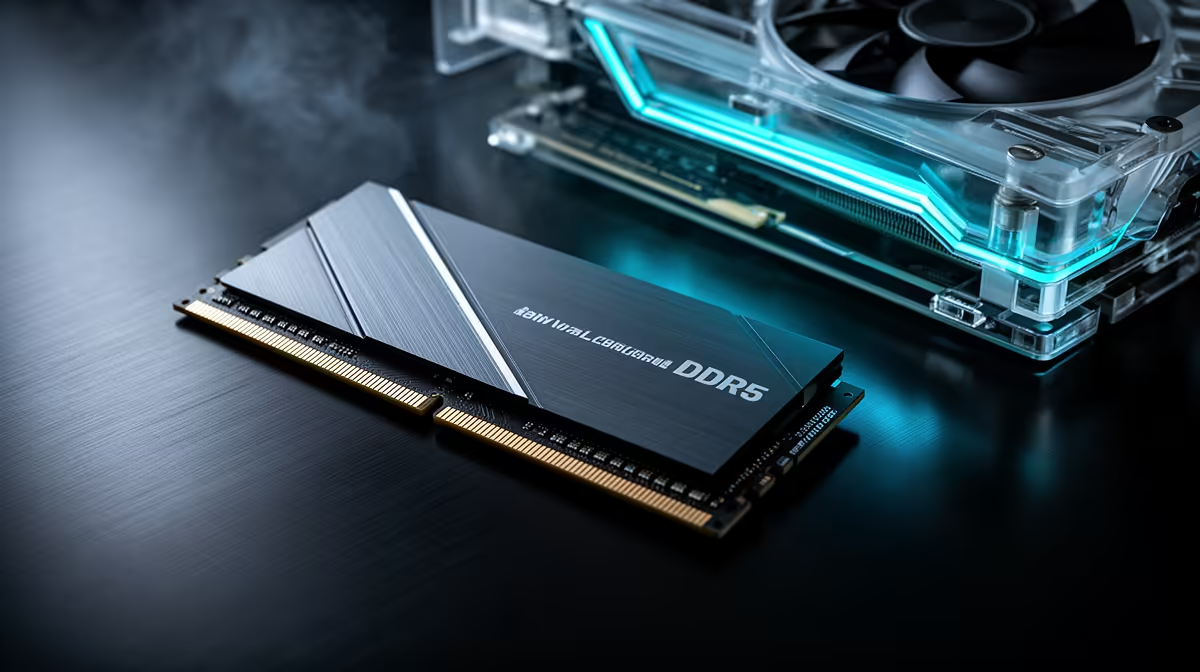
VRAM runs the model, but system memory keeps the rest of the machine healthy. The operating system, your browser, the application loading the model, and any data preprocessing all draw from system RAM. When that pool runs short, the system starts swapping to disk and the whole machine slows, even when the GPU is barely working.
For a comfortable local AI setup, 32GB of system RAM is the practical target. It gives the OS and your other apps enough space while the model is loaded, and it provides breathing room for tools that prepare data before it reaches the GPU. On machines without enough VRAM, some of the model can spill into system RAM, but that path is far slower, so system RAM is the backstop rather than the primary goal.
When You Outgrow a Single Card
Larger models beyond 13B, or running several models at once, push past what a single mainstream card holds. At that point the answer is either a card with much more VRAM or a setup that splits the model across more than one GPU. That is a step into more serious territory, and the decision should follow your actual workload rather than ambition.
Matching Hardware to Your Goal
A casual assistant for drafting, summarising and answering questions runs happily on a 12 to 16GB card with 32GB of system RAM. A heavier setup running larger models, longer contexts or local coding agents wants more VRAM and 64GB of system memory. Decide what you actually want the assistant to do before buying, because over-spending on VRAM you never fill is as wasteful as under-buying. Systems designed for local AI work, like those in the AI PC range at Evetech, balance GPU memory and system RAM for exactly these priorities, and the best-selling PCs at Evetech show which complete machines South Africans are choosing for this kind of work.
Frequently Asked Questions
How much VRAM do I need for a 7B model?
8GB runs a 7B model at Q4, but leaves little room for a long context. For comfortable use with a decent conversation length, 12GB or more is the safer target.
What is the ideal VRAM for local AI?
12 to 16GB is the sweet spot. It runs 7B to 13B models with enough spare memory for a larger KV cache, meaning longer conversations and bigger prompts.
Why does the KV cache matter?
The KV cache holds the accumulated attention values for the running conversation and sits in VRAM alongside the model. As your chat grows, it consumes more memory, so a longer usable context needs spare VRAM beyond the model weights.
How much system RAM should I have?
32GB is the practical target. It keeps the operating system and your other applications from competing with the model for memory, which prevents slow disk swapping.
What does Q4 quantisation do?
Q4 compresses the model weights to about four bits per value, roughly halving memory use while keeping quality high. It is the common choice that lets larger models fit on consumer cards.
Want a machine sized correctly for a private local AI assistant? Browse the AI-ready PCs at Evetech and pick a build with the VRAM and RAM balance your models actually need.