



Marvel Rivals launch in South Africa
Marvel Rivals launch needs a balanced parts plan, not a random basket. Map the CPU, GPU, RAM, SSD, cooling, and monitor target to the budget so SA builders know where to spend first.
Read morePump design on PCIe Gen 5.1 GPU power matters because flow rate and bearing noise track directly with how long the cooler lasts at 100 percent fan speed during summer rendering jobs. SA pricing, warranty cover and current stock are factored in.
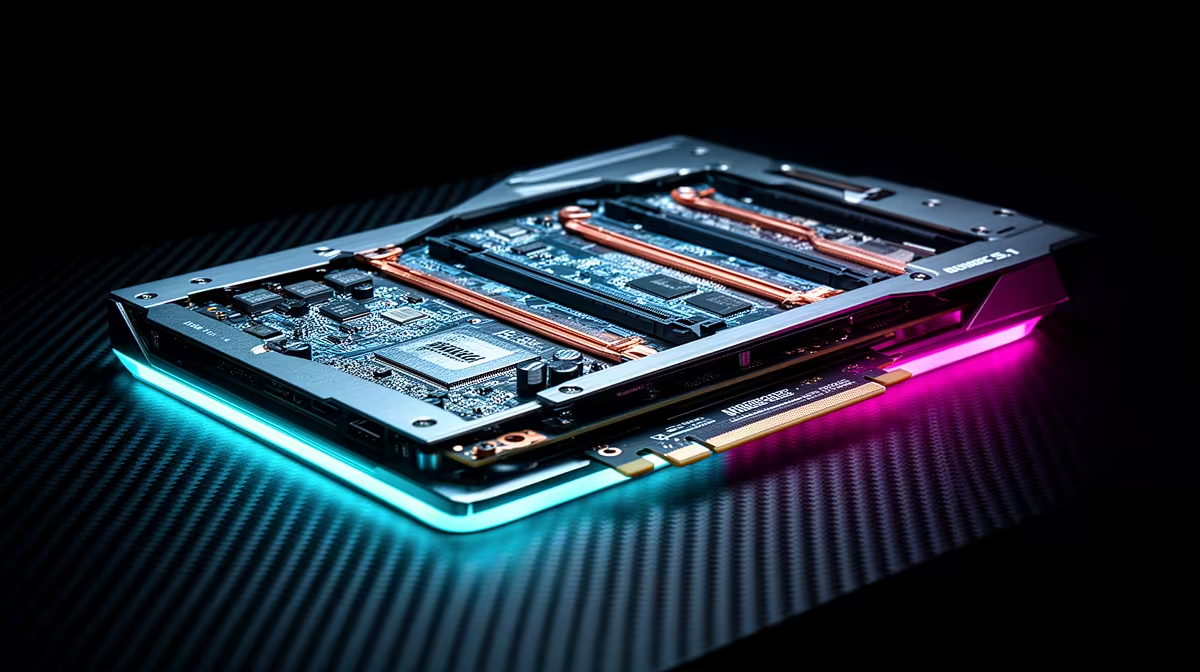
PCIe 5.1 graphics cards use the 12V-2x6 connector, which handles up to 675W on a single cable and replaces the older 12VHPWR. To power them safely you need an ATX 3.1 compliant PSU with a native 12V-2x6 output, ideally rated 100W to 150W above your GPU's TDP to handle transient spikes.
NVIDIA's RTX 50-series and AMD's upcoming high-end RX 9000 cards use the 12V-2x6 standard, which improved on the earlier 12VHPWR by adding better retention clips and clearer insertion feedback. The connector carries up to 675W at full spec, meaning a single cable run is sufficient for even the RTX 5090's 575W TDP. The critical safety point is full seating: the connector must click firmly into the GPU socket. Partially seated 12V-2x6 connectors have caused connector and cable damage at high transient loads, which can exceed the card's rated TDP by 50% or more for microseconds. Before every boot, physically verify the connector is fully home.
The RTX 5090 carries a 575W TDP; NVIDIA recommends a 1000W PSU minimum, but most experienced builders target 1200W for that card to cover CPU load and transient headroom together. The RTX 5080 (300W TDP) pairs well with a quality 850W to 1000W unit. For mid-range PCIe 5.1 cards like the RTX 5070 Ti at around 285W, a well-built 850W ATX 3.1 PSU is adequate with a Ryzen 9 9950X or Core Ultra 9 285K in the same system. In South Africa, 1200W 80 Plus Gold ATX 3.1 units run roughly R3,800 to R5,500, with Platinum-rated models sitting R500 to R1,200 higher depending on brand.
ATX 3.1 PSUs are designed to absorb transient loads up to 200% of rated power for brief periods without triggering over-power protection. Older ATX 2.x units may trip their protection circuits when a PCIe 5.1 card draws a brief spike, causing unexpected shutdowns that look like instability or driver crashes. If your current PSU predates ATX 3.0, budget for an upgrade alongside the GPU purchase. Verify the PSU carries the ATX 3.1 or ATX 3.0 badge on the specification sheet, as some units are sold with a 12V-2x6 adapter cable but lack the electrical design to handle transients correctly.
When comparing PSUs for a PCIe 5.1 build, look for the 12VPEAK or transient rating in the spec sheet, not just the continuous wattage. A PSU rated for 200% transient at 12V will protect both the card and itself far better than a cheaper unit that only meets continuous wattage numbers.
Adapter cables exist, but they are not recommended for sustained high-wattage cards. Adapters that combine multiple PCIe 6+2 cables to feed a 12V-2x6 connector can overheat the individual wires at the transient peaks PCIe 5.1 cards generate. For flagship GPUs, a native ATX 3.1 PSU with a built-in 12V-2x6 output is the only safe long-term solution.
Check the PSU's cable inventory in its manual or on the manufacturer's product page. Native cables are labelled as 12V-2x6 or PCIe Gen 5. If the PSU only lists a 12VHPWR output and ships with an adapter, it may be an older unit that was updated with an adapter rather than a true 12V-2x6 output.
For a system pairing an RTX 5080 with a high-end CPU like the Ryzen 7 9800X3D, an 850W ATX 3.1 unit is the minimum; 1000W gives comfortable headroom. In South Africa, quality 1000W 80 Plus Gold ATX 3.1 PSUs currently range from around R3,200 to R4,500.
Building around a PCIe 5.1 GPU? Evetech stocks ATX 3.1 compliant power supplies across the 850W to 1600W range alongside current-gen RTX 50-series and RX 9000-series graphics cards, so you can spec the full system in one place.
Marvel Rivals launch needs a balanced parts plan, not a random basket. Map the CPU, GPU, RAM, SSD, cooling, and monitor target to the budget so SA builders know where to spend first.
Read more
Path of Exile 2 launch needs a balanced parts plan, not a random basket. Map the CPU, GPU, RAM, SSD, cooling, and monitor target to the budget so SA builders know where to spend first.
Read more
Black Myth Wukong launch needs a balanced parts plan, not a random basket. Map the CPU, GPU, RAM, SSD, cooling, and monitor target to the budget so SA builders know where to spend first.
Read more
Hollow Knight PC requirements should be mapped to resolution, settings and upgrade budget before choosing a tier. Verify current requirements, then balance GPU, CPU, RAM and SSD around SA pricing.
Read more
Hollow Knight build planning should focus on the target resolution, settings and total system balance. Treat launch wording as time-sensitive, then verify requirements before choosing SA PC parts.
Read more
Fallout 4 PC requirements should be mapped to resolution, settings and upgrade budget before choosing a tier. Verify current requirements, then balance GPU, CPU, RAM and SSD around SA pricing.
Read more
Best Value Laptops South Africa 2026 — Find top picks, local prices and buy tips to maximise performance per rand. Compare deals for students, creators and gamers. 🔎💸

Struggling with a weak Desktop PC Wi-Fi signal? 📶 Discover expert tips on positioning your tower and external antennas to eliminate lag and maximize your internet speeds for gaming and streaming. 🚀

Tired of loadshedding router restarts killing your Wi-Fi? ⚡ Discover why power cuts disrupt your connection and learn expert tips to get back online faster after the lights return. 🌐

Master using a Nano SIM 4G router as your primary internet solution. Get stable speeds and seamless connectivity for gaming and streaming at home! 🌐🚀

Gauteng r30 000 needs practical checks before you choose. Compare fit, workload, support, setup needs, timing, and delivery expectations without relying on live availability or fixed 2026 claims.

Gauteng r40 000 needs practical checks before you choose. Compare fit, workload, support, setup needs, timing, and delivery expectations without relying on live availability or fixed 2026 claims.

Gauteng r50 000 needs practical checks before you choose. Compare fit, workload, support, setup needs, timing, and delivery expectations without relying on live availability or fixed 2026 claims.

Gauteng r60 000 needs practical checks before you choose. Compare fit, workload, support, setup needs, timing, and delivery expectations without relying on live availability or fixed 2026 claims.

Three-tier smart watch plan for commuting should be shortlisted around the job it must do. South African buyers should compare fit, performance, compatibility, and upgrade room, warranty path, and upgrade room before treating any pick as best.

AR Glasses buying order for commuting students should be shortlisted around the job it must do. South African buyers should compare fit, performance, compatibility, and upgrade room, warranty path, and upgrade room before treating any pick as best.

Smart Watch buying order for commuting should be shortlisted around the job it must do. South African buyers should compare fit, performance, compatibility, and upgrade room, warranty path, and upgrade room before treating any pick as best.

Smart Watch buying order for quiet PC builds needs a balanced parts plan, not a random basket. Map the CPU, GPU, RAM, SSD, cooling, and monitor target to the budget so SA builders know where to spend first.