Quick Answer
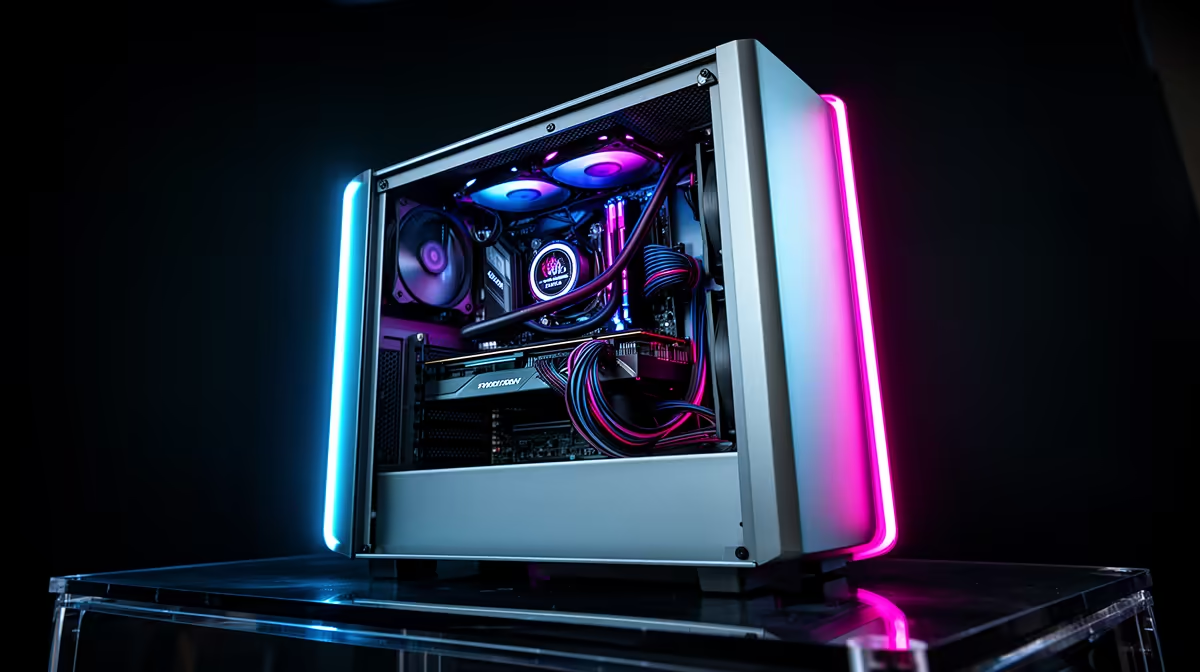
To reduce cable clutter in a dual-chamber gaming PC case, use a fully modular PSU so only the cables you need are connected, route all power cables through the designated board tray grommets before installing any components, bundle excess cable length with velcro straps to the tray's rear tie-down points, and keep SATA and HDD cables entirely within the secondary chamber. The main chamber should contain only the 24-pin stub, EPS stub, PCIe power connector, and front-panel I/O headers.
Start With the Right PSU Choice 🔌
The single most effective step toward a clutter-free dual-chamber build is choosing a fully modular power supply. Non-modular PSUs include all cables permanently attached, meaning unused SATA and peripheral cables pile up regardless of whether you need them. A fully modular PSU lets you connect exactly the cables the build needs. For a typical gaming build with one GPU, one NVMe SSD, and no HDDs, the required cables are: one 24-pin, one 8-pin EPS, and two PCIe 8-pin (or one 16-pin 12VHPWR for RTX 50-series), totalling four cables versus the eight to twelve a non-modular PSU forces into the chassis. Fully modular PSUs in the 750W to 1,000W range are stocked at Evetech from around R1,800 to R3,500.
Routing Technique for the Dual-Chamber Grommet System 🛠️
The board tray has five to nine rubber-lined grommet holes positioned near each major cable connection point. Use each grommet for one cable type only: the top grommet for the 24-pin, the upper-left for the EPS 8-pin CPU power, the mid-right for PCIe power cables, and the lower grommets for front-panel headers. Pull only enough cable through each grommet to reach the connector with 3 to 5cm of slack. Flat ribbon-style modular cables route through grommets with less resistance than round braided cables.
Finishing the Main Chamber for Maximum Clarity 🎯
Three finishing steps make the main chamber look professionally managed. First, press the PCIe power cable flat against the board tray edge cable channel as it runs from the grommet to the GPU connector. Second, secure the front-panel I/O headers with a small velcro wrap so they run as a single bundle. Third, use a cable comb to align the 24-pin connector cables into a neat parallel array. PC cable comb sets cost R80 to R180.
Velcro Over Zip Ties for Cable Management ⚡
Use velcro cable straps rather than zip ties for all rear-chamber bundles. Velcro straps are repositionable every time you open the case for maintenance or component swaps, while cut zip ties leave sharp stubs that can scratch cables and require replacing. A pack of 50 velcro straps costs R60 to R120 at any hardware or PC accessory supplier in South Africa.
FAQ
Do I need cable extensions for a dual-chamber case?
Usually not, because the PSU is close to the board tray and modular cable lengths are designed for standard ATX builds. The one exception is the EPS CPU power cable in tall full-tower dual-chamber cases, where a 30cm EPS extension may be needed to reach the top of the board.
Can I route the GPU power cable on the other side of the GPU for a cleaner look?
Yes, some dual-chamber cases include an additional grommet or slot behind the GPU mounting position for side-entry PCIe power cable routing, hiding the GPU power cable entirely behind the card. This approach works best with 90-degree angled PCIe connectors or the flat 12VHPWR cable used by RTX 50-series GPUs.
What is the best way to handle unused modular PSU cables?
Store unused modular cables in a zip-lock bag labelled with the PSU model and keep it with the PSU accessories. Never coil unused cables loosely inside the secondary chamber as they can obstruct the PSU's intake vent and reduce cooling efficiency.
Want a dual-chamber case and modular PSU matched for a clean build?
Evetech stocks both dual-chamber gaming cases and fully modular PSUs from leading brands, making it easy to plan a cable-clean build from the start. Browse at Evetech.