


RTX 4060 Ti Throttling Under Load: SA Temperature Guide
RTX 4060 Ti Throttling Under Load: Temperature. Everything you need to know with SA pricing, step-by-step instructions & expert recommendations.
Read moreLPDDR5X RAM is revolutionizing ultrabook efficiency. 🚀 Discover how this memory technology boosts battery life and speed compared to standard DDR5 in our latest deep dive. 💻
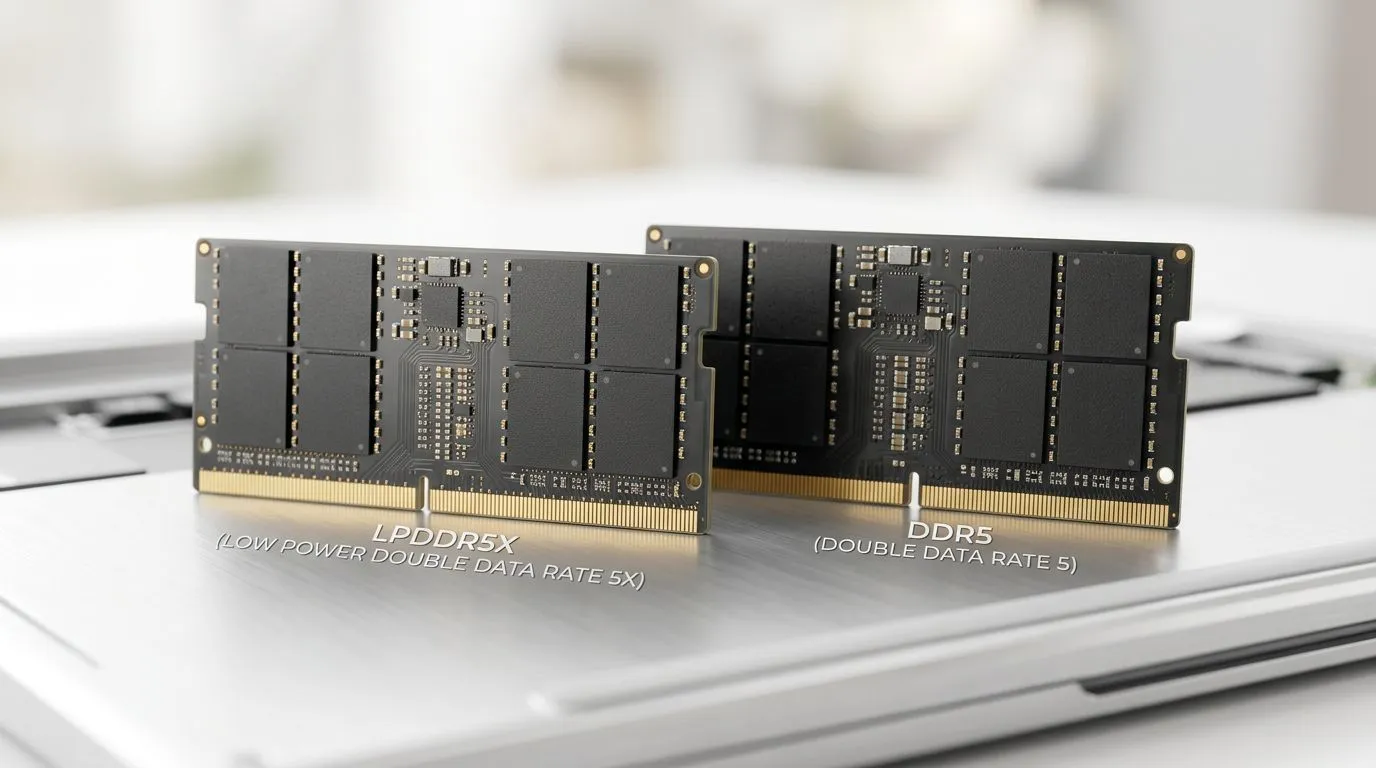
You feel it every time you wait for a game to load… or your laptop drops frames when you’re multitasking. In South Africa, choosing the right ultrabook isn’t just about the CPU. Memory matters too. If you’re shopping for a thin-and-light machine for study, content creation, or casual gaming, the choice between LPDDR5X vs DDR5 can affect real-world responsiveness, power draw, and upgrade flexibility. Let’s break it down in plain terms… and help you pick the right spec before you pay for the wrong one. ⚡
Key takeaway: LPDDR5X is usually about efficiency. DDR5 is often about flexibility and performance headroom, depending on the laptop design.
In everyday use, you’re most likely to notice differences during:
That said, for most ultrabook buyers, the CPU and GPU configuration will usually dominate your frame rate. Memory mainly influences how smoothly your system keeps up when the workload spikes. ✨
Because LPDDR5X is built for low power, ultrabooks using it often run cooler and last longer under similar workloads. If your priority is being out of the house (work, varsity, LAN events later), that efficiency can matter more than squeezing out a few percent of memory throughput. 🔋
On Windows, use the PowerToys FancyZones utility to create custom snap layouts for your windows. It's a lifesaver for managing multiple apps on an ultrawide monitor, letting you organise your workflow during video edits and game prep (chat, notes, editor, and browser) without constantly resizing windows.
Here’s the part many buyers only learn after purchase:
Because upgradeability depends entirely on the exact model, don’t rely on the memory label alone. Always check the specific device configuration on the retailer listing.
Even if two laptops use similar “class” memory, capacity changes how often you hit swapping (when the system offloads data because it ran out of active memory). In practical terms, more RAM usually means:
If you’re aiming for “one laptop for everything”, it’s usually smarter to buy the higher RAM option when the price difference is reasonable.
Even “thin” systems can game, but you should expect limits. The good news is that choosing the right laptop deal can get you a better GPU configuration for your budget, and that typically improves frame rate far more than memory type alone.
If you’re shopping right now, start with the laptop deal that matches your performance goal, then verify whether the listing notes LPDDR5X vs DDR5 and the installed memory amount.
Looking for an ultrabook or performance-focused laptop? These deal pages can help you compare configurations quickly before you commit:
So, which wins? If you’re buying a modern ultrabook for portability and battery life, LPDDR5X is often the smarter match. If you’re chasing the best balance for performance and possible upgrade paths, DDR5 can be a great choice. Either way, don’t let the memory label distract you from the spec that impacts your day-to-day most: the amount of RAM and whether your laptop’s configuration fits your workload.
If you want to avoid buyer’s remorse, shortlist 2–3 models, then compare their RAM capacity, upgrade details, and the CPU/GPU tier. That’s how you end up with the right laptop… not just the “right spec on paper.” 🚀
Ready to Find Your Perfect Match? The Mac vs Windows debate is complex, but for maximum power, choice, and value in South Africa, Windows is hard to beat. Explore our massive range of laptop specials and find the perfect machine to conquer your world.
LPDDR5X is designed specifically for power efficiency and compact devices like ultrabooks, whereas DDR5 offers higher bandwidth and is typically user-upgradable.
No. LPDDR5X memory is soldered directly to the motherboard to save space and reduce latency, meaning it cannot be upgraded or replaced after purchase.
Yes. LPDDR5X features advanced power-management states that consume significantly less energy during idle or light tasks, extending your laptop battery life.
LPDDR5X offers higher data rates than standard DDR5, but it is optimized for mobile throughput rather than the raw sustained performance of desktop-class DDR5.
The lower power consumption of LPDDR5X generates less heat, allowing manufacturers to build thinner, quieter ultrabooks without sacrificing thermal performance.
While LPDDR5X provides fast memory speeds, standard DDR5 is generally preferred for gaming rigs due to higher bandwidth and better thermal headroom for heavy loads.
RTX 4060 Ti Throttling Under Load: Temperature. Everything you need to know with SA pricing, step-by-step instructions & expert recommendations.
Read more
Apex Legends Max Settings on RTX 4080. Tested & verified settings for best FPS and visual quality on SA hardware budgets.
Read more
GPU Buying Guide. Everything you need to know with SA pricing, step-by-step instructions & expert recommendations.
Read more
GPU Terms Guide. Everything you need to know with SA pricing, step-by-step instructions & expert recommendations.
Read more
AMD Adrenalin Download & Setup Guide: GPU. Clear setup instructions with SA-specific considerations, troubleshooting tips & recommended components.
Read more
Back-to-School GPU Buying Guide. Everything you need to know with SA pricing, step-by-step instructions & expert recommendations.
Read more
Snapdragon X2 NPU Explained: How 80 TOPS Changes. Plain-English explanation of what it means, why it matters & how it affects your buying decisions in SA.

HBM? High Bandwidth Memory Used in GPUs and AI. Plain-English explanation of what it means, why it matters & how it affects your buying decisions in SA.

How much should you spend on sim racing accessories in South Africa for a realistic setup? We break down budgets by quality tiers, so you buy smart gear and avoid overspending 🎮💸

G-Sync and FreeSync? Variable Refresh Rate. Plain-English explanation of what it means, why it matters & how it affects your buying decisions in SA.

AMD Laptop: Value. SA-focused analysis with local pricing data, real-world insights & actionable buying advice.

How MacBook Neo Handles 30+ Chrome Tabs with Only. SA-focused analysis with local pricing data, real-world insights & actionable buying advice.

Why Apple Put 8GB RAM in MacBook Neo: The A18 Pro. SA-focused analysis with local pricing data, real-world insights & actionable buying advice.

Upgrade your work laptop with a New Motherboard. Step-by-step instructions with SA-specific tips, common pitfalls to avoid & expert recommendations.

Maintain wired headset — Checklist: • inspect cables • clean earpads • store properly 🔧🎧 Practical steps to preserve sound quality and avoid premature replacements.

Fix crackling headset fast: step-by-step checks for cables, connectors, drivers, and settings to remove static or distorted audio on wired headsets 🎧⚙️

Stereo vs mono headsets: learn which delivers clearer calls, better spatial music, or simpler mono voice performance — pick the right headset for meetings, music, or gaming 🎧💬

- Compare gaming headset vs studio headphones; - Assess comfort, mic and sound; - Recommend best daily picks. Gaming headset vs studio headphones: learn which suits work, music and casual gaming. 🎧⚖️