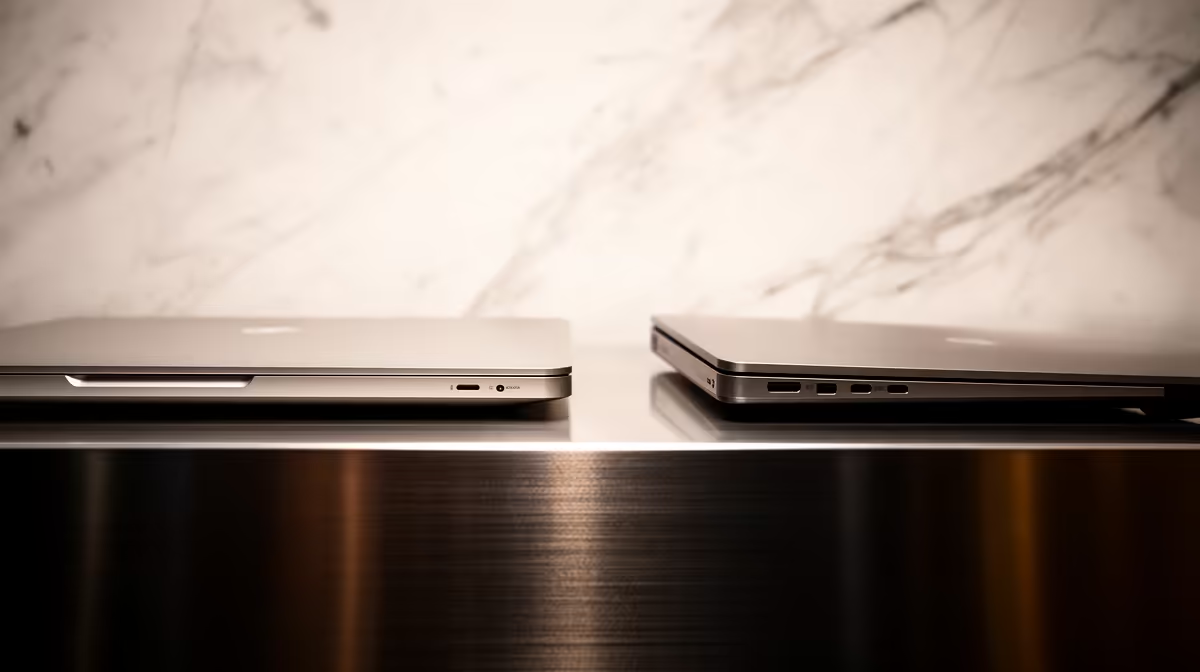
Two MacBooks share the same M5 chip, the same screen size, and on paper the same horsepower, yet one costs thousands of Rand more. The difference comes down to a single component most buyers never think about: a fan. The MacBook Air M5 is fanless, cooling its chip passively through the aluminium body, while the MacBook Pro M5 has active cooling that lets the same silicon run flat out for hours. For a quick email-and-browser life that gap is invisible. Push the chip hard and it becomes the whole story.
Quick Answer
The fan matters only if you sustain heavy load for long stretches. The fanless Air M5 throttles roughly 40% on extended workloads like long video exports, while the actively cooled Pro M5 holds its performance steady. That cooling advantage costs a premium north of R15,000 in South Africa. Light users gain nothing from it; sustained-load professionals get their money back in saved time.
How Passive and Active Cooling Differ
Every chip turns electricity into heat. The faster it works, the more heat it produces, and silicon protects itself by slowing down when it gets too hot, a behaviour called thermal throttling. The Air relies on its aluminium chassis to soak up and shed that heat with no moving parts. It works beautifully in short bursts because the metal absorbs a lot before saturating. The problem is sustained load: once the body heats up with nowhere to dump the energy, the chip has to back off to stay safe.
The Pro adds a fan and a heatsink that actively carry heat away. That lets the same M5 keep drawing full power indefinitely. In the first few minutes of any task the two laptops perform almost identically, which is why short benchmarks make them look like twins. The split only appears once the workload runs long enough to heat the Air past its passive limit, usually several minutes into a heavy export or compile.
The Numbers Behind the Throttle
Real-world testing confirms the gap is meaningful for sustained work. In multi-core stress tests run over several minutes, the M5 Air settles around 30 to 40% below its initial peak once the chassis saturates. In gaming benchmarks that run the GPU hard for extended periods, the Pro's active cooling delivers over 40% higher sustained frame rates. In a video export test rendering a BMW scene in Blender, the Air finished roughly 15 seconds slower than the Pro, and that gap widens as timeline length increases.
The flip side: in short benchmark bursts, the Air and Pro score almost identically. Your email, your Keynote presentation, and your Zoom call never run long enough to trigger the throttle, which is precisely why most users will never notice the difference.
When the Fan Genuinely Matters
Sustained Creative Work
Video editors are the clearest case. Exporting a long 4K timeline keeps the chip pinned for many minutes, exactly the scenario where the Air throttles and the Pro does not. A single export might finish noticeably faster on the Pro, and across a working day those minutes stack up. The same applies to long photo batch exports, software compiles that run for several minutes, and 3D rendering. If your work involves the chip running hard for sustained periods most days, the Pro earns its keep.
Bursty Everyday Use
Now the opposite case, which covers most people. Web browsing, email, document work, video calls, and even moderate photo editing are bursts of load with gaps in between. The Air's body cools off during those gaps, so it almost never reaches the throttling point. In this pattern the fan adds nothing but cost and a little weight. The Air will feel exactly as fast as the Pro, often faster in real-world snappiness because it is lighter and silent.
What the Premium Buys in South Africa
The Pro M5 carries a premium of more than R15,000 over the Air in the local market, and the fan is not the only thing that money buys. The Pro typically adds a brighter display with higher sustained brightness, more ports, better speakers, and longer battery life under load. So the decision is rarely about the fan alone. If you need the brighter screen for colour work or the extra ports for an external setup, those can justify the step up even before cooling enters the picture.
That said, if the only reason you are eyeing the Pro is raw chip performance, be honest about your workload first. Spending R15,000-plus to avoid throttling you will never trigger is money better kept. You can compare both lines directly on the MacBook range at Evetech to see how the current pricing and configurations line up.
The Weight and Noise Trade-off
The Air's fanless design is silent under every workload, including the ones where it throttles. The Pro's fan stays inaudible during everyday tasks but ramps up audibly when it is working hard. For a library, a lecture, or a shared office, the Air's permanent silence is a real quality-of-life advantage. For a studio or a home desk, the Pro's occasional fan noise is a small price for consistent performance.
Weight follows a similar pattern. The 13-inch Air weighs 1.24 kg and the 14-inch Pro comes in at around 1.55 kg. The difference is modest on a desk and noticeable in a bag over a long day on campus. If you carry the machine everywhere, the Air's lighter build adds up to a real comfort advantage.
Picking the Right One
Start with how you actually work, not how you imagine you might. If you spend your days in a browser, in documents, in email, and in the occasional photo tweak, the Air M5 is the smarter buy and the lighter one to carry. If you regularly run exports, renders, or long compiles and value the minutes those save, the Pro's cooling pays for itself over time. Students and professionals doing general work should not feel they are settling by choosing the Air; for that pattern it is the correct machine, not a compromise. Anyone unsure of the broader laptop landscape can also scan the laptop best sellers to see where the MacBooks sit against the field.
Frequently Asked Questions
How much does the MacBook Air M5 throttle under load?
On sustained heavy workloads the fanless Air drops roughly 40% from its peak as the chip backs off to manage heat. This only happens after several minutes of continuous load; in short bursts it performs almost identically to the Pro.
Is the MacBook Pro M5 worth the price premium?
It is worth more than R15,000 extra only if you regularly run sustained heavy tasks like long video exports or rendering, or if you specifically need the brighter screen, extra ports, and longer loaded battery life. For light daily use, the premium buys nothing you will feel.
Does the fan make the MacBook Pro noisy?
Under normal everyday use the Pro's fan rarely spins up audibly. It only ramps during sustained heavy load, which is precisely when its cooling is doing the work that keeps performance steady. For browsing and documents it stays effectively silent.
Can the Air M5 handle video editing at all?
Yes, the Air edits video well and exports short clips quickly. The limit is long exports of large 4K timelines, where it throttles and finishes slower than the Pro. Occasional or short-form editing suits the Air fine; all-day heavy editing favours the Pro.
Which MacBook is better for students?
For typical student work, notes, browsing, writing, research, and video calls, the Air M5 is the better choice. It is lighter, silent, and never reaches the throttling point under that kind of bursty load, so the Pro's premium adds no benefit.
Match the machine to your actual workload rather than the spec sheet, and you keep thousands of Rand for the work that needs it. Compare the MacBook Air M5 and Pro M5 side by side at Evetech and pick the cooling that fits how you really work.