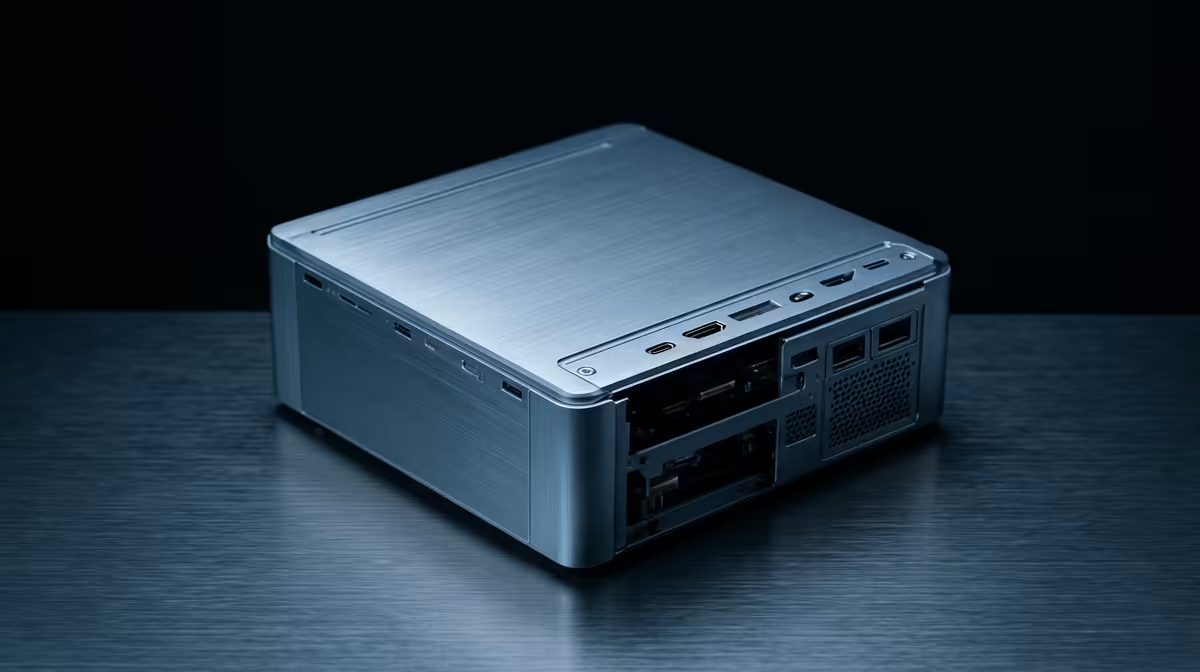
Price is the easy comparison, and it is also the least useful one, because a mini PC and a self-built tower rarely cost wildly different amounts for a home lab. The decision that actually matters is structural: how much RAM, how many drives, and how much expansion each can hold. The mini PC vs DIY tower choice for a home lab is settled by your ceiling on memory and storage, not by the receipt.
Quick Answer
A mini PC wins on idle power, footprint, and noise but caps your RAM, drive bays, and expansion. A DIY tower gives far more drive bays, support for more and sometimes ECC memory, and real upgrade headroom, at the cost of higher idle power and more noise. If you know your RAM and drive needs will grow, the tower is the safer pick; if they will not, the mini PC is the cleaner one. Compare compact machines in the mini PC range at Evetech.
What a mini PC does brilliantly
A mini PC is a tidy, efficient appliance. It idles low, often around 10 to 12 watts for a capable model, runs quietly, and takes up almost no space on a shelf or behind a monitor. For a home lab with a contained scope, a handful of services, some containers, a small file share, it is an elegant solution that you can set up and largely forget.
Its strength is also its boundary. The compact chassis limits how much you can put inside. RAM is often capped at a level lower than a desktop, sometimes with only one or two slots, and the chip itself may set a hard ceiling. Internal drive bays are few, frequently just one or two, so large local storage means relying on external enclosures. PCIe expansion is minimal or absent, ruling out add-in cards. None of this is a flaw; it is the trade you accept for the small, quiet, efficient package.
Where a DIY tower pulls ahead
A self-built tower trades elegance for capacity. A standard case holds multiple drives, sometimes many, which makes it the natural home for a storage-heavy lab with a large local array. The motherboard typically supports far more RAM than a mini PC, and on the right platform that can include ECC memory, which corrects memory errors and is genuinely valuable for a server holding important data over long uptimes.
The tower also gives you real expansion. PCIe slots accept network cards, storage controllers, and accelerators, so the machine can grow into roles a mini PC simply cannot reach. And because everything is standard desktop hardware, you can replace and upgrade parts individually over years rather than buying a whole new unit. For a lab you expect to expand, that headroom is the whole point.
The costs that come with the tower
Capacity is not free. A tower draws more power at idle than a mini PC, and over 24/7 operation that gap adds to the running cost. It is larger and usually louder, with fans that are harder to silence than a mini PC's. And it asks more of you to build and maintain. These are not dealbreakers, but they are the real price of the expansion the tower offers, and they belong in the decision.
Letting your RAM and drive ceiling decide
The cleanest way to choose is to project your needs forward. Count the drives you expect to run, not just today but a year or two out, and the amount of RAM your intended services demand. If those numbers fit comfortably inside a mini PC's limits, the mini PC is the better choice on every other axis: power, noise, and size. There is no reason to buy expansion you will never use.
If your projected drive count or memory need pushes past what a mini PC can hold, the tower is the right call, because hitting a hard ceiling mid-project is far more painful than accepting a little more power draw upfront. ECC support is another tipping point: if data integrity over long uptimes matters to you, a tower platform that supports ECC is worth the extra bulk. Decide on the ceiling first, and the rest of the comparison falls into place. The best-selling PCs list is a handy way to see how compact and full-size machines are currently priced and specced.
Matching the build to the lab
For a quiet, low-power lab with a fixed and modest scope, the mini PC is the more pleasant machine to live with. For a storage-heavy, expansion-hungry lab you intend to grow, the tower's bays, memory headroom, and slots make it the durable foundation. Many home labbers end up with both over time: a mini PC for always-on light services and a tower for the heavy storage and compute. Choosing well the first time just means being honest about which role you are filling now.
Noise, heat, and living with the machine
The spec comparison is only half the story; the other half is what it is like to share a room with the thing. A mini PC is quiet, cool, and tiny, so it disappears onto a shelf or behind a monitor and rarely intrudes. A tower has more fans moving more air, and while a well-built one can be made fairly quiet, it is generally more audible and warmer, and it occupies real desk or floor space. For a lab that lives in a study or a wiring cupboard, none of that matters. For one in a bedroom or lounge, it matters a lot.
There is also the build-and-maintain dimension. A mini PC arrives complete and asks nothing of you beyond plugging it in. A DIY tower means selecting compatible parts, assembling them, and maintaining them over time, which is part of the appeal for some builders and a chore for others. If you enjoy the build, the tower rewards you with control and upgradeability. If you just want a server that runs, the mini PC's appliance-like simplicity is a feature in itself. Weigh that honestly alongside the capacity numbers, because the machine you enjoy living with is the one you will actually keep running.
Frequently Asked Questions
Is a mini PC or a DIY tower cheaper for a home lab?
They often cost a similar amount, which is why price is the wrong deciding factor. The real difference is capacity: a tower holds far more RAM, drives, and expansion, while a mini PC is smaller, quieter, and more power-efficient.
Why does the RAM and drive ceiling matter most?
Because hitting a hard limit mid-project forces a full replacement, which is far costlier than accepting a little more power draw upfront. Projecting your memory and drive needs forward is the cleanest way to choose between the two.
What is the power difference between them?
A mini PC idles low, often around 10 to 12 watts, while a tower draws more, and that gap adds up over 24/7 running. The tower's higher draw is the trade for its much greater expansion.
Do I need ECC memory in a home lab?
Not always, but if data integrity over long uptimes matters to you, ECC is valuable because it corrects memory errors. ECC support usually requires a tower platform, which is one reason to choose a tower for a data-critical lab.
Can a mini PC handle large local storage?
Only with limits. Mini PCs usually have just one or two internal bays, so large arrays mean external enclosures. A tower with multiple internal bays is the natural choice for a storage-heavy lab.
Sizing up your next home lab build? Compare compact and expandable options in the Evetech mini PC range and let your RAM and drive ceiling, not just the price, make the call.