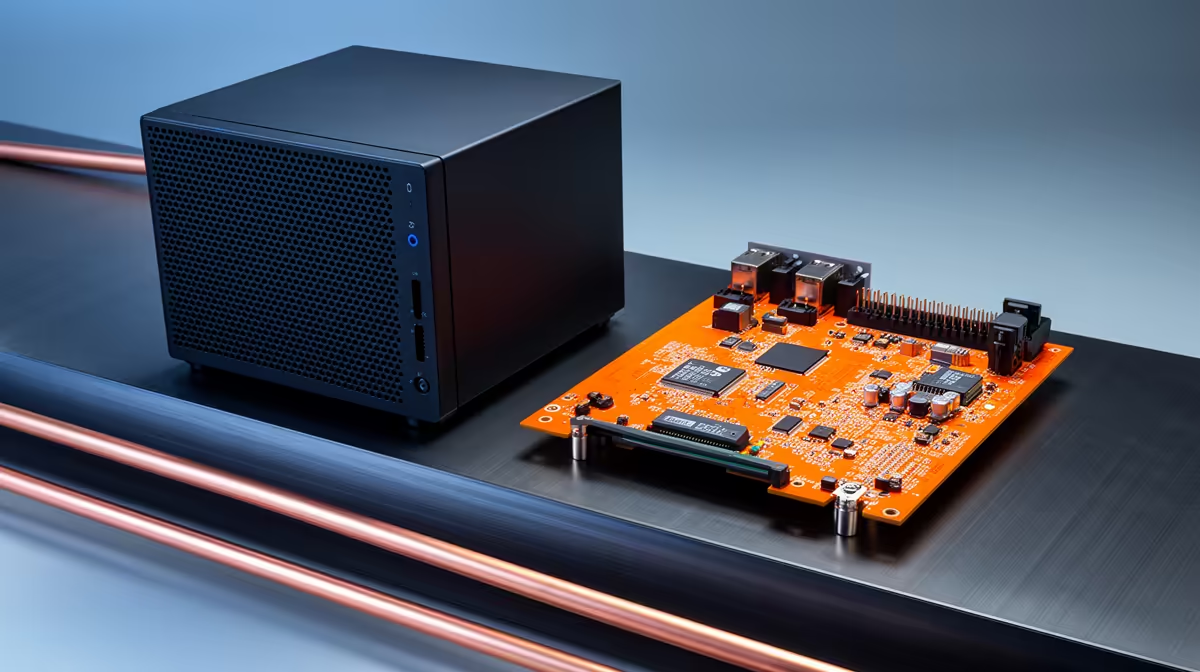
Choosing between a mini PC and a Raspberry Pi for a home server comes down to one honest question: do you need the Pi's tiny power draw, or do you need a machine that runs proper x86 software? For most South African home labs running Plex, Docker and the odd Windows tool, an Intel N100 mini PC quietly wins on capability, while the Pi keeps its crown for ultra-low-power, simple tasks.
Quick Answer
For a capable home server, an x86 Intel N100 mini PC is the more capable platform. It runs full x86 software and hardware-transcodes 4K video through Quick Sync, which the Pi's ARM chip cannot do. The Raspberry Pi wins only when absolute lowest power draw and cost matter more than horsepower.
The Core Difference: ARM vs x86
The Raspberry Pi uses an ARM processor. A mini PC like an N100 uses x86, the same architecture as desktop PCs. That single distinction ripples through everything you can run on the machine.
x86 runs the broadest software ecosystem with no compatibility caveats: standard Docker images, most Linux server apps without recompilation, and full Windows if you want it. ARM has matured a lot, but you still hit images and applications that are not built for it, forcing workarounds. The N100 also carries native AES-NI hardware encryption support, which handles encrypted traffic and VPN tunnels with almost no CPU overhead, a meaningful benefit for a home server that doubles as a router or privacy node.
If you are weighing ready-built options, the mini PC range at Evetech shows the kind of N100-class machines that suit a home server.
Where the Mini PC Pulls Ahead
For most home-server jobs, the N100 simply does more.
4K Transcoding with Quick Sync
This is the headline. Intel's Quick Sync engine hardware-transcodes multiple 4K streams in Plex or Jellyfin with ease. The Raspberry Pi has no equivalent, so it struggles or fails entirely when a client needs the video transcoded on the fly. For a media server, this alone often settles the decision.
Running x86 Docker and Windows
A home server tends to accumulate roles: a media stack, a download client, home automation, a database, perhaps a Windows utility. The N100 runs all of it natively without hunting for ARM-compatible builds, which keeps your setup simple and predictable.
Memory and Storage Expansion
Mini PCs typically take far more RAM and proper NVMe or SATA storage, often with multiple drive options. Independent benchmarks show the N100 achieving close to double the raw compute throughput of a Raspberry Pi 5 in sustained server tasks. The Pi is more constrained, relying on USB or a single SSD path, which limits heavier multi-service workloads.
Where the Raspberry Pi Still Wins
The Pi is not beaten everywhere. Its power draw is tiny, averaging around 4W under typical load versus roughly 8W for an N100 mini PC, which translates to a modest but real difference on the electricity bill over a year. It is also smaller, silent when passively cooled, and a vibrant community offers endless guides for hobby projects.
For lightweight, single-purpose tasks, such as a Pi-hole, a small home-automation hub, or a simple file share, the Pi is elegant and more than enough. Spending on an N100 there would be overkill. The Pi also holds a hardware advantage the mini PC cannot match: a 40-pin GPIO header for connecting physical sensors, relays, and custom electronics, which makes it the right choice for IoT projects that need to talk to the real world.
What Each Costs to Run in South Africa
Up front, an N100 mini PC costs more than a bare Pi, though once you add a quality power supply, case, cooling and storage to a Pi, the gap narrows. The N100 also draws more power, but it is still a modest, efficient chip, not a desktop tower.
The real value question is capability per Rand. If your server will transcode 4K, juggle several x86 services or run Windows, the mini PC earns its price by doing jobs the Pi cannot. To compare against full small-form desktops too, the best-selling PCs at Evetech widen the field if you want even more headroom.
N100 vs N150 vs N350: Does the chip variant matter?
The Intel N100 has been the home server default since 2023, but 2025 and 2026 mini PCs increasingly ship the N150 and N350 variants. For home server purposes the differences are modest but worth knowing.
The N150 is a direct successor to the N100 with a slightly higher base clock and marginally better single-core throughput, which benefits tasks that are not easily parallelised, such as a Homebridge instance or a low-core-count database query. The practical difference for a Plex server or Docker host is small.
The N350 adds two more efficiency cores, bringing the count to eight, and boosts the iGPU from 24 to 32 execution units. Quick Sync capability remains consistent across all three, so 4K transcoding is solid on any of them. Where the N350 earns its keep is in running more simultaneous containers without CPU starvation, which matters if your server grows into a multi-service setup over time.
For most buyers, an N100 machine at a competitive price is still the rational pick. The N150 or N350 makes sense if you plan to expand aggressively or want the extra iGPU headroom for light AI inference tasks alongside the media server.
How to Decide
Pick the N100 mini PC if you want a do-everything home server: Plex with 4K transcoding, x86 Docker, a few services at once, or Windows. Pick the Raspberry Pi if you want the lowest possible power and cost for one or two light tasks, GPIO hardware access, or you are happy to work within ARM's limits.
Frequently Asked Questions
Can a Raspberry Pi transcode 4K video for Plex?
Not effectively. The Pi lacks a hardware transcoding engine like Intel Quick Sync, so it struggles or fails when a client needs 4K transcoded on the fly. An N100 mini PC handles this with ease.
Does an N100 mini PC use a lot of power?
No. The N100 is an efficient low-power chip, drawing more than a Pi but far less than a desktop tower. For most home setups the difference on the electricity bill is small relative to the extra capability.
Will all Docker images run on a Raspberry Pi?
Not all of them. ARM support has improved, but you still encounter images built only for x86 that require workarounds. An x86 mini PC runs the full range of standard Docker images natively.
Is a Raspberry Pi cheaper than a mini PC overall?
The Pi is cheaper to buy bare, but once you add a power supply, case, cooling and storage the gap shrinks. For the extra capability, an N100 mini PC often represents better value for a real home server.
Which is better for a media server, a Pi or a mini PC?
A mini PC, in most cases. Quick Sync transcoding, more RAM and proper storage make the N100 far better suited to Plex or Jellyfin, while the Pi suits only very light, non-transcoding media duties.
Planning a home server? If you want 4K transcoding and full x86 software, explore the mini PC range at Evetech, or compare with the best-selling PCs for even more power.