


Maintain Wired Headset: Tips to Extend Lifespan
Maintain wired headset — Checklist: • inspect cables • clean earpads • store properly 🔧🎧 Practical steps to preserve sound quality and avoid premature replacements.
Read moreMinimalist wireless keyboard and mouse setups cut cables and free desk space—learn layout tips, product picks, and cable-management hacks to create a clutter-free workstation. ✨🖱️
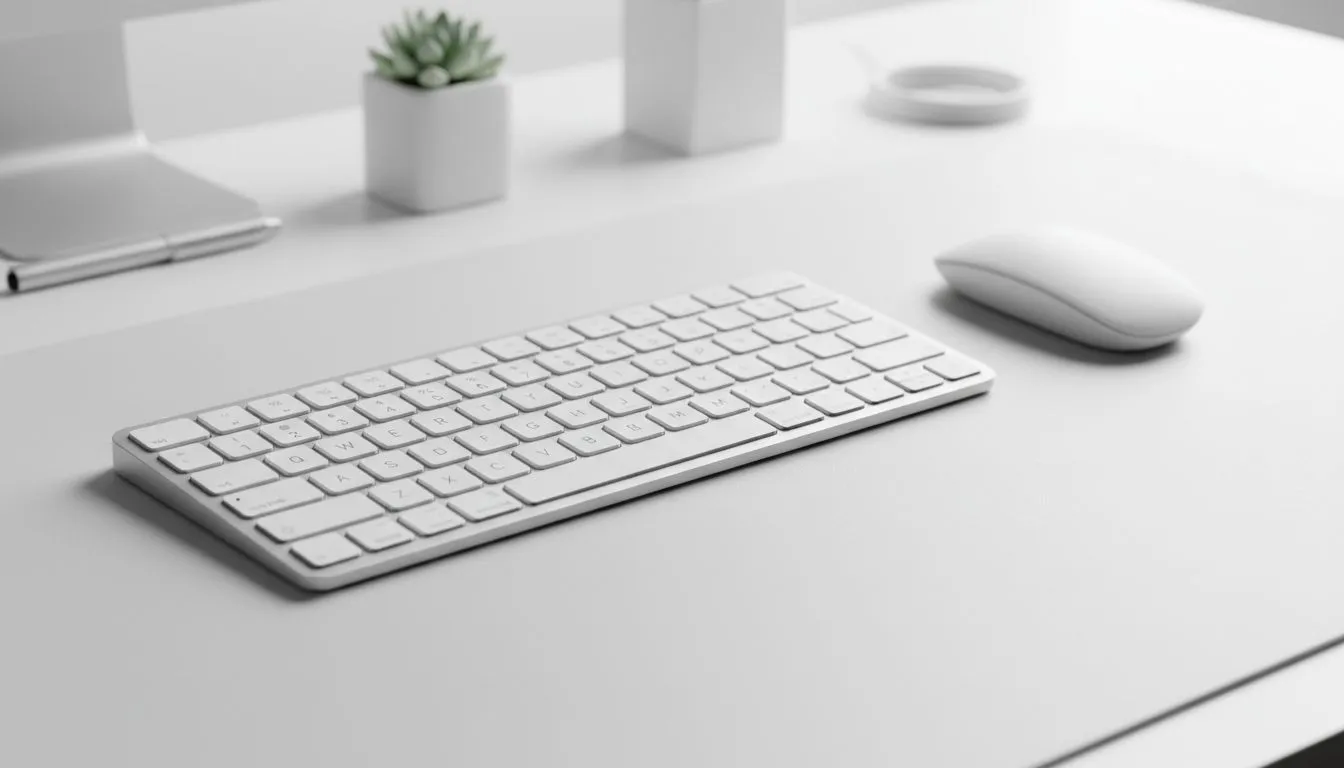
Tired of a jungle of cables stealing space from your monitor and your vibe? South African gamers and remote workers can reclaim a clean desk in under an hour with the right gear and a few habits. This minimalist wireless keyboard and mouse setup to reduce desk clutter keeps your battlestation neat, responsive, and ready for action 🎮✨
Choosing a compact keyboard and a responsive wireless mouse is the first step. Look for low-profile or tenkeyless keyboards to free up desk real estate, and a mouse with adjustable DPI so you can game and work with the same device. For compact gaming-focused options, check Evetech's curated list of the best gaming keyboard deals to compare switches and layouts. https://www.evetech.co.za/best-gaming-keyboard-deals/x/055.aspx
If budget is tight, there are reliable, wallet-friendly keyboards in South Africa. Browse the cheapest keyboards collection to weigh cost against features like switch type and backlighting. https://www.evetech.co.za/components/buy-cheapest-gaming-keyboard-in-south-africa-52.aspx
Wireless has come a long way. Bluetooth or 2.4GHz dongles now deliver solid latency for everyday gaming and productivity. If ultra-low latency is non-negotiable for competitive play, consider a wired option for tournaments, then switch to wireless for daily use. Evetech lists wired options side-by-side so you can compare connectivity choices. https://www.evetech.co.za/components/buy-cheapest-gaming-keyboard-in-south-africa-52.aspx?attributes-connectivity=Wired
On the flip side, wireless models remove cables completely and tidy the desk instantly. See wireless-only picks to find models optimised for battery life and compact layouts. https://www.evetech.co.za/components/buy-cheapest-gaming-keyboard-in-south-africa-52.aspx?attributes-connectivity=Wireless
For fast wins, a keyboard-and-mouse combo often bundles value and matched aesthetics. Many South African combos start from around R599—great if you want a coordinated set without hunting for matching colours. Explore keyboard and mouse bundles to compare price and compatibility. https://www.evetech.co.za/buy-keyboard-mouse-combo/x/1583.aspx
Small setup tweaks make a big difference: route your dongle behind the monitor, use a slim desk mat, and position your keyboard slightly forward to create a negative space behind it for speakers or a charging dock. These micro-changes cut visual clutter and improve ergonomics.
On Windows, use the PowerToys FancyZones utility to create custom snap layouts for your windows. It's a lifesaver for managing multiple apps on an ultrawide monitor, letting you organise your timeline, preview window, and asset folders perfectly for video editing.
Keep a small charging routine. Charge your mouse overnight and top up your keyboard weekly. If a device supports wired charging, a hidden USB-C run behind a monitor keeps the desk cable-free while charging. Replaceable AA/AAA batteries are convenient, but rechargeable packs save long-term cost and landfill.
A quick micro-story: my mate switched to a tenkeyless wireless board and a compact wireless mouse; after a week he noticed fewer dust traps and a lot more desk real estate for streaming lights and a mechanical mixer. Small change, big satisfaction.
Ready to Find Your Perfect Match? The Mac vs Windows debate is complex, but for maximum power, choice, and value in South Africa, Windows is hard to beat. Explore our massive range of laptop specials and find the perfect machine to conquer your world.
Yes. A compact wireless keyboard and mouse combo removes cables and lets you centralize essentials; add clips and a dock for a truly clutter-free desk.
Pick a tenkeyless or 60% layout, low-profile keys, and Bluetooth or single-dongle connectivity to find the best minimalist wireless keyboards for small desks.
Modern Bluetooth keyboards and mice offer stable connections for productivity; choose models with low latency and strong battery life to avoid drops.
Use rechargeable docks, a single USB-C charging hub, or peripherals with long battery life to follow battery-life tips for wireless keyboard and mouse setups.
Center the keyboard, tuck the mousepad, use a monitor riser and cable clips, and store spares in a drawer for a space-saving keyboard and mouse setup.
Yes—low-latency wireless options suit gaming while compact wireless keyboard and mouse combos balance responsiveness and ergonomic comfort for office work.
Add a slim mouse pad, USB hub, rechargeable dock and cable clips; these wireless peripherals keep a clean, functional and organized workspace.
Maintain wired headset — Checklist: • inspect cables • clean earpads • store properly 🔧🎧 Practical steps to preserve sound quality and avoid premature replacements.
Read more
Fix crackling headset fast: step-by-step checks for cables, connectors, drivers, and settings to remove static or distorted audio on wired headsets 🎧⚙️
Read more
Stereo vs mono headsets: learn which delivers clearer calls, better spatial music, or simpler mono voice performance — pick the right headset for meetings, music, or gaming 🎧💬
Read more
- Compare gaming headset vs studio headphones; - Assess comfort, mic and sound; - Recommend best daily picks. Gaming headset vs studio headphones: learn which suits work, music and casual gaming. 🎧⚖️
Read more
- Check pressure points - Compare earcup materials - Adjust clamp and fit Best gaming headsets for glasses: quick guide to reduce temple pressure, pick breathable memory foam earcups, and optimize fit for long sessions 🕹️👓
Read more
Gaming microphone noise reduction: Use beamforming mics, AI noise suppression, and hardware filters to cut background noise and boost in-game voice clarity. 🎧⚙️ Learn setups, settings, and top mic features.
Read more
Snapdragon X2 NPU Explained: How 80 TOPS Changes. Plain-English explanation of what it means, why it matters & how it affects your buying decisions in SA.

HBM? High Bandwidth Memory Used in GPUs and AI. Plain-English explanation of what it means, why it matters & how it affects your buying decisions in SA.

How much should you spend on sim racing accessories in South Africa for a realistic setup? We break down budgets by quality tiers, so you buy smart gear and avoid overspending 🎮💸

G-Sync and FreeSync? Variable Refresh Rate. Plain-English explanation of what it means, why it matters & how it affects your buying decisions in SA.

AMD Laptop: Value. SA-focused analysis with local pricing data, real-world insights & actionable buying advice.

How MacBook Neo Handles 30+ Chrome Tabs with Only. SA-focused analysis with local pricing data, real-world insights & actionable buying advice.

Why Apple Put 8GB RAM in MacBook Neo: The A18 Pro. SA-focused analysis with local pricing data, real-world insights & actionable buying advice.

Upgrade your work laptop with a New Motherboard. Step-by-step instructions with SA-specific tips, common pitfalls to avoid & expert recommendations.
Maintain wired headset — Checklist: • inspect cables • clean earpads • store properly 🔧🎧 Practical steps to preserve sound quality and avoid premature replacements.
Fix crackling headset fast: step-by-step checks for cables, connectors, drivers, and settings to remove static or distorted audio on wired headsets 🎧⚙️
Stereo vs mono headsets: learn which delivers clearer calls, better spatial music, or simpler mono voice performance — pick the right headset for meetings, music, or gaming 🎧💬
- Compare gaming headset vs studio headphones; - Assess comfort, mic and sound; - Recommend best daily picks. Gaming headset vs studio headphones: learn which suits work, music and casual gaming. 🎧⚖️