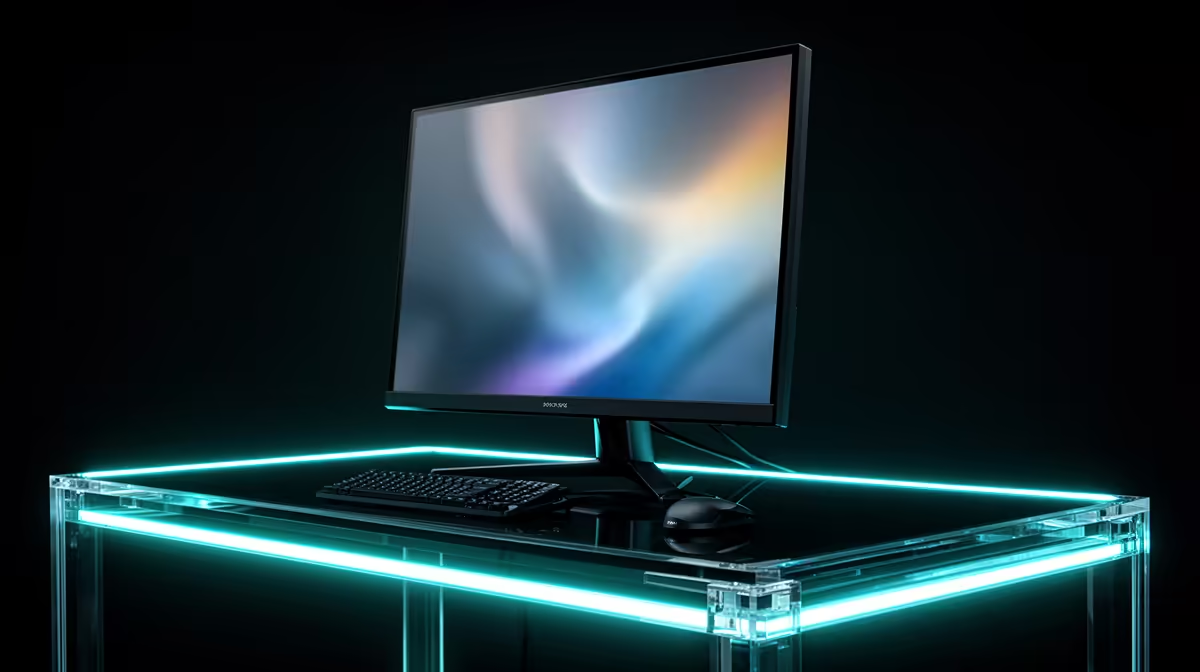
You sit close enough to see the jump from 1080p, but you still want the frame-rate counter to live well above 60. That is the RTX 4070's best monitor lane. A 27-inch 1440p monitor for the RTX 4070 at 165Hz gives you sharp games, smooth Windows motion and room for the card to stretch without turning every new release into a settings rescue.
Quick Answer
Start with a 27-inch 1440p display at 165Hz or 180Hz. A 240Hz model suits a competitive library, while 3440x1440 ultrawide suits racing and exploration. Keep 4K for a mixed-use desk where you value sharp work and accept DLSS or lower settings in demanding games. Evetech's in-stock gaming-monitor snapshot carried a R4,499 median in July 2026, so use that as a dated category reference while pricing the exact panel.
🪑 Fit 1440p to the desk in front of you
At 27 inches, 1440p keeps individual pixels hard to notice at normal viewing distance. Text stays clear without heavy Windows scaling, and the screen leaves space for speakers or a microphone. Measure the stand before ordering. Some wide feet occupy more desk than the panel suggests.
Choose 165Hz when you split time between multiplayer and demanding single-player games. The RTX 4070 can use the top end in lighter titles, then let variable refresh follow heavier scenes through 80 to 140fps. You still feel the fast panel when the game does not reach its maximum.
Evetech's monitor range lets you compare current 1440p sizes and refresh rates before panel type narrows the shortlist.
🎯 Pay for 240Hz when your matches fill it
A 240Hz screen gives you a new frame every 4.17ms at the ceiling. The RTX 4070 can feed that pace in esports with suitable settings, though the CPU and game engine share the job. Run a full match with your normal background apps before choosing from a practice-map peak.
Watch one-percent lows. A game moving between 170 and 230fps can make good use of 240Hz through Adaptive-Sync. A title sitting near 110fps gains more from strong pixel response and contrast than from an unused ceiling.
Frame generation can lift displayed smoothness in supported games. Your mouse still responds to the base frames, so build a competitive monitor choice around real output.
🌄 Choose ultrawide for the games that open up
A 34-inch 3440x1440 panel asks the RTX 4070 to render about a third more pixels than standard 1440p. Racing, flight and open-world games gain useful peripheral view. The card has enough power for the format when you tune demanding effects.
Check game support and HUD placement. Some competitive titles restrict the field of view, and 16:9 cutscenes leave bars at the sides. A creator also needs a plan for recording or streaming the wider canvas.
Curvature helps keep the edges within your view. Sit far enough back to scan the interface without moving your head across every menu.
🎨 Pick the panel from your room and routine
Fast IPS gives clear text and consistent colour across a mixed gaming-and-work day. Its dark-room blacks can look grey. VA improves native contrast, but weak models leave dark trails during camera movement. Read response measurements across the refresh range.
OLED gives deep blacks and fast pixel transitions. A good 1440p OLED can outlast the RTX 4070 and transform dark games, though static desktop content calls for sleep, dimming and the panel's care routines. Check warranty wording for the exact model.
The monitor best-sellers at Evetech show current local formats after your desk and room light have removed the poor fits.
4️⃣ Use 4K for a reason beyond the game preset
The RTX 4070 can run 4K in older games, esports and current titles with tuned settings. Heavy ray tracing will push you toward DLSS, a lower preset or a 60fps-class target. That can work well on a 4K 120Hz monitor with variable refresh.
Choose 4K when the same screen handles text, photos or video during the day. A future GPU can use more of its refresh ceiling. At 32 inches, the extra resolution is easy to see; at 27 inches, interface scaling becomes part of ownership.
Test the applications you use for work. A sharp panel loses its appeal when an older program renders tiny controls at your preferred scaling level.
The RTX 4070's 12GB memory also deserves a check at 4K or ultrawide. Run a full route with the texture pack you plan to keep and watch frame time as new areas load. Preserve textures while they fit. If traversal starts producing sharp spikes near the memory ceiling, lower that setting before blaming the monitor. A clean 4K High image beats a rough Ultra preset on the same pixels.
🔄 Set the monitor up before judging the GPU
Connect the display to the graphics card. In Windows, choose the panel's own resolution and full refresh rate. Switch on Adaptive-Sync at the monitor, configure compatible G-Sync in NVIDIA's controls and test a game that moves through the expected frame range.
Choose an overdrive setting that behaves well below the ceiling. Look for bright inverse trails and dark smearing. Use one frame limiter during diagnosis so you can trace a stutter to the correct control.
HDR deserves a panel with real contrast and brightness. Calibrate a familiar dark scene and a bright sky instead of choosing the most vivid shop preset.
Frequently Asked Questions
What monitor suits the RTX 4070 best?
A 27-inch 1440p screen at 165Hz to 180Hz covers the widest mix of games.
Is 4K realistic for this GPU?
Yes with tuned settings and DLSS where needed. New demanding games will use a lower frame target than at 1440p.
Can this card push past 165Hz at 1440p?
It can in esports and lighter games. CPU performance and game settings decide how often.
Does the RTX 4070 pair well with curved monitors?
Yes, especially with a 34-inch ultrawide where the curve keeps the edges at a comfortable angle.
What panel type gets the most from this card?
IPS suits mixed use, OLED brings premium motion and blacks, and a tested VA panel offers affordable contrast.
Is this card a good match for a 1440p ultrawide?
Yes. Expect a higher rendering load than standard 1440p and tune the heaviest games.
Should I choose FreeSync or G-Sync for this GPU?
Choose a well-tested Adaptive-Sync monitor with confirmed NVIDIA compatibility across the frame range you use.
Planning the screen around an RTX 4070 you already own?
Compare 1440p high-refresh and ultrawide monitors at Evetech, then measure the desk and shortlist the panels your games can feed.