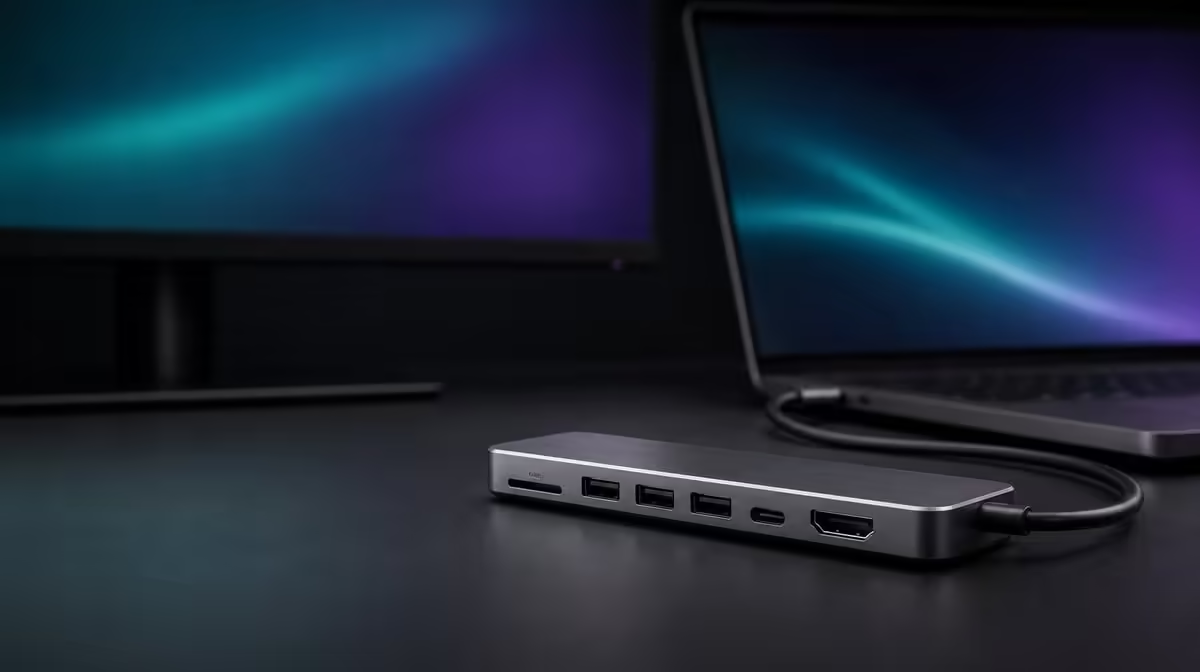
An eight-in-one label does not set a fair price by itself. The right answer to how much to spend on an 8-in-1 hub in SA comes from host compatibility, the display and charging jobs, and the number of network and storage functions used often enough to earn their share of the budget.
Quick Answer
Spend enough to cover the exact host-supported functions your setup needs, then stop when every essential row passes. The R399 UPERFECT UExtend sets a South African reference through its 4K display function, 60W passthrough ceiling, Gigabit wired port, card reader, and two direct data connections.
💰 Anchor the comparison at R399
Use the UExtend as a concrete price card rather than an abstract "budget" option. Write its functions in one column and mark each as required, useful, or unused. A dearer candidate should add a confirmed result that solves a real gap.
Check Evetech's current USB hub range when ready to purchase. Keep current availability separate from technical fit, and do not let a changing shortlist rewrite the original device needs.
🔍 Make compatibility earn the first Rand
The exact host USB-C port must provide the required video, data, and power behaviour. The UExtend cannot add display output to a source that lacks it. A compatible host, suitable display cable, and monitor are required for the 4K route.
Charging deserves a separate row. The hub passes up to 60W, but charger output, cable capability, laptop negotiation, and system demand decide the battery outcome. Buyers should test the busiest normal workload, not only an idle screen.
🌐 Price network and storage by frequency
The 1000Mbps Ethernet port earns value at a desk where a wired path is used regularly. It does not guarantee the same internet speed, because the network cable, equipment, service, destination, and traffic remain involved.
SD access matters to a card-based workflow, while two USB data ports suit two direct peripherals or storage devices. Test the real equipment and use observed completion time and stability in the price comparison.
For a fixed workstation needing another port map or power level, compare Evetech's docking stations. The premium should be attached to a named improvement.
📊 Build a use-weighted spending score
Assign each function a frequency and consequence. A daily 4K display path that removes repeated cable swapping may earn more than occasional SD access; a creator may reverse those weights. Give the first score to compatibility because an unsupported connection stops all value.
Run a replacement test: remove video, charging, Ethernet, SD, or one USB port from the plan and state what recurring task fails. A feature whose absence changes nothing should not justify extra Rand.
Evetech's gaming-accessories selection can identify the peripherals competing for two ports. At R399, the UExtend is good value when the complete setup works and the used functions outweigh the idle ones.
Repeat the comparison without product names or prices, choose the package that fits, then reveal cost. This cooling-off step prevents a high number from being mistaken for quality and a low number from excusing incompatibility.
Build three spending profiles
Create a simple expansion profile for one monitor and two peripherals, a creator profile adding SD, and a fixed-network profile using Ethernet and charging. Apply the R399 UExtend to each without assuming every buyer shares the same priorities.
If the hub passes one profile but not another, the answer is not inconsistent. It shows how a spending limit should follow the intended role. Keep the buyer's main profile at the top of the comparison.
Measure setup and recovery time
Start from a disconnected desk and time the path to a usable monitor, charging state, network, and storage. After the session, eject media and pack down. Repeat the process after a restart.
Time saved from replacing several adapters can justify part of the spend. Time lost to an uncovered connection or confusing cable should be counted against it.
Price charging through a battery outcome
Define whether the laptop must gain charge, maintain its level, or simply extend a short session. Run the normal workload with the compatible 60W path and observe the result.
If it misses the required outcome, another option may deserve more budget. If it succeeds, do not pay extra for charging headroom without a named future host and confirmed need.
Compare network value by location
List the places where a suitable Ethernet cable and network port are available. A daily wired desk can give 1000Mbps Ethernet high value, while an always-mobile user may prefer Wi-Fi and assign the port little weight.
Use local and internet tasks separately. The feature should not be penalised because a service plan cannot match the port rating, nor credited for speed the wider route cannot provide.
Give storage a workflow score
Count cards handled per week and the two USB devices that must connect directly. Include safe eject, physical access, and whether the hub replaces another reader or adapter.
Price the ability to complete the real task. A repeatable transfer with representative files is more useful than a guessed speed when comparing hubs.
Apply a premium challenge
For every alternative above R399, write the extra price and the missing job it solves. Reject explanations based only on "more ports" or "higher tier". The improvement should be compatible, required, and used often enough to matter.
Review the table after a day, then decide without product names. This cooling-off period helps the practical fit survive marketing and keeps the South African budget tied to evidence.
Include support and simplicity
Ask whether another household or team member can reconnect the station from a short note. A setup that depends on one person's memory carries a hidden support cost.
Label the host port and known cables, then test the note with another user. Clarify any ambiguous step before making the hub part of daily work.
Review the budget after a trial
Count actual days of display, charging, Ethernet, SD, and USB use. Compare the forecast with reality and revise feature weights. The result can guide both keeping the UExtend and any later replacement.
A feature that remained unused should not retroactively make R399 poor value if the essential jobs passed. It simply deserves less influence next time.
Stop shopping through a pass rule
Define the minimum compatible result and stop when a current option meets it at an acceptable cost. Continuing indefinitely can allow rare extras to displace the original need.
Recheck current availability at the final point, preserve the scorecard, and use it for setup. This makes the spending decision auditable rather than impulsive.
Make the last spending check physical. Place the laptop, screen, hub, charger, network lead, card, and USB devices on the intended desk. Confirm everything fits without strained connectors or inaccessible storage.
A technically compatible product that cannot sit safely should fail before payment. Conversely, a simple R399 arrangement that fits, reconnects, and completes every essential task has passed more than a paper feature comparison.
Frequently Asked Questions
What local price anchors this guide?
The UExtend costs R399.
Which function should earn money first?
The compatible host connection, because every other role depends on it.
When is 60W worth paying for?
When it suits the laptop's accepted power and real working demand.
Does Gigabit Ethernet guarantee Gigabit internet?
No. It rates the port, while the wider network and service set the final result.
Why exclude exact USB speed?
Test the UExtend's two USB data ports with the devices and files you use.
Ready to set an eight-in-one budget from the jobs your setup performs?
Compare Evetech's USB hubs by compatible daily use, then let the Rands follow the functions that survive the test.