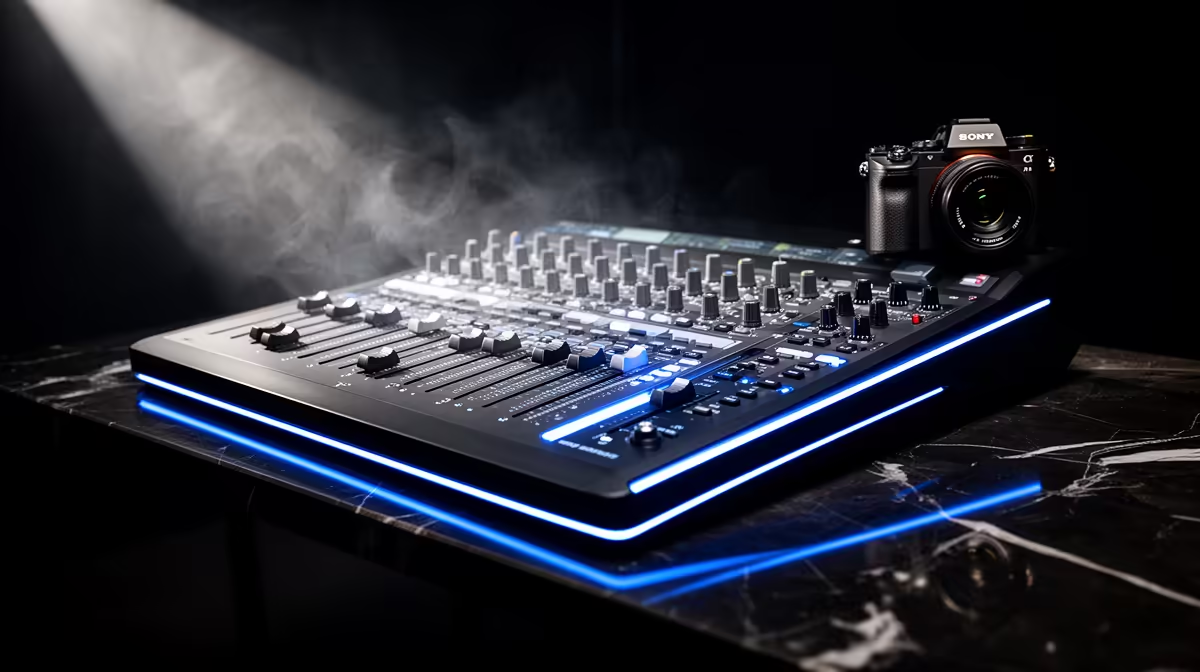
For a small community stream, the production question is almost never "how many cameras" but "how much does each Rand on screen buy me in viewer experience." Multi-cam support for esports broadcasters changes that calculation once your audience and the stakes around it grow past a certain point, and understanding where that threshold sits stops you spending too early or staying under-equipped too long.
Quick Answer
Multi-cam is worth the extra Rand once your audience is large enough to notice and respond to polished production. Below roughly a few hundred concurrent viewers, a single strong camera with well-designed overlays delivers more value per Rand than a second angle and a switcher.
🎯 What Multi-Cam Actually Adds to an Esports Broadcast
A single camera covers your presenter or the stage. What it cannot do is cut. Cutting between a wide stage shot and a tight face-cam during a crucial moment is where esports production earns its energy, because the viewer sees both the action and the reaction in quick succession. That sequence, executed cleanly, is what separates a broadcast that feels watched from one that feels like a screen recording.
The second angle most esports broadcasters add first is a player face-cam pointing at the competitor during their run. This costs the least extra hardware and delivers the biggest single lift in tension. A tight shot of a player's expression during a ranked match creates stakes even for a viewer who does not know the game deeply. That emotional read is almost impossible to manufacture with one static wide angle.
A third camera, often covering the crowd or a secondary commentator position, layers polish on top of that. At this point you are producing a broadcast that resembles televised esports rather than a club stream, and that impression has real value for attracting organisers, sponsors and bigger talent.
The Switcher as a Skill Requirement
Hardware does not run itself. Adding a second camera means someone must decide, in real time, which feed goes to air. A solo operator triggering hotkey cuts while also commentating is splitting attention in ways that show in the final product. A dedicated switcher operator is the hidden cost that many setups absorb poorly, and it matters more than the camera spec.
Software switchers handle this at lower cost than a physical unit and are more than adequate for community-level esports. A decent laptop running switching software alongside a couple of cameras is achievable inside a realistic budget. What it demands is practice, so the cuts land where they should rather than a half-second after the moment has passed.
💰 The Rand Maths at Different Scales
A second camera body plus a software or hardware switcher typically adds R4,000 to R8,000 to a setup, depending on the camera tier. That number does not earn itself back in a community stream where peak viewership sits at thirty or forty people. Those viewers are present for the game and the commentary, not the production values.
Pro Tip ⚡
Before committing to a second camera, audit your current stream for what actually holds viewers. If your average watch time is under three minutes, camera count is not the constraint. Better overlays, tighter commentary pacing, or more reliable stream quality will move those numbers further for less money.
The calculation shifts once a stream reliably pulls two hundred or more concurrent viewers, starts attracting organisers who want a professional-looking product, or is submitted as evidence for a sponsorship conversation. At that point the production jump from single-cam to multi-cam is visible and expected, and the spend is justified by what it enables commercially.
For larger LAN events in South African cities, multi-cam has become close to a baseline expectation. A two-day tournament with prize money on the line looks noticeably under-produced with a single wide shot, and that impression affects whether players, teams, and spectators take the event seriously.
🔧 How to Grow Into Multi-Cam Without Wasting Spend
The most efficient path is a staged build rather than buying everything at once. Start with the strongest single camera your budget allows, positioned to cover the stage or main action angle cleanly. Add a second camera, the face-cam, when viewer numbers justify it. Only then introduce a third angle and a hardware switcher.
This progression keeps each spend decision tethered to actual evidence of growth rather than aspiration. A setup that scales in steps also gives you time to develop the switching skill before you are cutting live in front of a large audience, which reduces the visible error rate considerably.
Choosing camera bodies that share the same colour profile matters more in a multi-cam setup than in a single-camera one. Two cameras with different colour temperature and contrast rendering will look mismatched when cut together, which the viewer reads as cheapness even if they cannot name the problem. Matching camera families, or at least colour-grading to a shared baseline, removes that friction.
🚀 When the Answer Is Definitively Yes
If you are producing a varsity esports event, a national qualifier, or a community tournament where teams and sponsors are present, multi-cam is the right choice and the Rand is earned from the start. The production level signals that the event is taken seriously, which in turn attracts the calibre of participant and support that justifies running it again.
For a weekly ranked stream with a loyal but small audience, that same spend belongs on a better microphone, a cleaner scene design, or more consistent publishing cadence. The camera count question only matters once everything else is already working well.
Frequently Asked Questions
At what viewer count does a second camera start making sense?
There is no fixed number, but a useful checkpoint is around two hundred consistent concurrent viewers. Below that, most of the production improvements that move watch time come from audio quality, overlay clarity, and commentary rather than camera angles. Above it, the polish of multi-cam starts to read as professional rather than optional.
What does a basic two-camera esports setup actually cost?
A second camera body plus a software switcher licence typically adds R4,000 to R8,000 to an existing setup at entry-to-mid level. A hardware switcher for a more polished production pushes that higher. The operational cost, a second person to run the cuts, is the one most broadcasters underestimate before they try it live.
Does running multiple cameras need a separate streaming PC?
Not necessarily, but it helps. A single capable machine can handle three 1080p sources through a software switcher, but the headroom disappears quickly if encoding, overlays, and source feeds all compete for the same CPU. A dedicated encoding machine for the final output keeps the on-screen result stable when the switching workload is heaviest.
Is a face-cam or a wide stage shot more valuable as the second angle?
A face-cam almost always delivers more tension per Rand. The player reaction during a decisive round gives the audience an emotional anchor that a wide shot cannot. The wide angle becomes more valuable as the third camera once a face-cam is already in the chain.
Can I add multi-cam capability to an existing setup without buying all new gear?
Yes. A software switcher running on a spare laptop or second machine can pull feeds from cameras you already own over USB or capture cards. The investment is the switcher licence and, where needed, a capture device per additional camera. That staged approach keeps the upfront spend low while giving you the multi-angle workflow to practise with before upgrading camera bodies.
Ready to step up your esports broadcast production?
Browse the streaming camera and capture device range to find the combination that fits your current viewer scale, with room to add a second angle when your audience grows into it.