


Maintain Wired Headset: Tips to Extend Lifespan
Maintain wired headset — Checklist: • inspect cables • clean earpads • store properly 🔧🎧 Practical steps to preserve sound quality and avoid premature replacements.
Read moreWondering if you need a 360mm liquid cooler for gaming? This guide compares temps, noise, and compatibility for Ryzen and Intel builds—so you buy the right cooler, not extra cooling. 💧🎮
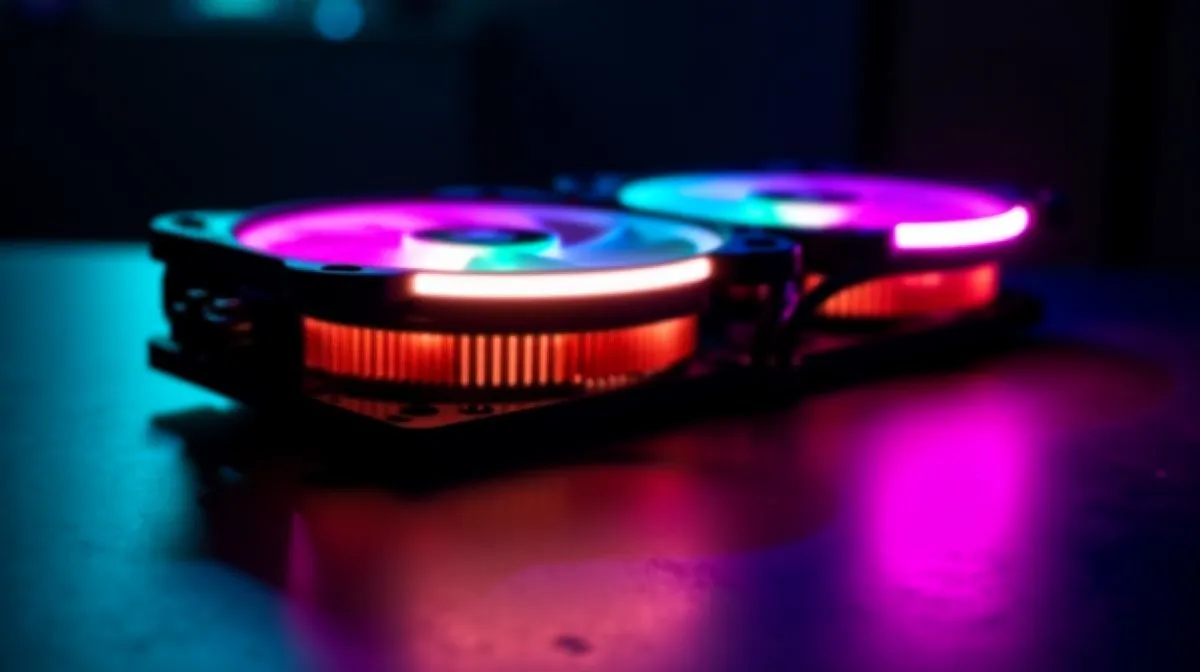
If you’ve been eyeing a big AIO and wondering whether a 360mm liquid cooler is worth it, you’re not alone. South African gamers ask this all the time, especially when a new CPU runs hot, a case looks tight, and the budget has to stretch in rand. The short answer? Sometimes yes. Sometimes not even close. The right choice depends on your CPU, your case, and how much noise you can tolerate during a late-night ranked session.
A 360mm radiator gives you more surface area than smaller AIOs. In practice, that usually means more room to dissipate heat, which can help with high-wattage processors and sustained loads. That matters if you game, stream, and keep a browser full of tabs open at once. It can also help keep fan speeds lower, which often means less noise.
But more size does not automatically mean better value. Many gaming PCs run perfectly well on a good air cooler or a 240mm AIO. If your CPU is mid-range, or you’re mainly playing esports titles, a huge radiator may be overkill. For broader browsing of options, start with Evetech’s CPU cooler range and compare the cooling style that fits your build.
A 360mm AIO makes the most sense if you have a higher-power CPU, want quieter thermals, or plan to keep the system for years. It is also a smart pick if you like the clean look of liquid cooling in a windowed case. That said, case support is non-negotiable. If your chassis cannot mount a 360mm radiator properly, the upgrade stops being clever very quickly.
If you already know you want an all-in-one solution, Evetech’s AIO liquid cooler selection is the right place to narrow things down. Brands matter too. Some buyers prefer the finish and ecosystem of CORSAIR AIO coolers, while others want the value and performance focus often associated with Deepcool AIOs.
Bigger coolers can improve thermals, but they also bring practical trade-offs. You need enough case clearance. You need sensible fan placement. And you need to check whether the motherboard layout leaves room for tubes and RAM. That is why measuring before you buy matters.
If your case supports it, you can compare 360mm radiator options against 240mm radiator options. That side-by-side view often makes the answer obvious. If the price gap is large, and your CPU is not especially demanding, the smaller unit may offer better value.
{{TipBox title:"Build Check Before You Buy 🔍" , Before ordering any AIO, confirm your case supports the radiator size, the mounting position, and your RAM clearance. A five-minute check can save a messy return and a lot of frustration later. }
Ask yourself three questions. Is my CPU running hot under load? Do I want lower noise? Does my case actually fit the cooler? If you answer yes to two or three, a 360mm AIO starts looking sensible. If not, a smaller cooler may be the smarter buy.
For many South African gamers, the best upgrade is not the biggest one. It is the one that fits the build, the budget, and the way you actually play. That is the sweet spot... and it is usually where value lives.
Ready to Find Your Perfect Match?
The Mac vs Windows debate is complex, but for maximum power, choice, and value in South Africa, Windows is hard to beat. Explore our massive range of laptop specials and find the perfect machine to conquer your world. }}
Usually you only need a 360mm liquid cooler for high-power CPUs, heavy overclocking, or cool-and-quiet goals. Many Ryzen chips run great with quality air or 240mm AIOs.
A 360mm liquid cooler can lower CPU temps under sustained loads and may reduce fan noise. For gaming-only workloads, gains depend on your CPU and case airflow.
Often yes for heat-heavy builds: 360mm radiators usually dissipate more heat and can run fans slower. But 240mm can be enough if airflow and CPU power are moderate.
Choose 360mm if you have a top-tier, high-TDP CPU, plan to overclock, want lower noise, or need extra thermal headroom in a warm case.
Check radiator support first: top/front clearance, fan thickness, and motherboard height around the socket. Many cases support 360mm, but some require specific mounting positions.
Look at your CPU’s typical power draw, your case airflow, and your target noise/thermals. If temps already hit limits or fans run loud, a 360mm can help.
Not always. Gaming usually loads the CPU intermittently, so gains depend on your cooling setup and airflow. Well-tuned 240mm or air coolers can be close for many users.
Prioritize fitment, pump reliability, fan speeds, radiator thickness, and case airflow. A good 240mm setup can beat a poor 360mm installation.
Maintain wired headset — Checklist: • inspect cables • clean earpads • store properly 🔧🎧 Practical steps to preserve sound quality and avoid premature replacements.
Read more
Fix crackling headset fast: step-by-step checks for cables, connectors, drivers, and settings to remove static or distorted audio on wired headsets 🎧⚙️
Read more
Stereo vs mono headsets: learn which delivers clearer calls, better spatial music, or simpler mono voice performance — pick the right headset for meetings, music, or gaming 🎧💬
Read more
- Compare gaming headset vs studio headphones; - Assess comfort, mic and sound; - Recommend best daily picks. Gaming headset vs studio headphones: learn which suits work, music and casual gaming. 🎧⚖️
Read more
- Check pressure points - Compare earcup materials - Adjust clamp and fit Best gaming headsets for glasses: quick guide to reduce temple pressure, pick breathable memory foam earcups, and optimize fit for long sessions 🕹️👓
Read more
Gaming microphone noise reduction: Use beamforming mics, AI noise suppression, and hardware filters to cut background noise and boost in-game voice clarity. 🎧⚙️ Learn setups, settings, and top mic features.
Read more
Snapdragon X2 NPU Explained: How 80 TOPS Changes. Plain-English explanation of what it means, why it matters & how it affects your buying decisions in SA.

HBM? High Bandwidth Memory Used in GPUs and AI. Plain-English explanation of what it means, why it matters & how it affects your buying decisions in SA.

How much should you spend on sim racing accessories in South Africa for a realistic setup? We break down budgets by quality tiers, so you buy smart gear and avoid overspending 🎮💸

G-Sync and FreeSync? Variable Refresh Rate. Plain-English explanation of what it means, why it matters & how it affects your buying decisions in SA.

AMD Laptop: Value. SA-focused analysis with local pricing data, real-world insights & actionable buying advice.

How MacBook Neo Handles 30+ Chrome Tabs with Only. SA-focused analysis with local pricing data, real-world insights & actionable buying advice.

Why Apple Put 8GB RAM in MacBook Neo: The A18 Pro. SA-focused analysis with local pricing data, real-world insights & actionable buying advice.

Upgrade your work laptop with a New Motherboard. Step-by-step instructions with SA-specific tips, common pitfalls to avoid & expert recommendations.
Maintain wired headset — Checklist: • inspect cables • clean earpads • store properly 🔧🎧 Practical steps to preserve sound quality and avoid premature replacements.
Fix crackling headset fast: step-by-step checks for cables, connectors, drivers, and settings to remove static or distorted audio on wired headsets 🎧⚙️
Stereo vs mono headsets: learn which delivers clearer calls, better spatial music, or simpler mono voice performance — pick the right headset for meetings, music, or gaming 🎧💬
- Compare gaming headset vs studio headphones; - Assess comfort, mic and sound; - Recommend best daily picks. Gaming headset vs studio headphones: learn which suits work, music and casual gaming. 🎧⚖️