



PCIe 5.0 vs PCIe 4.0 for Video editing in 4k in SA
PCIe 5.0 vs PCIe 4.0 for video editing in 4k is mainly about fit, features, compatibility, cost, and upgrade path, not one automatic winner. SA buyers should match the choice to the setup.
Read moreOne compatible USB-C host connection can operate both Delta panels, reducing laptop-side clutter. The cable still depends on the source providing the required display and power path, so connector shape alone cannot confirm that both 15.6-inch screens will work.
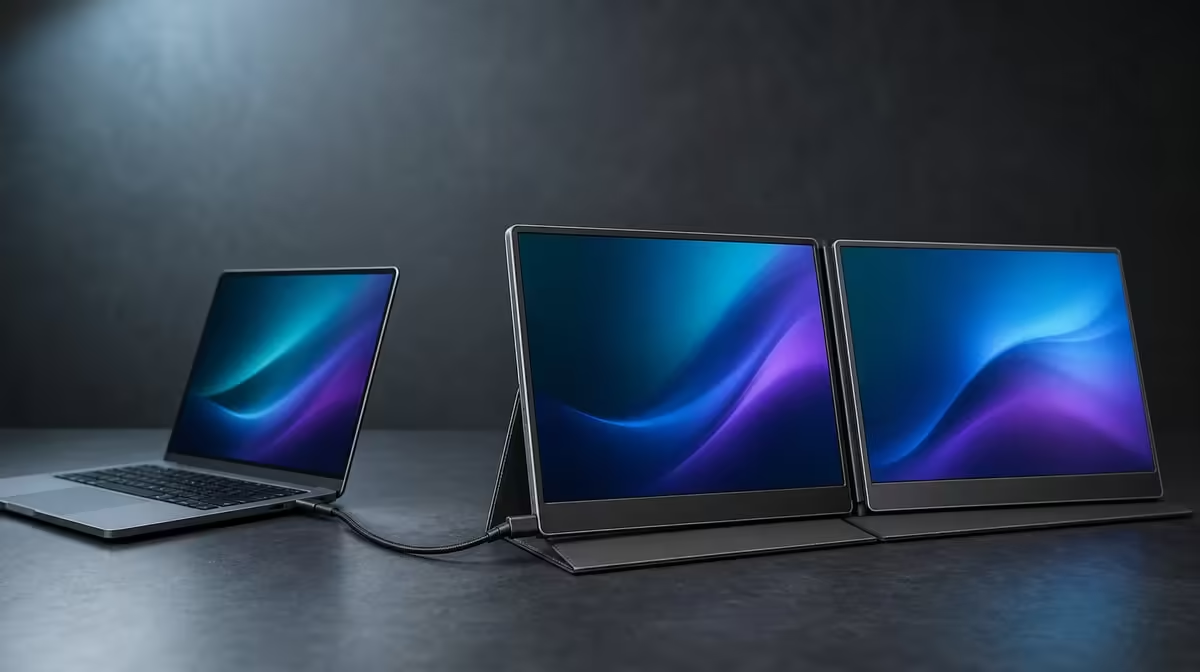
The clean appearance of one cable depends on a complex question at the source: can the laptop send two display streams and the required power through the chosen port? One-cable dual-screen USB-C setups work only when that host path is confirmed. The R4,299 UPERFECT Delta then presents both independent 15.6-inch Full HD panels to the computer through a single connection.
For a one-cable Delta setup, verify that the exact laptop USB-C port supports the necessary two-display video and power route. Open the R4,299 monitor on its stand, connect to that approved socket, detect both external panels and choose extension at 1920 x 1080. Test sleep, wake and reconnection before treating the setup as a portable routine.
USB-C identifies the connector shape and family, not a universal set of functions. Two ports that look alike can behave differently. A successful charge or single display does not prove that the host can operate both Delta panels through the intended one-cable route.
Find the exact laptop model and identify the selected socket. If the notebook has several USB-C ports, check their capabilities separately. Record the approved one so later setups begin from evidence rather than experimentation.
Do not price one-cable convenience before this step passes. The Delta still has two useful independent screens and separate-device support, but the cleanest laptop arrangement is conditional on the required host path.
Once approved, simplify the first test. Close unrelated high-load applications and disconnect optional peripherals. The laptop, known port, working cable route and Delta should form the starting baseline.
Browse Evetech portable monitors when comparing current mobile display connection approaches.
Support the Delta while opening its 360-degree body and place the integrated stand fully on the desk. Choose a readable position before attaching the cable.
Set the laptop beside the monitor with enough room for comfortable typing and pointer use. Check that the stand does not rock and the screens do not depend on a wall, lead or accessory for support.
Route the USB-C cable with slack. It must remain outside the hinge path and should not pull the assembly when the laptop moves slightly. Cable reduction has little value if the one remaining lead creates mechanical strain.
Test a smaller table as well as the main desk. A portable workstation needs to remain stable and usable in the constrained location where one-cable simplicity matters most.
Connect to the approved laptop port and wait for the operating system to show two external displays. Identify the screens and arrange their rectangles to match the physical Delta panels and notebook.
Choose extension when each display should hold different content. Mirroring repeats the same image and is useful for a different purpose. Drag a simple window across all visible areas to confirm pointer direction and independence.
Both Delta panels have a native resolution of 1920 x 1080. Keep that baseline and begin with matching scale. Adjust application zoom after the full route is stable; lowering resolution cannot create host capability.
Give each screen a job. A document can stay on one, source material or controls on the second and communication on the laptop. A stable role map is the practical reason to maintain the wider desktop.
Save a screenshot of the arrangement. After travel or a system update, it provides a visual reference if display order changes.
Put the laptop to sleep, wake it and confirm that both panels return. Then close applications, disconnect the monitor and reconnect to the same port. These transitions approximate the portable day better than an uninterrupted desk test.
If only one screen appears, note which panel is missing. Remove optional hardware, keep the monitor still and repeat the known route. Change one variable at a time so the result identifies a cause instead of producing another unexplained success.
A completely absent panel, a detected screen without an image and application stutter are different symptoms. Response time does not cause no signal. The Delta's 25ms figure describes changing pixels after a stable picture is present.
If motion or interaction is uneven, test a simple local clip or scroll and compare the laptop screen with both external panels. Close demanding tasks one by one. One cable reduces wiring, but it does not add processing resources to the source.
The two independent displays can instead receive separate compatible devices, one per panel. That arrangement is useful when two systems need to remain visible, but it is not the one-cable extended desktop and requires its own connection map.
Compare static alternatives through the Evetech PC monitor range when folding and travel will not be used.
Preserve one-cable simplicity during travel
Save work and disconnect before moving the hinge. Store the cable outside the folded assembly so its plugs cannot press against a panel. Support both screens and pack the monitor in a protected compartment.
Test the complete workstation load in the intended backpack with the laptop, power equipment and the one cable that serves the approved route.
At the next surface, deploy the stand before reconnecting. Use the saved laptop port, confirm both screens at Full HD and restore the role map. Time the sequence after the first learning attempt.
A short checklist can contain four items: stable stand, approved port, two detected panels and extended layout. This keeps the routine simple without hiding the compatibility requirement that makes it possible.
At R4,299, one-cable value comes from repeated setup time and reduced clutter around two work areas. Confirm live availability on Evetech, then place the decision beside other priorities through its popular display list.
Repeat the approved connection on the least generous table in the normal route. Place the laptop, Delta and input device without allowing the single lead to cross the keyboard or pull the stand. Then join a normal work call or open the daily project and confirm both panels remain stable. This reveals whether one-cable simplicity survives real space constraints rather than existing only on a wide test desk.
No. The chosen port must deliver two display streams and the power route needed by the Delta.
Open the Delta, deploy its built-in stand and establish a stable, readable position.
Use native 1920 x 1080 on each independent 15.6-inch panel.
Choose extension and move a window between both external panels and the laptop screen.
Portable workers repeat those transitions, so they reveal whether the route is dependable beyond the first setup.
Yes. One compatible source can feed each independent panel through a separate plan.
No. The computer still renders the applications shown across the visible workspace.
The dual portable display costs R4,299.
Ready to make one cable a repeatable path instead of an assumption? Explore Evetech portable monitors and approve the laptop host before building the Delta's dual-screen desktop.
No. The chosen port must deliver two display streams and the power route needed by the Delta.
Open the Delta, deploy its built-in stand and establish a stable, readable position.
Use native 1920 x 1080 on each independent 15.6-inch panel.
Choose extension and move a window between both external panels and the laptop screen.
Portable workers repeat those transitions, so they reveal whether the route is dependable beyond the first setup.
Yes. One compatible source can feed each independent panel through a separate plan.
No. The computer still renders the applications shown across the visible workspace.
The dual portable display costs R4,299.
PCIe 5.0 vs PCIe 4.0 for video editing in 4k is mainly about fit, features, compatibility, cost, and upgrade path, not one automatic winner. SA buyers should match the choice to the setup.
Read more
Wi-Fi 7 vs Wi-Fi 6e for competitive esports comes down to router support, latency goals, device compatibility, and coverage. SA buyers should match the choice to the real network setup.
Read more
ATX 3.1 vs ATX 3.0 for mMO and live-service games buyers - what changes is mostly about compatibility, budget, upgrade path, and setup fit. SA buyers should check device support and real needs before expecting a clear win from either option.
Read more
LGA 1851 vs LGA 1700 can affect Twitch and YouTube streaming when gaming and encoding share CPU resources. For SA creators, the real-world difference depends on encoder choice, memory support, motherboard cost, thermals, and upgrade plans.
Read more
X870E vs X670E for aaa single-player gaming is mainly about fit, features, compatibility, cost, and upgrade path, not one automatic winner. SA buyers should match the choice to the setup.
Read more
Hall Effect switches vs Mechanical switches for mMO and live-service games is mostly about compatibility, budget, upgrade path, and setup fit. SA buyers should check device support and real needs before expecting a clear win from either option.
Read more
A fake 113GB GTA VI ISO reportedly used empty padding around a small malware payload. SA gamers should delete unofficial builds, keep Windows security active and wait for official channels.

Wi-Fi 6E vs Wi-Fi 6 matters for 4K video editing when files move across a network. The real-world difference between Wi-Fi 6E and Wi-Fi 6 for video editing in 4K depends on NAS access, cloud uploads, router range, and SA creator workflows.

The difference between PCIe 5.0 and PCIe 4.0 for SA gamers is mostly bandwidth headroom. Compare GPU slot needs, NVMe speed, motherboard support, and upgrade timing before paying extra for a newer platform.

Gaming PC stuck pixel checks in South Africa should confirm the monitor fault first. Use colour tests, screenshot comparison, cable swaps, display menu checks, and clear photos before deciding on support.

Shokz OpenFit Air 2 earbuds weigh 7.2g each and use a redesigned dual-driver open-ear layout. SA buyers should choose them for comfort and awareness, not maximum isolation.

AMD's current driver now lists a Radeon RX 9050 4GB, while product coverage details a narrowed memory system. SA buyers should weigh the low VRAM ceiling against current local Radeon options.

Samsung Display has demonstrated a 16-inch 2.5K OLED laptop panel running at 300Hz. SA buyers should wait for a named notebook, full panel specifications and a local price before planning an upgrade.

Microsoft says some Windows 11 game crashes after recent updates are linked to RGB-related drivers. Affected SA gamers should confirm the update and driver before using the published registry workaround.

RTX 5090 on a 650W PSU is a tight pairing with very limited headroom. For SA gaming PCs, focus on total system draw, PSU quality, connector support, CPU choice, and avoid OC plans unless the full build is carefully power-limited.
PCIe 5.0 vs PCIe 4.0 for video editing in 4k is mainly about fit, features, compatibility, cost, and upgrade path, not one automatic winner. SA buyers should match the choice to the setup.

850W PSU safety for RTX 5090 is plausible with a quality unit and balanced parts. In SA, confirm connector support, CPU power draw, case airflow, PSU age, and spare capacity before building around 850W.
Wi-Fi 7 vs Wi-Fi 6e for competitive esports comes down to router support, latency goals, device compatibility, and coverage. SA buyers should match the choice to the real network setup.