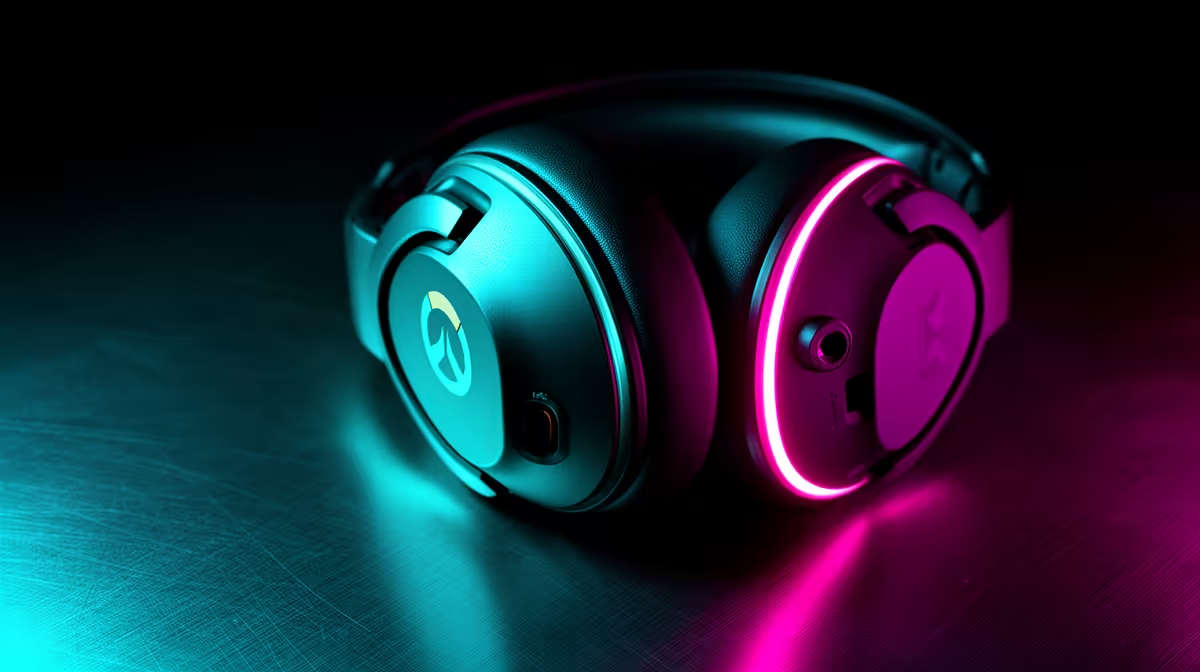
Overwatch rewards a mouse you can stop, audio you can place and a pad that gives your arm room. A budget Overwatch 2 loadout should fund those repeatable basics before decorative extras or duplicated features.
Quick Answer
Build an Overwatch 2 loadout under a R4,000 ceiling around a mouse that fits your hand, a large consistent surface, and a headset that keeps team speech clear. Keep a working keyboard unless it misses inputs or its layout slows abilities. Current named prices decide whether all three fit.
Compare the devices players are choosing in the peripheral best sellers, then fill any gap from the broader gaming accessories range. Do not turn the R4,000 headline into invented allocations for a bare mouse, headset, or pad.
Let mouse shape lead
Overwatch asks for quick turns, controlled tracking, and frequent ability inputs. A lighter mouse can reduce the effort of repeated movements, but weight alone does not make it suitable. Shape, length, width, hump position, side-button reach, and balance affect control.
Measure your hand and note whether you use palm, claw, fingertip, or a mix. Treat grip labels as a starting point because two hands with the same length can prefer different shapes. Try the mouse where possible or use dimensions from a model you know.
Sensor performance should be dependable at the sensitivity and lift style you use. Current gaming sensors can be strong across price tiers. Check for unwanted acceleration, angle behaviour, spin-outs, and tracking loss on the actual surface through a repeatable test.
Wired avoids battery management. Wireless can remove cable drag when its low-latency receiver path is supported. Put the receiver close to the mouse with a suitable extension rather than behind a metal tower under the desk. Bluetooth may serve everyday use but is not automatically the same performance mode as a dedicated receiver.
Use sensitivity the pad can support
Your mouse pad needs enough width for a full turn and enough depth for vertical aim without hitting the keyboard or desk edge. Low sensitivity asks for more surface. Measure the usable desk before choosing an oversized format.
Cloth pads offer familiar control and can vary in speed and stopping feel. Harder surfaces can feel faster and may wear skates differently. Clean the surface according to its instructions and keep crumbs or grit away from the sensor.
Set a baseline using in-game sensitivity and the mouse's supported DPI. Disable operating-system pointer acceleration for the game path when current game guidance calls for raw input, then confirm the title's behaviour. Avoid changing DPI, sensitivity, pad, and mouse mass together.
Practise tracking, short flicks, and a full turn in the training area. If you run out of pad, either lower the movement needed through sensitivity or create more space. Do not force a tiny pad to serve a wide-arm style.
Buy the headset for speech and comfort
Directional game audio is useful, but communication wins matches. The headset should reproduce voices clearly, place important effects without muddy bass, and remain comfortable through several games.
Stereo can provide positional information when the game mix supports it. Virtual surround is an optional processing mode. Compare it against stereo with the same replay or practice route and avoid stacking several spatial processors.
Check clamp pressure, ear-cup depth, pad material, weight, and glasses comfort. A model that sounds impressive for five minutes may become distracting after an hour. Replaceable pads or cable support can extend useful life.
The microphone should keep your voice intelligible without sitting in the breath path. Record a sample with keyboard, mouse clicks, and normal room noise. Set the capsule close, lower gain, and use push-to-talk or a measured gate when open-mic noise remains.
USB, analogue, and wireless routes have different platform and software support. Confirm the exact PC or console, chat application, and connection before ordering.
Keep or replace the keyboard by evidence
A working keyboard that registers every intended input can stay. Overwatch does not require a new switch technology to use movement, abilities, communication, and score controls.
Test rollover with the combinations you use. Hold movement, crouch, an ability modifier, and another key while checking the input. If the board misses a required combination, a replacement has a clear job.
Layout matters. A smaller board creates more mouse room, while full-size provides a number pad for other work. Choose the size around the desk and your actual bindings. Keep essential keys away from accidental presses and confirm game or event rules for advanced input features.
Build the dated R4,000 basket
Basket one keeps the keyboard and spends on the best-fitting named mouse, suitable pad, and comfortable headset that fit at current July 2026 prices. Basket two keeps the current headset if its speech and positioning are sound, leaving room for a keyboard with the required layout.
Include receiver extensions, cables, replacement surfaces, and delivery only when needed. Do not count features the game or platform cannot use. A wireless premium that forces a poor shape is weak value.
Leave a margin rather than filling every rand. A product may change price or availability before checkout. If the exact useful basket exceeds the ceiling, buy the mouse and pad first, keep the headset, and add audio later.
Tune the loadout as one system
Put the keyboard where the mouse has enough sweep. Route the headset cable away from the mouse path or position the wireless receiver for a clean link. Keep the microphone clear of keyboard airflow and fan exhaust.
Create one baseline and play several sessions. Track comfort, missed inputs, audio clarity, and aim consistency. Return to the previous setting when a change makes the pattern worse.
Clean the mouse pad and sensor area, charge wireless devices before competitive play, and keep a known cable or spare input route. Reliability on match night is worth more than changing settings because another player uses them.
FAQ
What should get the first part of an Overwatch 2 peripheral budget?
Choose the mouse and usable surface when aim comfort is the clear limit. Keep a working keyboard. Put the headset first when communication or long-session comfort is failing.
Does a lightweight mouse improve flick aim?
It can reduce movement effort, but shape, balance, sensitivity, pad, and technique still decide control. Choose a mass you can stop and track without strain.
Do I need surround sound for footsteps?
No. A clear stereo headset can provide useful direction through the game's mix. Compare any virtual processing with stereo and keep the mode that preserves location and team speech.
Build your Overwatch 2 loadout from mouse fit, usable pad space, and clear team audio, then price the exact July 2026 basket under your ceiling.