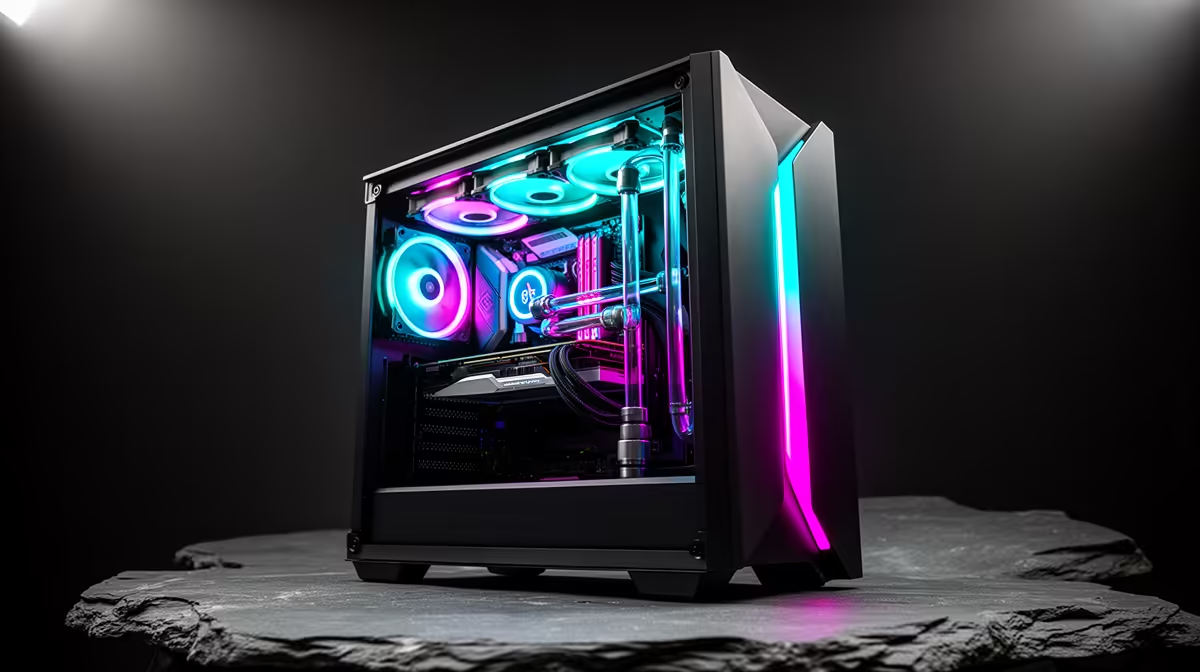
A 2026 PC budget needs named parts, dated rand totals and room for the pieces older guides hide. Memory and storage can consume more of the basket during a tight supply cycle. You cannot solve that with a fixed percentage copied from another build. Set the gaming or work target, protect the safety-critical parts and rebalance the rest.
Quick Answer
Start with the monitor resolution, games, applications and purchase deadline. Reserve the graphics performance and CPU platform needed for that target. Add the actual matched RAM kit and usable SSD capacity, then a known power supply, cooling and case. Keep a buffer for delivery, cables or a price change. Every rand claim should come from a named product in the approved July 2026 price pack.
Use Evetech's gaming PC deals to compare complete configurations, then check the best-selling PCs for alternative balances at nearby tiers.
Set the Job Before the Parts
Write the games, resolution, quality and frame-rate target. For work, list the applications, project sizes and time-sensitive tasks.
A high-refresh esports build gives the CPU more weight. A 1440p or 4K gaming target can put more pressure on the graphics card. Creation may justify extra cores, memory and scratch storage.
The job statement tells you which compromise is allowed. Without it, every component looks important.
Use Rand Buckets, Then Replace Them With Parts
Create rows for tower performance, memory, storage, power and cooling, case, operating setup, peripherals and buffer. Put a provisional cap beside each.
Replace each cap with exact part numbers as the build develops. A bucket is only a planning tool. The named basket is the decision.
When RAM or SSD pricing consumes more than expected, show where the money comes from. Do not hide the overrun in a smaller power supply or vague motherboard.
Protect the Graphics Target
The graphics card often gets the largest gaming allocation because it drives resolution and visual settings. The right share changes with the monitor and game.
Check average FPS, frame time, VRAM behaviour and power for exact models. A card with more VRAM but a much weaker processor can still miss the target.
Include a required power-supply or case change in the GPU line. The card is not usable without them.
Keep the CPU and Board Balanced
Choose the CPU for the frame-rate or work target, then a motherboard with the socket, firmware, memory support, storage slots and connectivity you need.
An expensive board does not add game performance on its own. A weak board can restrict a high-power processor or future storage.
Check cooler inclusion and mounting. A processor price without the cooler it needs is incomplete.
Give Memory a Real Line
Do not borrow last year's assumed RAM price. Choose capacity from the full workload and select one matched kit.
A controlled 16GB gaming system can remain viable. A broad new build often benefits from 32GB. Heavy creation, simulation or virtual machines can justify 64GB after measurement.
Record DDR generation, module layout, speed, timings and profile. Four small DDR5 modules can be harder to run fast than two larger ones.
Budget Storage From Active Files
Add Windows, applications, game installs, projects and free space. A 500GB SSD can serve a selected library; 1TB or more can reduce immediate management.
Check M.2 slots and lane sharing. A second slot makes a smaller starting drive easier to expand. One laptop or board slot can make the initial capacity more important.
Prioritise capacity, controller quality, warranty and endurance before Gen5 peak speed in a normal gaming budget.
Keep the Power Supply Specific
Write the manufacturer, model, wattage, connector set and warranty. Leave transient and upgrade headroom according to the graphics-card guidance.
Avoid a generic high-wattage line. A safe power supply supports every component and can carry into a later GPU upgrade.
Use native connectors where the hardware requires them. Do not make an adapter the foundation of the plan.
Price Cooling and the Case Together
The case needs CPU-cooler height, graphics-card clearance and an open airflow path. Count included fans and their positions.
Two or three sensible fans can serve a mainstream system. A premium liquid cooler may consume money the CPU or GPU needs more.
Balance temperature, noise and fit. RGB comes after the cooling job is covered.
Include the Parts Outside the Tower
List the monitor, keyboard, mouse, audio, network and surge protection you need. Reuse working parts when they fit the target.
A new high-frame-rate tower paired with an old 60Hz panel may not deliver the visible upgrade you planned. A monitor can deserve its own staged budget.
Add required cables, mounting adapters and delivery. Small omissions can break a tightly capped basket.
Keep a Price Buffer
Stock and the rand can move between planning and checkout. Reserve a small buffer rather than allocating every cent.
Prepare one compatible substitute for the GPU, board, RAM and SSD. A substitute must meet the same functional target.
If the basket exceeds the ceiling, remove decoration and unused features first. Never fund the gap by dropping below safe power or required capacity.
Compare Build and Complete-PC Totals
A complete PC can package assembly, testing and support into one total. A parts build gives more control over every component.
Compare the exact specification, not only the CPU and GPU names. Check RAM layout, SSD model, board, power supply and cooling.
Add your own assembly time and test plan where relevant. Either route should be judged as a finished working machine.
Validate the Budget at Checkout
Refresh every named price on the purchase day. For a published number, keep the part name and "as of July 2026" beside it.
Check stock, delivery and the final total. Do not replace an unavailable kit with a different generation or single-module layout without recalculating the build.
Save the parts list and reason for each choice. It becomes the build and upgrade map.
FAQ
What share should the GPU take?
Enough to meet the monitor and games after RAM, power, storage and CPU remain fit. No fixed percentage works for every target.
Should memory and storage get more room in 2026?
Use current named-product totals. If they have risen, the basket must show the larger real allocation rather than an old guide's assumption.
Should I keep a buffer?
Yes. Delivery, a required cable or a price move can otherwise push the checkout beyond the cap.
Turn the rand ceiling into a dated named-parts basket, protect the performance and safety lines and keep a buffer for the final checkout.