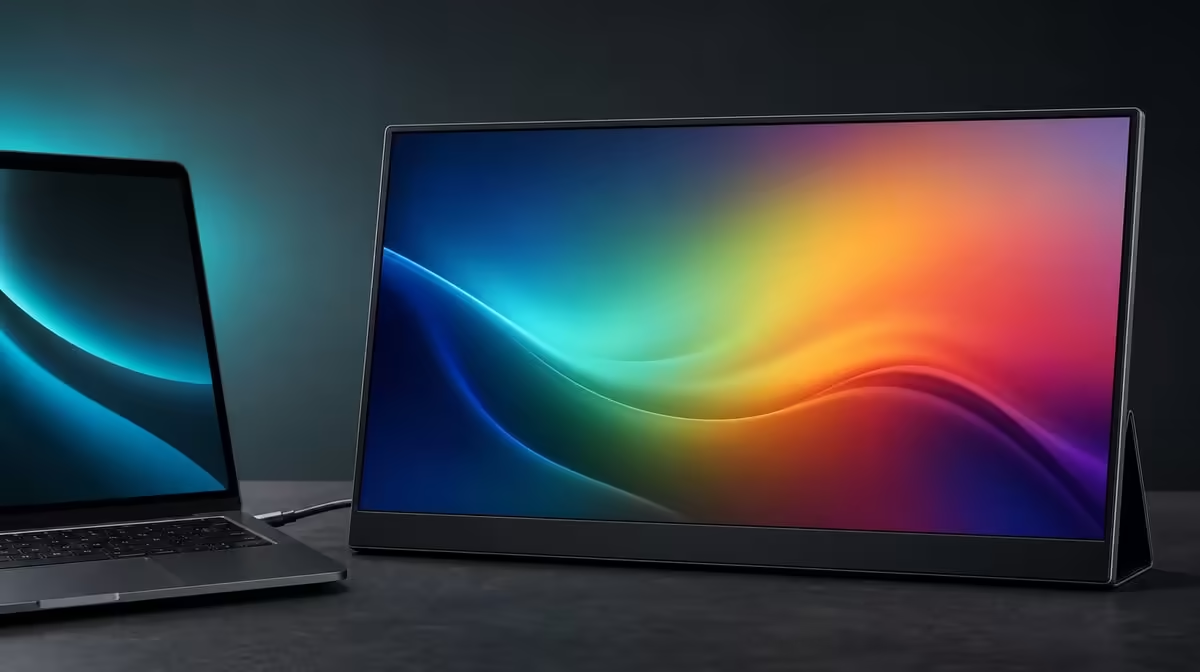
A colour space is a map, and a gamut describes how much of that map a display can reach. What 125% sRGB actually means is broader coverage than the reference area, not 25% more accuracy, brightness or detail.
Quick Answer
The R2,399 UPERFECT UFree V states 125% sRGB gamut coverage on its 15.6-inch IPS panel. That can support a wider range of colour for media and creative tools, while calibration, software colour management and measured error determine whether displayed values are accurate.
🗺️ Read percentages as an area
sRGB defines a familiar reference gamut used by much standard computer and web content. A panel rated at 100% sRGB aims to cover that reference, while 125% describes a gamut area that extends beyond it.
The extra area need not expand uniformly in every direction. The percentage alone does not show which hues extend furthest or how closely the panel follows the reference boundary.
It also does not mean the UFree V displays 25% more colours in every application, or that each colour is 25% closer to a target. Coverage and accuracy answer different questions.
The native 1920 x 1080 resolution describes the pixel grid. Resolution affects spatial detail, not the width of the colour gamut. The 350cd/m2 figure describes luminance, not gamut size.
Compare colour claims in Evetech's portable monitor category by keeping resolution, gamut, brightness and accuracy in separate columns.
🎨 Understand over-saturation
Standard sRGB content is created for a defined colour space. If a broad-gamut display or application expands those values without colour management, familiar reds, greens or skin tones can look too intense.
Begin with a neutral picture mode and a colour-aware application. Avoid treating a vivid preset as proof that the wider gamut is working correctly.
Open known images with skin, foliage, blue sky, neutral greys and saturated objects. Compare the same files in a managed and unmanaged application. A difference can expose the software path.
The UFree V's IPS panel states 178-degree viewing, supporting off-centre visibility. For colour comparison, keep the user square to the panel and move reflections away.
Use moderate, repeatable brightness. Maximum output can make saturated colours appear more striking without improving their accuracy.
🧪 Build an accuracy process
For colour-critical tasks, use an appropriate measurement device and calibration software. The process can create a profile describing how the particular panel behaves at a chosen brightness and room condition.
Treat 125% sRGB as gamut coverage. Measure colour error through the exact source, mode, profile and target before using the display for accuracy-critical delivery.
Colour management then helps applications map source content to the display profile. An unmanaged application may ignore that relationship and produce a different result.
Repeat measurements over time when the work requires it. Save the display input, picture mode, brightness, profile and date. Portable use across multiple computers deserves an especially clear record.
The 1500:1 contrast ratio can support tonal separation, but it does not establish chromatic accuracy. Check shadow steps and colour patches through distinct tests.
Evetech's wider PC monitor selection can frame fixed calibrated alternatives for final delivery work.
💼 Decide when broad gamut matters
Creators working with colour-aware photos, illustrations and video may value a wider display range. Media viewers may enjoy vivid compatible content. The benefit should appear in named tasks rather than a generic "better colours" claim.
For spreadsheets, email and ordinary documents, broad gamut may be secondary to text clarity, connection reliability and stand placement. That does not make 125% sRGB false; it changes the buyer's value ranking.
The UFree V also includes USB-C and Mini HDMI, so the colour workflow must begin with a compatible source path. Confirm native resolution and stable detection before calibration.
Video creators need a source or external audio route. Mobile users should also verify the monitor's weight and add cables plus protection to the carrying calculation.
At R2,399, 125% sRGB adds legitimate capability to the package when the workflow manages it. Accuracy still needs its own proof.
Check Evetech's monitor favourites at buying time with the same managed test files.
Create a gamut demonstration with three versions of the same image: original managed file, standard web export and a deliberately saturated comparison. Label them clearly so the strongest colour is not mistaken for the correct one.
View all three through the same application, then repeat the standard export in a browser. Differences reveal how the software path treats colour.
Keep the UFree V at a documented brightness and neutral mode. Changing luminance between versions can make the gamut comparison feel larger even though the source colours are unchanged.
Use a central viewing position for the primary judgement and invite a second viewer to the side only afterwards. The wide-angle panel supports discussion, while the reference seat remains fixed.
For illustration, test smooth gradients and near-neutral colours. A broad gamut is valuable beyond the most saturated red or green, and subtle transitions can reveal workflow issues.
For photography, include skin tones and familiar natural scenes. Ask whether the result looks believable before asking which screen appears more vivid.
For video, confirm that the player and project use the intended colour space. A monitor profile cannot fix footage interpreted under the wrong project settings.
Document exports should be checked on an ordinary sRGB destination as well. A creator may edit on a wider gamut yet deliver to a narrower environment.
Add calibration dates to the ownership record and review them according to the needs of the work. Do not invent a universal interval.
If calibration equipment is unavailable, keep the panel in the general creative and media role rather than making final accuracy claims. Honesty about the process preserves the real value of 125% sRGB.
Compare the R2,399 price with another display only after repeating the same managed files. A larger gamut number without a controlled path remains difficult to value.
The phrase "125% sRGB" is fully explained when the buyer can state what space expands, how the application manages it and which accuracy evidence is still missing.
Create a short handover lesson for another creator. Show the neutral mode, the managed application and a standard export, then ask them to explain why the most saturated version is not automatically correct.
Add a source-profile check after every laptop change. The same monitor can receive differently managed values, so the UFree V record should name the computer used for colour decisions.
Keep a general-use profile alongside the measured creative profile. Another household user should be able to view ordinary content without inheriting a specialised workflow they do not understand.
When a client requests a colour judgement, state which level of evidence supports it. A broad gamut can improve the conversation while final approval may still require the controlled reference process.
At month end, count managed creative sessions and ordinary sessions separately. This gives the R2,399 gamut feature an evidence-based share of the total value.
Frequently Asked Questions
How can coverage exceed 100% sRGB?
The display gamut can extend beyond the area of the standard sRGB reference.
Does 125% mean colours are 25% more accurate?
No. The percentage describes coverage, while accuracy needs measured error and calibration evidence.
Why can standard content look too vivid?
Unmanaged software or picture modes can expand sRGB values across the wider gamut.
What makes wide gamut useful for creators?
Colour-aware workflows can use the broader range for supported media and editing tasks.
Does IPS guarantee uniform colour?
No. Panel type and viewing angle do not prove calibration, accuracy or uniformity.
How should brightness be controlled for colour work?
Use a repeatable room-appropriate level, with reflections controlled and the viewer centred.
What is the price of this 125% sRGB panel?
The UPERFECT UFree V costs R2,399.
Ready to turn 125% sRGB from a slogan into a managed workflow?
Compare Evetech's portable colour displays and test the UFree V with neutral settings, familiar files and measured evidence where accuracy matters.