


Maintain Wired Headset: Tips to Extend Lifespan
Maintain wired headset — Checklist: • inspect cables • clean earpads • store properly 🔧🎧 Practical steps to preserve sound quality and avoid premature replacements.
Read moreUnsure whether to use PWM vs DC fans on your AIO radiator? This guide helps you choose the right speed control for your PC case and use case—quiet, cool, and efficient. 🧊🔧
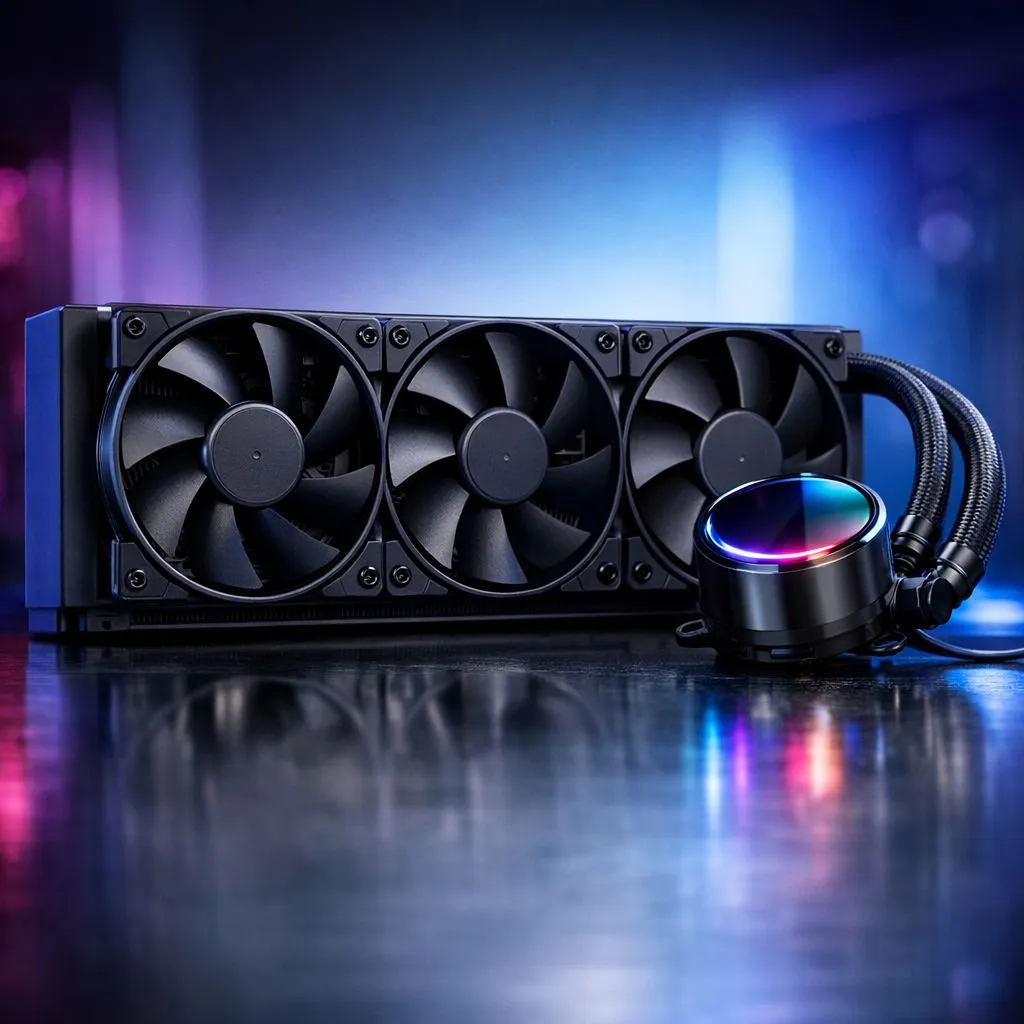
South African gamers know that cooling can make or break their rig’s performance. But when it comes to AIO (All-in-One) liquid coolers, do you go with PWM or DC fans? Understanding the difference ensures your CPU stays frosty without unnecessary noise or power drain. Let’s take a look at PWM vs DC fans for AIO radiators and find your best match. ⚡
Pulse Width Modulation (PWM) fans and Direct Current (DC) fans differ primarily in how their speed is controlled.
For AIO radiators, PWM fans offer smoother speed regulation and typically quieter operation at low temps. DC fans can be simpler but less efficient when balancing performance and noise.
To explore compatible CPU coolers featuring PWM and DC options, visit this Evetech CPU Coolers page — your first stop to upgrade cooling with confidence. 🔧
Most premium AIO liquid coolers favour PWM fans due to their adaptability. These fans adjust silently in real time, spinning slower during light loads and ramping up under stress. This balance matters for gaming sessions and resource-heavy tasks.
For instance, if you pair a 360mm AIO radiator featuring PWM fans, you can expect top-tier heat dissipation plus minimal noise bleed. You can compare options here: 360mm Radiator Coolers at Evetech.
Remember, quieter builds improve immersion, especially for FPS and competitive gamers seeking focus without distractions. ⚡
DC fans often appear in entry-level AIO kits or budget liquid coolers. Their simpler speed variation method limits precision but keeps costs down.
If you want an affordable 240mm AIO radiator setup, check out 240mm Radiator Coolers with DC fan options here. These provide reliable cooling—yet expect higher fan noise under load compared to PWM setups.
Many South African PC builders opt for DC fan AIOs when building first-time rigs or when overclocking isn’t a priority. Knowing which suits your needs saves you from overspending or overheating stress later.
Leading brands like CORSAIR and Deepcool lean heavily on PWM fans for their high-end AIO liquid coolers.
Both brands balance price and cutting-edge tech—ideal for gamers wanting an edge on FPS and system longevity. 🚀
Fine-tune your fan speed via BIOS or software. Set your PWM fans to stay around 40% at idle for whisper-quiet performance, ramping up only when temps hit 60°C or more. This keeps your rig cool without the noise spike.
Choosing between PWM vs DC fans for your AIO radiator means weighing silent performance against budget. PWM fans offer precise control ideal for custom fan curves and noise-conscious setups. DC fans suit simpler, cost-effective builds with decent cooling.
Explore a full range of liquid coolers at Evetech’s Liquid Cooler section to pick one that matches your gaming style and budget.
Upgrade Your Cooling Setup Today Don’t let heat throttle your gameplay. Shop now at Evetech for PWM and DC fan-equipped AIO coolers that keep your rig cool and quiet.
PWM is often better for fine speed control and smooth curves when your motherboard supports PWM, while DC can be simpler and cost-effective on basic setups.
No. An AIO will cool using either type, but PWM vs DC affects how precisely you can control RPM, noise, and temperature profiles via motherboard headers.
Yes in many cases, but you’ll typically get fixed or limited control. Check your motherboard’s fan header behavior and fan specs before relying on fine tuning.
In tight airflow cases, PWM’s smoother control helps you balance noise and cooling. In open cases or simple builds, DC can work well if control needs are basic.
Often, yes. PWM typically enables lower RPM with better granularity, which can reduce fan noise at idle and light loads when paired with a good fan curve.
Gaming with variable heat loads, quiet workstation setups, and builds with strong temperature management benefit from PWM’s more precise RPM control.
They can, especially when DC fans maintain stable RPM and accept reliable DC control. Look for good low-speed performance and consider your motherboard’s DC voltage range.
Match fan pin type (3-pin DC vs 4-pin PWM) to the header, verify the header supports PWM or DC control, and test the fan curve in BIOS or your monitoring software.
Maintain wired headset — Checklist: • inspect cables • clean earpads • store properly 🔧🎧 Practical steps to preserve sound quality and avoid premature replacements.
Read more
Fix crackling headset fast: step-by-step checks for cables, connectors, drivers, and settings to remove static or distorted audio on wired headsets 🎧⚙️
Read more
Stereo vs mono headsets: learn which delivers clearer calls, better spatial music, or simpler mono voice performance — pick the right headset for meetings, music, or gaming 🎧💬
Read more
- Compare gaming headset vs studio headphones; - Assess comfort, mic and sound; - Recommend best daily picks. Gaming headset vs studio headphones: learn which suits work, music and casual gaming. 🎧⚖️
Read more
- Check pressure points - Compare earcup materials - Adjust clamp and fit Best gaming headsets for glasses: quick guide to reduce temple pressure, pick breathable memory foam earcups, and optimize fit for long sessions 🕹️👓
Read more
Gaming microphone noise reduction: Use beamforming mics, AI noise suppression, and hardware filters to cut background noise and boost in-game voice clarity. 🎧⚙️ Learn setups, settings, and top mic features.
Read more
Snapdragon X2 NPU Explained: How 80 TOPS Changes. Plain-English explanation of what it means, why it matters & how it affects your buying decisions in SA.

HBM? High Bandwidth Memory Used in GPUs and AI. Plain-English explanation of what it means, why it matters & how it affects your buying decisions in SA.

How much should you spend on sim racing accessories in South Africa for a realistic setup? We break down budgets by quality tiers, so you buy smart gear and avoid overspending 🎮💸

G-Sync and FreeSync? Variable Refresh Rate. Plain-English explanation of what it means, why it matters & how it affects your buying decisions in SA.

AMD Laptop: Value. SA-focused analysis with local pricing data, real-world insights & actionable buying advice.

How MacBook Neo Handles 30+ Chrome Tabs with Only. SA-focused analysis with local pricing data, real-world insights & actionable buying advice.

Why Apple Put 8GB RAM in MacBook Neo: The A18 Pro. SA-focused analysis with local pricing data, real-world insights & actionable buying advice.

Upgrade your work laptop with a New Motherboard. Step-by-step instructions with SA-specific tips, common pitfalls to avoid & expert recommendations.
Maintain wired headset — Checklist: • inspect cables • clean earpads • store properly 🔧🎧 Practical steps to preserve sound quality and avoid premature replacements.
Fix crackling headset fast: step-by-step checks for cables, connectors, drivers, and settings to remove static or distorted audio on wired headsets 🎧⚙️
Stereo vs mono headsets: learn which delivers clearer calls, better spatial music, or simpler mono voice performance — pick the right headset for meetings, music, or gaming 🎧💬
- Compare gaming headset vs studio headphones; - Assess comfort, mic and sound; - Recommend best daily picks. Gaming headset vs studio headphones: learn which suits work, music and casual gaming. 🎧⚖️