



PCIe 5.0 vs PCIe 4.0 for Video editing in 4k in SA
PCIe 5.0 vs PCIe 4.0 for video editing in 4k is mainly about fit, features, compatibility, cost, and upgrade path, not one automatic winner. SA buyers should match the choice to the setup.
Read moreA QLC SSD is worth the saving over TLC for game libraries, since the lower cost per gigabyte outweighs its shorter write endurance for gamers who mainly read data rather than rewrite it. Evetech stocks both QLC and TLC drives to match the tradeoff to your workload.
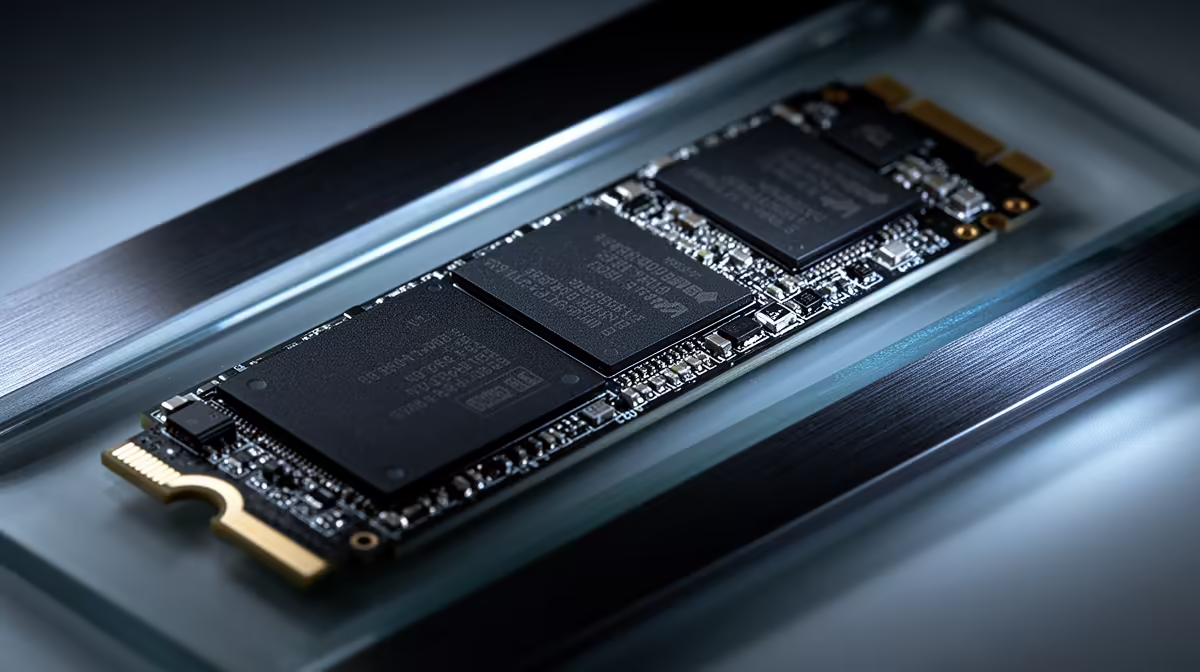
QLC SSDs can be excellent game-library drives because games spend far more time reading installed data than rewriting the whole volume. TLC remains the stronger fit for heavy writes, scratch work and a primary drive that will stay busy for years. The saving only matters after you compare exact models.
Choose QLC when it buys meaningfully more capacity and the drive will hold games, media or other read-heavy data. Choose TLC for video editing, virtual machines, large daily transfers and mixed primary-drive use. Check endurance, sustained speed, controller and warranty rather than treating every QLC or TLC product alike.
Browse solid-state drives across current capacities and compare popular SSD models. Find the NAND type in the maker's specification for the exact capacity you plan to buy.
TLC stores three bits in each NAND cell. QLC stores four. Packing more states into the same cell can lower cost per gigabyte, but it also makes programming and distinguishing those states harder.
Within a similar NAND generation, QLC tends to have lower write endurance and slower native write performance. Controller design, error correction, spare area and firmware can narrow or widen the gap. A modern QLC drive can still be better than a poor older TLC model.
This is why the NAND label is a workload clue, rather than a quality grade. Read the complete product and independent testing.
You write a game during download, installation and updates. Most play sessions then read assets. This pattern suits QLC far better than a scratch disk that rewrites hundreds of gigabytes every day.
Loading speed depends on random reads, latency, CPU decompression and the game engine. A TLC badge does not guarantee shorter loads, and a QLC drive does not mean slow play. Compare game tests from the named drives.
Updates can still be large. Leave free space so the controller has room for caching and housekeeping. A nearly full QLC drive can show weaker writes during a major patch or library move.
Consumer SSDs often treat part of their NAND as a faster SLC cache. Short transfers land there at high speed. Once the cache fills, the drive writes to its native TLC or QLC states and performance can drop.
Dynamic cache size may shrink as the drive fills. A fresh benchmark can look excellent while a 75 percent full drive behaves differently during a 500GB migration. Find sustained-write tests that run beyond the cache.
For a game drive, this slower tail may appear only during installation or copying, then disappear during play. For video ingest or project work, you may hit it every day.
Manufacturers publish a terabytes-written rating and warranty period for many drives. Check both for the exact capacity. Larger models often have higher total endurance because they contain more NAND, though product policies differ.
Use a drive-health tool to estimate how much data your current SSD writes in a month. Multiply that by your ownership period and compare it with the rating. Do not assume a typical gaming pattern will exhaust a modern QLC drive without doing the arithmetic.
Endurance is not a failure date. Controllers and other components can fail, while NAND can outlast its warranty. Keep backups whatever the rating says.
A QLC library drive can pair well with a smaller TLC system SSD. Windows, apps, caches and work files stay on the stronger write drive, while games use the large read-focused volume.
One large QLC drive can also serve as the only SSD in a value gaming PC when normal use is light. Check how it behaves with the operating system, page file and updates active together. DRAM or Host Memory Buffer design can affect mixed workloads.
For a laptop with one slot, consider the whole ownership pattern. You cannot separate work and games later without replacing the drive or adding external storage.
A 2TB QLC drive may serve a game library better than a 1TB TLC drive when the smaller product forces constant uninstalling. Capacity has daily value. The comparison still needs live named prices, because some TLC drives fall close enough to remove the trade-off.
Calculate cost per usable gigabyte, then compare warranty and endurance. Add a value for your time if one model takes much longer to absorb large transfers after cache exhaustion.
Avoid paying a premium for sequential speed your PCIe slot cannot use. Check interface generation, lane count and the exact M.2 socket.
High-speed NVMe controllers can throttle under a sustained copy. Use the motherboard heatsink where appropriate, remove the thermal-pad film and confirm airflow. Temperature behaviour varies by model more than by QLC or TLC alone.
Keep 10 to 20 percent free when practical, especially on a dynamic-cache drive. This gives the controller room for wear levelling, garbage collection and cache. Use the maker's management tool for firmware and health checks.
An SSD family can use different NAND layouts at 1TB, 2TB and 4TB. Cache size, endurance and sustained speed may change with capacity. Some manufacturers also revise components during a product's life while keeping the retail name.
Read the exact model code and capacity in every review. Check the current maker data sheet before buying, then record the firmware and controller details once installed. If the product page does not identify NAND type, avoid assuming it from an older review or another capacity.
Pick QLC for a library that receives occasional large installs and spends most of its life serving reads. Pick TLC when large writes are frequent, predictable and time-sensitive. For mixed use, compare the exact sustained performance once the drive is partly full.
The right QLC drive can save money without changing the game experience. The wrong one can slow every project transfer. Make the NAND trade serve a task you can describe.
No. Game libraries are read-heavy and can suit QLC well. Install and update writes may slow after the cache fills.
TLC tends to offer higher endurance within comparable designs. Always check the exact drive's rating and warranty.
Yes, for normal consumer use with a suitable model. Heavy write workloads and one-slot systems deserve closer sustained-performance testing.
Estimate your monthly writes, compare exact QLC and TLC drives after cache exhaustion, and buy the capacity that fits the workload.
No. Game libraries are read-heavy and can suit QLC well. Install and update writes may slow after the cache fills.
TLC tends to offer higher endurance within comparable designs. Always check the exact drive's rating and warranty.
Yes, for normal consumer use with a suitable model. Heavy write workloads and one-slot systems deserve closer sustained-performance testing. {{PRODUCTS: { facets: { query: "QLC TLC SSD" }, limit: 12, title: "Compare SSD NAND Options", style: "4" } }}
PCIe 5.0 vs PCIe 4.0 for video editing in 4k is mainly about fit, features, compatibility, cost, and upgrade path, not one automatic winner. SA buyers should match the choice to the setup.
Read more
Wi-Fi 7 vs Wi-Fi 6e for competitive esports comes down to router support, latency goals, device compatibility, and coverage. SA buyers should match the choice to the real network setup.
Read more
ATX 3.1 vs ATX 3.0 for mMO and live-service games buyers - what changes is mostly about compatibility, budget, upgrade path, and setup fit. SA buyers should check device support and real needs before expecting a clear win from either option.
Read more
LGA 1851 vs LGA 1700 can affect Twitch and YouTube streaming when gaming and encoding share CPU resources. For SA creators, the real-world difference depends on encoder choice, memory support, motherboard cost, thermals, and upgrade plans.
Read more
X870E vs X670E for aaa single-player gaming is mainly about fit, features, compatibility, cost, and upgrade path, not one automatic winner. SA buyers should match the choice to the setup.
Read more
Hall Effect switches vs Mechanical switches for mMO and live-service games is mostly about compatibility, budget, upgrade path, and setup fit. SA buyers should check device support and real needs before expecting a clear win from either option.
Read more
A fake 113GB GTA VI ISO reportedly used empty padding around a small malware payload. SA gamers should delete unofficial builds, keep Windows security active and wait for official channels.

Wi-Fi 6E vs Wi-Fi 6 matters for 4K video editing when files move across a network. The real-world difference between Wi-Fi 6E and Wi-Fi 6 for video editing in 4K depends on NAS access, cloud uploads, router range, and SA creator workflows.

The difference between PCIe 5.0 and PCIe 4.0 for SA gamers is mostly bandwidth headroom. Compare GPU slot needs, NVMe speed, motherboard support, and upgrade timing before paying extra for a newer platform.

Gaming PC stuck pixel checks in South Africa should confirm the monitor fault first. Use colour tests, screenshot comparison, cable swaps, display menu checks, and clear photos before deciding on support.

Shokz OpenFit Air 2 earbuds weigh 7.2g each and use a redesigned dual-driver open-ear layout. SA buyers should choose them for comfort and awareness, not maximum isolation.

AMD's current driver now lists a Radeon RX 9050 4GB, while product coverage details a narrowed memory system. SA buyers should weigh the low VRAM ceiling against current local Radeon options.

Samsung Display has demonstrated a 16-inch 2.5K OLED laptop panel running at 300Hz. SA buyers should wait for a named notebook, full panel specifications and a local price before planning an upgrade.

Microsoft says some Windows 11 game crashes after recent updates are linked to RGB-related drivers. Affected SA gamers should confirm the update and driver before using the published registry workaround.

RTX 5090 on a 650W PSU is a tight pairing with very limited headroom. For SA gaming PCs, focus on total system draw, PSU quality, connector support, CPU choice, and avoid OC plans unless the full build is carefully power-limited.
PCIe 5.0 vs PCIe 4.0 for video editing in 4k is mainly about fit, features, compatibility, cost, and upgrade path, not one automatic winner. SA buyers should match the choice to the setup.

850W PSU safety for RTX 5090 is plausible with a quality unit and balanced parts. In SA, confirm connector support, CPU power draw, case airflow, PSU age, and spare capacity before building around 850W.
Wi-Fi 7 vs Wi-Fi 6e for competitive esports comes down to router support, latency goals, device compatibility, and coverage. SA buyers should match the choice to the real network setup.