


RTX 4060 Ti Throttling Under Load: SA Temperature Guide
RTX 4060 Ti Throttling Under Load: Temperature. Everything you need to know with SA pricing, step-by-step instructions & expert recommendations.
Read moreQuiet cooling for rendering doesn’t have to be a trade-off. Learn how to keep your workstation cool and low-noise during extended render jobs, using smarter airflow, fan curves, and GPU/CPU settings. 🔇❄️
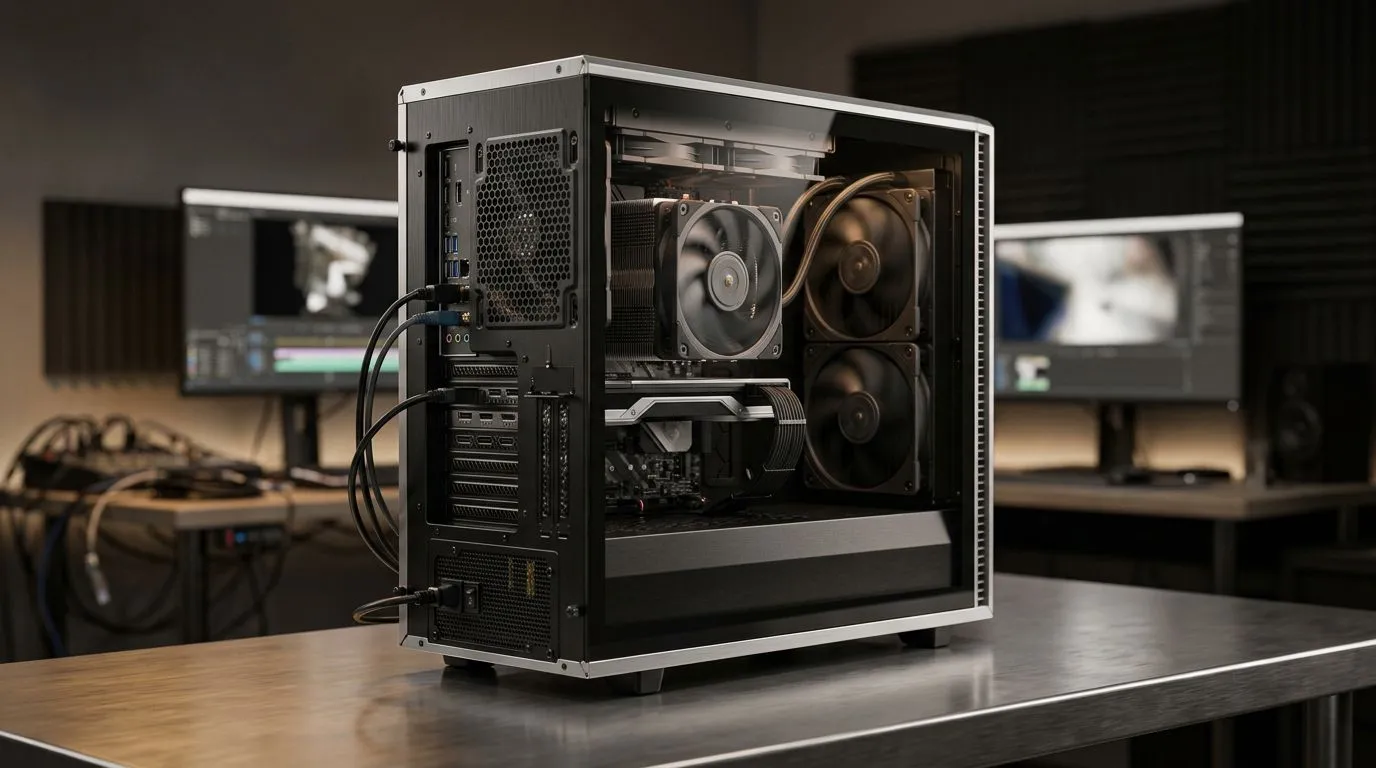
When you are deep into a 4K render or compiling complex 3D scenes, the last thing you need is a workstation that sounds like a jet engine taking off from OR Tambo. Noise fatigue is real, and it kills your focus. Achieving quiet cooling for rendering isn't just about comfort; it is about maintaining a stable, professional environment where you can actually hear your own thoughts while your hardware does the heavy lifting. 🔧
The secret to a silent rig starts with airflow management. If you are currently running an older system, you might want to look at our pre-built PC deals to see how modern chassis designs prioritise intake and exhaust paths. By using larger fans that spin at lower RPMs, you move the same volume of air as smaller, high-pitched fans, but with a fraction of the acoustic footprint.
For those pushing high-end graphical tasks, your choice of GPU is critical. We recommend browsing our NVIDIA GeForce gaming PCs, which feature advanced thermal solutions designed to stay silent even under heavy CUDA-core loads. ⚡
Whether you are Team Red or Team Blue, thermal overhead is the key to longevity. If you prefer the multi-threaded efficiency of AMD, check out our all AMD Ryzen PC deals. Conversely, for those who rely on Intel’s architecture, our all Intel PC deals offer excellent thermal management options for sustained rendering tasks.
When setting up your fan curves in the BIOS, use a 'stepped' approach. Instead of a linear curve, set your fans to stay at a constant, low speed until the CPU hits 65°C. This prevents the annoying 'revving' sound that happens when fans constantly speed up and slow down during minor background tasks.
If you are looking for a dedicated machine that is built to handle professional software without breaking a sweat, our workstation PCs are configured with premium cooling solutions right out of the box. For creators experimenting with new rendering pipelines, the all Intel Arc gaming PCs also provide a unique entry point for AV1 encoding and creative tasks. 🚀
Ready to Find Your Perfect Match? A quiet workstation is the foundation of a productive creative career. Whether you need raw rendering power or a silent home studio setup, we have the hardware to keep you cool under pressure. Explore our massive range of workstation and gaming PCs and find the perfect machine to conquer your world.
Use quiet cooling for rendering by balancing fan curves, improving case airflow, and optimizing CPU/GPU settings to reduce heat spikes.
Improve airflow with proper fan placement, maintain dust filters, and tune GPU temperature control to prevent throttling during long renders.
Set a low baseline fan speed for idle, then ramp more gradually under load. Pair it with better airflow to keep temperatures stable.
Yes. Undervolting GPU for lower temps can reduce fan ramping, improving quiet cooling for rendering during sustained workloads.
Often, a higher-efficiency CPU cooler lets you run fans slower. Match the cooler to your CPU heat output and airflow.
Lower GPU temperatures with undervolt or fan curve tuning, and ensure the case has direct exhaust paths for hot air.
Prioritize intake/exhaust balance, add low-noise fans where air enters and leaves, and keep intake filters clean for steady cooling.
Use render PC heat management: verify temps, adjust fan curves, improve airflow, and fine-tune CPU/GPU limits to stay within safe ranges.
RTX 4060 Ti Throttling Under Load: Temperature. Everything you need to know with SA pricing, step-by-step instructions & expert recommendations.
Read more
Apex Legends Max Settings on RTX 4080. Tested & verified settings for best FPS and visual quality on SA hardware budgets.
Read more
GPU Buying Guide. Everything you need to know with SA pricing, step-by-step instructions & expert recommendations.
Read more
GPU Terms Guide. Everything you need to know with SA pricing, step-by-step instructions & expert recommendations.
Read more
AMD Adrenalin Download & Setup Guide: GPU. Clear setup instructions with SA-specific considerations, troubleshooting tips & recommended components.
Read more
Back-to-School GPU Buying Guide. Everything you need to know with SA pricing, step-by-step instructions & expert recommendations.
Read more
Snapdragon X2 NPU Explained: How 80 TOPS Changes. Plain-English explanation of what it means, why it matters & how it affects your buying decisions in SA.

HBM? High Bandwidth Memory Used in GPUs and AI. Plain-English explanation of what it means, why it matters & how it affects your buying decisions in SA.

How much should you spend on sim racing accessories in South Africa for a realistic setup? We break down budgets by quality tiers, so you buy smart gear and avoid overspending 🎮💸

G-Sync and FreeSync? Variable Refresh Rate. Plain-English explanation of what it means, why it matters & how it affects your buying decisions in SA.

AMD Laptop: Value. SA-focused analysis with local pricing data, real-world insights & actionable buying advice.

How MacBook Neo Handles 30+ Chrome Tabs with Only. SA-focused analysis with local pricing data, real-world insights & actionable buying advice.

Why Apple Put 8GB RAM in MacBook Neo: The A18 Pro. SA-focused analysis with local pricing data, real-world insights & actionable buying advice.

Upgrade your work laptop with a New Motherboard. Step-by-step instructions with SA-specific tips, common pitfalls to avoid & expert recommendations.

Maintain wired headset — Checklist: • inspect cables • clean earpads • store properly 🔧🎧 Practical steps to preserve sound quality and avoid premature replacements.

Fix crackling headset fast: step-by-step checks for cables, connectors, drivers, and settings to remove static or distorted audio on wired headsets 🎧⚙️

Stereo vs mono headsets: learn which delivers clearer calls, better spatial music, or simpler mono voice performance — pick the right headset for meetings, music, or gaming 🎧💬

- Compare gaming headset vs studio headphones; - Assess comfort, mic and sound; - Recommend best daily picks. Gaming headset vs studio headphones: learn which suits work, music and casual gaming. 🎧⚖️