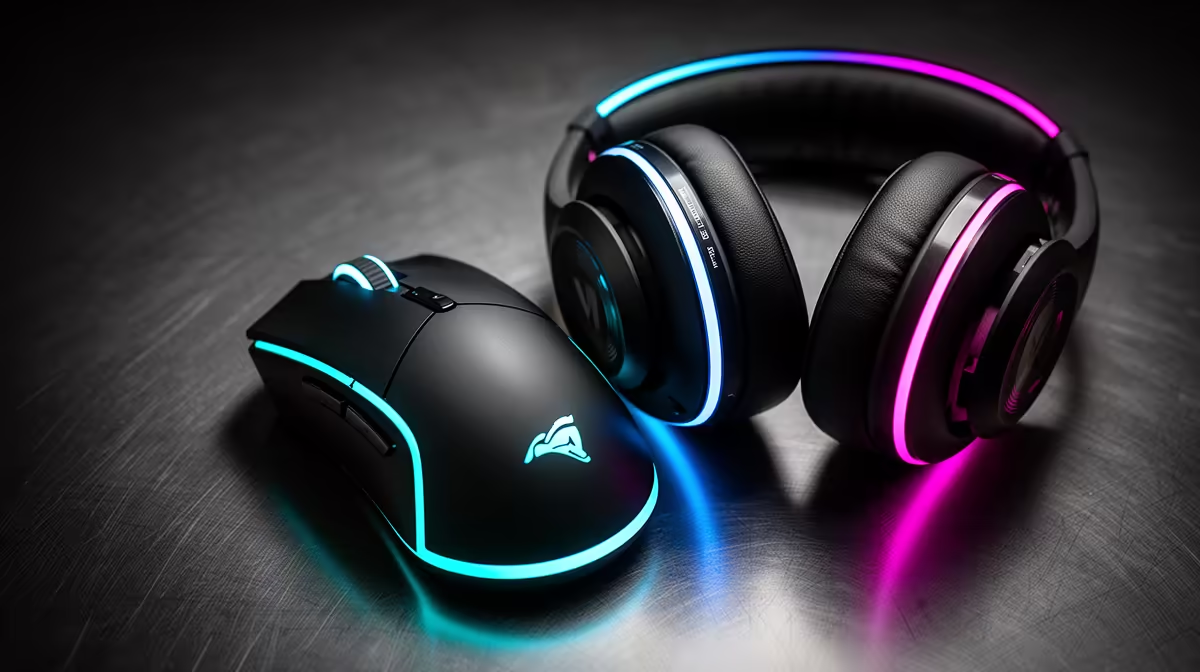
R1,000 on a Mouse or Headset: Which Should Come First?
Quick Answer
Buy the headset first when your current audio hides direction, your microphone ruins team calls, or the fit becomes painful. Buy the mouse first when its sensor skips, buttons fail, cable catches, pad ends the swipe or the shape causes poor control.
In a shooter, audio often wins a clean tie because it gives information through every fight. The tie exists only after both current devices are tested.
Test the Headset in One Repeatable Scene
Use a game replay, private match or training scene with footsteps, vertical movement, doors and reloads. Keep volume at a safe, comfortable level.
Write the direction before looking. Note front-back confusion and sounds masked by explosions or voice chat.
Record the microphone while the game plays. Listen for clipping, keyboard noise, room echo and missing first syllables. Move the boom to the corner of the mouth and set gain before blaming the hardware.
Test the Mouse on the Full Pad
Use your normal DPI and game sensitivity. Draw slow lines, perform fast swipes and make repeated full turns.
Watch for sensor jumps, spin-outs, cable snags, missed clicks and pad-edge hits. Note whether the hand shifts grip after an hour.
A new sensor gives little value when the old mouse tracks cleanly. A new shape can be worthwhile when the current shell causes pain or makes controlled stopping difficult.
Give Audio the Shooter Tie-Break
Directional cues can change when you turn, hold or reload. Clear team chat also prevents duplicated calls and missed plans.
This does not mean an expensive headset reveals every opponent. Game audio, map geometry and the mix limit the cue. Use stereo and supported spatial modes in separate tests.
Avoid solving detail with dangerous volume. A balanced comfortable presentation beats an aggressive boost that becomes tiring.
Give the Mouse the Control Tie-Break
A failing primary switch, unstable sensor or wrong shape affects every shot. Replace it before a healthy headset when the fault repeats.
Measure hand length, grip and desired weight. Check shell dimensions rather than copying a professional player.
Browse gaming mouse deals for shapes inside the cap. Use mouse best sellers for another comparison, then open each product specification.
Reserve money for a suitable pad if the current surface is the problem. A R1,000 mouse on a tiny worn pad has not fixed the input path.
Understand What R1,000 Can Change
At this cap, choose the complete fix rather than the longest feature list. A wired headset can avoid battery and receiver costs. A wired mouse can put more of the spend into shape and sensor.
Do not assume a wireless product is slow. Test exact-model latency and connection. Do not assume wireless is free of desk friction; charging and receiver placement still need a plan.
Keep delivery and any required splitter or adapter in the total. Platform compatibility belongs on the product page, not in a hopeful basket.
Check Comfort Before Sound or Sensor Hype
Wear the headset for a full session. Check clamp, pad heat, ear space and pressure with glasses. A good cue test loses value when the set comes off after twenty minutes.
Use the mouse for the same duration. Check thumb reach, finger drag and wrist tension. Stop if there is pain or numbness.
Fit cannot be read from a model tier. Use dimensions, written return terms and an in-person test where available.
Make a Two-Column Fault Log
For seven days, write one audio fault and one mouse fault after each session. Leave a column blank when nothing failed.
Count repeated physical problems. Do not include bad positioning, recoil mistakes or a lost round unless the device caused them.
The side with more repeated faults gets the R1,000. When both pass, keep the money until a clearer need appears.
Validate the Purchase
Keep the old game settings. Replace one device and repeat the same scene.
For a headset, compare direction, microphone and comfort. For a mouse, compare tracking, click registration, pad room and grip.
Give adaptation several sessions when the fit is comfortable. A different tonal balance or shell can feel strange before it becomes useful.
Maintain the Winner
Clean headset pads and mouse surfaces according to product guidance. Keep cables away from chair wheels and wireless receivers near the desk.
Save mouse DPI and button settings. Record the headset connection and game audio profile.
Replace compatible pads or skates when wear creates the fault. A small maintenance part can protect the R1,000 purchase.
Check the Rest of the Signal Path
Headset trouble can come from a loose splitter, wrong Windows device or a noisy controller jack. Test the headset on another supported device and try a known-good connection before replacing it.
Mouse trouble can come from a dirty sensor window, unstable USB hub or damaged pad. Connect it straight to the PC, clean the surface as directed and repeat the swipe.
This isolation matters at R1,000. The budget should buy the failed device rather than another copy of a problem caused elsewhere.
Keep Platform Support in the Decision
A 3.5mm headset may need separate microphone and headphone connections on a desktop. A USB model may expose software features only on PC. Console support can differ by receiver and controller.
The mouse needs current operating-system support and enough onboard control when you use a shared PC. Save DPI locally where the model allows it.
Read the exact compatibility statement and product warranty before buying. Do not assume a plug shape guarantees every control or microphone feature.
Know When to Wait
Wait when neither device fails the log. Put the R1,000 aside and test again after cleaning, routing and settings checks.
Wait when every candidate forces a poor fit or missing platform feature. A budget ceiling does not turn an unsuitable product into a bargain.
Buy when one device produces a repeated physical fault and a named replacement addresses it. That is the point where the spend has a job.
FAQ
Why can the headset come first in shooters?
It can restore directional information, clear calls and comfort. Buy it first only when the current audio fails those tests.
When should the mouse win?
Choose it for repeated tracking, click, cable, pad-space or hand-fit problems that affect control.
Should I split R1,000 between both?
Only when two sound replacements fit and solve both faults. One complete fix usually beats two sideways moves.
Log one week of audio and mouse failures, give the R1,000 to the side with the repeated physical fault, and retest the same scene.