



PCIe 5.0 vs PCIe 4.0 for Video editing in 4k in SA
PCIe 5.0 vs PCIe 4.0 for video editing in 4k is mainly about fit, features, compatibility, cost, and upgrade path, not one automatic winner. SA buyers should match the choice to the setup.
Read moreA gaming pc build at R40,000 buys a genuinely capable rig with a monitor included, while the same budget on a full console setup stretches to a top console, a 4K display and a few extra controllers. Evetech configures gaming PCs in this exact price band.
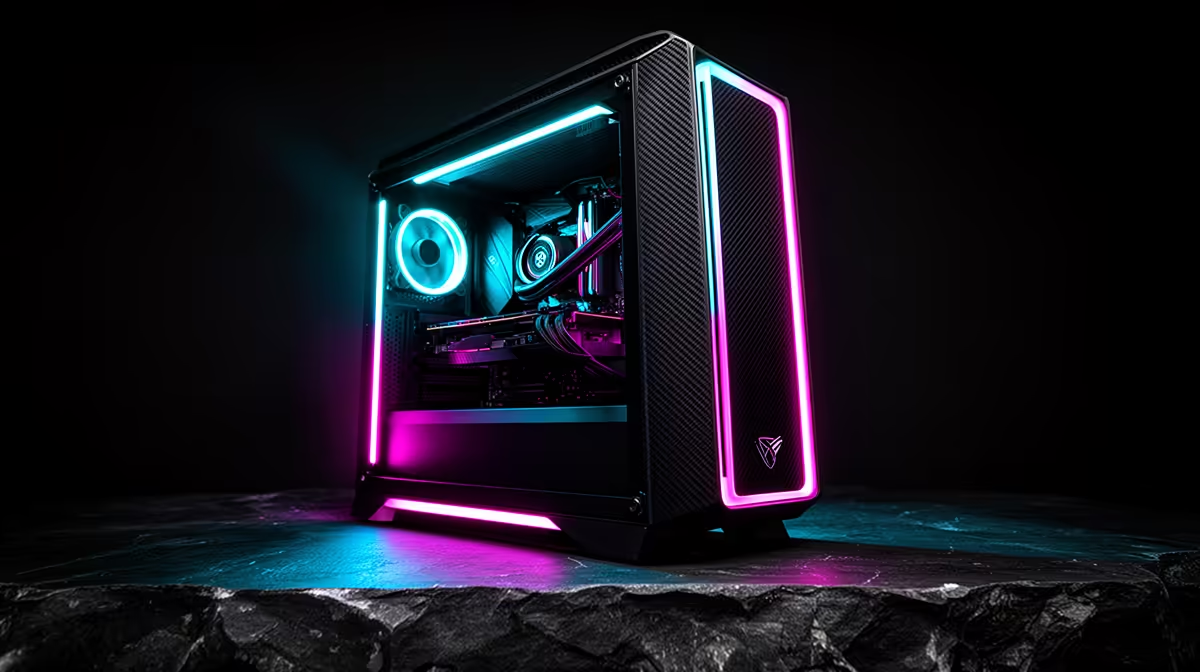
R40,000 is enough to plan either a complete console corner or a capable gaming PC setup, but the better result depends on what you already own. A console basket can spend more of the money on a large 4K display and local multiplayer. A PC basket can put more into frame rate, work use and later upgrades.
Do not begin with platform slogans. Reserve the display and input money first, then build the machine inside what remains. Current console prices must come from live console sellers, because the approved July 2026 Evetech price snapshot covers the local PC side rather than PlayStation or Xbox hardware.
Decide whether delivery, surge protection, desk, chair and audio belong inside the budget. Write the answer at the top.
Use VAT-inclusive South African prices and the same date for both baskets. A special on one side compared with an old list price on the other produces theatre, not a buying decision.
Leave five to ten percent unassigned until every cable and accessory is known. This is a planning reserve, not permission to invent a future saving.
If you already own a suitable TV or monitor, remove the display from both baskets and put the money into the machine or games.
Start with the exact console edition and its included controller. Choose disc or digital access based on how you buy games.
Allocate the largest remaining share to a display that supports the console features you care about: 4K input, 120Hz modes, VRR and HDR quality. A cheap panel can carry a feature label without delivering strong motion or contrast.
Add one second controller only for shared play. Include a charging method, headset and the first two games when they are part of your day-one use.
Check usable internal storage. An expansion may belong in year two rather than the opening basket.
When your current TV has the required inputs and picture quality, the console route leaves far more of R40,000 unspent.
You can use that room for a better audio setup, several controllers or a larger game budget. You can also keep the money outside the setup.
Spending the full R40,000 is not a requirement. The winning platform is the one that meets the brief with the least waste.
Test the existing TV's game mode and input lag before assuming a replacement is necessary.
Set the target as 1440p high-refresh gaming unless your exact games justify another resolution. This tends to balance image quality and GPU demand well at this total setup budget.
Choose the graphics card from game benchmarks, then a current six-core or eight-core CPU that keeps minimum frame rates healthy. Use 32GB of dual-channel memory when creation work or heavy multitasking sits beside games; 16GB can still suit a tighter pure-gaming build.
Include a 1TB NVMe SSD, a properly sized quality power supply and a case with real airflow. Do not hide weak supporting parts behind the GPU name.
Reserve enough for a monitor whose resolution and refresh match the card.
If you own a good monitor, more of the R40,000 can reach the GPU or storage. That can move the tower into a stronger performance tier.
Check the monitor ports and adaptive-sync support. A capable GPU connected through the wrong port can lose the refresh target you paid for.
Reuse a keyboard, mouse and headset only when they are comfortable and reliable. Old peripherals are not a problem by default.
Do not spend the display saving twice. Keep a single worksheet total.
Browse current gaming PC deals and the PC best-seller list. Save the exact configuration and date.
The July 2026 price pack confirms local PC configurations across a broad range, but its named examples do not establish one universal R40,000 build. Select a live named system and verify CPU, GPU, RAM, SSD, power supply, case and Windows inclusion.
Ask for the final build sheet before paying. A configurable system can change price and parts as you alter it.
Never quote a category minimum as the price of a serious gaming PC.
Both platforms can output a 4K signal. That does not mean every game renders every frame at native 4K with maximum detail.
Console modes use dynamic resolution, reconstruction and developer settings. PC games use DLSS, FSR or XeSS alongside adjustable quality.
Choose the frame rate you value. A smooth upscaled 4K image can be the better experience than native 4K at an uneven rate.
Check the exact games. Competitive shooters and cinematic adventures reward different allocations.
A console controller gives you couch comfort and a consistent interface. A second pad makes local play easy when the game supports it.
PC supports mouse, keyboard and controllers. Add a pad only if it belongs in your PC basket, and match it with the games and connection method.
Competitive players may spend more on a high-refresh monitor and mouse. Family players may value two durable controllers and a larger screen.
Budget for the way you play, not the accessories in a showroom photograph.
Decide whether the R40,000 includes games. If it does, reserve the same launch library on both sides.
Console subscriptions can include game catalogues and online features. PC stores offer sales, bundles and optional subscriptions. Use current terms and the services you would keep.
Disc access can create a used-game route. Digital libraries offer convenience but are tied to the platform account and store terms.
A hardware comparison cannot decide this line without your buying habits.
The console gives you one fixed target. Developers know the hardware, and you do not need to choose a new CPU or GPU mid-cycle.
The PC lets you add storage, memory and a later graphics card. Choose the motherboard, case and power supply so those options remain practical.
An upgrade path is valuable only when you use it. Buying oversized parts for a hypothetical future can take money away from today's screen and GPU.
Keep the original PC boxes and spare modular cables labelled for the exact power supply.
The console setup wins when the lounge, TV and controller style already fit your life. The PC setup wins when you need a monitor, desk work, mouse input or mod-friendly games.
R40,000 does not force one answer. It exposes how much you spend on the screen versus the machine.
Build both baskets to R38,000 and hold R2,000 until delivery details are settled. Replace those planning allocations with exact live products before checkout.
It can. Reserve the monitor first, then choose the tower from the remaining live budget. Reusing a suitable display changes the tier.
That depends on the game and frame-rate target. Compare native and upscaled modes rather than assuming a 4K output label means native rendering.
The PC supports component upgrades. The console offers storage and accessory changes within a fixed core platform.
Build two dated R40,000 baskets around the screen and games you will use, then replace every allowance with an exact named product before checkout.
It can. Reserve the monitor first, then choose the tower from the remaining live budget. Reusing a suitable display changes the tier.
That depends on the game and frame-rate target. Compare native and upscaled modes rather than assuming a 4K output label means native rendering.
The PC supports component upgrades. The console offers storage and accessory changes within a fixed core platform.
PCIe 5.0 vs PCIe 4.0 for video editing in 4k is mainly about fit, features, compatibility, cost, and upgrade path, not one automatic winner. SA buyers should match the choice to the setup.
Read more
Wi-Fi 7 vs Wi-Fi 6e for competitive esports comes down to router support, latency goals, device compatibility, and coverage. SA buyers should match the choice to the real network setup.
Read more
ATX 3.1 vs ATX 3.0 for mMO and live-service games buyers - what changes is mostly about compatibility, budget, upgrade path, and setup fit. SA buyers should check device support and real needs before expecting a clear win from either option.
Read more
LGA 1851 vs LGA 1700 can affect Twitch and YouTube streaming when gaming and encoding share CPU resources. For SA creators, the real-world difference depends on encoder choice, memory support, motherboard cost, thermals, and upgrade plans.
Read more
X870E vs X670E for aaa single-player gaming is mainly about fit, features, compatibility, cost, and upgrade path, not one automatic winner. SA buyers should match the choice to the setup.
Read more
Hall Effect switches vs Mechanical switches for mMO and live-service games is mostly about compatibility, budget, upgrade path, and setup fit. SA buyers should check device support and real needs before expecting a clear win from either option.
Read more
A fake 113GB GTA VI ISO reportedly used empty padding around a small malware payload. SA gamers should delete unofficial builds, keep Windows security active and wait for official channels.

Wi-Fi 6E vs Wi-Fi 6 matters for 4K video editing when files move across a network. The real-world difference between Wi-Fi 6E and Wi-Fi 6 for video editing in 4K depends on NAS access, cloud uploads, router range, and SA creator workflows.

The difference between PCIe 5.0 and PCIe 4.0 for SA gamers is mostly bandwidth headroom. Compare GPU slot needs, NVMe speed, motherboard support, and upgrade timing before paying extra for a newer platform.

Gaming PC stuck pixel checks in South Africa should confirm the monitor fault first. Use colour tests, screenshot comparison, cable swaps, display menu checks, and clear photos before deciding on support.

Shokz OpenFit Air 2 earbuds weigh 7.2g each and use a redesigned dual-driver open-ear layout. SA buyers should choose them for comfort and awareness, not maximum isolation.

AMD's current driver now lists a Radeon RX 9050 4GB, while product coverage details a narrowed memory system. SA buyers should weigh the low VRAM ceiling against current local Radeon options.

Samsung Display has demonstrated a 16-inch 2.5K OLED laptop panel running at 300Hz. SA buyers should wait for a named notebook, full panel specifications and a local price before planning an upgrade.

Microsoft says some Windows 11 game crashes after recent updates are linked to RGB-related drivers. Affected SA gamers should confirm the update and driver before using the published registry workaround.

RTX 5090 on a 650W PSU is a tight pairing with very limited headroom. For SA gaming PCs, focus on total system draw, PSU quality, connector support, CPU choice, and avoid OC plans unless the full build is carefully power-limited.
PCIe 5.0 vs PCIe 4.0 for video editing in 4k is mainly about fit, features, compatibility, cost, and upgrade path, not one automatic winner. SA buyers should match the choice to the setup.

850W PSU safety for RTX 5090 is plausible with a quality unit and balanced parts. In SA, confirm connector support, CPU power draw, case airflow, PSU age, and spare capacity before building around 850W.
Wi-Fi 7 vs Wi-Fi 6e for competitive esports comes down to router support, latency goals, device compatibility, and coverage. SA buyers should match the choice to the real network setup.