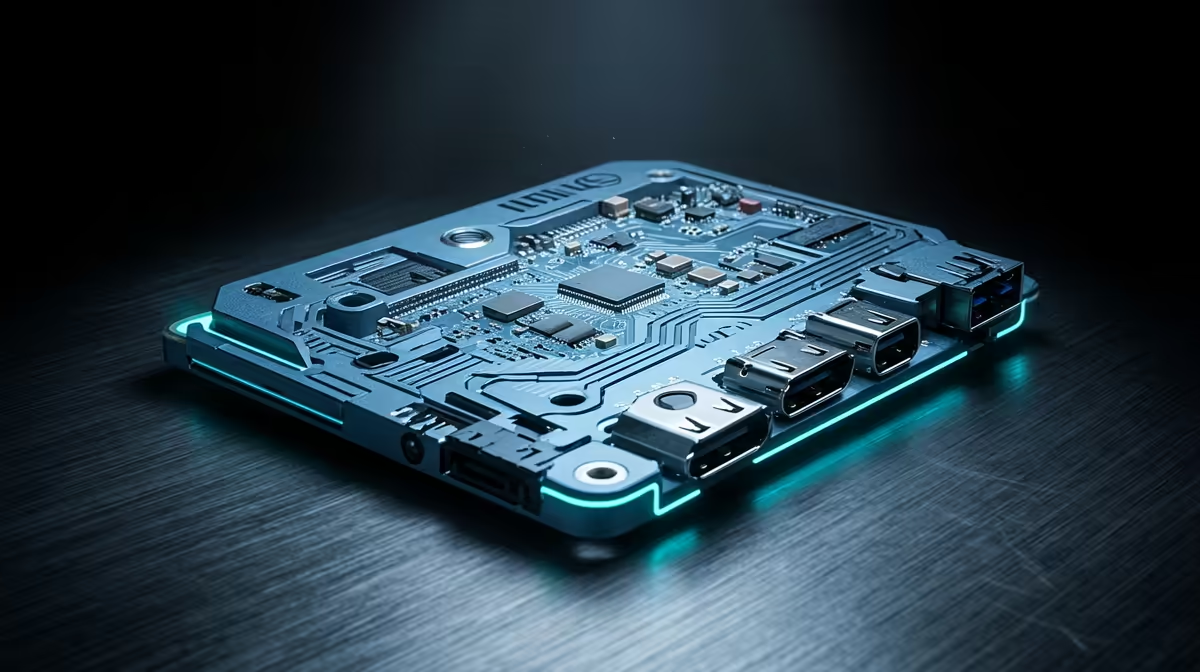
A credit-card-sized board that runs a full Linux desktop, drives a retro arcade cabinet, or quietly hosts your home automation has become one of the most versatile tools a South African tinkerer can own. The Raspberry Pi sits at the centre of this world, and the current Pi 5 pairs a Broadcom BCM2712 quad-core Cortex-A76 running at 2.4GHz with anywhere from 2GB to 16GB of RAM. Around it orbits a whole ecosystem of single-board computers, and a healthy number of them are stocked locally rather than waiting weeks at customs.
Quick Answer
The Raspberry Pi 5 is the flagship single-board computer, built on a Broadcom BCM2712 quad-core Cortex-A76 at 2.4GHz with RAM options from 2GB up to 16GB. It runs full Linux, drives dual 4K displays, and handles everything from learning to code to running a home server. Pi boards and alternative SBCs are stocked by South African distributors, so you can buy locally in rand rather than importing.
What a Single-Board Computer Actually Is
A single-board computer puts the processor, memory, storage interface, and all the input and output onto one board the size of a deck of cards. There is no separate motherboard, graphics card or case to assemble. You add power, a microSD card or SSD for the operating system, and a display, and you have a working computer that draws a fraction of the electricity a desktop does.
That low power draw and small footprint are exactly why SBCs took over projects that a full PC would be wasteful for. A board sipping a few watts can run continuously without making a dent in your electricity bill, which matters for anything you leave on around the clock.
The Raspberry Pi Range
Raspberry Pi 5
The current flagship. Its quad-core Cortex-A76 at 2.4GHz is a substantial jump over earlier generations, fast enough to use as a light desktop, run containers, or handle a media server. RAM choices from 2GB up to 16GB let you match the board to the job, with the larger options suiting heavier multitasking or self-hosted services.
Raspberry Pi Zero
At the other end, the Pi Zero family is tiny and cheap, built for embedded projects where size and cost matter more than raw power. It is the board you reach for when you want to hide a computer inside something, like a retro handheld or a sensor node.
Choosing the Right Pi
Match the board to the workload. A 2GB Pi 5 is plenty for learning, light scripting and single-purpose servers. Step up to 8GB or 16GB if you plan to run several services at once, use it as a desktop, or do anything memory-hungry. Evetech's compact and mini PC category is a useful place to see where SBCs sit against slightly larger small-form-factor machines if your project outgrows a Pi.
Storage and the Operating System
A Pi has no built-in storage of its own, so you supply it. The traditional route is a microSD card, which is cheap and simple and fine for learning or light use. The catch is that microSD cards are slow and can wear out under heavy writing, so for anything you run continuously, a server or a desktop, the better option on the Pi 5 is to boot from an SSD over its faster interface, which transforms responsiveness and reliability.
For the operating system, Raspberry Pi OS is the official Linux distribution, tuned for the hardware and the easiest starting point. Beyond it, the Pi runs a wide range of Linux variants and purpose-built images, including media-centre builds, retro gaming images and home-server distributions that come preconfigured for a single job. Picking the right image for your project saves a great deal of setup, since much of the work is often already done for you.
Power and Cooling
The Pi 5 is more powerful than its predecessors, and with that comes a little more heat and a stricter power requirement. Use a power supply that meets the board's rated needs, because an underpowered supply causes the board to throttle or behave unpredictably, which is one of the most common sources of mysterious problems. For anything that pushes the processor hard or runs continuously, add a heatsink or a small active cooler, since keeping the chip cool lets it sustain its full speed instead of throttling back. These accessories are inexpensive and stocked alongside the boards locally, so add them to the same order.
Beyond the Pi: Other Single-Board Computers
The Raspberry Pi defined the category but it is not alone. Alternative SBCs from other makers compete on different strengths, some offering faster processors, some with built-in NVMe slots, some with more powerful onboard graphics for media work. If a specific feature like fast storage or a particular video output matters to your build, an alternative board may fit better than a Pi.
The trade-off is the ecosystem. The Pi's enormous community means that documented solutions to nearly every setup issue already exist online, and accessories like cases, hats and cameras are designed around it first. Alternative boards can be more capable on paper but leave you with less of a safety net when something goes wrong.
Local Availability in South Africa
One of the biggest practical wins is that you no longer have to import. Pi boards and many alternatives are stocked by South African distributors, which means buying in rand, paying no surprise customs charges, and getting the board in days rather than weeks. That local supply also covers the accessories, power supplies, cases, cooling and storage, so you can put a complete project together from one order.
Project Ideas to Get Started
A Pi makes an excellent first server. Set it up as a media library, deploy network-level ad filtering, run a personal cloud, or build a home automation hub on a board that costs a fraction of a dedicated machine and draws only a few watts. For makers, it drives robotics projects, retro gaming emulators and electronics experiments through its general-purpose pins. For learners, it is a cheap, low-stakes way to learn Linux and programming on real hardware. The popular small-PC listings are worth comparing if you want to weigh a Pi project against a ready-made mini PC.
Frequently Asked Questions
What is the Raspberry Pi 5's processor?
The Pi 5 uses a Broadcom BCM2712, a quad-core Arm Cortex-A76 running at 2.4GHz. It is a significant step up from previous Pi generations and fast enough to serve as a light desktop or run multiple background services.
How much RAM does a Raspberry Pi 5 have?
The Pi 5 comes in several RAM tiers, from 2GB up to 16GB. Choose 2GB for learning and single-purpose tasks, and the higher tiers for desktop use, containers or running several self-hosted services at once.
Can I buy a Raspberry Pi in South Africa?
Yes. Pi boards and alternative single-board computers are stocked by South African distributors, so you buy locally in rand without import delays or customs charges, and you can get the accessories in the same order.
What can I actually use a Raspberry Pi for?
Common uses include a home media server, a network ad blocker, a personal cloud, home automation, robotics, retro gaming and learning to code. Its low power draw makes it ideal for anything you want to leave running continuously.
Is a Raspberry Pi better than other single-board computers?
The Pi wins on community support and accessory availability, which makes projects far easier. Some alternative boards beat it on raw specs or specific features like NVMe storage, so the right choice depends on whether you value the ecosystem or a particular capability more.