


RTX 4060 Ti Throttling Under Load: SA Temperature Guide
RTX 4060 Ti Throttling Under Load: Temperature. Everything you need to know with SA pricing, step-by-step instructions & expert recommendations.
Read more🚀 Master RX 9070 XT setup: Optimize your GPU for peak performance. | Evetech
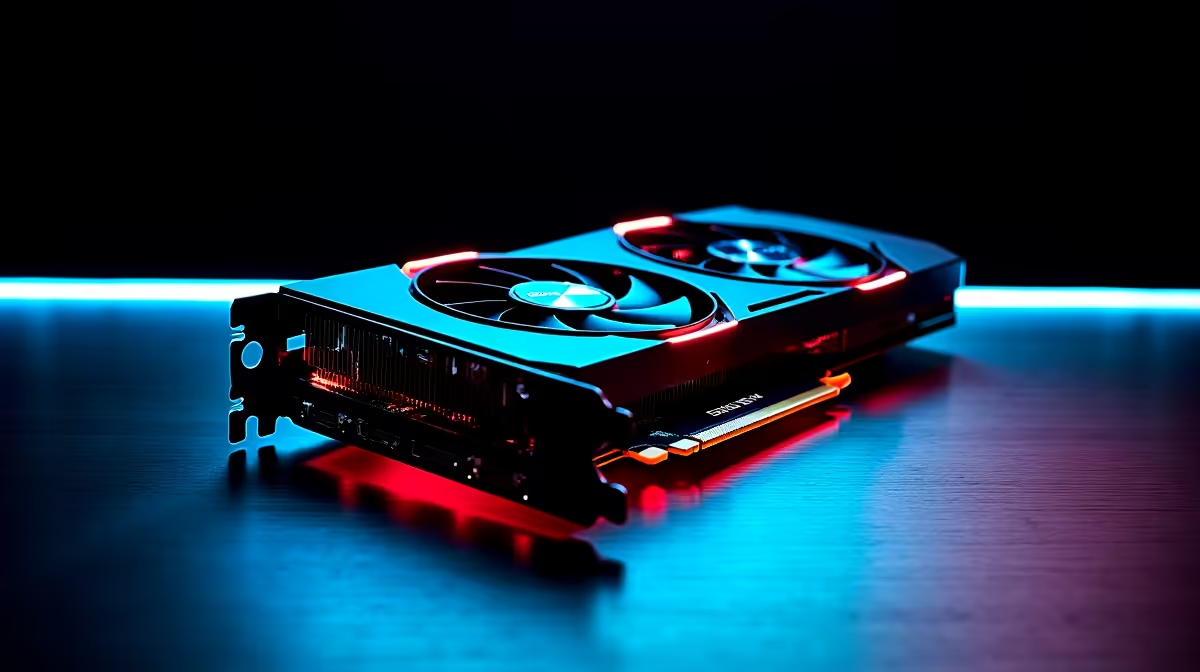
So, you've just unboxed that beastly new AMD Radeon RX 9070 XT. The smell of fresh anti-static plastic is in the air, and you're ready for insane frame rates. But hold up… just plugging it in isn't enough. To truly unlock its power and justify that hard-earned cash, you need the right setup. This quick RX 9070 XT setup guide ensures you get every drop of performance you paid for. Let's get it done. 🚀
A clean slate is non-negotiable for a stable, high-performance system. Before you even touch your new GPU, it's crucial to remove any old graphics drivers that could cause conflicts. Think of it as clearing the foundation before building a skyscraper.
First, download Display Driver Uninstaller (DDU). This free tool is the gold standard for completely wiping old NVIDIA, AMD, or Intel drivers from your system. Run it in Safe Mode for the best results. This step prevents stuttering, crashes, and weird visual bugs down the line. A little prep now saves a massive headache later, a lesson many of us learned the hard way after upgrading from older NVIDIA or AMD graphics cards.
Next, double-check your power supply unit (PSU). A monster card like the RX 9070 XT is thirsty for power. Ensure your PSU meets the recommended wattage and has the correct PCIe power connectors. Skimping on power is like putting cheap fuel in a supercar… you're just asking for trouble.
With your new card securely installed, it's time to bring it to life with AMD's powerful software suite.
Head directly to AMD's official website and download the latest version of the Adrenalin Software. Don't rely on the drivers that come with Windows Update, as they are often outdated. During installation, choose the "Full Install" option to get access to the entire suite of performance-tuning tools.
Once installed, right-click your desktop and open AMD Software: Adrenalin Edition. Here are the first three settings you should explore to maximise your RX 9070 XT performance:
To activate SAM, you'll need to enter your motherboard's BIOS UEFI. Look for "Above 4G Decoding" and "Re-Size BAR Support" and set them to "Enabled". It's a quick change that can give you a performance boost of up to 15% in certain games!
This level of software integration is a huge reason many gamers are choosing Team Red when browsing for new AMD Radeon graphics cards.
Your RX 9070 XT setup is almost complete. The final step is tailoring the experience to your specific games and monitor. While the principles of tuning are universal, a powerful card like this gives you more headroom to play with.
Start by setting your in-game graphics settings. With the 9070 XT, you can likely push most sliders to "Ultra." However, settings like volumetric fog, complex shadows, and especially ray tracing have the biggest performance cost. Tweak them one by one to find your personal sweet spot between stunning visuals and buttery-smooth FPS.
It's a process of optimisation that applies across the board, whether you're running the latest from AMD, tweaking a rig with NVIDIA GeForce graphics cards, or even exploring the capabilities of a system built around Intel Arc gaming PCs. The goal is always the same: a flawless gaming experience.
Finally, ensure your monitor's settings are in sync. Enable AMD FreeSync Premium in both the Adrenalin software and your monitor's on-screen display to eliminate screen tearing. And please, make sure you've set your display's refresh rate correctly in Windows Display Settings! It's shocking how many gamers in South Africa are running 144Hz monitors at 60Hz without even knowing it.
Ready to Unleash True Gaming Power? A proper setup transforms a good GPU into a great one. If you're ready to build a rig that crushes benchmarks and delivers an unbeatable experience, check out the latest deals on top-tier components. Find the best graphics card deals in South Africa and leave lag in the dust.
Download the latest driver from AMD's website for optimal performance.
Check if your PC has PCIe 4.0, adequate power supply, and compatible CPU.
Use AMD's Radeon Software to fine-tune settings for your games.
Ensure proper ventilation or consider aftermarket cooling for RX 9070 XT.
It's built for high-end gaming and should handle new titles smoothly.
Use tools like MSI Afterburner or HWMonitor for real-time stats.
RTX 4060 Ti Throttling Under Load: Temperature. Everything you need to know with SA pricing, step-by-step instructions & expert recommendations.
Read more
Apex Legends Max Settings on RTX 4080. Tested & verified settings for best FPS and visual quality on SA hardware budgets.
Read more
GPU Buying Guide. Everything you need to know with SA pricing, step-by-step instructions & expert recommendations.
Read more
GPU Terms Guide. Everything you need to know with SA pricing, step-by-step instructions & expert recommendations.
Read more
AMD Adrenalin Download & Setup Guide: GPU. Clear setup instructions with SA-specific considerations, troubleshooting tips & recommended components.
Read more
Back-to-School GPU Buying Guide. Everything you need to know with SA pricing, step-by-step instructions & expert recommendations.
Read more
Snapdragon X2 NPU Explained: How 80 TOPS Changes. Plain-English explanation of what it means, why it matters & how it affects your buying decisions in SA.

HBM? High Bandwidth Memory Used in GPUs and AI. Plain-English explanation of what it means, why it matters & how it affects your buying decisions in SA.

How much should you spend on sim racing accessories in South Africa for a realistic setup? We break down budgets by quality tiers, so you buy smart gear and avoid overspending 🎮💸

G-Sync and FreeSync? Variable Refresh Rate. Plain-English explanation of what it means, why it matters & how it affects your buying decisions in SA.

AMD Laptop: Value. SA-focused analysis with local pricing data, real-world insights & actionable buying advice.

How MacBook Neo Handles 30+ Chrome Tabs with Only. SA-focused analysis with local pricing data, real-world insights & actionable buying advice.

Why Apple Put 8GB RAM in MacBook Neo: The A18 Pro. SA-focused analysis with local pricing data, real-world insights & actionable buying advice.

Upgrade your work laptop with a New Motherboard. Step-by-step instructions with SA-specific tips, common pitfalls to avoid & expert recommendations.

Maintain wired headset — Checklist: • inspect cables • clean earpads • store properly 🔧🎧 Practical steps to preserve sound quality and avoid premature replacements.

Fix crackling headset fast: step-by-step checks for cables, connectors, drivers, and settings to remove static or distorted audio on wired headsets 🎧⚙️

Stereo vs mono headsets: learn which delivers clearer calls, better spatial music, or simpler mono voice performance — pick the right headset for meetings, music, or gaming 🎧💬

- Compare gaming headset vs studio headphones; - Assess comfort, mic and sound; - Recommend best daily picks. Gaming headset vs studio headphones: learn which suits work, music and casual gaming. 🎧⚖️