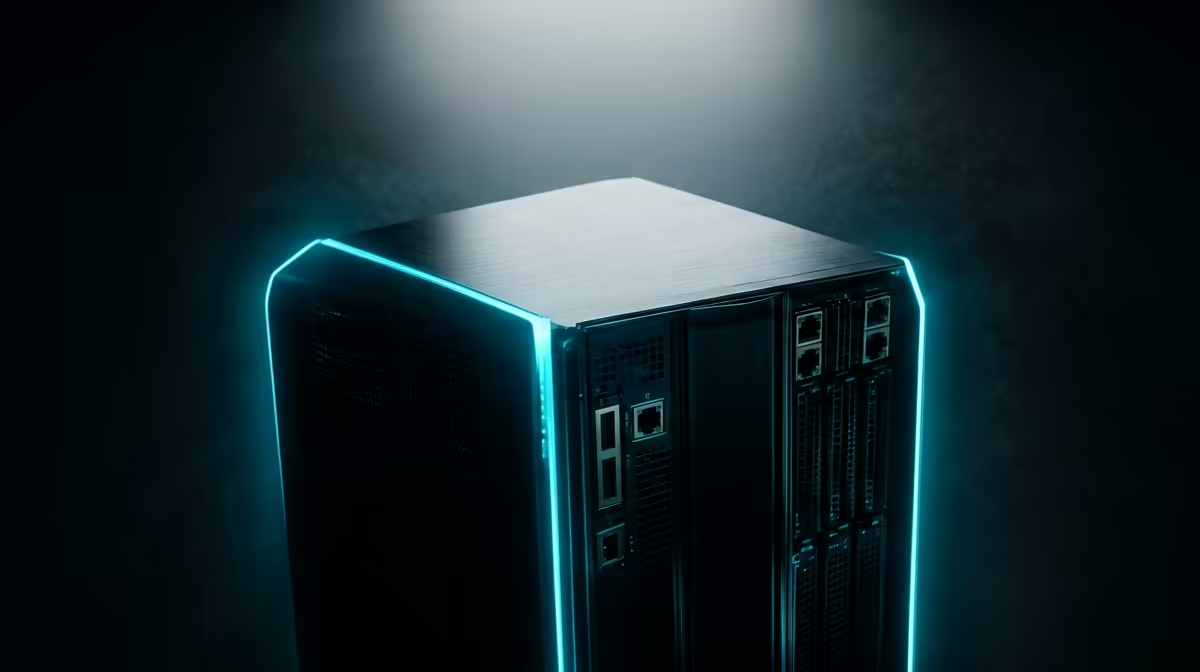
The pitch for self-hosting is seductively simple: cancel the recurring cloud subscription for your photos, files and notes, and run them off a small box in your home instead. The pitch for the cloud is just as simple: someone else handles the hardware, the backups, and the 3am failures while you get on with your life. Both are right, and which one wins for you comes down to a handful of numbers and how much you value control over convenience.
Quick Answer
Self-hosting trades recurring subscriptions for one-time hardware and ongoing electricity, with a low-power mini PC drawing around 40 watts costing roughly R80 a month to run in South Africa. For someone storing several terabytes, the break-even against cloud fees typically lands somewhere between one and two years. The cloud wins on convenience and managed reliability; self-hosting wins on privacy, control, and long-run cost at scale.
The cost picture, honestly
The headline appeal of self-hosting is escaping the subscription. A cloud storage or productivity plan is a fee you pay forever, and over years it adds up to far more than a server costs. Replacing it with hardware you own is genuinely cheaper in the long run for many people, especially anyone hoarding large amounts of data.
But the cost does not vanish, it changes shape. You pay upfront for the machine and drives, then a steady trickle for electricity, and your own time for setup and maintenance. A low-power mini PC running continuously draws around 40 watts and costs roughly R80 a month in power here, plus the amortised cost of the hardware itself over its life. The honest comparison is not "free versus paid", it is "one-time Rand hardware plus power versus dollar-billed monthly fees", and for South African buyers that currency split matters, because cloud subscriptions are usually priced in dollars while your hardware is bought in Rand.
Where the break-even lands
The maths tips toward self-hosting fastest for people who need a lot of storage. If you are paying for a large cloud plan every month, a home server with several terabytes of drives often pays for itself inside one to two years, after which it is effectively free to keep running beyond the power bill. If you store very little and your cloud plan is cheap or free, the break-even may never arrive, and self-hosting becomes a hobby rather than a saving. Knowing which camp you are in before you buy hardware saves disappointment.
Privacy and control
This is where self-hosting wins outright, and for many people it is the whole reason. Data on a server in your home stays in your home. There is no third party retaining your files, no terms of service that change under you, and no question of who can access your photos or where they are physically stored. For anyone uneasy about handing their digital life to a company, bringing it back behind your own front door is a real and meaningful difference.
Control extends past privacy. You decide what software runs, when it updates, and how long you keep things. A self-hosted setup using software like Nextcloud gives you files, photos, and calendars without anyone else's roadmap dictating features or pricing. Nothing gets removed because a provider sunset a product, and no feature you rely on disappears in an update you did not approve. Compact, efficient options suited to always-on duty sit in the mini PC range.
The cost of control: reliability and effort
The cloud's strongest argument is the one self-hosting can never fully match: someone else is responsible. When a cloud provider's drive fails, you never know, because redundancy and replacement happen invisibly. When your home server's drive fails, you find out, and fixing it is your job. The same goes for backups, security updates, and the occasional 3am reboot. Self-hosting asks you to be the system administrator, and that role does not clock off.
This is not a reason to avoid it, but it is a reason to be realistic. A self-hosted server still needs its own backup, ideally with a copy somewhere off-site, because a server in your home is vulnerable to theft, fire, or a failed drive in a way a major cloud is not. Many sensible setups are hybrid: self-host the bulk of your data for cost and privacy, and keep a cheap cloud copy of the truly irreplaceable files as insurance. To compare complete systems suited to always-on duty, the best selling PCs listing shows what is current.
Who self-hosting suits
Self-hosting fits the person who enjoys running their own systems, wants their data private, stores enough to make the maths work, and does not mind being on the hook when something breaks. It rewards curiosity and patience, and it pays back over years rather than overnight.
Who should stick with the cloud
The cloud suits anyone who wants storage to simply work, values their time over the saving, stores modest amounts, or cannot accept being their own support desk. There is no shame in paying for convenience, and for a lot of people the monthly fee buys back hours they would rather spend elsewhere.
What you can actually self-host
The conversation often stalls at "storage versus cloud", but a home server does far more than hold files. Self-hosting can replace a surprising stack of paid subscriptions at once: a private photo library that syncs from your phone, a calendar and contacts service, a password manager, a media server for your own films and music, document storage, and home automation, all on one box. When you tally every separate subscription a typical household pays, the case for consolidating them onto hardware you own grows considerably, because you are not escaping one fee, you are escaping several.
This is also where the privacy argument compounds. Each service you bring home is one less company holding a slice of your digital life. A self-hosted photo library, in particular, appeals to people uneasy about handing years of personal images to a provider whose terms and pricing can change.
Sizing the hardware sensibly
A frequent mistake is overbuilding the first server. You do not need a power-hungry tower to self-host for a household. A low-power mini PC paired with a couple of drives handles photos, files, and a media server comfortably while sipping electricity, which is exactly why the 40-watt figure matters so much to the running cost. Start modest, match the storage to what you actually keep rather than what you might one day want, and expand only when you genuinely run out. Right-sizing at the outset keeps both the upfront Rand cost and the monthly power bill low, which is what makes the long-run maths work in self-hosting's favour rather than against it.
Frequently Asked Questions
How much does it cost to run a home server in South Africa?
A low-power mini PC drawing around 40 watts costs roughly R80 a month in electricity here, plus the upfront hardware spread over its lifespan. That is usually far less than an equivalent large cloud subscription billed in dollars every month.
When does self-hosting actually become cheaper than the cloud?
Fastest for people storing several terabytes, where a home server often breaks even against cloud fees within one to two years. If you store very little, a cheap cloud plan may stay cheaper, so the saving depends heavily on your data volume.
Is my data safer on a home server or in the cloud?
It is more private on a home server because it never leaves your premises. It is not automatically safer from loss, since a major cloud has redundancy and backups you would have to recreate yourself. Keeping an off-site backup of irreplaceable files covers that gap.
Do I need to be technical to self-host?
Some comfort with setup and maintenance helps, because you become responsible for updates, backups, and fixing failures. Tools like Nextcloud have made this far more approachable, but it is still more involved than a cloud service that simply works.
Can I do both?
Yes, and many do. A common hybrid self-hosts the bulk of data for cost and privacy while keeping a small cloud copy of the most important files as insurance against a home disaster. That blend captures most of the upside of each.
Ready to bring your data home and cut the monthly fee? Explore the mini PC range at Evetech to find a quiet, low-power machine that makes a capable home server without inflating your electricity bill.